What the Script Name field does in a VICIdial script
The Script Name field gives each VICIdial script a short human-readable label, separate from its permanent ID. Learn what it accepts and why getting it right matters.
Script Name vs Script ID: two different fields
Every VICIdial script has two identifying fields. The Script ID is the permanent, immutable key - once set, you cannot change it without deleting and recreating the script. The Script Name is different: it is a short, human-readable label that describes what the script does. Managers and admins see this name in the scripts list, so it is the field they will actually read.
Accepted values and character limits
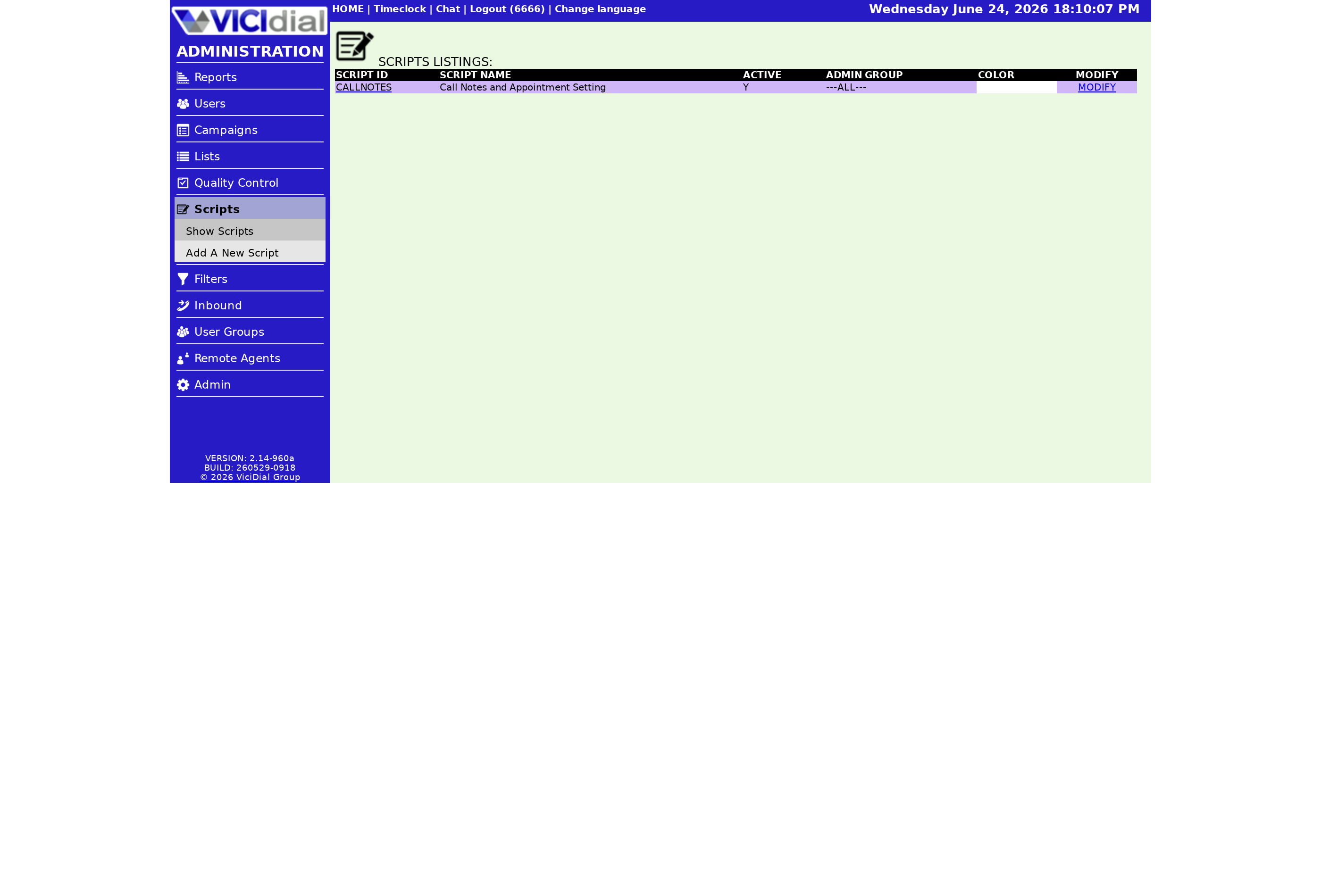
The Script Name field accepts a minimum of 2 characters and a maximum of 50 characters. The field is described as a short summary of the script. No spaces or punctuation of any kind are allowed. That constraint makes the Script Name behave like a slug - use underscores or CamelCase to separate words, for example OutboundSalesGreeting or InboundSupportQual.
When adding a new script, both the Script ID and the Script Name must be filled in before the form will accept submission. Leaving either blank causes the system to reject the add.
Why the Script Name matters in practice
When a supervisor assigns a script to a Campaign, the scripts list is sorted by name. A clear, descriptive name makes the right script easy to find. A vague name like Script1 forces whoever is building the campaign to open each script just to figure out what it does. Good naming conventions become especially important once you have dozens of scripts for different products, Ingroup queues, and compliance flows.
Unlike the Script ID, the Script Name can be updated at any time through the modification page. If a script evolves substantially - say it moves from a sales pitch to a compliance read-back - you can rename it without rebuilding anything. The Campaign assignment, the script body, and all saved settings carry over automatically.
Flow: how Script Name flows through the system
flowchart TD
  A[Admin creates script] --> B[Sets Script ID - permanent]
  A --> C[Sets Script Name - editable, max 50 chars]
  C --> D[Name appears in Scripts List]
  D --> E[Supervisor picks script by name when building Campaign]
  E --> F[Agent sees script body on agent screen]
  B --> G[Script ID referenced in campaign config]
Naming conventions that work
- Lead the name with the campaign type: OutboundSales, InboundSupport, BlendedWinback.
- Append a version suffix when you keep old variants active: SalesGreetingV2.
- Stay under 35 characters so names are never truncated in narrow list views.
- Avoid generic words like Script or Draft - they add no information.
Related script settings
The Script Name works alongside the Agent script display the agent sees, the Active flag that controls whether the script appears in campaign dropdowns, and the Script Comments field where you can leave a changelog note. For the full picture of every field on the script modification page, see the VICIdial agent screen configuration guide.
If you want to track changes to a script over time, pair a descriptive Script Name with a note in the Script Comments field - covered in Using the Script Comments field to track script changes.
Ready to build a cleaner script library? See pricing for VICIfast managed hosting plans that include full script management support.
Related from VICIfast
- Webphone your agents log intoYour logo, your colours, your subdomain - served to your agents.
- The one-page VICIdial configuratorCampaigns, users, dispositions, and schedules on a single modern screen.
- VICIdial Without the Ops - 18 chapters, freeArchitecture, sizing, storage and cost. No email wall on the contents.
- What VPS hosting costsFive tiers from Launch to Ultimate. Per server, never per agent.
About VICIfast
We run VICIdial servers for call centres, so you don’t have to. You get the dialer set up, secured and kept running — we handle the server, the updates and the backups. Bring your own phone carrier; we never resell minutes. From $49 a month per server.
Questions? Call +1 636 556 0022 and talk to someone who runs dialers.
Citing this article
VICIfast Engineering. “What the Script Name field does in a VICIdial script”. VICIfast LLC, June 24, 2026. Retrieved from https://vicifast.com/blog/vicidial-script-name-field
Have questions?
Related posts
You might be interested in




VICIfast newsletter
Liked this? Get the next one in your inbox.
We ship the kind of stuff you just read - concrete, numbers-first, no drip. One email when a new post goes live. Unsubscribe in one click.
Comments
No comments yet - be the first.