A custom VICIdial theme your agents will notice.
Same VICIdial underneath. A screen designed this decade on top.
Every plan · your logo and colours · agents can switch back with one click
On a live call: status band, lead card, every VICIdial action on the rail. Captured on a real VICIdial server, shown with a placeholder brand. Click for the rest of the screens.
Before and after
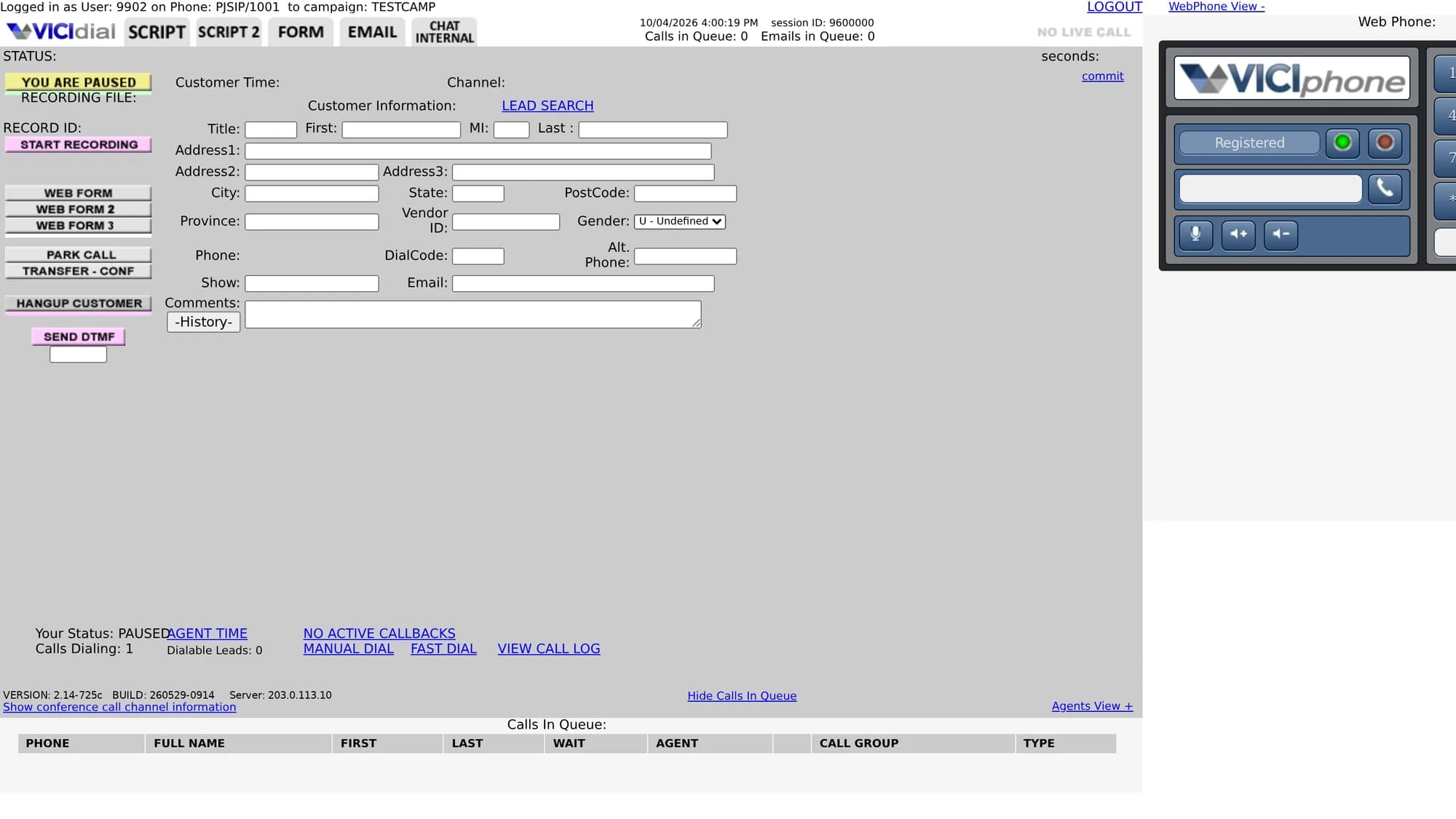
The same server, the same agent, the same campaign.
Both screenshots were taken minutes apart on one VICIdial box. The stock screen is a click away for any agent, so switching on the theme is not a one-way door.
What changes
Every VICIdial behaviour kept. Every pixel reconsidered.
Buttons appear and disappear with your campaign, user and system settings, the way they do on the stock screen. The theme reflects VICIdial; it does not reinvent it.
A real layout, not a recoloured one
Dark header and action rail, white work surface, a colour status band for paused, ready, live and disposition. The lead sits in a card with the name, customer time and record id where an agent looks for them.
Every VICIdial button, as a button
Web forms, park, transfer, hang up, DTMF, manual dial, fast dial, lead search, callbacks, call log: all of VICIdial’s actions on one rail, enabled and disabled exactly when VICIdial enables and disables them.
Sheets instead of boxes
Disposition, transfer, callbacks, pause codes, hot keys and lead search open as sheets over the screen, with VICIdial’s own content inside. The webphone lives in a drawer; the Script tab gets the whole centre.
Your brand, your colours
Your logo and name in the header and on the login page. Seven shell presets or any hex, an accent colour, and the VICIdial name and version hidden if you want them hidden.
Survives VICIdial upgrades
Nothing in vicidial.php is edited. The theme is a script and a stylesheet loaded through options.php, VICIdial’s own hook for exactly this, so an upgrade of the box does not wipe it.
Classic is one click away
A “classic” link in the header puts an agent back on the stock screen for that session. If anything misbehaves, nobody is stuck: the theme fails open to the standard VICIdial page.
Colours
Seven shells, one accent, your logo.
The shell is the dark chrome: header and action rail. Pick a preset or type any hex. The accent colours the primary buttons, the active tab and the avatar, and is chosen separately. The work surface stays white, because that is where the lead is.
- Plum#2a1736
- Navy#171e2e
- Dark indigo#1e1a4d
- Deep ocean#0c2340
- Midnight teal#0f2a2e
- Forest#10261c
- Graphite#1c1f24
- Any hex you like
/* VICIFAST-LAYER:START */$INSERT_head_script = '<link rel="stylesheet" href="https://vicifast.com/agc-layer/v1/layer.css"><script src="https://vicifast.com/agc-layer/v1/layer.js" defer data-shell="#2a1736" data-accent="#4f46e5" data-brand="Acme Dialer"></script>';/* VICIFAST-LAYER:END */# vicidial.php: untouched# ?vf=classic → the stock screen for this session
What the pack writes to your server. VICIdial echoes $INSERT_head_script on every agent page; the theme does the rest in the browser, and removing the block removes the theme.
Compared with a VICIdial theme service
Custom VICIdial themes usually mean edited core files. This one does not.
Most VICIdial customisation is sold as a modified copy of vicidial.php and its stylesheet, installed by hand. That works until the next upgrade. Here is how the two approaches differ, plainly.
| VICIfast theme | A theme service | |
|---|---|---|
| How it installs | One managed line in agc/options.php, pushed from your dashboard | Edited copies of vicidial.php and its CSS on the server |
| After a VICIdial upgrade | Still there: the upgrade does not touch the hook | Re-applied by hand, or lost |
| If something breaks | Falls back to the stock screen; agents have a classic link | The edited file is the agent screen |
| What it costs | Included with VICIfast hosting, every plan | Quoted per theme, per box |
| Where it runs | Servers VICIfast manages (VPS, dedicated, bring-your-own-server installs) | Any box you give someone root on |
| The rest of the brand | Login page, webphone, firewall portal and the reseller dashboard from the same pack | The agent screen only |
How to switch on
Three steps in the dashboard. No SSH.
Open Whitelabel in your dashboard
Create a pack or open the one you have. Put in your name, logo, accent colour and the login backdrop.
Set Agent screen to “VICIfast layout”
Pick a shell colour from the seven presets or type a hex. The preview on the right shows the login card as agents will see it.
Apply to your servers
The pack is pushed over SSH: the loader line lands in options.php, the login page is skinned, and agents get the new screen on their next login.
FAQ
VICIdial theme questions
Give your agents a screen that looks like your company.
Start a trial, open Whitelabel, set the agent screen to the VICIfast layout. The stock screen stays one click away.