How to add a Call Time Holiday in VICIdial
Adding a Call Time Holiday in VICIdial takes a few minutes but requires careful attention to status and the inbound method. This step-by-step guide covers every field and the two-step process to attach the holiday to a Call Time.
Getting to the Add Holiday screen
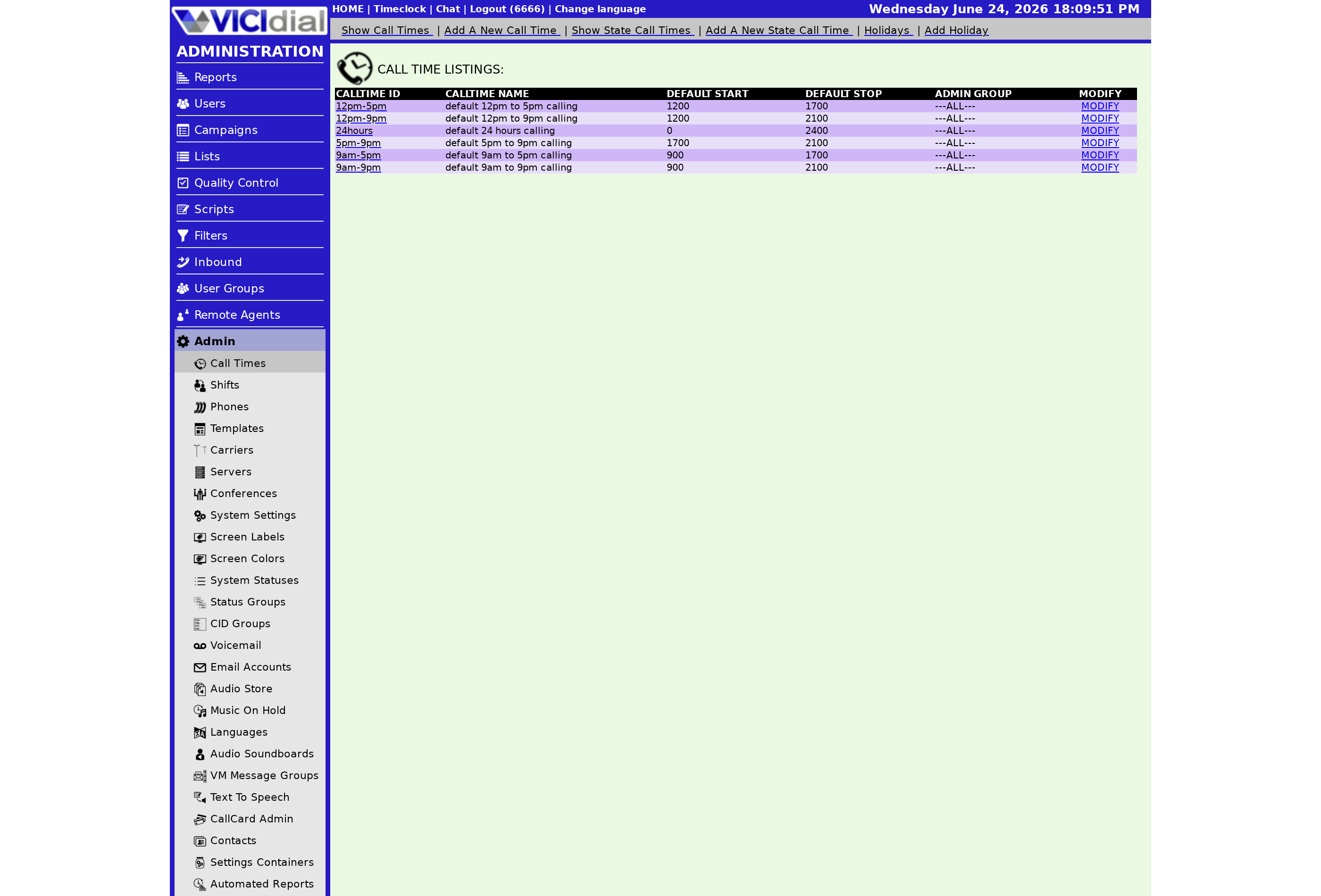
Log in as an admin. Go to Admin, then CALL TIMES. At the top of the Call Times section you will see a HOLIDAYS link - click it to see the holiday list. From there, click ADD HOLIDAY to open the creation form.
Filling in the form
flowchart TD
  A[Click ADD HOLIDAY] --> B[Enter Holiday ID - 2 to 30 chars]
  B --> C[Enter Holiday Name - max 100 chars]
  C --> D[Enter Holiday Date]
  D --> E[Set Start and Stop Times in military time]
  E --> F[Set Status to ACTIVE]
  F --> G[Choose Inbound Method - REPLACE or ADDITION_REVERSE]
  G --> H[Submit - Holiday ID is now permanent]
  H --> I[Open parent Call Time and attach this holiday]
Holiday ID
Choose a 2–30 character identifier using only letters and numbers (no spaces or punctuation). Like the Call times ID, this cannot be changed after the record is saved. Use a naming pattern like USLABOR2026 or XMAS2026 so future admins know at a glance what the entry is for.
Holiday Name
Up to 100 characters. Make this the human-readable name of the holiday - for example, "US Labor Day 2026" or "Christmas Day 2026".
Holiday Date
The specific calendar date for this holiday. The system compares server date against this value, so make sure your server's timezone is set correctly. The holiday fires only on this date - it is not a recurring rule.
Start and Stop Times
Use military time. To cover an entire day, set start to 0 and stop to 2400. For a partial closure - say, noon to 5 p.m. - enter 1200 and 1700. These times work together with the Holiday Inbound Method to determine which inbound calls get redirected.
Holiday Status
The default is INACTIVE. A holiday with INACTIVE status does nothing on the holiday date. You must change it to ACTIVE for it to fire. Once the date has passed, the system automatically marks it EXPIRED. See what ACTIVE, INACTIVE, and EXPIRED mean for a full explanation of all three states.
Holiday Inbound Method
REPLACE swaps the Call Time's normal window with the holiday start/stop on that date. ADDITION_REVERSE keeps the normal Call Time active but also triggers After Hours routing for any time that falls within the holiday window. Use ADDITION_REVERSE when you want to close during part of an otherwise open day. When multiple ADDITION_REVERSE holidays match, the one with the start time closest to the current time takes precedence.
Attaching the holiday to a Call Time
Creating the holiday record alone is not enough. You must also open the Call Time definition that should observe it, scroll to the Holiday Call Time Definitions section, select your new holiday from the list, and click Submit. Until that step is done, the Ingroup queues using that Call Time will not see the holiday.
A few other things to confirm before the holiday date: verify that the After hours audio prompt is set on the Ingroup queue, so callers hear a helpful message instead of silence. If your operation uses TCPA scrubbing on callbacks, note that holiday routing applies only to live inbound calls - it does not suppress outbound dialing or alter how Disposition codes are handled for agents who are already on calls when the holiday window opens.
For the broader compliance picture that makes proper holiday handling important, read the VICIdial compliance overview. You can also reference what are telemarketing prohibited holidays for the list of dates that typically require closure.
Need a fully managed VICIdial setup where holiday configurations are handled for you? See pricing to explore hosting plans.
Related from VICIfast
About VICIfast
We run VICIdial servers for call centres, so you don’t have to. You get the dialer set up, secured and kept running — we handle the server, the updates and the backups. Bring your own phone carrier; we never resell minutes. From $49 a month per server.
Questions? Call +1 636 556 0022 and talk to someone who runs dialers.
Citing this article
VICIfast Engineering. “How to add a Call Time Holiday in VICIdial”. VICIfast LLC, June 24, 2026. Retrieved from https://vicifast.com/blog/how-to-add-a-call-time-holiday
Have questions?
Related posts
You might be interested in
VICIfast newsletter
Liked this? Get the next one in your inbox.
We ship the kind of stuff you just read - concrete, numbers-first, no drip. One email when a new post goes live. Unsubscribe in one click.
Comments
No comments yet - be the first.