How to attach state-specific call times to a Call Time definition
State Call Time Definitions let you override the default calling window for leads in specific states, so VICIdial automatically respects narrower state-level restrictions. This guide covers creating a State Call Time and linking it to a Call Time definition.
Why state-specific windows exist
Federal law sets a baseline for Permitted calling hours, but many states restrict calling to narrower windows. California, for example, bans calls before 9 a.m. local time, while the federal floor is 8 a.m. Rather than building a separate Campaign for each state, VICIdial lets you attach State Call Time Definitions to a single Call Time record. The dialer then applies the correct window automatically based on the lead's state field. For the compliance backdrop, see the VICIdial compliance overview.
Prerequisites: the state field in your leads
State Call Time Definitions only activate when the lead record has a two-letter state code in its state field. If you are loading lists through the Lead loader and your source data does not include state, the state-specific rules will never fire - the dialer falls back to the parent Call Time's default window. Audit your Lead list data before relying on this feature.
Creating a State Call Time Definition
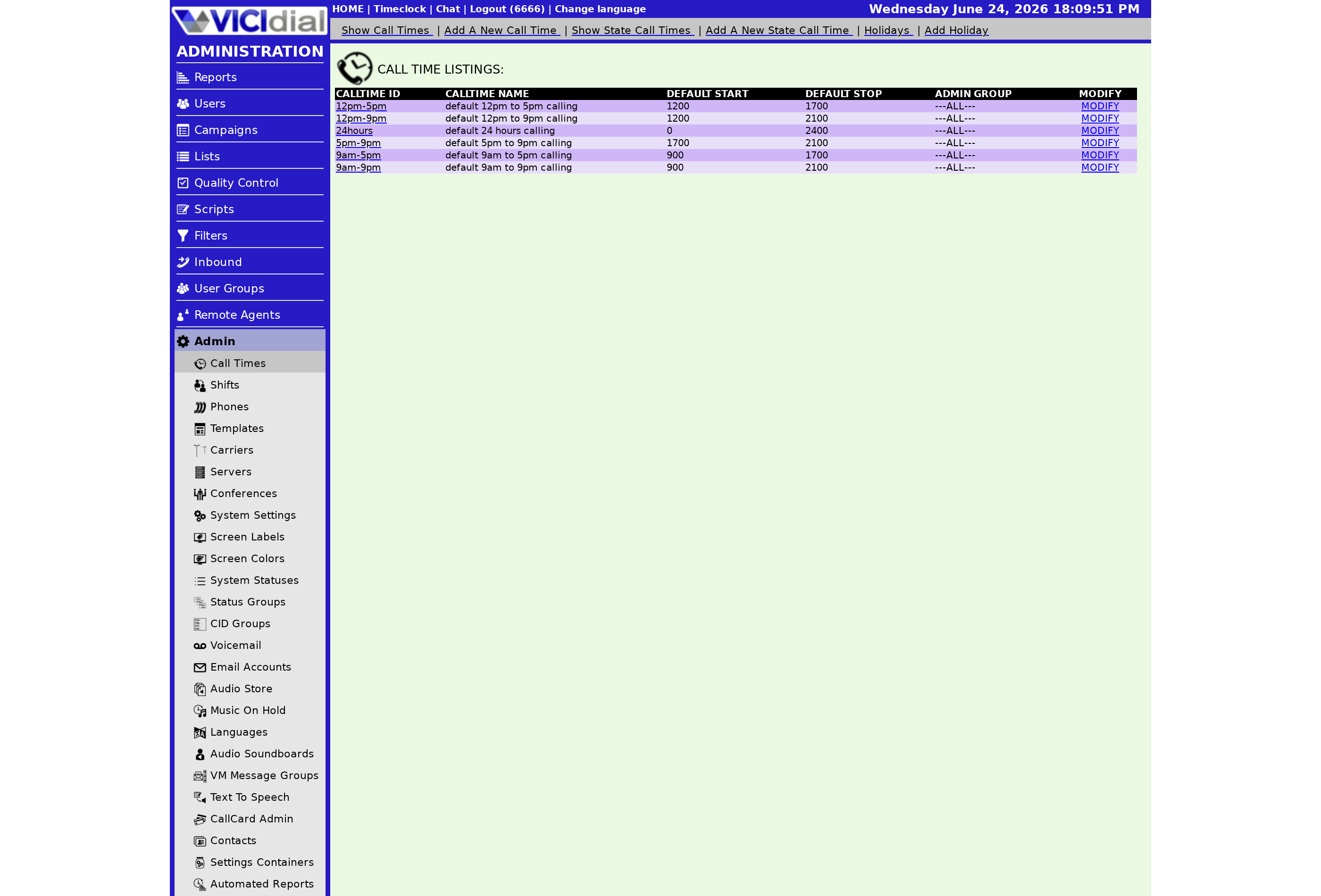
From the Admin section, open CALL TIMES and click SHOW STATE CALL TIMES to see the existing list, or ADD NEW STATE CALL TIME to create one. The fields mirror a standard Call Time definition but include a required two-letter State field:
- State Call Time ID - 2–10 characters, letters and numbers (dashes ok), no spaces or other punctuation. Permanent after creation.
- State - the two-letter code (e.g., CA, TX, FL) for the state this rule covers.
- Default Start and Stop Times - the window to apply for leads in that state. Uses the same 0–2400 numeric format as the parent Call Time.
- Weekday overrides - per-day windows, identical in behavior to those on a regular Call Time.
Attaching the State Call Time to a Call Time definition
flowchart TD
  A[Open Call Time modification page] --> B[Scroll to State Call Time Definitions section]
  B --> C[Select state record from dropdown]
  C --> D[Click Submit]
  D --> E[State record appears in attached list]
  E --> F{Lead dialed - state field populated?}
  F -- Yes --> G[State Call Time window evaluated]
  F -- No --> H[Default Call Time window used]
Once the State Call Time Definition exists in the system, open the parent Call Time's modification page. In the State Call Time Definitions section, select the state record from the dropdown and click Submit. It will appear in the list of attached state records. Repeat for each state that needs its own window.
You can attach multiple state records to one Call Time. A single State Call Time Definition can also be attached to multiple Call Times - useful if the same state-level window applies across several campaigns.
How the override logic works at dial time
When the dialer evaluates a lead, it first checks whether the lead's state matches any attached State Call Time. If it does, that state window replaces the parent window entirely for that lead. If no match exists, the parent Call Time's default or weekday window applies. The state window does not supplement the parent window - it completely overrides it.
This feature pairs naturally with State DNC list filtering, which removes leads listed on state-level Do Not Call registries before they ever reach the dialer. Together, the two mechanisms cover the two most common state-specific compliance requirements: when you call and who you cannot call. For a summary of current state calling rules, see state-specific call times list.
Ready to put this into practice on a managed platform? See pricing for VICIfast hosting options.
Related from VICIfast
- Timezone by area codeStay inside legal calling hours per prefix.
- The one-page VICIdial configuratorCampaigns, users, dispositions, and schedules on a single modern screen.
- VICIdial Without the Ops - 18 chapters, freeArchitecture, sizing, storage and cost. No email wall on the contents.
- Optional extras and setup helpHands-on setup, migrations and extras, priced per job rather than per month.
About VICIfast
We run VICIdial servers for call centres, so you don’t have to. You get the dialer set up, secured and kept running — we handle the server, the updates and the backups. Bring your own phone carrier; we never resell minutes. From $49 a month per server.
Questions? Call +1 636 556 0022 and talk to someone who runs dialers.
Citing this article
VICIfast Engineering. “How to attach state-specific call times to a Call Time definition”. VICIfast LLC, June 24, 2026. Retrieved from https://vicifast.com/blog/how-to-add-state-call-times-to-definition
Have questions?
Related posts
You might be interested in
VICIfast newsletter
Liked this? Get the next one in your inbox.
We ship the kind of stuff you just read - concrete, numbers-first, no drip. One email when a new post goes live. Unsubscribe in one click.
Comments
No comments yet - be the first.