What Call Time Holidays are and when to use them
Call Time Holidays are one-day (or partial-day) rules attached to a Call Time definition that reroute inbound calls to an After Hours option during a named holiday. This post explains the feature, its fields, and when it makes sense to use it.
What a Call Time Holiday does
A Call Time Holiday is a named date entry - covering a full day or a specific block of hours - that you attach to a Call Time definition. When that date and time arrives, any Ingroup or Call Menu using that Call Time will automatically route callers to the After Hours option instead of queuing them for agents. Once the holiday window ends, routing reverts to normal without any manual intervention.
This is primarily an inbound tool. Outbound Call times already handle blocked days through start/stop times set to 2400; holidays add a date-specific layer that is easier to manage than manually adjusting windows every year. For the broader compliance context, see the VICIdial compliance overview.
Holiday fields explained
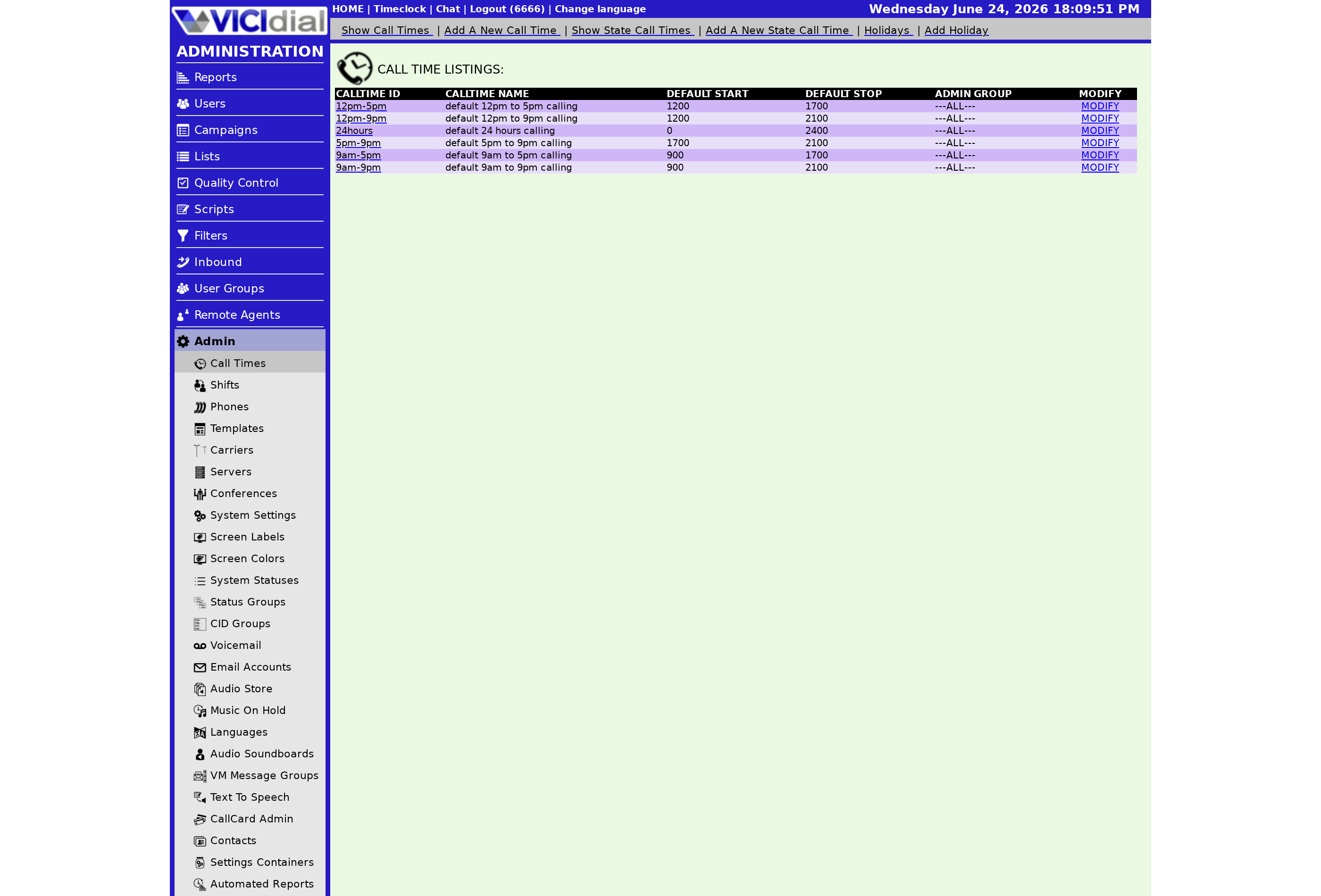
- Holiday ID - a unique identifier, 2–30 characters, letters and numbers only (no spaces or punctuation). Permanent once created; delete and recreate to rename.
- Holiday Name - a descriptive label up to 100 characters, shown in lists and drop-downs.
- Holiday Comments - free-text notes up to 255 characters explaining the purpose or any special handling notes.
- Holiday Date - the calendar date the rule applies to. A single specific date, not a recurring yearly rule.
- Holiday Start and Stop Times - the hours (military time) within the holiday date that should trigger After Hours routing. Set a full-day block or a partial window.
- Holiday Status - ACTIVE, INACTIVE, or EXPIRED. Only ACTIVE holidays fire on the holiday date. Default is INACTIVE, so you must explicitly set it to ACTIVE before the date arrives.
REPLACE vs ADDITION_REVERSE inbound methods
The Holiday Inbound Method field controls how the holiday interacts with the parent Call Time window:
- REPLACE (default) - the holiday start and stop times simply replace the Call Time's normal window for that day. Calls outside the holiday window follow normal routing; calls within it go to After Hours.
- ADDITION_REVERSE - the normal Call Time is still active, but any time that falls within a holiday's window triggers After Hours. This is useful for closures within an otherwise open day - for example, closing from noon to 2 p.m. for a company event while staying open morning and evening.
flowchart TD
  A[Inbound call arrives on holiday date] --> B{Holiday Status = ACTIVE?}
  B -- No --> C[Normal Call Time routing]
  B -- Yes --> D{Current time within holiday window?}
  D -- No --> C
  D -- Yes --> E{Inbound Method?}
  E -- REPLACE --> F[After Hours routing]
  E -- ADDITION_REVERSE --> G{Within active Call Time?}
  G -- Yes --> F
  G -- No --> C
When to create a holiday vs adjust the weekly window
Use the weekly start/stop times when your calling window changes permanently or seasonally. Use holidays for specific named dates - national holidays, company closure days, or any one-off day where your Ingroup should not be taking live calls. Holidays are also easier to audit at year-end than trying to reconstruct why a weekly window was temporarily changed.
A practical tip: check whether your After hours audio prompt is configured in the Call Time record before you attach any holidays. If the AH Override field is blank, the Ingroup falls back to whatever After Hours audio is set on the queue itself. Also, holidays are separate from any Scheduled callback slots - if an agent books a callback that falls on a holiday date, the callback will still dial because holidays only govern inbound routing, not outbound Campaign dialing.
For a related compliance reference on national telemarketing-prohibited holidays, see what are telemarketing prohibited holidays. To add a holiday step by step, see how to add a Call Time Holiday.
Looking for a VICIdial environment where compliance features are already set up? See pricing for managed hosting plans.
Related from VICIfast
About VICIfast
We run VICIdial servers for call centres, so you don’t have to. You get the dialer set up, secured and kept running — we handle the server, the updates and the backups. Bring your own phone carrier; we never resell minutes. From $49 a month per server.
Questions? Call +1 636 556 0022 and talk to someone who runs dialers.
Citing this article
VICIfast Engineering. “What Call Time Holidays are and when to use them”. VICIfast LLC, June 24, 2026. Retrieved from https://vicifast.com/blog/what-are-call-time-holidays
Have questions?
Related posts
You might be interested in
VICIfast newsletter
Liked this? Get the next one in your inbox.
We ship the kind of stuff you just read - concrete, numbers-first, no drip. One email when a new post goes live. Unsubscribe in one click.
Comments
No comments yet - be the first.