How to delete a VICIdial script safely
Deleting a VICIdial script is a two-step process to prevent accidents. Before you delete, check which campaigns reference the script - removing it without reassigning can break those campaigns.
Before you delete: check for active assignments
Deleting a Agent script that is still assigned to a live Campaign or inbound group means that agents in those campaigns lose their script panel immediately. Before clicking delete, review which campaigns and groups reference the script ID and either reassign them to a different script or confirm they no longer need one.
If the goal is just to stop agents from using a script temporarily, consider setting the Active flag to N on the modification page instead. That removes the script from the selectable list without deleting it, so you can reactivate it later.
The two-step delete process
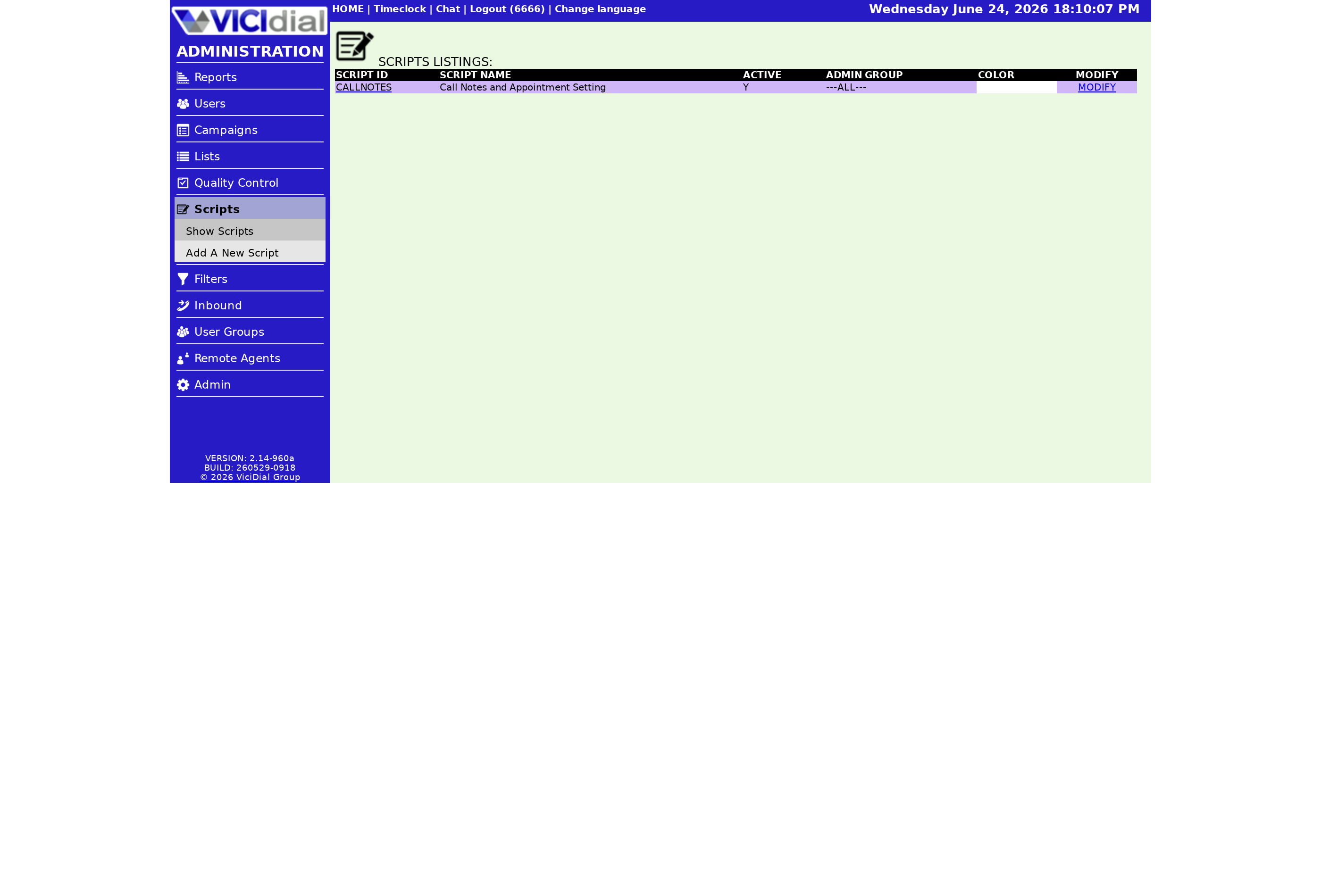
Deletion is intentionally a two-step process to prevent accidental removal. Here is how it works:
- Go to SCRIPTS in the admin left-side menu and click the modification link next to the script you want to remove.
- Scroll to the bottom of the Script modification page and click the DELETE THIS SCRIPT link. This is the first step - the script is not deleted yet.
- The page reloads and a confirmation link appears at the top. Click the second DELETE THIS SCRIPT link to permanently remove the script.
Both clicks are required. The delete option is also only available if the manager's account has delete permissions enabled - if you do not see the DELETE THIS SCRIPT link at the bottom of the modification page, check your admin permissions.
Delete flow
flowchart TD
  A[Open Script modification page] --> B[Scroll to bottom]
  B --> C[Click DELETE THIS SCRIPT - step 1]
  C --> D[Page reloads with confirmation link at top]
  D --> E{Confirm delete?}
  E -- No --> F[Do not click - script stays]
  E -- Yes --> G[Click DELETE THIS SCRIPT - step 2]
  G --> H[Script permanently removed from system]
What happens after deletion
Once deleted, the script ID is freed up, but creating a new script with the same ID is effectively a fresh script with no content - nothing carries over. Any Campaign that still references the deleted script ID will have no script to display until you update the campaign settings. The same applies to any Ingroup that used the script for inbound calls.
If you deleted a script in order to reuse the same Script ID with different content, you will need to go through the full add process again. There is no restore or undo once the second confirmation click is made.
For the full script lifecycle from creation to retirement, the VICIdial agent screen configuration guide is the best starting point.
If you are looking at restructuring your script library as part of a broader VICIdial refresh, how to add a new VICIdial script covers the add flow and required fields.
Need a managed environment where script changes are handled with proper change-control workflows? See pricing to see what is included.
Related from VICIfast
About VICIfast
We run VICIdial servers for call centres, so you don’t have to. You get the dialer set up, secured and kept running — we handle the server, the updates and the backups. Bring your own phone carrier; we never resell minutes. From $49 a month per server.
Questions? Call +1 636 556 0022 and talk to someone who runs dialers.
Citing this article
VICIfast Engineering. “How to delete a VICIdial script safely”. VICIfast LLC, June 24, 2026. Retrieved from https://vicifast.com/blog/how-to-delete-a-vicidial-script
Have questions?
Related posts
You might be interested in
VICIfast newsletter
Liked this? Get the next one in your inbox.
We ship the kind of stuff you just read - concrete, numbers-first, no drip. One email when a new post goes live. Unsubscribe in one click.
Comments
No comments yet - be the first.