How to add a new VICIdial script
Adding a VICIdial script requires setting a Script ID and Script Name before the form will save. This guide walks through every field in the Add Script screen so your first script saves correctly.
Getting to the Add Script screen
Open the VICIdial admin panel and click SCRIPTS in the left-side menu. The Scripts section loads with a list of every existing script. At the top of that list, click the ADD SCRIPT link to reach the Add Script form.
Required fields - the form will not save without these
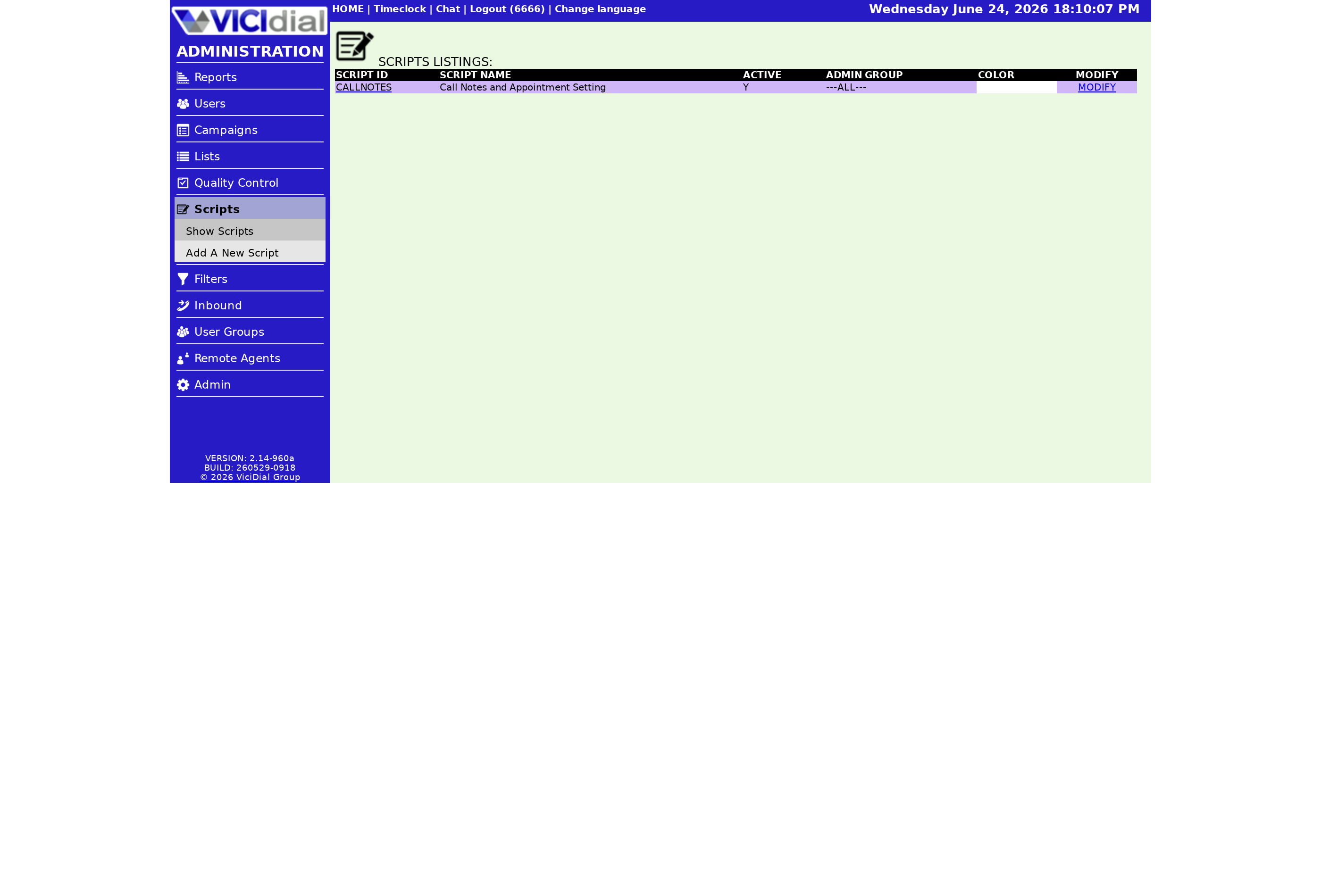
Two fields are mandatory. Skip either one and the submission is rejected:
- Script ID - a short unique code for this script, 2–20 characters, letters and numbers only, no spaces or punctuation. This ID cannot be changed after creation.
- Script Name - a human-readable title, 2–50 characters. No spaces or punctuation of any kind.
Because the Script ID is permanent, think about your naming scheme before you type it. See the naming rules that trip people up for a practical guide to picking IDs that scale.
Optional fields worth knowing
- Script Comments - internal notes, up to 255 characters. Useful for tracking changes, e.g. "updated offer June 2025".
- Admin User Group - restricts which admin User group can view this script. Defaults to --ALL--.
- Active - controls whether the script appears as an option when configuring a Campaign. Set to Y for the script to be selectable.
- Script Color - sets the background color of the script panel in the agent screen. Default is white. Accepts HTML-safe color names or a hex value from the color chooser.
- Script Text - the content agents read during the call. Supports plain text, HTML, iframes, and dynamic lead-data tokens.
How to add dynamic lead data to the script text
To pull a Lead field into the script, wrap the field name with --A-- and --B-- tokens. For example:
Hello, can I speak with --A--first_name--B-- --A--last_name--B-- please?
When the script renders on the Agent session screen, the tokens are replaced with the actual values from the current lead record, so the agent reads: "Hello, can I speak with John Doe please?"
Available field names include first_name, last_name, phone_number, address1, city, state, postal_code, email, alt_phone, date_of_birth, and many more. You can also pull in system values like campaign, uniqueid, and session_id. The Disposition field is not available as a live token since the agent sets it after the call, but all lead-record fields and most system fields are fair game.
Iframe scripts for external content
If your team uses an external Web form or CRM lookup page, the Script Text field supports an iframe tag. You can pass the lead's data as URL parameters using the same --A--field--B-- tokens, so the external page loads pre-populated for the agent. A special IGNORENOSCROLL variable forces scroll bars on the Script tab even when an iframe is present.
The add flow from click to saved script
flowchart TD
  A[Click ADD SCRIPT] --> B[Fill Script ID]
  B --> C[Fill Script Name]
  C --> D[Fill optional fields]
  D --> E[Submit form]
  E --> F{Script ID and Name set?}
  F -- No --> G[Form rejected, try again]
  F -- Yes --> H{Script ID unique and valid?}
  H -- No --> G
  H -- Yes --> I[Script saved to system]
  I --> J[Script appears in Scripts list]
After saving, the script appears in the main Scripts list and can be assigned to a campaign. The full agent screen setup is covered in the VICIdial agent screen configuration guide.
Want a fully managed VICIdial setup where scripts and campaigns come pre-configured? See pricing to compare plans.
Related from VICIfast
- The branded agent webphoneYour logo, your colours, your subdomain - served to your agents.
- Every VICIdial setting on one screenCampaigns, users, dispositions, and schedules on a single modern screen.
- The free VICIdial field guideArchitecture, sizing, storage and cost. No email wall on the contents.
- Optional extras and setup helpHands-on setup, migrations and extras, priced per job rather than per month.
About VICIfast
We run VICIdial servers for call centres, so you don’t have to. You get the dialer set up, secured and kept running — we handle the server, the updates and the backups. Bring your own phone carrier; we never resell minutes. From $49 a month per server.
Questions? Call +1 636 556 0022 and talk to someone who runs dialers.
Citing this article
VICIfast Engineering. “How to add a new VICIdial script”. VICIfast LLC, June 24, 2026. Retrieved from https://vicifast.com/blog/how-to-add-a-vicidial-script
Have questions?
Related posts
You might be interested in
VICIfast newsletter
Liked this? Get the next one in your inbox.
We ship the kind of stuff you just read - concrete, numbers-first, no drip. One email when a new post goes live. Unsubscribe in one click.
Comments
No comments yet - be the first.