How to Activate State Call Times in VICIdial
A step-by-step on using the CALL TIMES section of admin.php to build a call time record with day-of-week hours and select it in your campaign.
VICIdial enforces calling hours through a call time record, and you attach one of those records to each campaign. The good news is that the stricter-than-standard state windows are already built into a fresh VICIdial install - you mostly just activate them rather than typing them in from scratch. This walks through the CALL TIMES section of the admin interface: building or extending a Call times record with day-of-week hours, adding the state windows to it, and selecting it on the Campaign so every Lead is checked against the right Permitted calling hours before it is dialed.
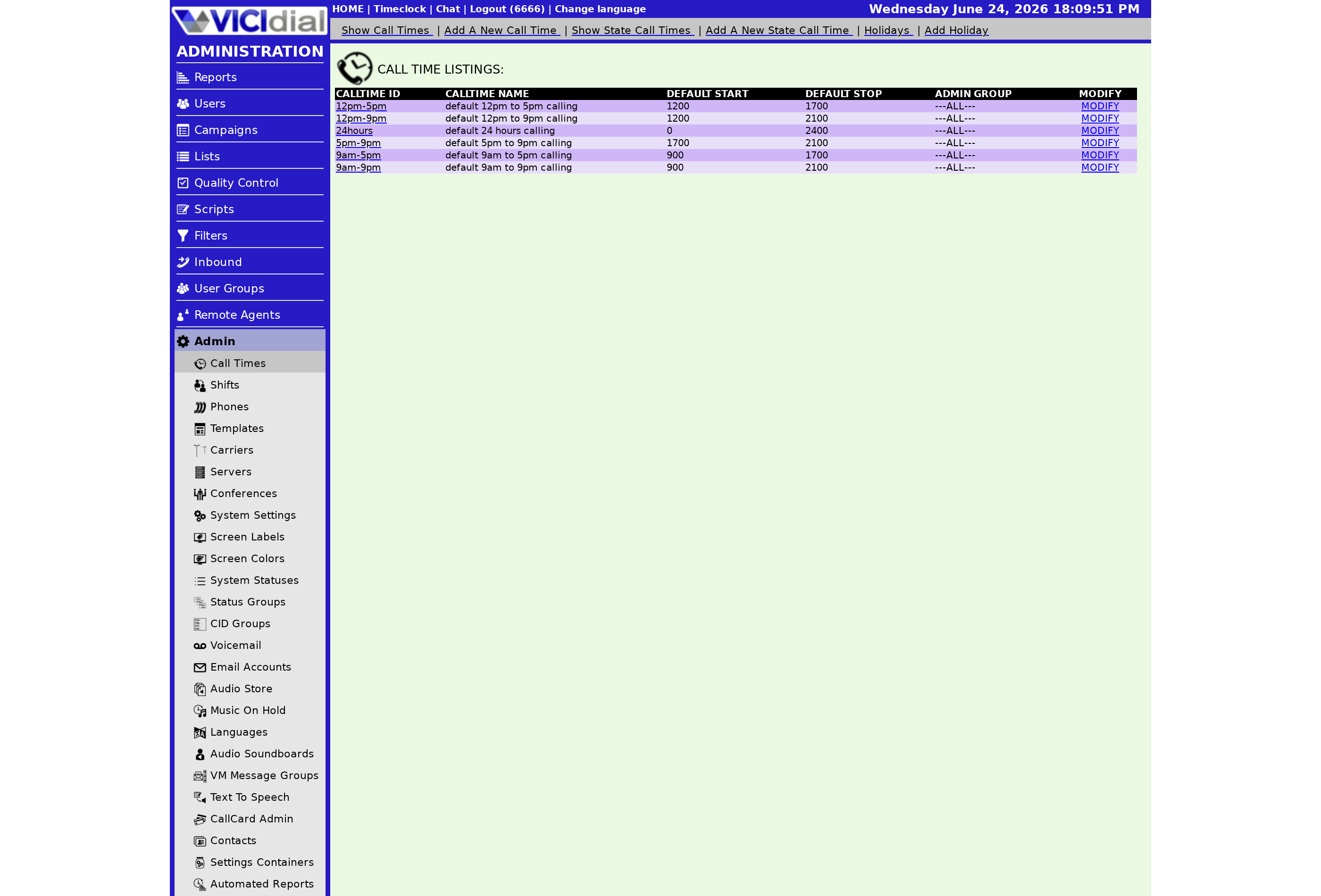
Building the record in admin.php
Open admin.php and go to the CALL TIMES section. Here you either add a new call time or open an existing one. A call time record holds a default window plus a separate start and stop time for each day of the week - this is how you cover rules that change on Sundays or Saturdays. Set the default to your safe baseline, for example 9am to 9pm, then tighten individual days where a state requires it.
To layer the state rules on, use the state call times that ship with VICIdial. Inside the call time record you select the individual state windows you want to enforce and activate them one at a time. Each activated state record narrows the hours for leads in that state on top of your default - so a lead in Florida is held to 8am-8pm, while a lead in a state with no special rule still follows your 9am-9pm default. You activate exactly the states you actually dial. For the bigger compliance context, the VICIdial compliance overview ties this together, and the specific windows per state are listed in the state-specific calling time restrictions.
Activation flow
flowchart TD
  A[Open admin.php] --> B[Go to CALL TIMES]
  B --> C[Create or open a call time record]
  C --> D[Set default and day-of-week hours]
  D --> E[Activate built-in state call times]
  E --> F[Save the record]
  F --> G[Open the campaign]
  G --> H[Select this call time]
  H --> I[Dialer enforces hours per lead]
The flow ends at the campaign: after the record is saved with your day-of-week hours and activated state windows, you open the campaign settings and choose that call time in the call time field. From then on, the dialer checks every lead's local time against the record before placing the call - nothing outside the window goes out.
One note: there is no per-state no-calling-days scheduler, so for a one-off ban like a holiday or a post-disaster shutdown, temporarily set that state's call time record to 2400/2400 for the affected day, then return it afterward. If you would rather not maintain any of this yourself, VICIfast preconfigures the state call times and compliant defaults for you - see pricing.
Related from VICIfast
- How TCPA scrubbing works hereBring your own Blacklist Alliance key; fail-closed or fail-open per trunk.
- The TCPA rules that apply to dialingConsent, calling hours, and the parts that generate lawsuits.
- Add-ons and one-time servicesHands-on setup, migrations and extras, priced per job rather than per month.
About VICIfast
We run VICIdial servers for call centres, so you don’t have to. You get the dialer set up, secured and kept running — we handle the server, the updates and the backups. Bring your own phone carrier; we never resell minutes. From $49 a month per server.
Questions? Call +1 636 556 0022 and talk to someone who runs dialers.
Citing this article
VICIfast Engineering. “How to Activate State Call Times in VICIdial”. VICIfast LLC, June 24, 2026. Retrieved from https://vicifast.com/blog/how-to-activate-state-call-times-vicidial
Have questions?
Related posts
You might be interested in
VICIfast newsletter
Liked this? Get the next one in your inbox.
We ship the kind of stuff you just read - concrete, numbers-first, no drip. One email when a new post goes live. Unsubscribe in one click.
Comments
No comments yet - be the first.