My campaign isn't dialing
Agents waiting but no calls? Work through six checks in order: agents ready, campaign on with a phone line, leads left, calling hours, the phone line, and the server.
Your server & troubleshooting · 5 min read
Your agents are waiting, but no calls reach them. Work through these checks in order. The first ones fix most cases, and each uses something your server page already shows.
What you might see
- Agents wait on the Floor and no calls come in.
- The 15m dials tile on the Floor stays at 0.
- A red banner at the top of your server page says a campaign "is dialing into nothing".
- An Out of leads row appears on the Floor, or the Hopper tile turns red.
What you need
- You are the account owner, or a team member allowed on the Floor, Campaigns and Lists tabs.
- The one-click fix in the red banner is for the account owner only.
Check 1: Are your agents ready?
A campaign that dials by itself places calls for agents who are ready. If nobody is ready, it waits.
- In the sidebar, click My Servers, then open your server. The Floor tab opens first.
- Make sure the Wallboard chip is selected.
- Read the Agents tile: how many agents are on a call, ready and logged in. Next to it, Paused shows how many are not taking calls. It turns amber when every agent is paused.
- If nobody is signed in, the page says "No agents are logged in right now."

Agents start paused and must make themselves ready. See Taking calls: ready, pause and call results. Agents who can't open the agent screen at all: see An agent can't reach the login page.
Check 2: Is the campaign on, with a phone line to dial out?
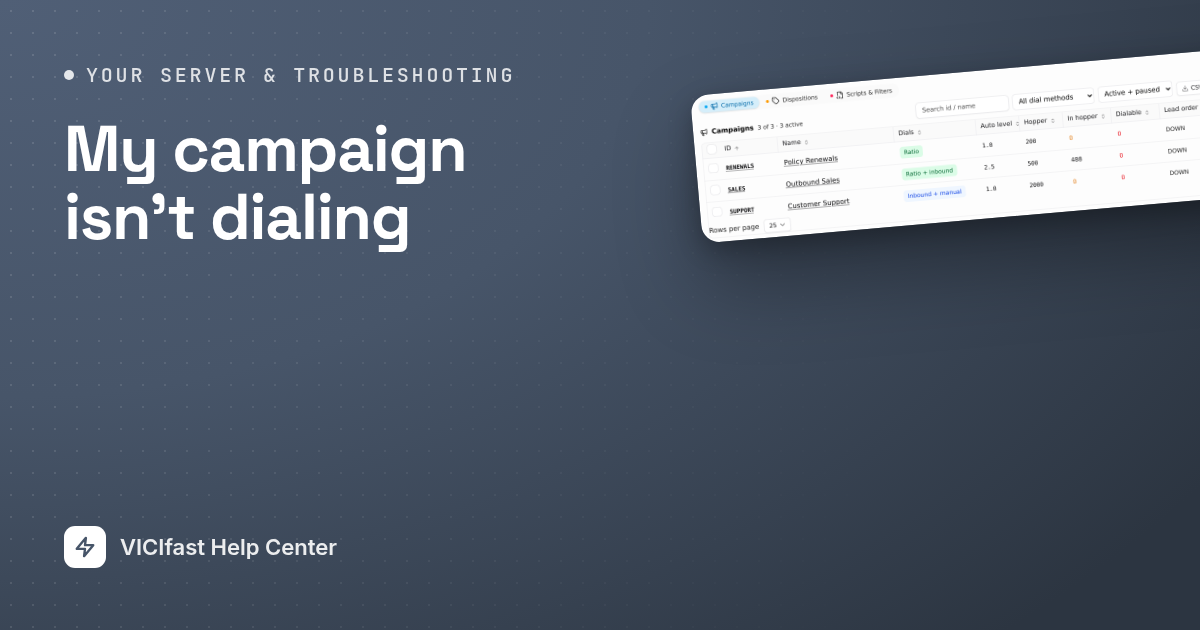
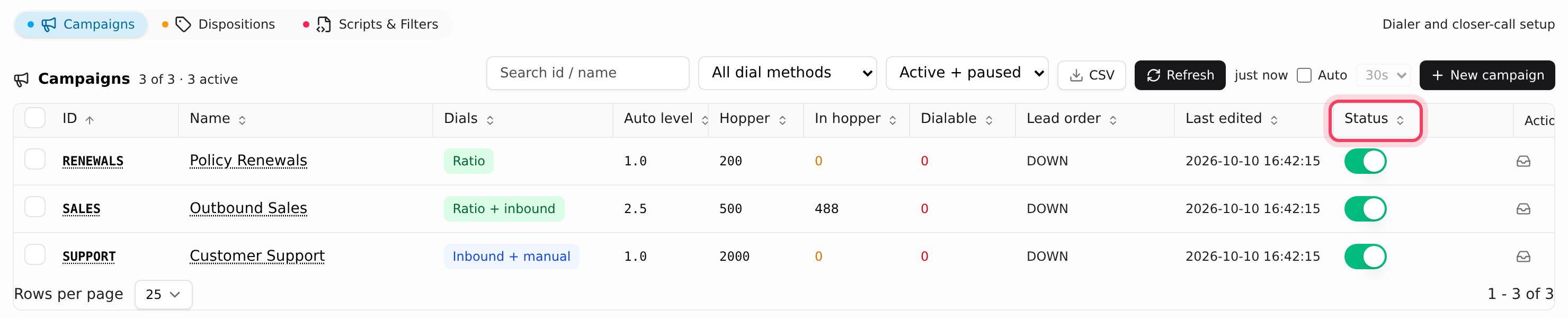
- Click the Campaigns tab and find your campaign, for example SALES "Outbound Sales".
- The Status switch on its row must be on.
- The Dials column shows how it dials. Manual and Inbound + manual campaigns never dial by themselves: agents click to call.
- A red No route badge next to the switch means the campaign's calls have no working phone line.
The same problem shows as a red banner at the top of your server page, for example "SALES is dialing into nothing", with the reason. Every call it places burns a lead and goes nowhere. As the account owner, click Use and a line's name to point the campaign at a working line. The banner clears in about a minute.
If you switch on a campaign that has nowhere to dial, a window says This campaign has nowhere to dial. Click Leave it off and fix the line first. Only click Activate anyway if you set up a carrier for it in VICIdial admin yourself.
Check 3: Are there leads left to call?
- On the Campaigns tab, read In hopper (leads lined up to dial now) and Dialable (leads that can still be called). A campaign running low shows a reason, such as "no leads left".
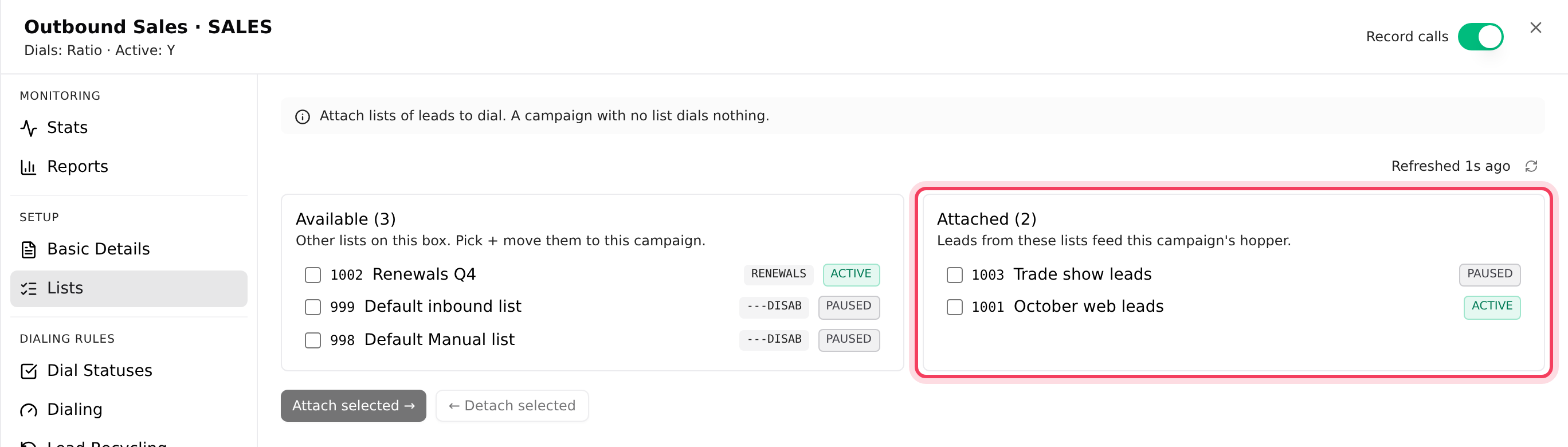
- Click the campaign's ID to open its settings, then click Lists. Under Attached there must be at least one list with its chip on Active, not Paused. Click the chip to switch it. A paused list, like 1003 "Trade show leads" in our demo, feeds nothing.
- Click Dial Statuses. Only results ticked under Dispositions to dial get called. A new campaign calls only NEW leads, so after one pass nothing is left. Tick results to call again, for example NA (no answer) and B (busy), and click Save N changes.
For what is left in a list and what holds leads back, see What's left in a list.
Check 4: Is it inside calling hours?
The dialer only calls a lead inside the campaign's calling hours, in the lead's own time zone. Early or late in the day, many leads may be waiting for their window.
- In the campaign's settings, click Dialing. Calling hours shows the window, for example 9am-9pm.
- On the Lists tab, the Local call time column shows whether a list has its own hours.
- Click the list's ID, then Composition. Time zones within this list shows how many leads sit in each time zone and their Local time now.
- A holiday can change the hours for a day. Check the Holidays pill on the Schedules tab.
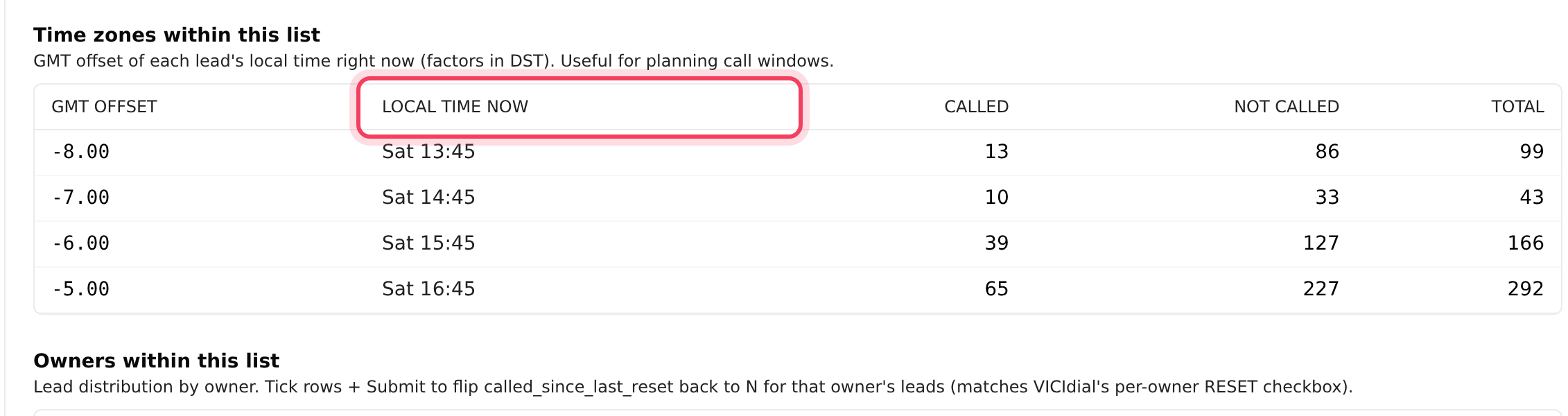
Most leads in time zone +0.00? They were imported without a time-zone lookup and are treated as GMT. See Calling hours, shifts and holidays.
Check 5: Is your phone line working?
If the dialer places calls but none connect, look at the phone line (trunk).
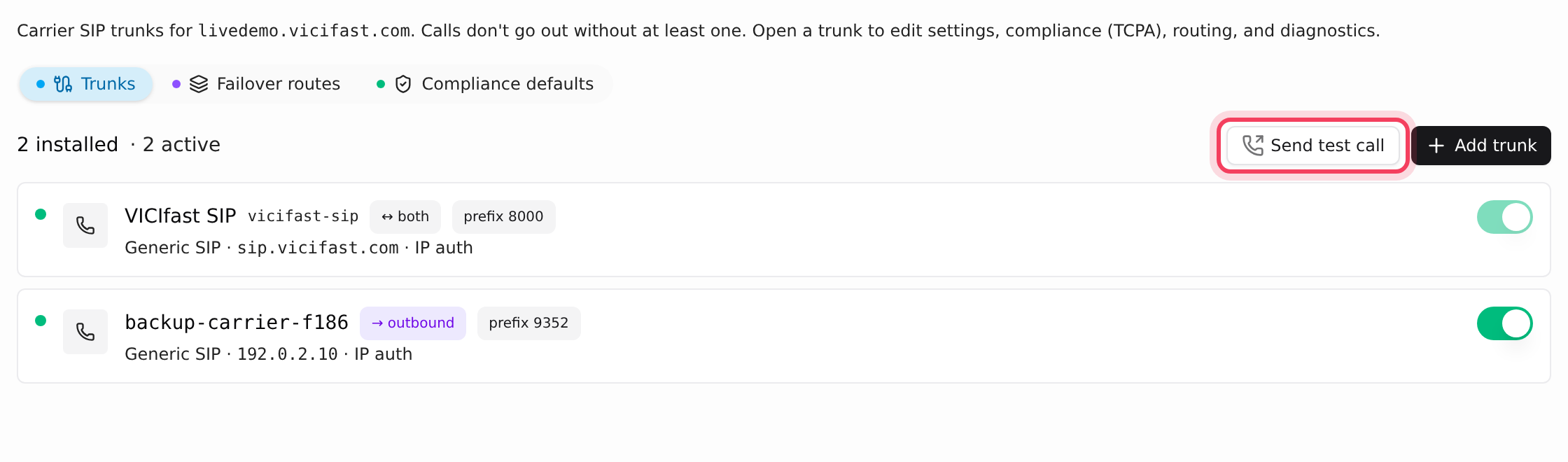
- Click the Trunks tab. A healthy line shows a green dot. A line that is not carrying calls shows a badge: Disabled, Installing or Failed, with the error under it.
- Click Send test call and call your own mobile. The result says in plain words what happened.
For the next steps, see Calls failing on your phone line.
Check 6: Is the server itself OK?
- Next to your server's name, the status should say Active. Suspended means the server is switched off until a payment goes through. Open Billing in the sidebar.
- In the strip under the header, the services chip should say All services healthy. If it shows something like "3 of 5 services up" or Service status unknown, click it to open Server Health.
Still not dialing? Send us this in the chat
Click Chat with support in your account menu (top right), or the chat bubble, and include:
- Your server's name and the campaign ID, for example SALES.
- When it stopped dialing, with your time zone.
- What the checks showed: the Floor tiles, any red banner or badge, and your phone line's status. A screenshot of the campaign's row helps.
If something goes wrong
Frequently asked
- Only the account owner sees them. If the banner says no outbound trunk is on and installed, or the campaign is linked to a trunk that isn't carrying calls, fix the line on the Trunks tab first.
- Check the list is Active, its results are ticked on Dial Statuses and the leads are inside calling hours. If all three are right and the hopper is still empty after a few minutes, chat with us.
- Ratio campaigns dial a set number of lines per ready agent. Adaptive campaigns set their own pace to stay under the dropped-call limit. See Dialing speed and dropped calls.
- Load more leads into an attached list, or tick more results on Dial Statuses so called leads come back. See Redials and lead recycling.