What’s left in a list (composition and diagnostics)
See how many leads are left, what is queued to dial next, and what is keeping leads from being called.
Campaigns & leads · 3 min read
Use these tools to answer two questions: "How many leads do I have left?" and "Why isn’t this list dialing?". They show what is inside a list, what is queued to be called next, and what is holding leads back.
Two words to know
- Dialable: leads that can still be called in the current pass through the list.
- Hopper: the short queue of leads the dialer has lined up to call next, like a hand of cards dealt from the full deck. An empty hopper while agents wait means nothing can be dialed.
What you need
- You are the account owner, or a team member allowed on the Lists tab.
Step 1: Check the quick counts
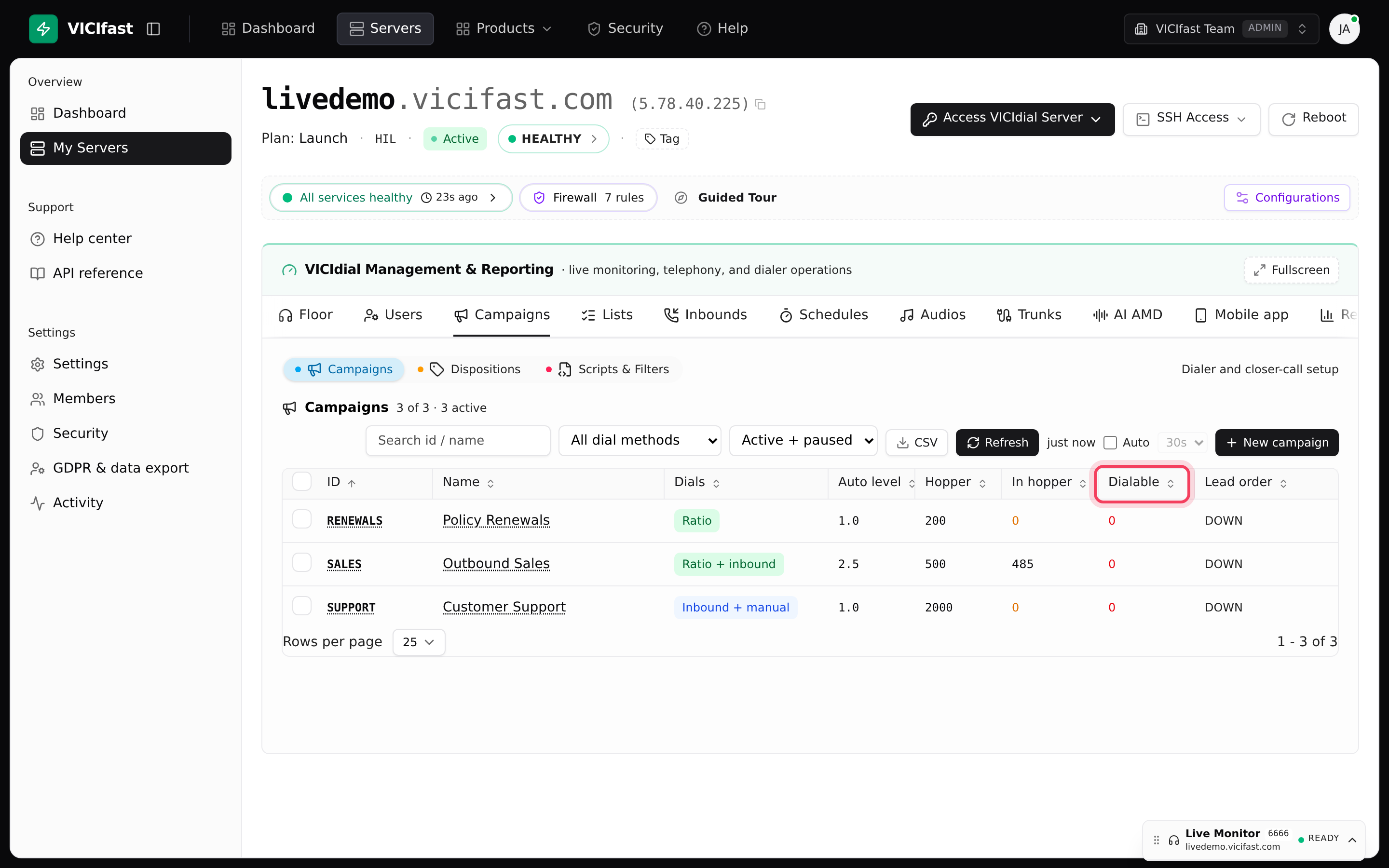
- On the Lists tab, each list shows Dialable, Total and Last call.
- On the Campaigns tab, each campaign shows In hopper and Dialable. When a campaign that agents are working is running low, a reason appears next to the number: "under two hopper fills", "under one hopper fill", "about 8 min at this pace", "only what is in the hopper" or "no leads left".
- Click the Leads in hopper icon on a campaign’s row to see exactly which leads are queued, grouped By state, By list and By hopper status.
When a campaign that is being worked turns critical, the account also gets one email titled "... is about to run out of leads".
Step 2: Open the list
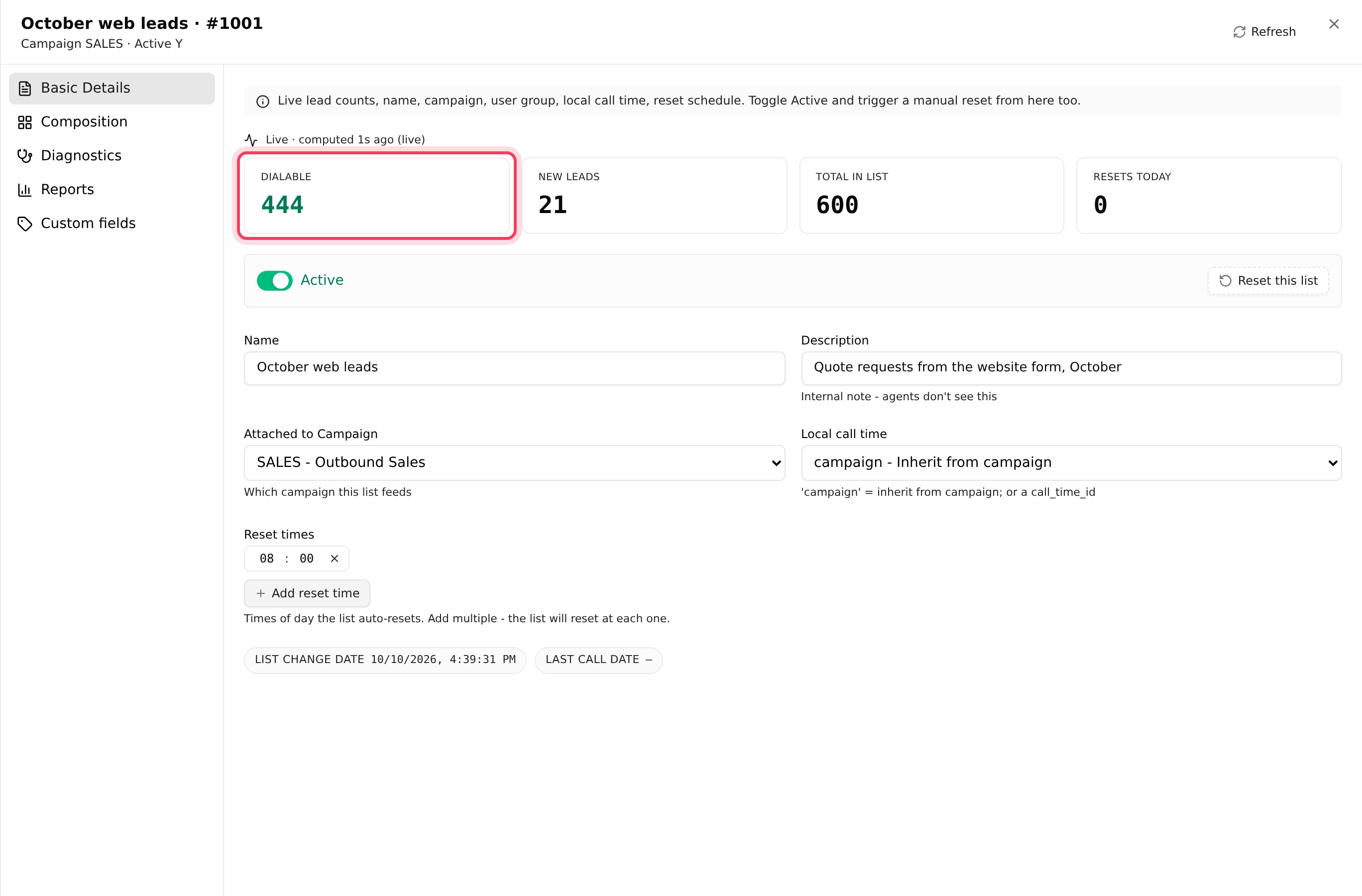
- On the Lists tab, click the list’s ID.
- The Basic Details tab opens with four tiles: Dialable, New leads, Total in list and Resets today. A line above them says when the counts were worked out.
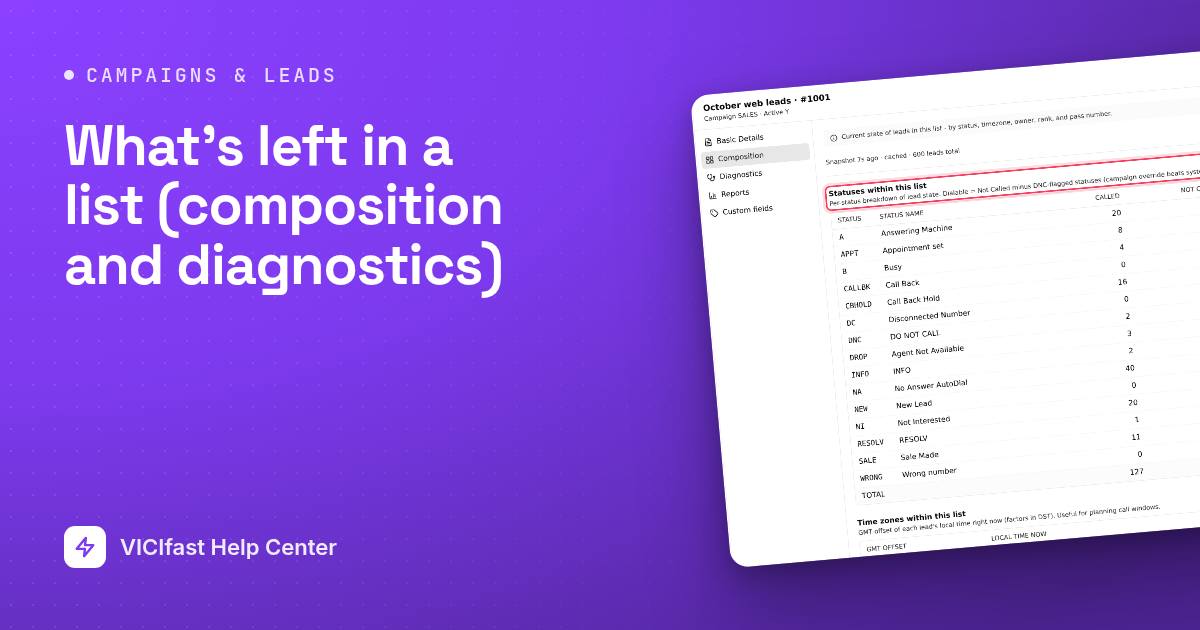
Step 3: See what’s inside (Composition)
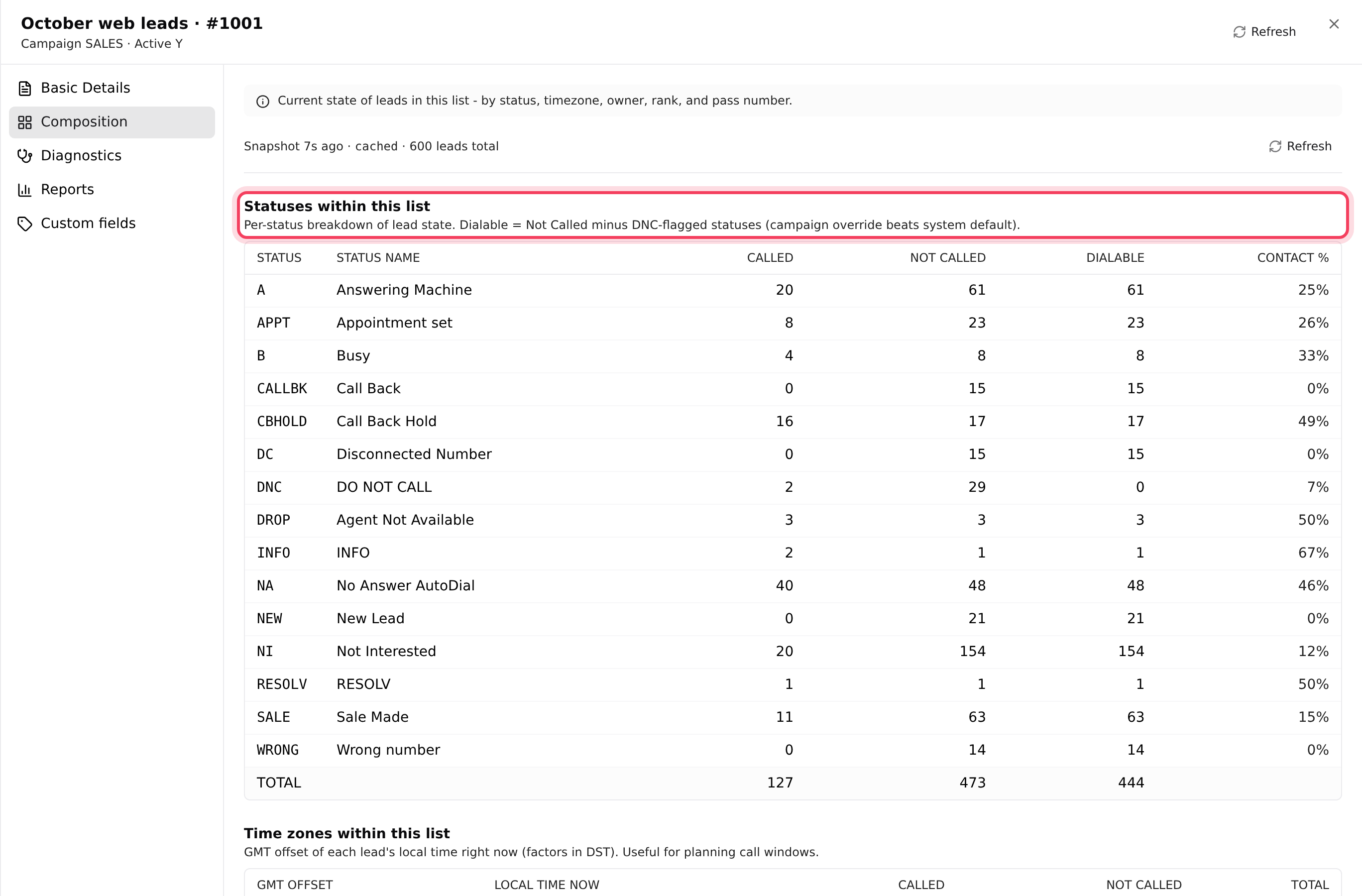
Click the Composition tab. "Called" means called since the list was last reset; "Not called" means still waiting in this pass.
- Statuses within this list: leads per result, with Called, Not called, Dialable and Contact %.
- Time zones within this list: how many leads sit in each time zone and their Local time now. Handy for seeing who is inside calling hours right now.
- Owners within this list: leads per owner. Tick owners and click Reset N owners to make only their called leads callable again.
- Ranks within this list: leads per priority rank.
- Called counts within this list: how leads ended on the first, second, third try and so on.
The page notes whether the numbers are live or cached; click Refresh for fresh ones.
Step 4: Find what is blocking leads (Diagnostics)
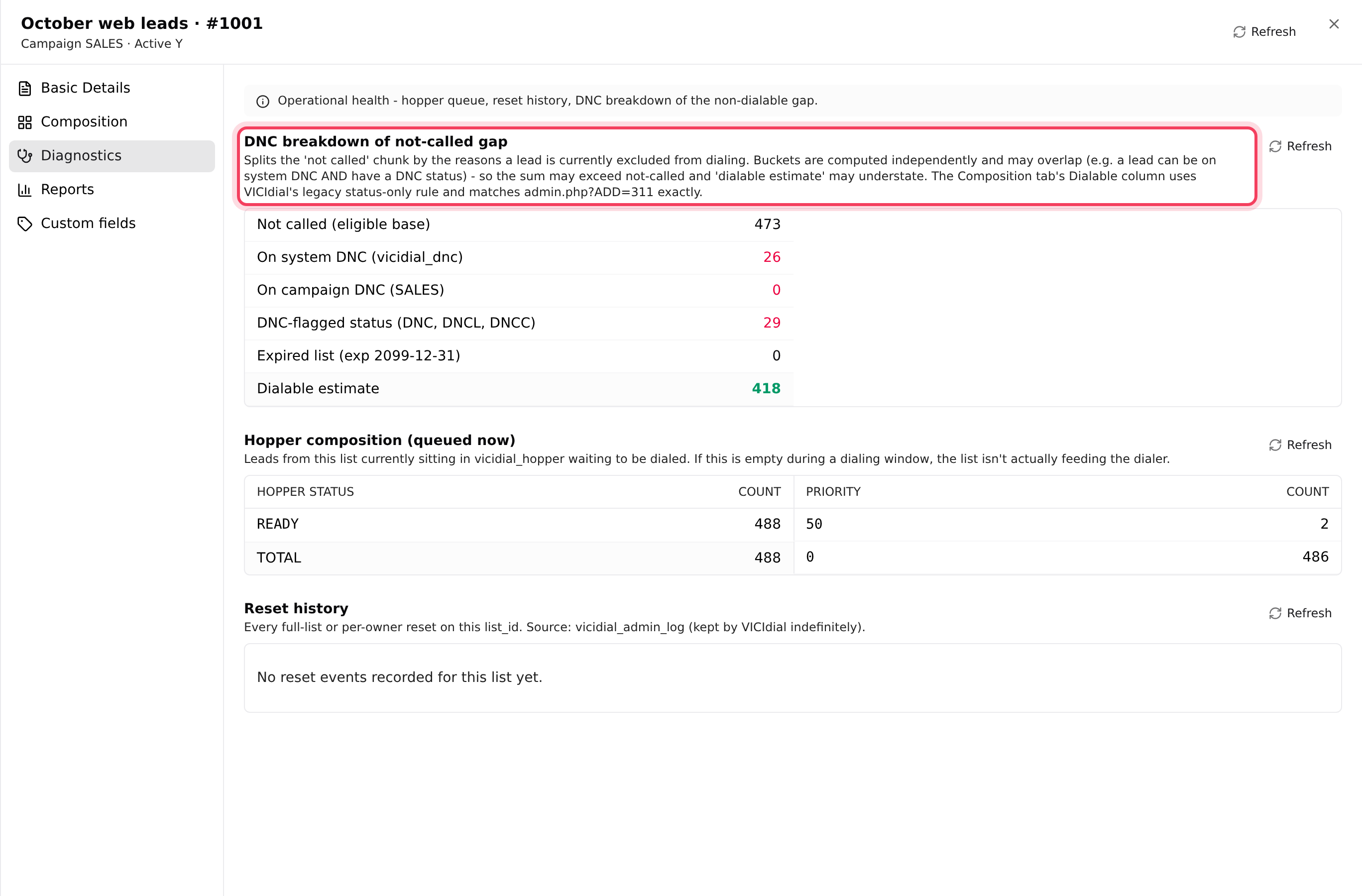
Click the Diagnostics tab.
- DNC breakdown of not-called gap: of the leads not yet called, how many are On system DNC, On campaign DNC, have a DNC result, or sit on an expired list, and a Dialable estimate.
- Hopper composition (queued now): leads from this list waiting to be dialed. If it says "No leads from this list in the hopper right now" during calling hours, the list is not feeding the dialer.
- Reset history: every reset of this list, with When, By, From, Type and Notes.
Step 5: Fix what you found
- Nothing in the hopper: check the list is Active and attached, the campaign is on, and the leads’ results are ticked on Dial Statuses. See My campaign isn’t dialing.
- Almost everything is Called: start a new pass or add recycle rules. See Redials and lead recycling.
- Lots of DNC in the breakdown: those numbers are blocked on purpose. Load fresh leads.
- Many leads outside calling hours right now: they will be called when their window opens. See Calling hours, shifts and holidays.
The list’s Reports tab shows how each pass through the list performed over time.
If something goes wrong
Frequently asked
- They are counted in slightly different ways. The Composition Dialable column only looks at results, while the DNC breakdown also checks your DNC lists and its buckets can overlap. Use them as guides, not exact matches.
- Those leads were imported with no time-zone lookup, so the dialer treats them as GMT and calls them at the wrong local time. Re-import them with Country + area code as the time-zone source.
- Composition is cached for about a minute. Click Refresh, or switch tabs in the list, to get fresh numbers.
- The email is sent once, the first time an active campaign turns critical while agents are signed in or it has dialed in the last 15 minutes. Warnings alone send nothing.
- Tick at least one owner first. Owners with no called leads can’t be ticked, because there is nothing to reset.