Basic View vs Detailed View in campaign settings
Every campaign opens in Basic View with a trimmed set of options. Detailed View shows everything. Here's the difference, why your account might be stuck on Basic, and the one user setting that flips it.
The first time you open a campaign in VICIdial, you're looking at the Basic View - a trimmed-down version of the settings page. There's a fuller Detailed View hiding behind it with every option the campaign supports. Knowing which one you're in, and how to switch between them, saves a lot of "where did that setting go" confusion down the line.
Two views, one campaign
flowchart TD
  A[Open campaign settings] --> B{User modify_campaigns level?}
  B -->|Basic only| C[Basic View - trimmed options]
  B -->|Allowed detailed| D{View toggle setting}
  D -->|Basic| C
  D -->|Detailed| E[Detailed View - all options]
  C --> F[Limited fields shown]
  E --> G[Every advanced field shown]
  F --> H[Flip user setting to unlock]
  H --> E
At the top of any campaign modification screen you'll see links for Basic View, Detailed View, and the Real-time screen. Basic and Detailed are two views of the exact same Campaign - they just expose different numbers of settings. Basic shows the handful of options most people touch day to day. Detailed shows all of them, including the advanced controls that the average shift never needs to see.
The Basic View isn't a lesser tool - it's a deliberately calmer one. Hiding the long tail of options means a manager can flip a campaign active or nudge its pacing without scrolling past dozens of settings they'll never change. Fewer choices on screen means fewer chances to break something by accident.
Why you might be blocked from Detail
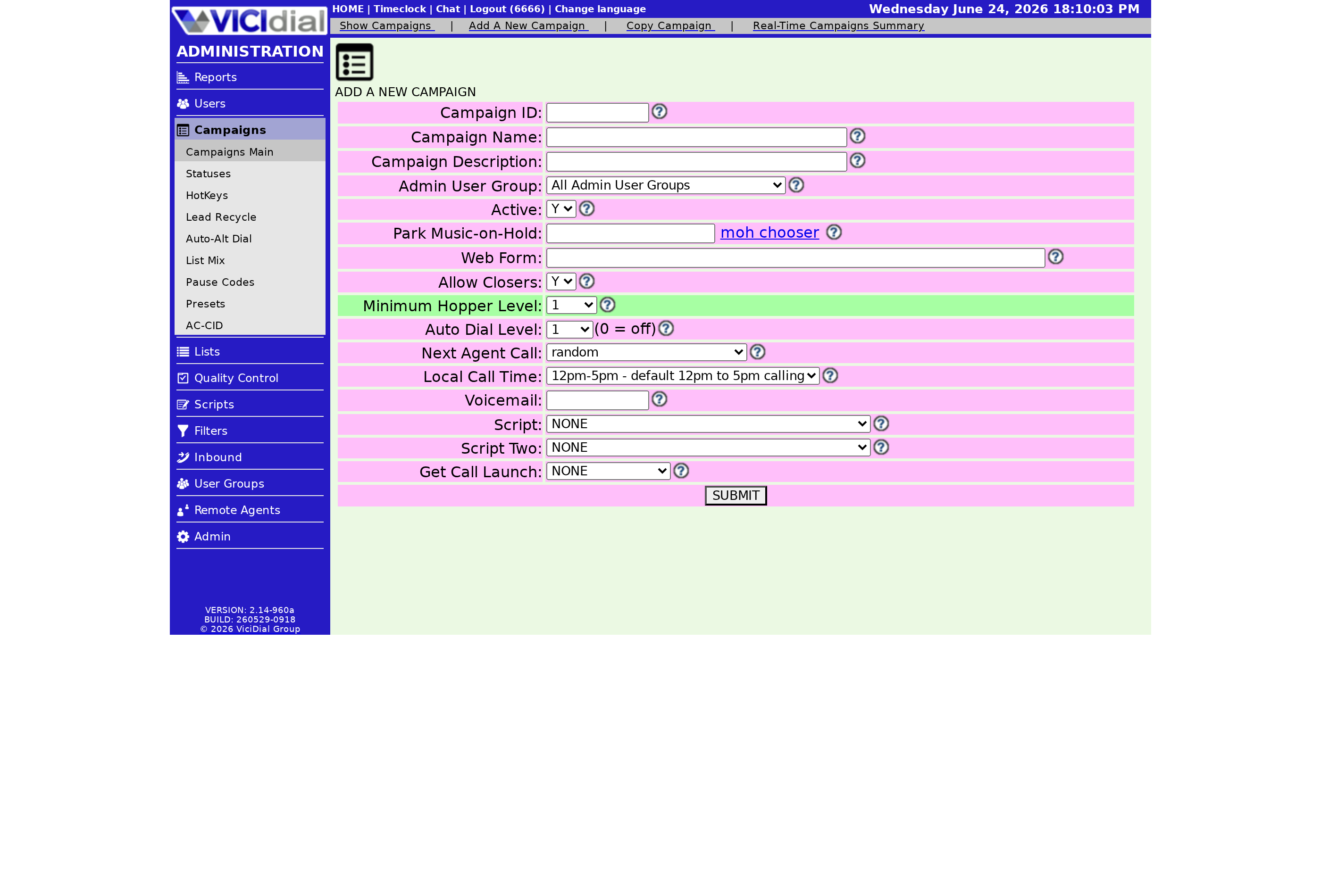
Access to the Detailed View is controlled per user, on purpose. If you click the Detailed View link and it won't let you in, the fix is a single setting on your own account: open the user modification screen for your user ID and set the Campaign Detail option to 1. After that, the Detailed View opens for you immediately.
This is a feature, not an obstacle. Locking junior managers to Basic keeps them from accidentally changing an advanced pacing control they don't fully understand. If you manage a team, it's worth deciding deliberately who gets Detail access and who stays on Basic. Setting that per User group makes it easy to apply across a whole tier of staff at once.
Which view to use when
A simple rule of thumb keeps you in the right place:
- Basic View - activating or pausing a campaign, adjusting the [[dial-level]], checking ranks and call counts.
- Detailed View - custom URLs, the finer Predictive dialing controls, custom statuses, and anything Basic simply doesn't list.
Most of the advanced pacing settings - the ones that decide how hard you dial and how few calls you drop - live in Detailed View. When you're tuning those, our walkthrough on lowering your VICIdial drop rate points you at the exact fields, and the dialing strategies guide explains how they fit together.
A common point of confusion is thinking Basic and Detailed are two separate records you have to keep in sync. They aren't. Whatever you save in one shows up in the other, because there is only one campaign underneath. The view just decides how many of that campaign's fields are on screen at once. So if you set the dial level in Basic and later open Detailed, you'll find the same value waiting there - no double entry, no risk of the two drifting apart.
Get comfortable in Basic, switch to Detail when you need it, and you'll always know where a setting lives. If you'd rather skip server admin altogether and just manage campaigns, our managed plans set up the dialer for you - see the pricing page.
Frequently asked
- Detail access is controlled per user. If you can't reach it, open your own user record and set the Campaign Detail option to 1. An admin can do this if you don't have permission yourself.
- Use Basic for everyday tweaks like activating a campaign or adjusting pacing. Switch to Detailed when you need the advanced options that Basic hides, like custom URLs or the finer pacing controls.
› Why can't I see the Detailed View on my campaigns?
› Should I work in Basic or Detailed View?
Related from VICIfast
About VICIfast
We run VICIdial servers for call centres, so you don’t have to. You get the dialer set up, secured and kept running — we handle the server, the updates and the backups. Bring your own phone carrier; we never resell minutes. From $49 a month per server.
Questions? Call +1 636 556 0022 and talk to someone who runs dialers.
Citing this article
VICIfast Engineering. “Basic View vs Detailed View in campaign settings”. VICIfast LLC, June 19, 2026. Retrieved from https://vicifast.com/blog/vicidial-basic-vs-detailed-campaign-view
Have questions?
Related posts
You might be interested in
VICIfast newsletter
Liked this? Get the next one in your inbox.
We ship the kind of stuff you just read - concrete, numbers-first, no drip. One email when a new post goes live. Unsubscribe in one click.
Comments
No comments yet - be the first.