Campaign Presets: saving manual-dial shortcuts
Transfer Presets give your agents a ready-made menu of transfer and conference numbers instead of typing them by hand. Here is how to build the list, what each field does, and why hiding the number can keep agents honest.
If your agents transfer calls to the same handful of destinations all day, typing those numbers by hand is slow and easy to fumble. VICIdial's Transfer Presets fix this by giving each agent a clickable menu of named transfer and conference options. Pick the name, the number fills itself in, done.
What presets replace
flowchart TD
  A["Admin opens Campaign Presets"] --> B["Add preset row"]
  B --> C["Preset Name label"]
  B --> D["Preset Number target"]
  B --> E["Dial Code / DTMF"]
  B --> F{"Hide number from agent?"}
  C --> G["Preset saved to campaign"]
  D --> G
  E --> G
  F -->|Yes| H["Agent sees label only"]
  F -->|No| I["Agent sees label + number"]
  G --> J["Agent transfer menu populated"]
  H --> J
  I --> J
Out of the box, the agent transfer area has a small set of fixed buttons, often labeled D1 through D5. Those are fine when you have two or three destinations, but they run out fast. Presets replace that cramped layout with a much longer menu. Instead of five slots, you can build a list of dozens of named transfer and conference numbers.
To the agent, a Presets link appears in the bottom-right of the transfer-conference frame, exactly where the D-buttons used to be. They click it, a list pops up, they choose an entry, and the number lands in the Number to Call field ready to send. It is faster than memorizing Hotkeys and far less error-prone than typing a number under pressure.
Turning the feature on
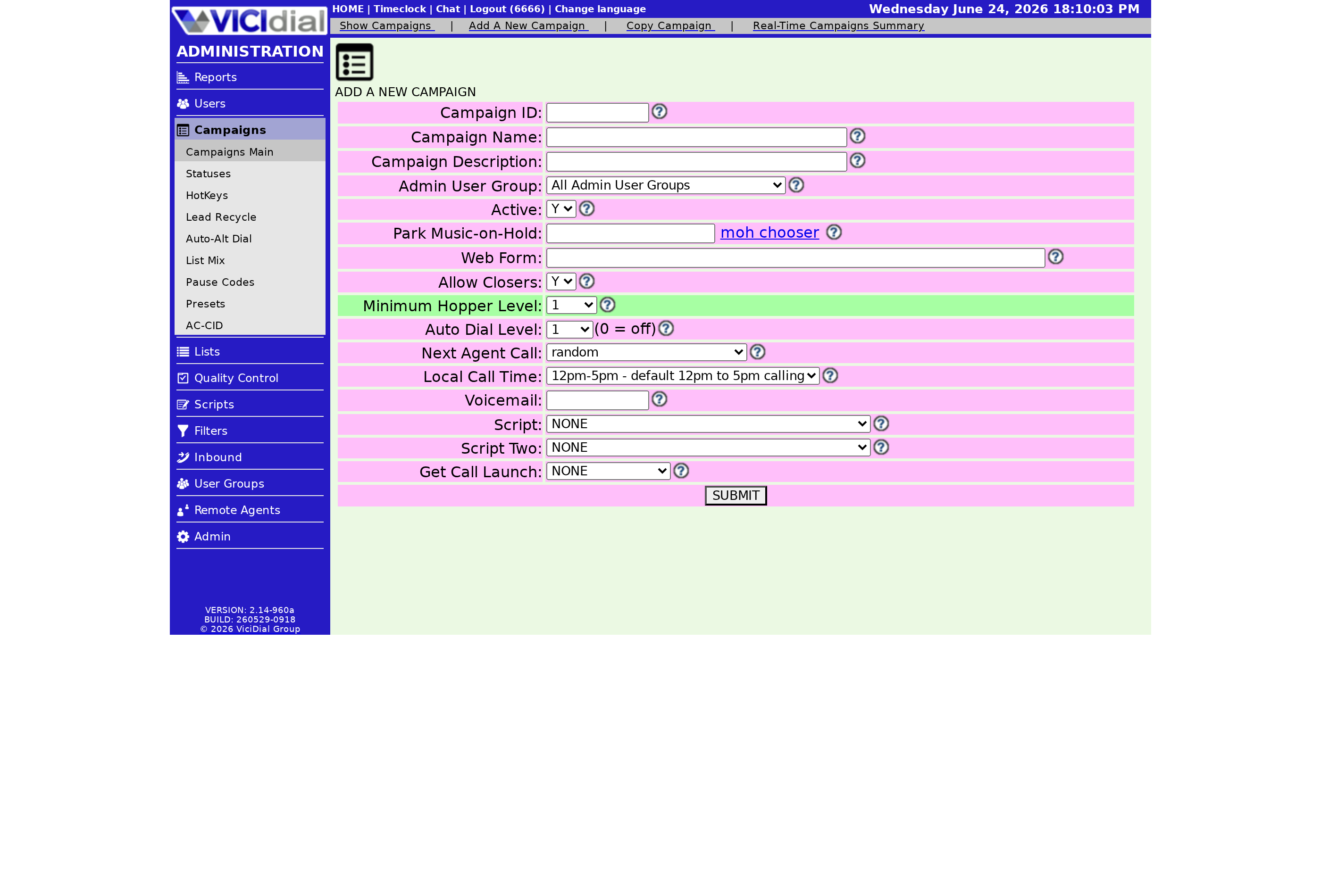
Presets are off by default. First enable Transfer Presets in the campaign settings. Once that is on, a Presets link appears at the top of the campaign modification page. That link is where you build the actual list, separate from the rest of the campaign options.
There is also a staging mode if you want to assemble the menu without exposing it to agents yet. That lets you get every entry right before anyone can use it on a live call. It is worth using whenever you are building more than a couple of entries, so a half-finished menu never reaches the floor and confuses an agent mid-transfer.
Building each entry
Each preset has three useful parts:
- A preset name, the friendly label the agent sees, like Billing Dept or Spanish Closer.
- The number to dial, which the menu drops into the transfer field on click.
- An optional DTMF code that gets sent after connecting, useful for punching through a phone menu automatically.
You can also keep the number hidden from the agent. The agent sees only the name and clicks to dial, never seeing or being able to copy the underlying DID (direct inward dialing) or extension. That keeps internal numbers private and stops agents from dialing them outside the proper flow. Those extra DTMF tones are the same key presses you would otherwise make by hand to navigate an automated menu.
When presets are worth it
Reach for presets the moment your transfer list outgrows a few buttons, or when you want a consistent, typo-proof menu across the whole team. Pair them with the agent-to-agent handoff covered in the Allow Closers writeup, and read the dialing strategies guide to see where transfers fit in the larger call flow.
On a managed box, presets are just another campaign field you fill in from the admin screen, with nothing to install. Pick a plan and start building your transfer menu.
Frequently asked
- The presets menu is meant to replace the small set of fixed D1 to D5 transfer buttons with a much longer list. You can build a large menu of named transfer and conference destinations rather than being limited to a handful.
- Yes. Each preset can keep its number hidden so the agent sees only the friendly name and clicks to dial. This is handy when you do not want agents memorizing or sharing internal numbers.
› How many presets can I create?
› Can I hide the actual phone number from the agent?
Related from VICIfast
About VICIfast
We run VICIdial servers for call centres, so you don’t have to. You get the dialer set up, secured and kept running — we handle the server, the updates and the backups. Bring your own phone carrier; we never resell minutes. From $49 a month per server.
Questions? Call +1 636 556 0022 and talk to someone who runs dialers.
Citing this article
VICIfast Engineering. “Campaign Presets: saving manual-dial shortcuts”. VICIfast LLC, June 19, 2026. Retrieved from https://vicifast.com/blog/vicidial-campaign-presets
Have questions?
Related posts
You might be interested in
VICIfast newsletter
Liked this? Get the next one in your inbox.
We ship the kind of stuff you just read - concrete, numbers-first, no drip. One email when a new post goes live. Unsubscribe in one click.
Comments
No comments yet - be the first.