Onboarding help: what each option includes
Onboarding is a one-time session where one of our engineers sets up your dialer with you. What each option includes, when it is included free, and how to book it.
Getting started · 3 min read
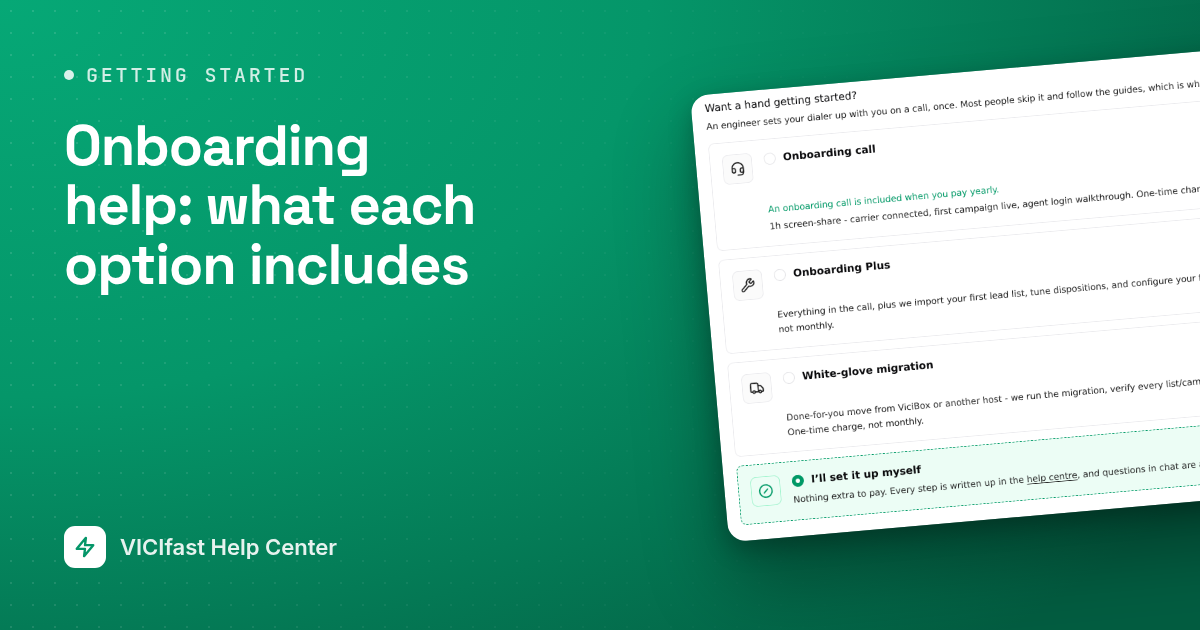
Onboarding is a one-time session where one of our engineers sets up your dialer with you. You can add it when you order, or later from your server. It is optional: every step is also written up in this help center, and questions in chat are always free.
The three options
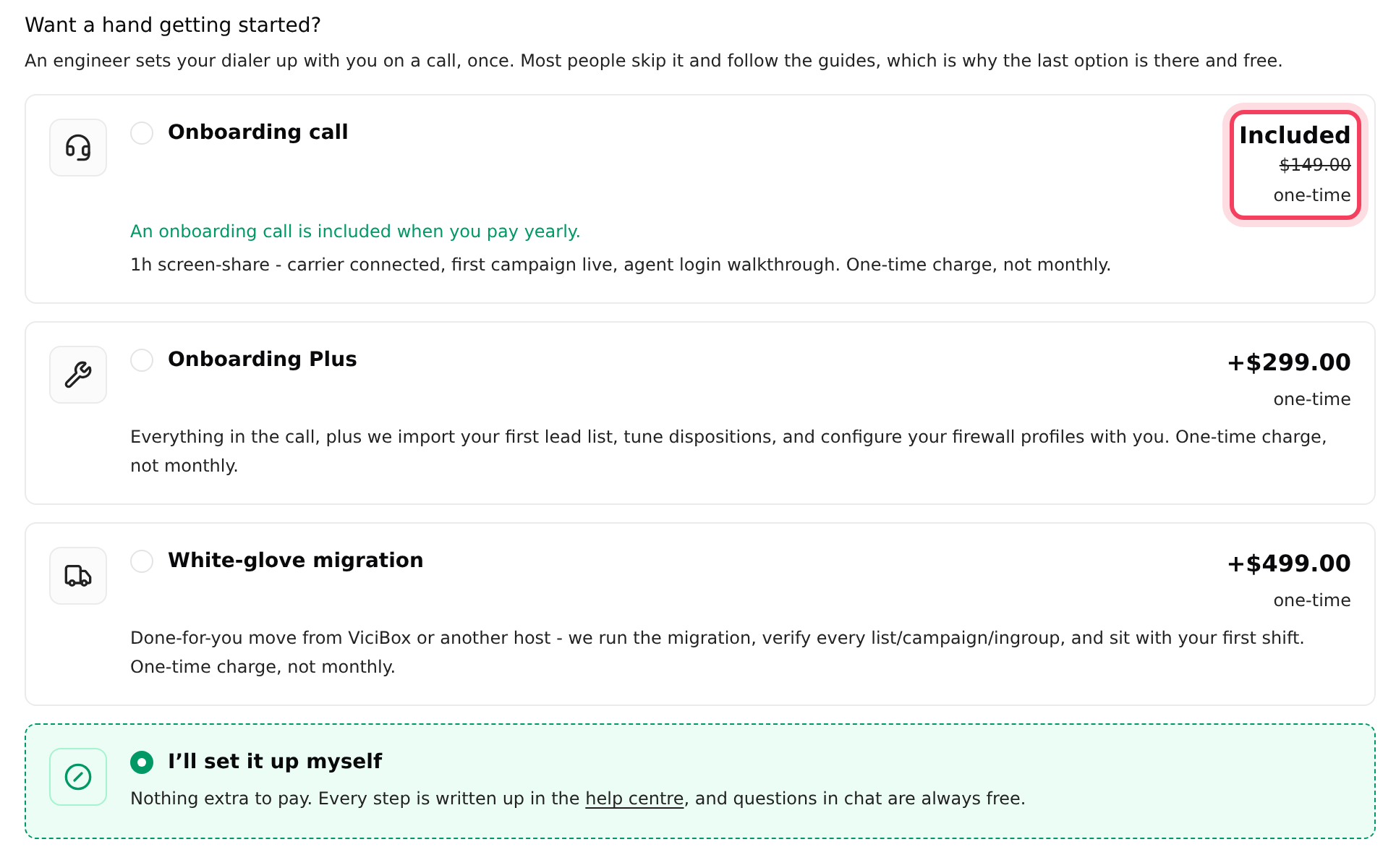
- Onboarding call: a screen-share where we connect your carrier, get your first campaign live and walk you through agent logins.
- Onboarding Plus: everything in the call, plus we import your first lead list, tune your call results (dispositions) and set up your firewall profiles with you.
- White-glove migration: we move you from ViciBox or another host for you, check every list, campaign and queue against the old server, and sit with your first shift.
Each is a one-time charge, never monthly. The price shows on each option when you choose it.
When onboarding is included
When your order earns an option for free, its card shows Included with the reason underneath. The rules:
- Paying yearly includes the Onboarding call on any plan.
- On Velocity, the Onboarding call is included when you pay monthly, and Onboarding Plus when you pay yearly.
- On Turbo and Hyper, Onboarding Plus is included either way.
- With Managed Floor, setup is included: your engineer does it on day one, so the onboarding options are hidden.
- White-glove migration is always charged.
- A free trial takes the plan on its own. Onboarding can be added from your dashboard later.
These rules apply when you order. Added later from your server, an option costs the price shown there.
Step 1: Add onboarding when you order
- Configure your server as in Order your server.
- On Billing & extras, under Want a hand getting started?, click one option. Only one can be picked. To skip it, pick I’ll set it up myself.
- The price bar at the bottom adds the one-time amount next to your plan price.
- Click Add to cart and pay as usual.
Step 2: Or add it later from your server
- On your server page, click the ⋮ menu at the top right, then Manage addons.
- On the Addons page, find the onboarding option you want and click Add now.
- Check the line Today (one-time charge, not monthly), then click Pay … (card) or Pay … from wallet. If your wallet is short, click Top up wallet first.
Once you click Pay, the one-time charge is taken straight away, from your saved card or your wallet.
Step 3: Book your session
- Right after you pay, you get an email confirming the option you bought and what it includes.
- The email says our team will contact you within one business day to schedule the session. To pick a time yourself, click Book your onboarding call in that email.
- Questions before the call? Reply to the email.
If something goes wrong
Frequently asked
- They are hidden if you chose the free trial, because a trial takes the plan on its own, or if you picked Managed Floor, because setup is included with it. Some plans may not offer them at all.
- No. It is a one-time charge. It is counted once even on yearly billing.
- Managed Floor includes setup by your engineer, so we removed the onboarding charge to avoid billing you twice.
- Yes. Managed Floor, onboarding and add-ons are all available from your dashboard on day 8. Use the ⋮ menu, then Manage addons.
- Your server is billed from your wallet and the balance doesn't cover the charge. Click Top up wallet, add funds, then come back.
- Use the Book your onboarding call button in your confirmation email to pick a time, or chat with support.