What VICIfast is and what you get
VICIfast runs VICIdial, the open-source call-center dialer, on a server of your own, with a dashboard to manage it. Here is what you get and what stays with you.
Getting started · 3 min read
VICIfast gives you VICIdial, the open-source call-center dialer, on a server that is yours alone, with a dashboard to run it and people to help. Read this if you are deciding whether VICIfast fits your call center, or want to know what you are paying for.
Your own VICIdial server
Every server you order runs its own copy of VICIdial. Nothing is shared with other customers' dialers. You choose how it runs:
- VPS hosting: shared CPU. The usual starting point.
- Dedicated hosting: CPU cores reserved for you, for steady performance under heavy dialing.
- Your server: you bring the machine and we install VICIdial on it.
All three run the same VICIdial with the same dashboard. On VPS and dedicated plans, VICIdial is live in under 40 seconds once the datacenter hands your machine over.
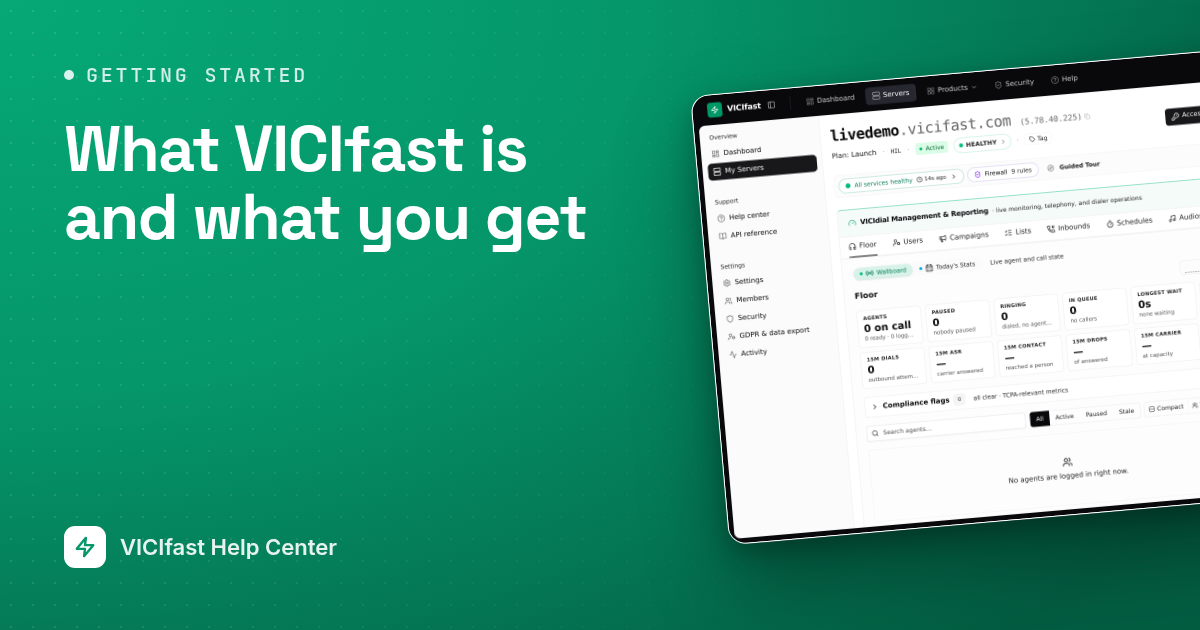
Your dialer gets its own web address, such as livedemo.vicifast.com, with a security certificate (HTTPS) set up for you. You can also use your own domain, on every plan.

A dashboard for the daily work
Each server has its own page in your dashboard. Its tabs cover the everyday jobs: watching agents live, adding agents, building campaigns, loading leads, routing incoming calls, setting calling hours, recordings and reports. VICIdial's own admin screens are always one click away behind Access VICIdial Server, but most days you won't need them.
On a new server, the Setup Wizard builds your first campaign, user groups and agent logins in one go.

Your agents work in a browser
Agents open a link, sign in and take calls. Each login comes with a phone that works inside the browser, so there is nothing to install and no desk phone to buy.
Agents can also take calls on their Android phone with VICIfast Phone, our mobile app. It is free on every server. Install it from vicifast.com/downloads. An iPhone version is coming soon.

Locked down from the start
Your server only answers computers whose internet address has been approved. Anyone else gets no response at all, not even an error page. This keeps strangers away from your dialer.
You are approved automatically when you open your server page. Your agents approve themselves with a link you send them. The Firewall chip on your server page shows how many rules you have and how many agent addresses are approved.

Phone lines
To make and take calls, your server needs a phone line (trunk). You have two choices:
- VICIfast Voice: our own US calling and phone numbers, set up on your server for you. See VICIfast Voice.
- Your own carrier: connect a SIP carrier you already use. We add nothing to the minutes you buy from them. See Connect your own SIP carrier.
What we look after, and what stays with you
We build and secure the server, renew its certificate and keep an eye on its health. You can see what we see in the Server Health window on your server page.
Your calling stays yours: your lists and campaigns, your agents, your phone numbers and carrier, and the rules about who you may call and when. If you would rather hand the floor to us, Managed Floor gives you a named engineer for caller ID reputation, phone number rotation, TCPA limits, carrier problems and answering-machine detection.
Questions are answered in chat: click the chat bubble, or Chat with support in your account menu. See Get help.
How pricing works
You pay per server, not per agent. The agent counts on each plan are sizing suggestions, and adding agents does not change your bill. Prices depend on the plan and the region you choose: see the pricing page.
Some plans start with a free 7-day trial. A trial needs a card, nothing is charged until it ends, and you can cancel from your dashboard before then.
Common questions
Frequently asked
- No. You manage campaigns and agents from the dashboard, and your agents work from a browser. VICIdial's own admin screens and full server access are there if you want them.
- No. They sign in from a browser and the phone runs inside it. The VICIfast Phone Android app is optional and free.
- Yes. Add it on the Trunks tab of your server, or use VICIfast Voice instead.
- No. You pay per server. The agent counts on the plans are only sizing suggestions.
- On plans with a free trial, yes: 7 days with a card on file and nothing charged until the trial ends. Cancel from your dashboard before then if it is not for you.
› Do I need technical skills?
› Do my agents need to install anything?
› Can I keep my current phone carrier?
› Is it priced per agent?
› Can I try it before paying?
Related articles
Tags: overview, getting-started