Cancel, resume or delete a server
Cancel a server at the end of the period or right away, undo a cancellation, and what Past due, Suspended and Terminated mean.
Billing & account · 4 min read
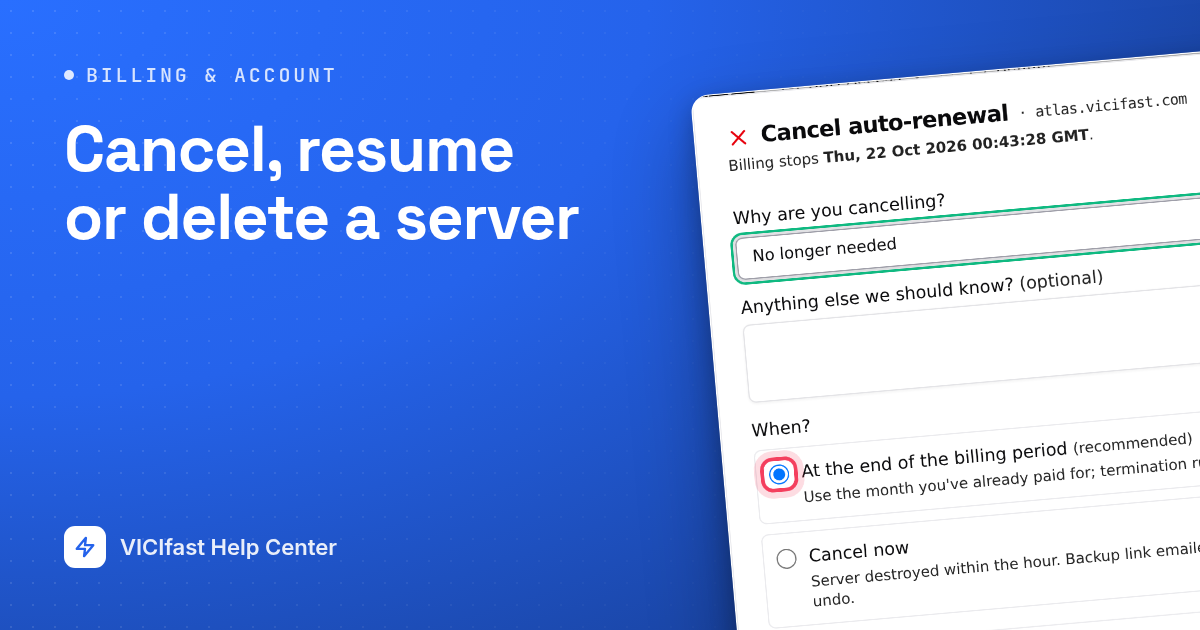
This guide shows how to stop paying for a server, how to change your mind, and what happens when a renewal isn't paid. There is no pause button: a server is either running, cancelled, or suspended because a payment is missing.
What you need
- You are the account owner. Members, Admins included, don't see these options.
Step 1: Open the server menu
- Click My Servers in the left sidebar, then click your server.
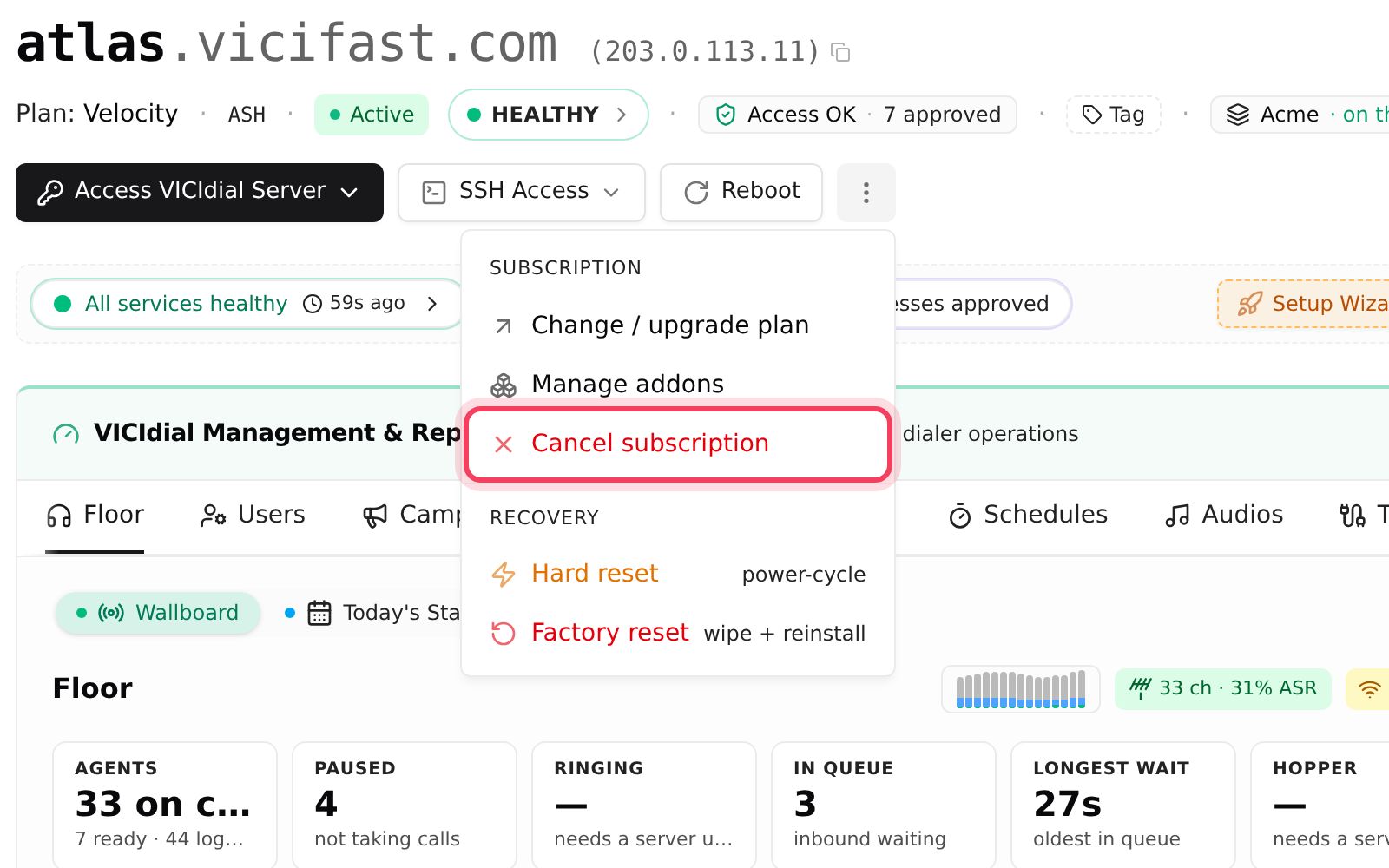
- Click the ⋮ button (More server actions) at the top right of the server page.
- The menu has two groups. Subscription holds Change / upgrade plan, Manage addons and Cancel subscription. Recovery holds Hard reset and Factory reset.
Step 2: Cancel at the end of the billing period
This is the normal way. Nothing stops today.
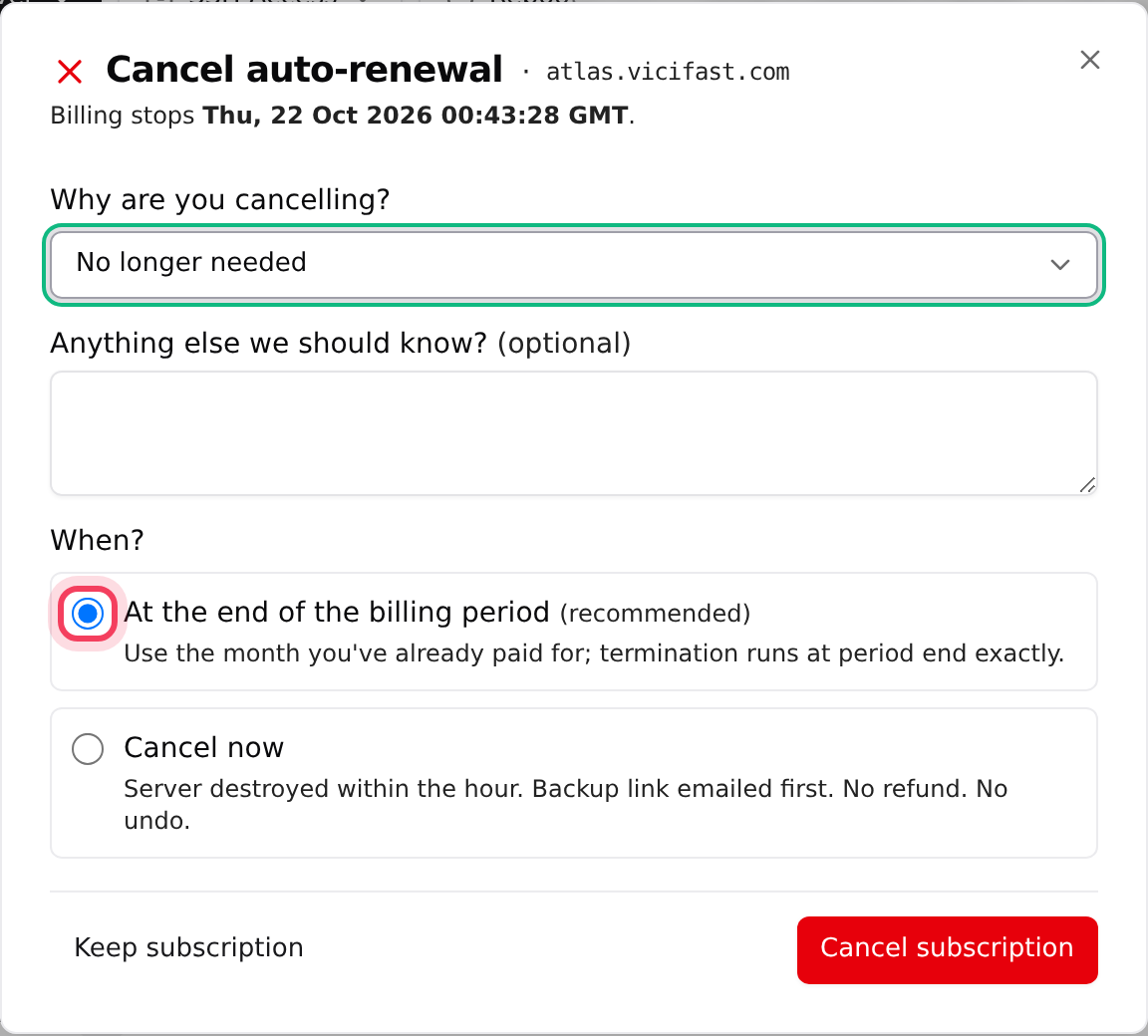
- Click Cancel subscription. The window is called Cancel subscription, or Cancel auto-renewal if the server renews from your wallet. It shows the date billing stops.
- Under Why are you cancelling?, pick the closest reason. For some reasons we show an offer; click Apply this offer instead if you want it.
- Add a note under Anything else we should know? if you like.
- Under When?, leave At the end of the billing period (recommended) selected.
- Click the red Cancel subscription button. Keep subscription closes the window without changes.
The status pill now reads Cancel scheduled, and a Cancellation scheduled banner shows the date your server stays online until. Everything keeps working until then, and we email you a confirmation. On that date we take a final backup, email you the download link, and delete the server. You are not charged again.
Step 3: Changed your mind? Resume
- Open the ⋮ menu again. While a cancellation is scheduled, Cancel subscription is replaced by Resume subscription.
- Click it. You see “Subscription resumed”, and the pill goes back to Active.
You can do this any time before the end date. Nothing was switched off, so there is nothing to set up again.
Step 4: Cancel now (delete within the hour)
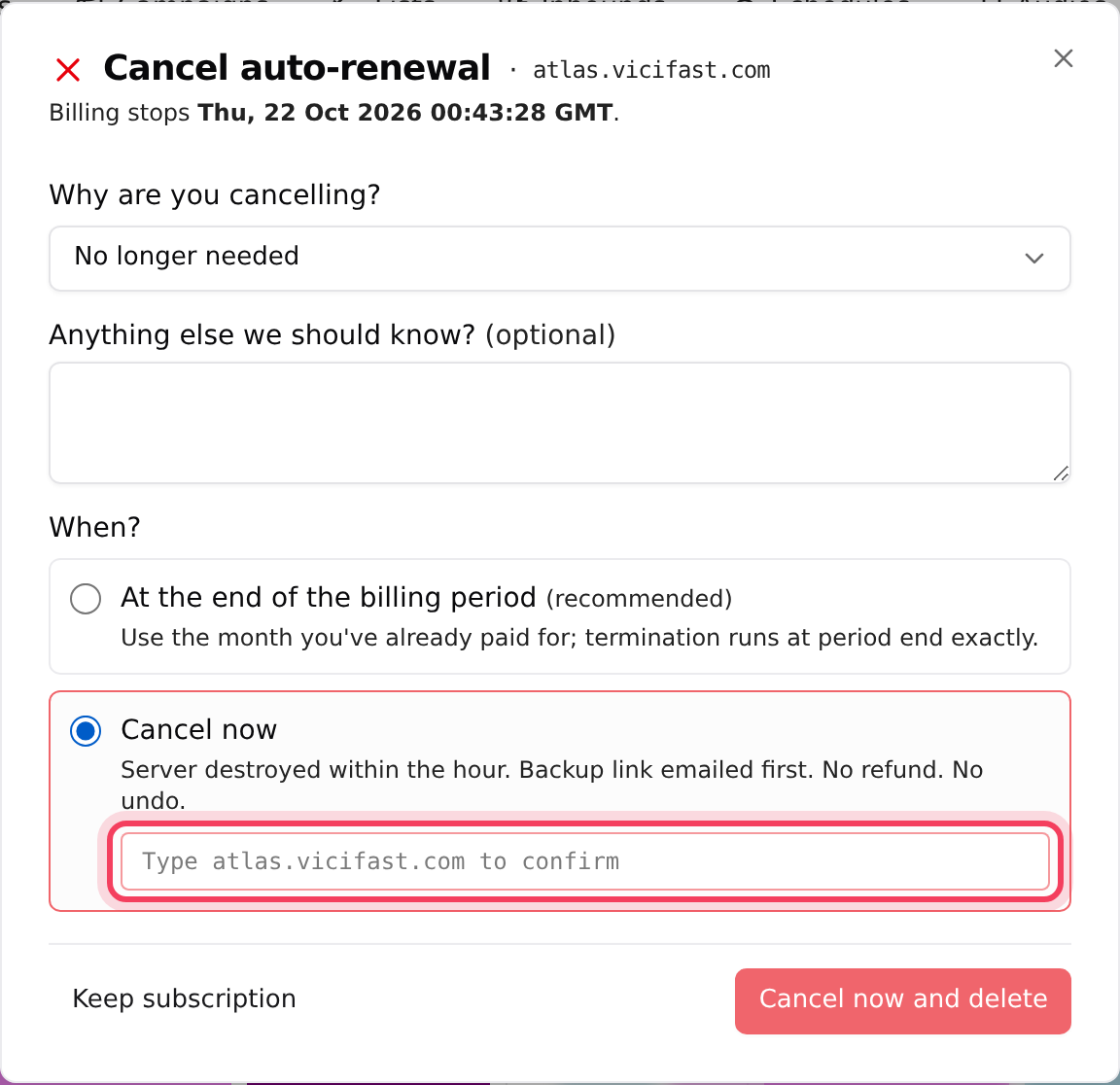
- Click Cancel subscription, pick a reason, and under When? choose Cancel now. It warns: “Server destroyed within the hour. Backup link emailed first. No refund. No undo.”
- Type the server's full address in the box (for example atlas.vicifast.com). The button stays greyed out until it matches.
- Click Cancel now and delete, then confirm the browser message.
We back up your database and call recordings, email you a download link, and delete the server within the hour. Unused days are not refunded.
Past due and Suspended: when a renewal isn't paid
Suspension isn't something you choose. It happens when a renewal can't be paid:
- The renewal fails. For a card-billed server, the subscription shows Past due on the Billing page; a wallet-billed server shows Past due on its status pill. We email you.
- At the next hourly check, the server is Suspended: it is switched off. Agents can't log in and nobody can dial, but your data stays safe on it.
- We email you every day with the date it will be deleted. Your Dashboard shows a banner with a button to the Billing page.
- Pay, and the server switches back on by itself. The pill shows Resuming, then Active.
- If it still isn't paid 7 days after the renewal failed, the server is deleted, with a final backup emailed to you.
How to pay: for card billing, click Pay with Stripe on the Unpaid invoice banner at the top of the Billing page. For wallet billing, click Top up wallet on the Payment needed banner; the server comes back at the next daily renewal run (02:30 UTC). Details are in How wallet billing works.
- A free trial whose first charge fails gets about one day, not 7, before the server is deleted.
- If an unpaid card invoice could be covered by your wallet balance, we hold off deleting the server for 48 hours and email you. The wallet is not charged by itself: pay the invoice, or ask us in chat.
- Suspension doesn't cancel anything. If you want to stop paying, cancel the server instead.
Terminated: the end
After a server is deleted, its pill reads Terminated and the page shows Server terminated. Past reports and logs stay readable, but the server itself is gone. The final backup link we emailed works for 7 days, so download it. A terminated server can't be brought back.
If something goes wrong
Frequently asked
- Only the account owner sees it. It is also hidden on a server that has already been deleted.
- No. You can cancel at the end of the period and resume before that date, but a suspended server isn't paused: the bill is still owed.
- No. Cancel now deletes the server within the hour and the unused days are not refunded. Cancelling at the end of the period lets you use the time you paid for.
- After a card payment it switches on within minutes. After a wallet top-up it waits for the next daily renewal run at 02:30 UTC. If you need it sooner, or the pill says Resume failed, tell us in chat.
- Yes, from the final backup link we email when it is deleted. The link works for 7 days.
- Type the server's full address exactly as it is shown in the box, with no spaces.