Factory reset or delete a server
Factory reset wipes the dialer and reinstalls it on the same server. Cancelling deletes the server and stops billing. How each one works, step by step.
Your server & troubleshooting · 4 min read
Two actions sound alike but do very different things. Factory reset wipes your dialer and reinstalls a clean VICIdial on the same server: same IP, same address, same bill. Cancel subscription deletes the server for good and stops billing. Both are permanent, and both give you a backup first.
Which one do you need?
- Your dialer is full of test data, or you want to start again from scratch: Factory reset.
- You are done with this server: Cancel subscription.
- Something is broken but your data is fine: chat with support first. Many problems can be fixed without wiping anything.
What you need
- You are the account owner. Team members do not see these options.
- For a factory reset, the server must be Active.
Step 1: Open the server actions menu
- In the sidebar, click My Servers, then open your server.
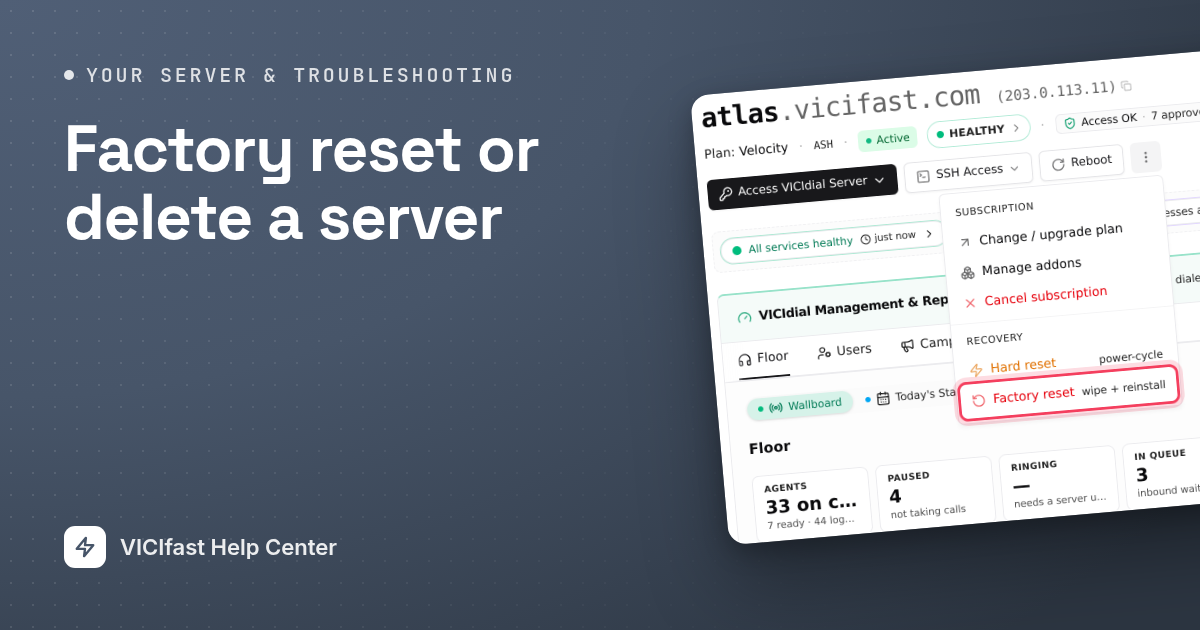
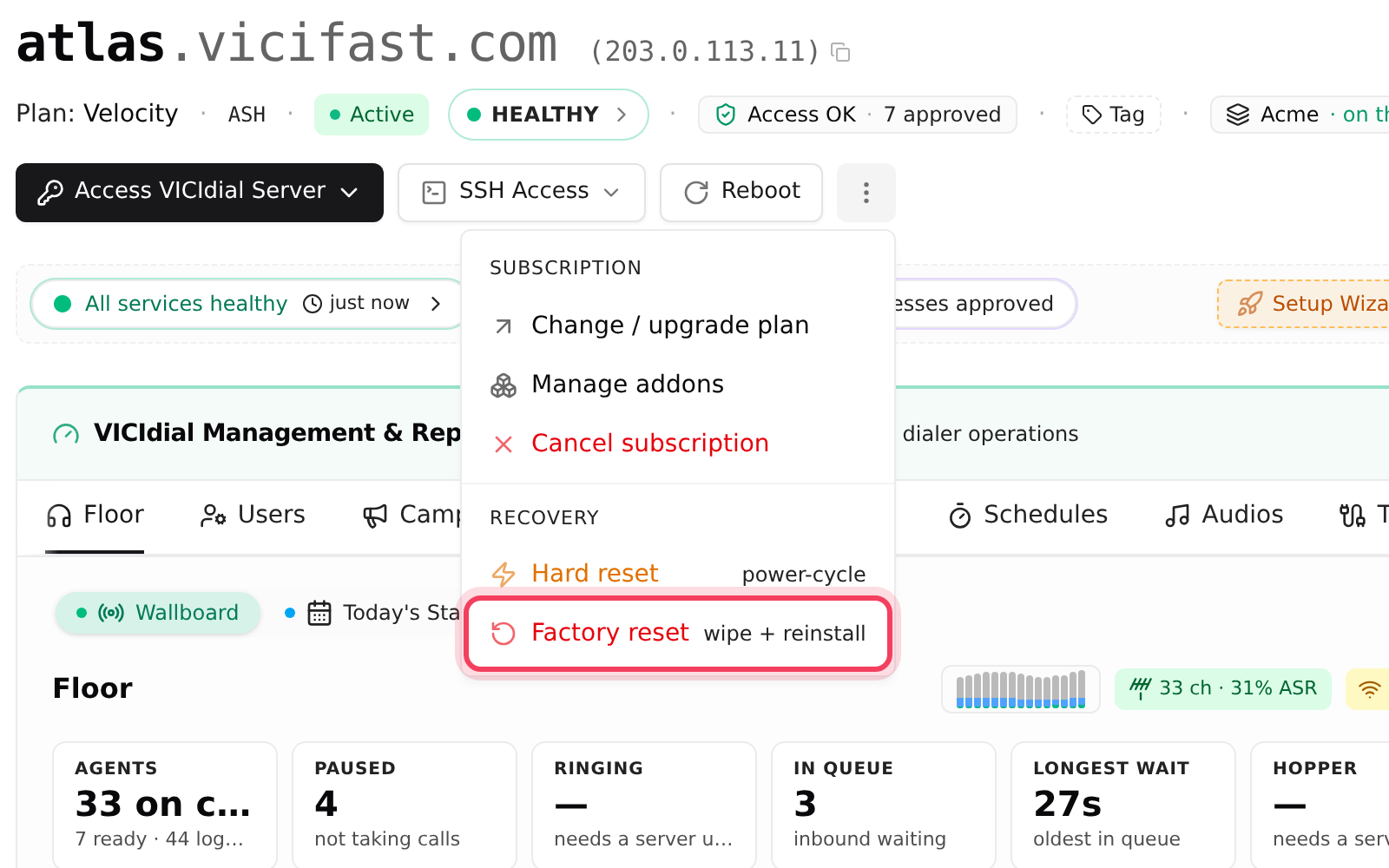
- Click the ⋮ button (More server actions) at the top right, next to Reboot.
- Under Subscription you find Cancel subscription. Under Recovery you find Hard reset (a forced restart, nothing is wiped) and Factory reset (wipe + reinstall).
Step 2: Start a factory reset
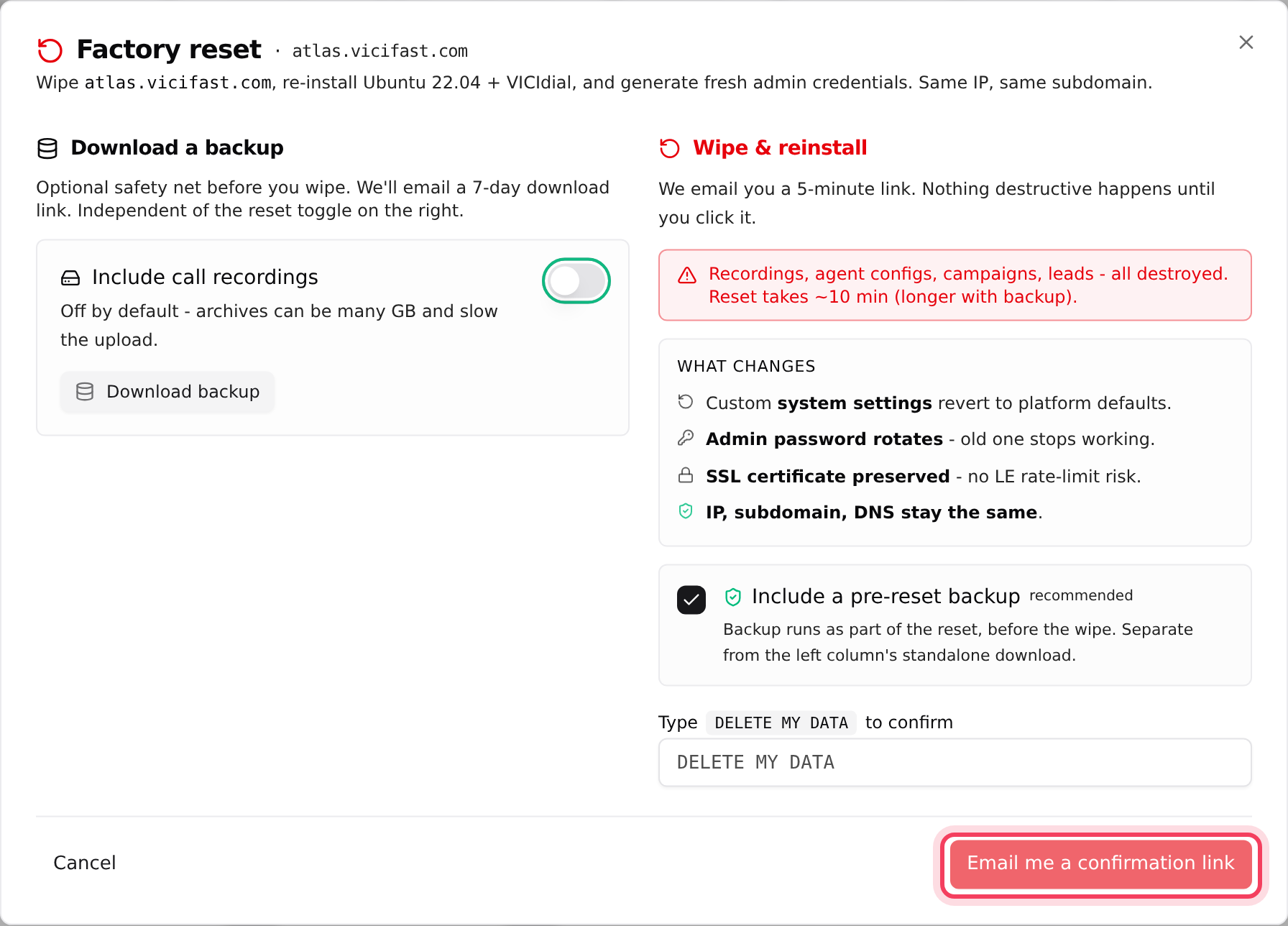
- Click Factory reset. Opening the window changes nothing.
- Optional: on the left, under Download a backup, click Download backup to get your own copy first. Switch on Include call recordings if you want them too.
- On the right, read What changes: custom system settings go back to defaults, the admin password changes, and the SSL certificate, IP, address and DNS stay the same.
- Leave Include a pre-reset backup ticked (recommended). It backs up your data as part of the reset, before anything is wiped.
- Type DELETE MY DATA in the box, exactly as shown.
- Click Email me a confirmation link. Nothing has been wiped yet.
Step 3: Confirm from your email
- Open the email with the subject "[Action required] Confirm factory reset of" your server.
- Click the link within 5 minutes. The reset starts the moment the page says Factory reset starting. There is no other "are you sure?" step.
- Watch the progress on your server page. The window says a reset takes about 10 minutes, longer with a backup.
If you kept the pre-reset backup, you get an email with its download link first. When the server is back, you get another email with the new VICIdial admin password; the old one stops working. Your IP, address and certificate stay the same, so your phone lines and firewall rules keep pointing at the right place.
Step 4: Cancel and delete a server
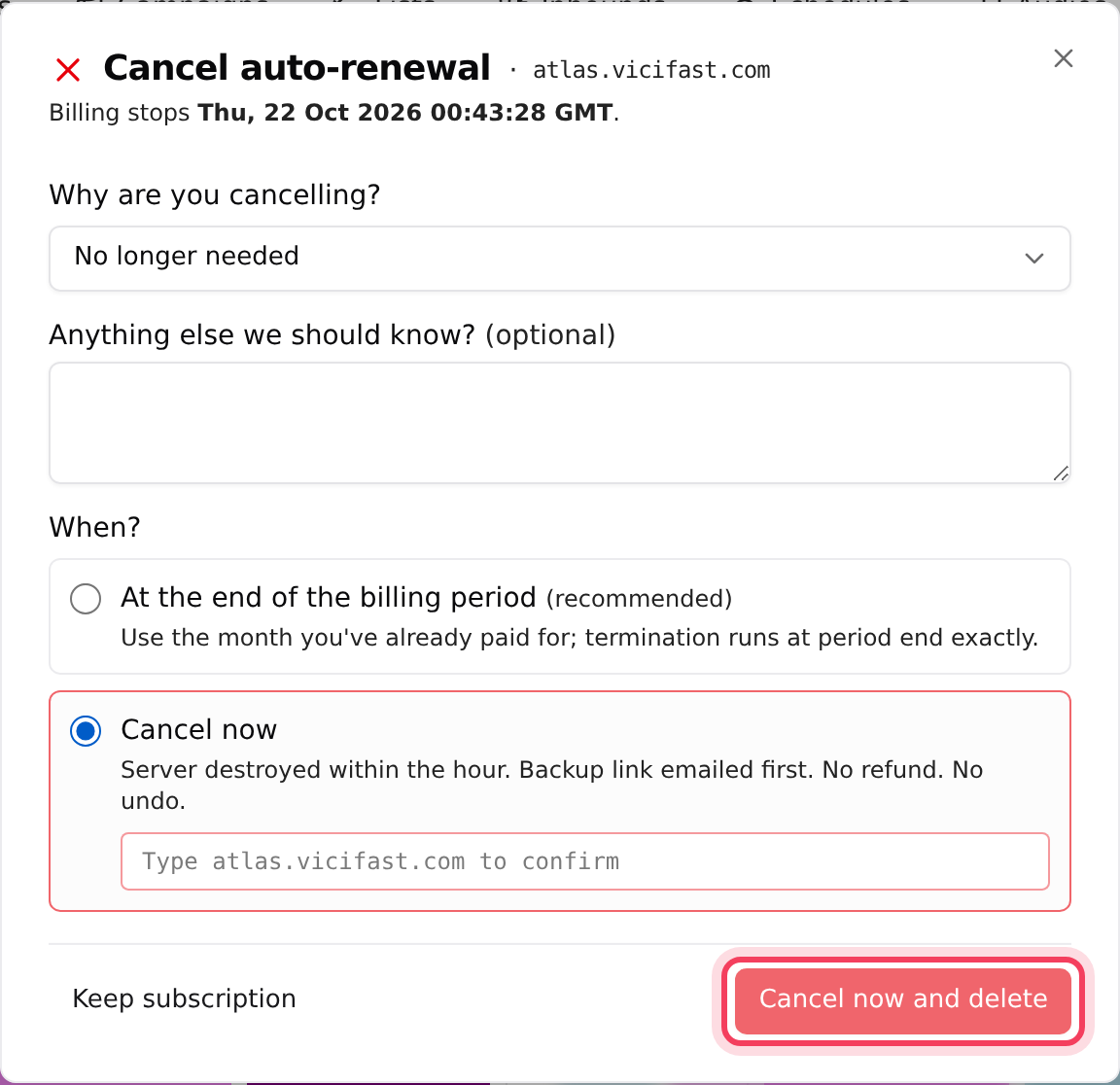
- Open the ⋮ menu and click Cancel subscription. The window is called Cancel auto-renewal if you pay from your wallet.
- At the top, Billing stops shows the exact date your paid time ends.
- Pick a reason under Why are you cancelling? and add anything else we should know. An offer may appear; click Apply this offer instead if you want it.
- Under When?, choose At the end of the billing period (recommended) to keep using the server until that date, then click Cancel subscription.
- Or choose Cancel now: the server is deleted within the hour, with no refund. Type your server's full address exactly as shown, click Cancel now and delete, and confirm the pop-up.
Step 5: What happens next
- While a cancellation is scheduled, your server page shows Cancellation scheduled. To keep the server, open ⋮ and click Resume subscription before the date.
- Before the server is deleted, we take a final backup of your database and recordings and email you the download link. Download it straight away: it is kept for 7 days, then deleted.
- After that, the server and its address are gone. Your server page stays in your dashboard, read-only, with a Server terminated note, so you can still look at old reports.
If something goes wrong
Frequently asked
- Only the account owner sees it. On your own (bring-your-own) server, Factory reset and Hard reset are not offered.
- The reset only runs on a server that is fully running. Wait until it shows Active, or chat with support if it is stuck.
- The link lasts 5 minutes. Open Factory reset again, type DELETE MY DATA, and use the new link.
- Type your server's address exactly as shown, for example atlas.vicifast.com, with no extra spaces.
- If you chose the end of the billing period, open the ⋮ menu and click Resume subscription before the date. Cancel now cannot be undone.
- That is expected. Use the new password from the email, or open Access VICIdial Server on your server page.