How callbacks work
When a customer says "call me tomorrow", the agent books a callback. Here is how agents book them, who calls the customer back, and where you see today's callbacks.
Your agents · 3 min read
A callback is a promise to ring a customer back at a set time. The agent books it at the end of the call by picking a callback result and choosing a date and time. This guide explains how that works, who makes the call, and how you keep an eye on the day's callbacks.
What you need
- A campaign with agents on it. Campaigns created in the dashboard have callbacks switched on.
- Agents created on the Users tab. They can book a callback just for themselves.
Step 1: Check which results book a callback
- In the sidebar, click My Servers, then click your server.
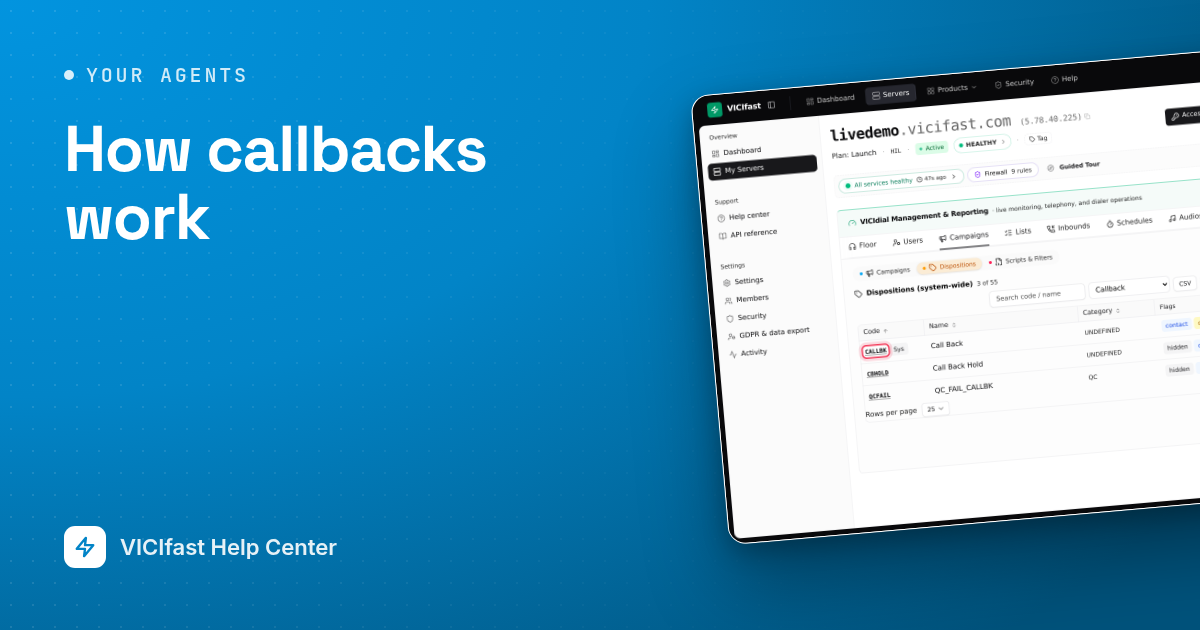
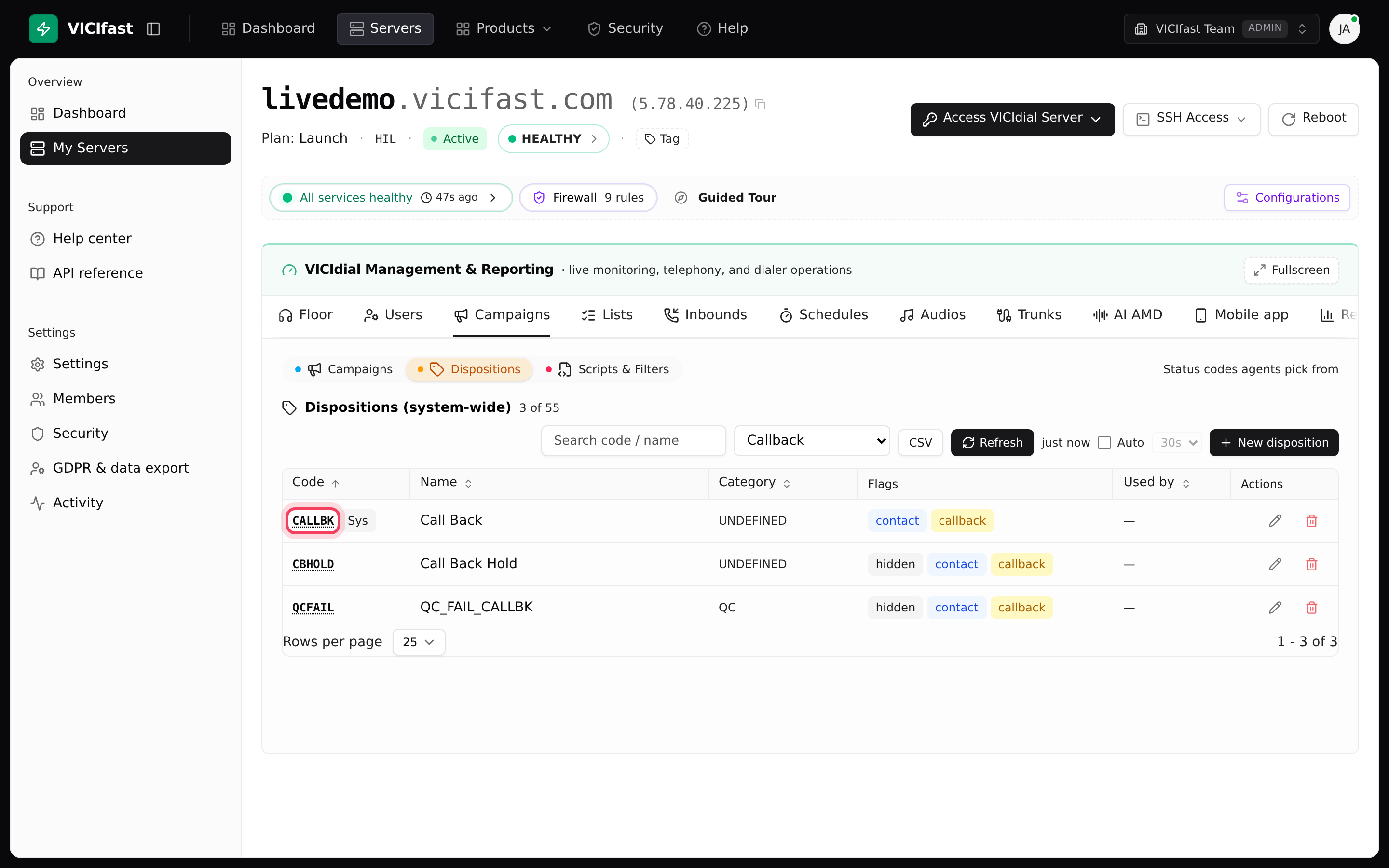
- Click the Campaigns tab, then Dispositions.
- In the All flags list, pick Callback. You see every result that asks the agent for a date and time. CALLBK is VICIdial's built-in one.
- To make another one, click New disposition, tick Scheduled callback and Selectable by agents, and click Create disposition. To add one for a single campaign, use Custom Statuses in that campaign's settings and tick Callback.
Step 2: What the agent does
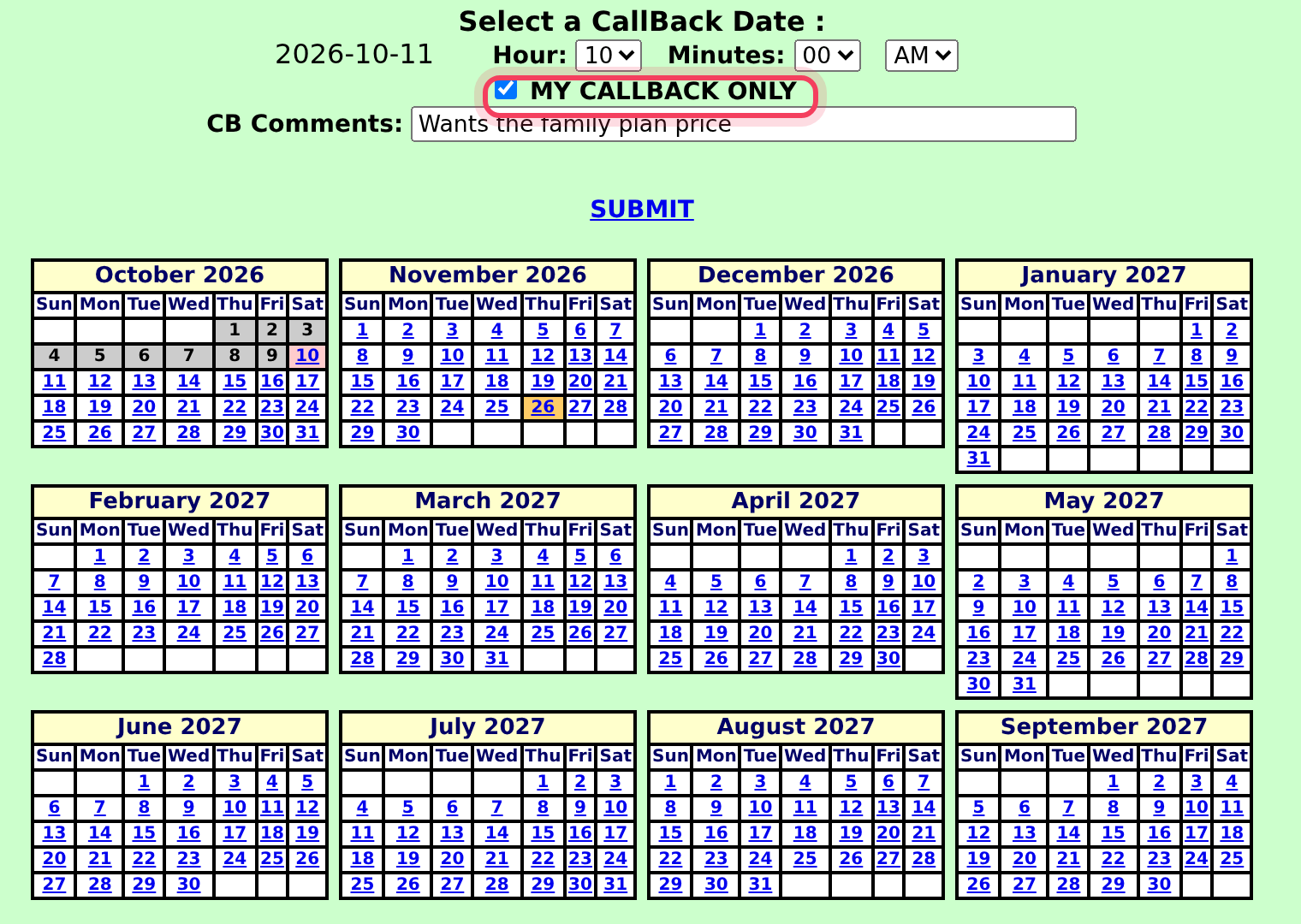
After the call, the agent picks the callback result and clicks SUBMIT. A calendar opens:
- They click a date, then set the Hour, Minutes and AM or PM.
- They tick MY CALLBACK ONLY if they want to make the call themselves.
- They can type a note in CB Comments, then click SUBMIT.
Your agents have a step-by-step guide: Scheduling and taking callbacks.
Step 3: Who calls the customer back
- My callback only: the callback goes on that agent's own list. A link at the bottom of their screen counts their callbacks, and it turns red and blinks when one is due. The agent opens the list and clicks DIAL.
- Anyone: left unticked, any agent on the campaign can take the callback when its time comes.
Use "my callback only" when the customer built a relationship with one agent, for example a closer. Use "anyone" when speed matters more than who calls.
Step 4: Watch today's callbacks
- On your server, click the Floor tab, then Today's Stats.
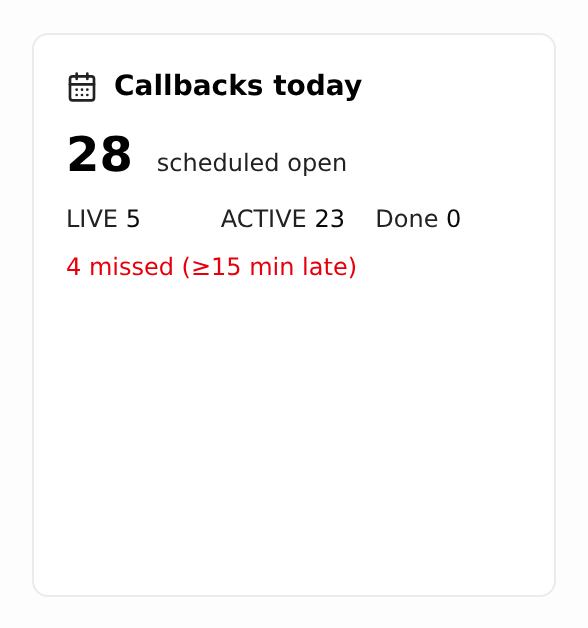
- Find the Callbacks today card. The big number is how many of today's callbacks are still open (scheduled open). Below it, LIVE and ACTIVE split the open ones the way VICIdial labels them, and Done counts the ones already made.
- If any are 15 minutes or more late, a red line shows how many are missed.
The card counts callbacks set for today, in your server's time zone.
Callbacks in the phone app
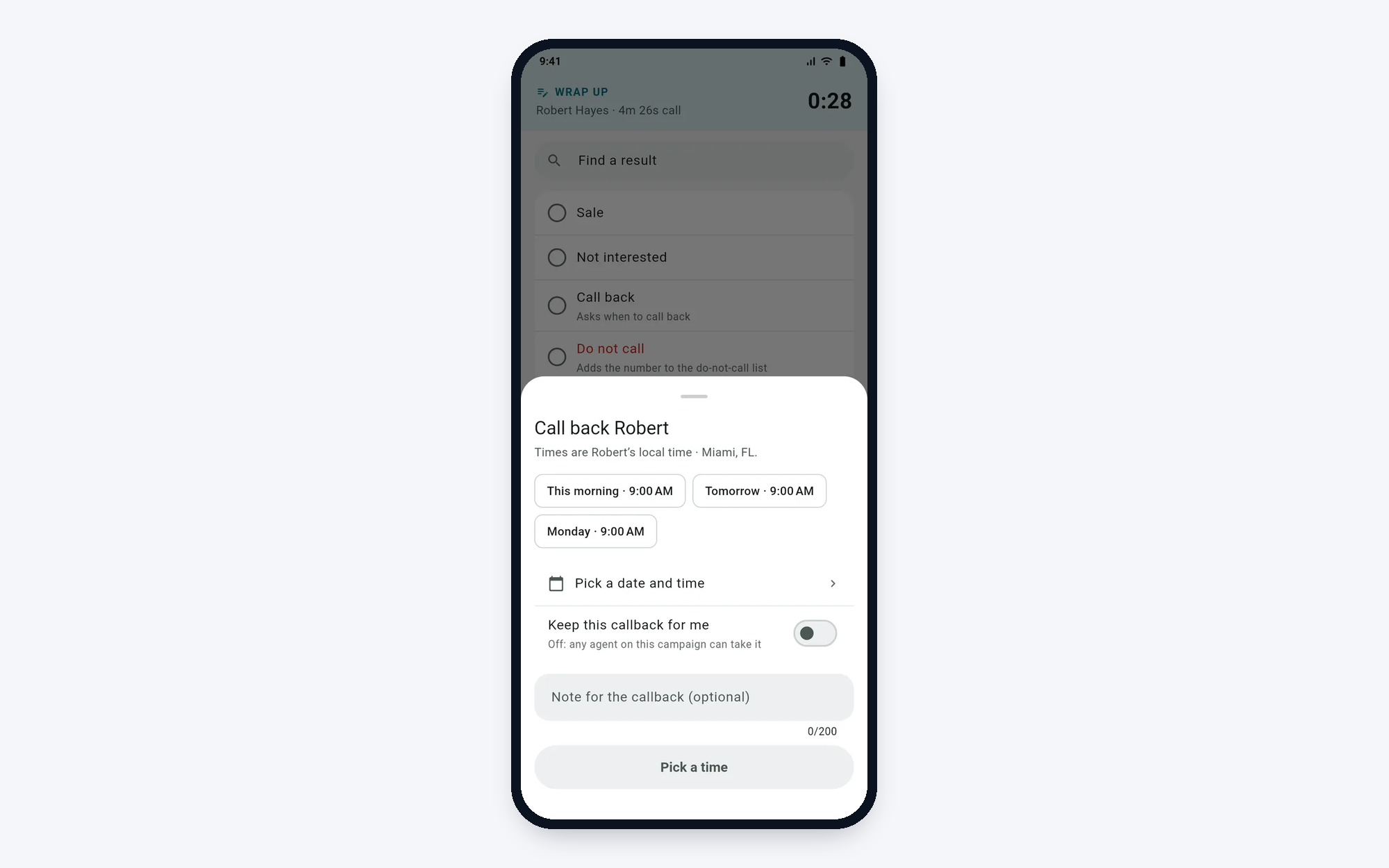
Agents on the VICIfast Phone app book callbacks the same way. When they pick a callback result, the app offers quick times in the customer's local time, a Pick a date and time option, and a Keep this callback for me switch. Off means any agent on the campaign can take it. The app also warns when a time is outside 8 AM to 9 PM for the customer.
If something goes wrong
Frequently asked
- That result isn't marked as a callback. On Campaigns, Dispositions, edit it and tick Scheduled callback, or tick Callback on the campaign's Custom Statuses.
- Their login was probably made in VICIdial admin. Create their login on the Users tab instead, or contact us through the chat bubble.
- Callbacks for "my callback only" wait for that agent. If the agent is off today, nobody else makes them. Remind agents to open their callbacks list at the start of each shift, and to leave MY CALLBACK ONLY unticked when anyone could call the customer. Your IT person can also hand overdue personal callbacks to any agent: see the Advanced guide "Manage callbacks in VICIdial admin".
- The list only opens while the agent is paused. On campaigns made in the dashboard, the screen pauses them when they click the link.
- The card only counts callbacks set for today. Callbacks booked for later days appear on their own day.