Manage callbacks in VICIdial admin
See every booked callback, give one to another agent, and turn overdue personal callbacks into callbacks anyone can make. These tools live in VICIdial admin.
Advanced · 4 min read
Agents book callbacks from the agent screen, and the dashboard shows how many are due today (see How callbacks work). When an agent is off sick or leaves, their personal callbacks wait for them and nobody else rings those customers. VICIdial admin has the tools to see every booked callback, hand one to someone else, and stop personal callbacks from going stale. This guide shows them.
Two kinds of callback
- Personal: the agent ticked MY CALLBACK ONLY. VICIdial calls these USERONLY. Only that agent sees it, in their callbacks list, and dials it themselves.
- Anyone: the box was left unticked. VICIdial calls these ANYONE. When the time comes, the lead goes back into the campaign's dialing queue (the hopper) and the next free agent gets it.
Each callback also has a state. ACTIVE means booked but not due yet. LIVE means its time has come. Each night your server clears out callback records whose lead has since been called or changed.
What you need
- Your VICIdial admin login. See Open VICIdial admin and the agent screen.
- Changing a callback means changing the lead, so your login must be allowed to modify leads. The admin login (6666) is.
Step 1: See every callback in a campaign
- In VICIdial admin, click Campaigns, then your campaign, then Detail.
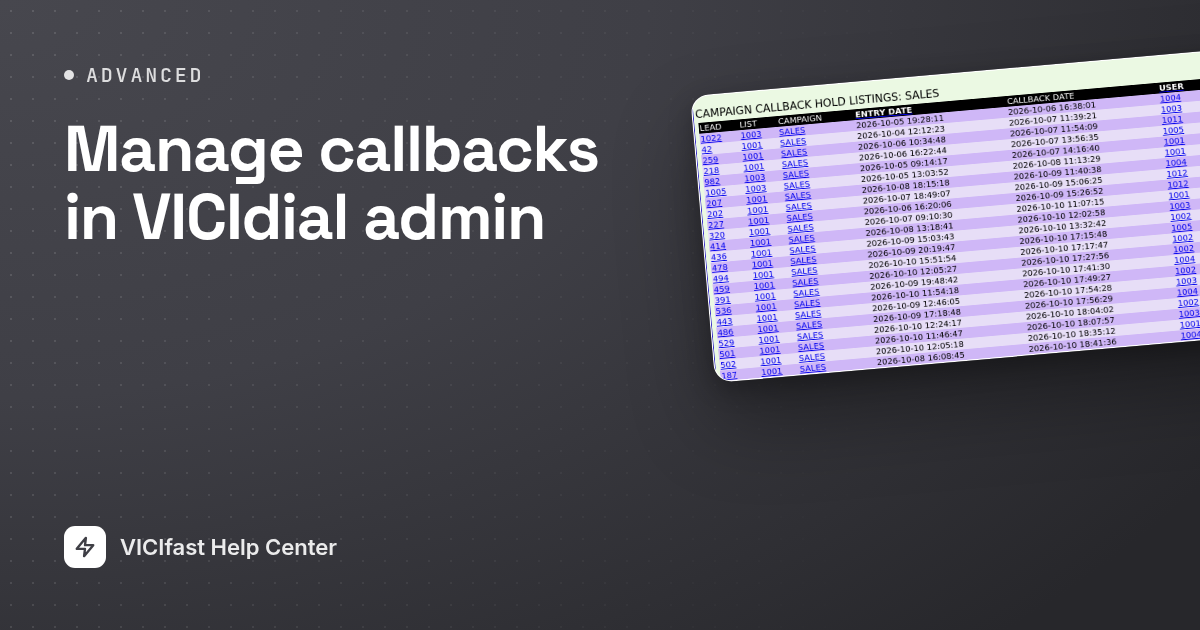
- At the bottom of the page, click Click here to see all CallBack Holds in this campaign.
- Each row shows the LEAD, the CALLBACK DATE, the USER who booked it, the RECIPIENT (USERONLY or ANYONE) and the STATUS (ACTIVE or LIVE).
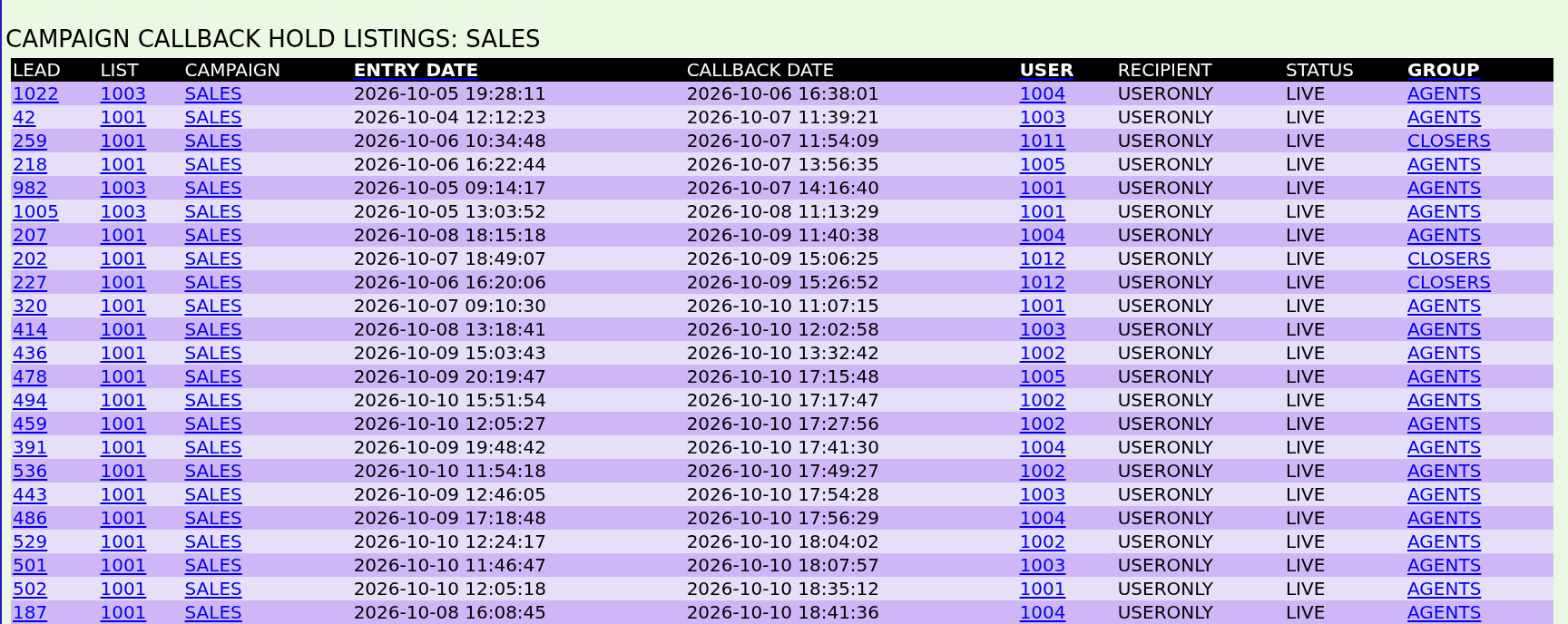
The same kind of link sits at the bottom of a user's page and a list's page, to see one agent's or one list's callbacks.
Step 2: Give one callback to someone else
- Click the lead number in the list. The lead's page opens.
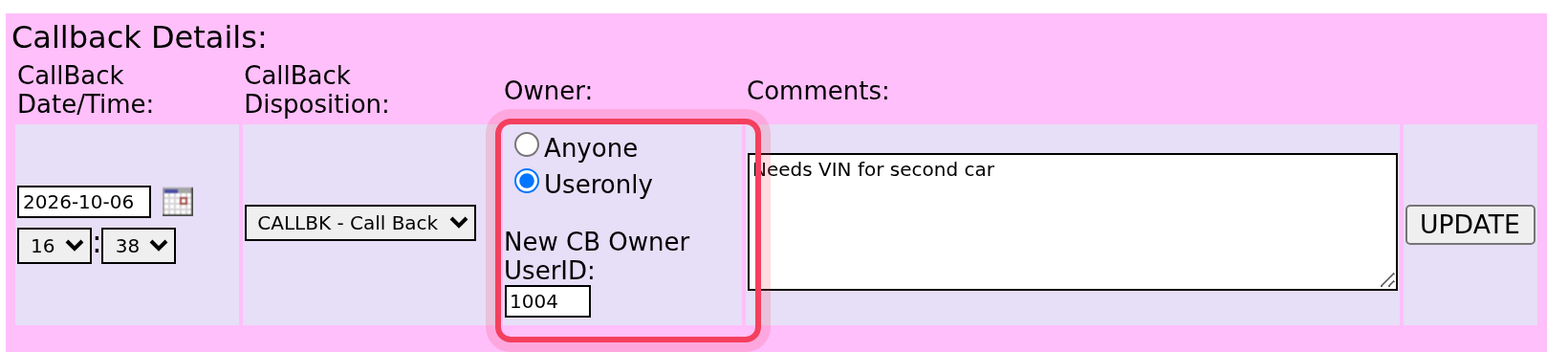
- Under Callback Details:, set Owner: to Anyone to let any agent take it. Or keep Useronly and type another agent's user number in New CB Owner UserID:.
- Change the date and time too if you need to, then click UPDATE on that row.
Step 3: Hand over late personal callbacks automatically
Rather than fixing callbacks one by one, you can tell VICIdial to turn a personal callback into an anyone callback once it is overdue.
- Open the campaign in VICIdial admin and click Detail.
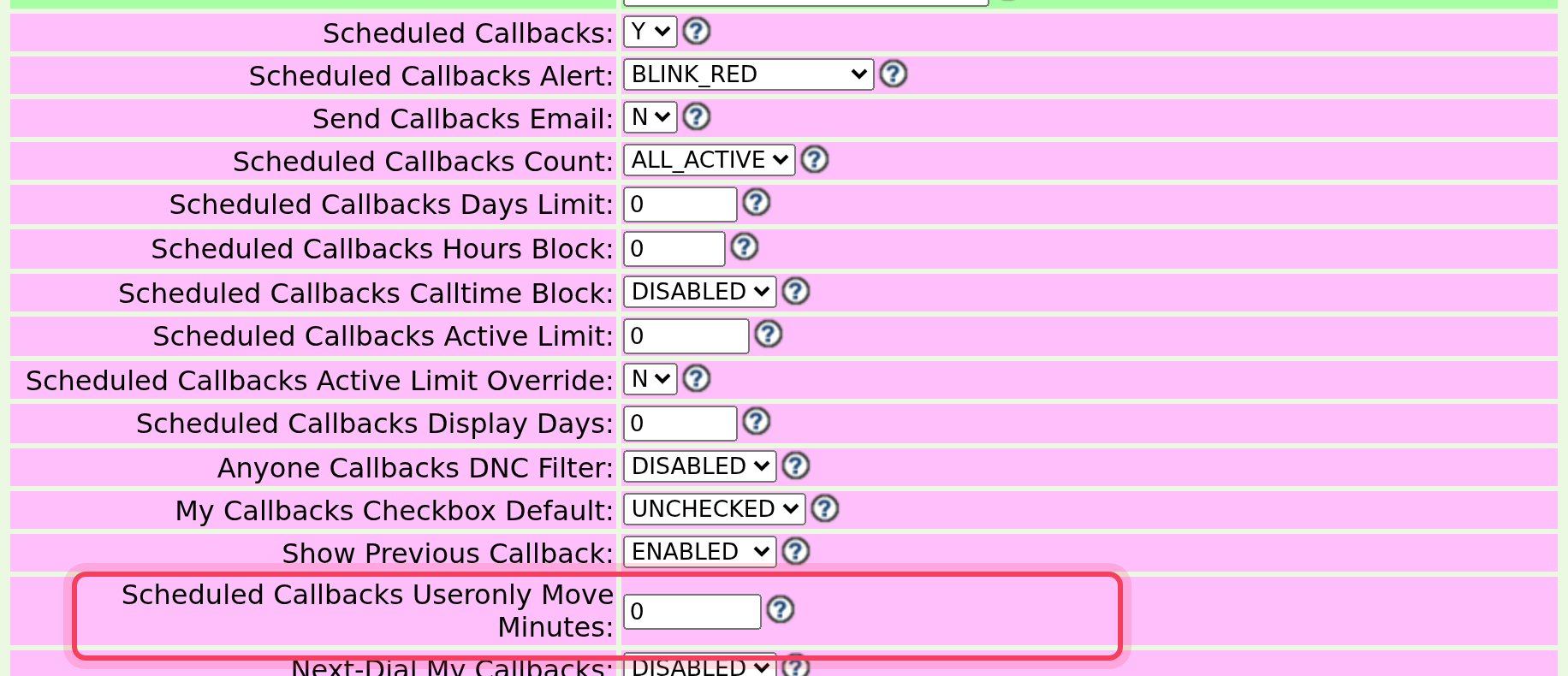
- Find Scheduled Callbacks Useronly Move Minutes and type a number of minutes, for example 60. A personal callback still not made 60 minutes after its time becomes an anyone callback, so the dialer gives it to the next free agent. VICIdial checks every minute. 0, the default, switches it off.
- Click SUBMIT.
Step 4: Other callback settings worth knowing
These sit in the same block of the campaign's Detail view. None of them are in the dashboard.
- Scheduled Callbacks Calltime Block: by default an agent can dial a personal callback from their list at any hour. ENABLED stops them dialing one outside the campaign's calling hours.
- Scheduled Callbacks Force Dial: Y makes agents dial their due personal callbacks before anything else. VICIdial's help warns that it ignores calling hours, and agents must be allowed to dial by hand.
- Anyone Callbacks DNC Filter: checks anyone callbacks against the campaign's do-not-call lists before they are dialed, so a customer who opted out after booking isn't rung. It is DISABLED by default.
- Scheduled Callbacks Days Limit: how many days ahead agents may book. 0 means no limit.
- My Callbacks Checkbox Default: CHECKED ticks MY CALLBACK ONLY for every callback, so agents untick it for the ones anyone can make.
Move all of one agent's callbacks
The admin login (6666) is level 9, which unlocks Admin Utilities, a link at the bottom of VICIdial's Reports page. In it, Callbacks Transferral moves every callback from one agent to another agent, or turns them all into anyone callbacks. Callbacks Bulk Move moves callbacks that match your filters to another list or status, and Callbacks export downloads them.
If something goes wrong
Frequently asked
- Personal callbacks wait for the agent who booked them. Change the owner on the lead (Step 2), move them all with Callbacks Transferral, or set Scheduled Callbacks Useronly Move Minutes on the campaign (Step 3).
- The lead has no open callback, or your login can't modify leads. Sign in with the 6666 admin login.
- Personal callbacks can be dialed at any hour unless Scheduled Callbacks Calltime Block is ENABLED. Scheduled Callbacks Force Dial also ignores calling hours.
- Only level 9 logins see it, at the bottom of the Reports page. Use the 6666 admin login.
- Callback records whose lead has been called or changed are cleared each night. Until then they can stay in the list.