Scheduling and taking callbacks
When a customer asks you to call back later, book the date and time on the result screen, then call them from your callbacks list.
For your agents · 2 min read
A customer says "call me back tomorrow at 10". You book that on the result screen at the end of the call. Later, the callback waits on your list, or goes to the whole team.
Step 1: Pick the callback result
- End the call as usual with HANGUP CUSTOMER.
- On the DISPOSITION CALL : screen, click the callback result. It is usually CALLBK - Call Back; your company may have its own.
- Click SUBMIT. A calendar opens.
Step 2: Choose the date and time
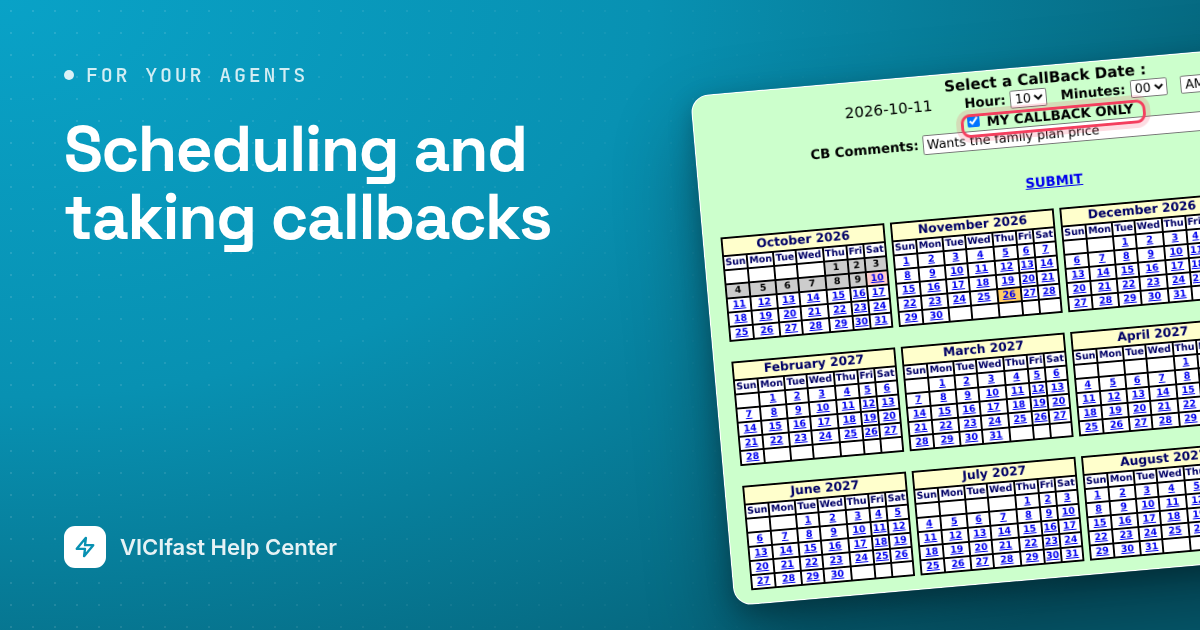
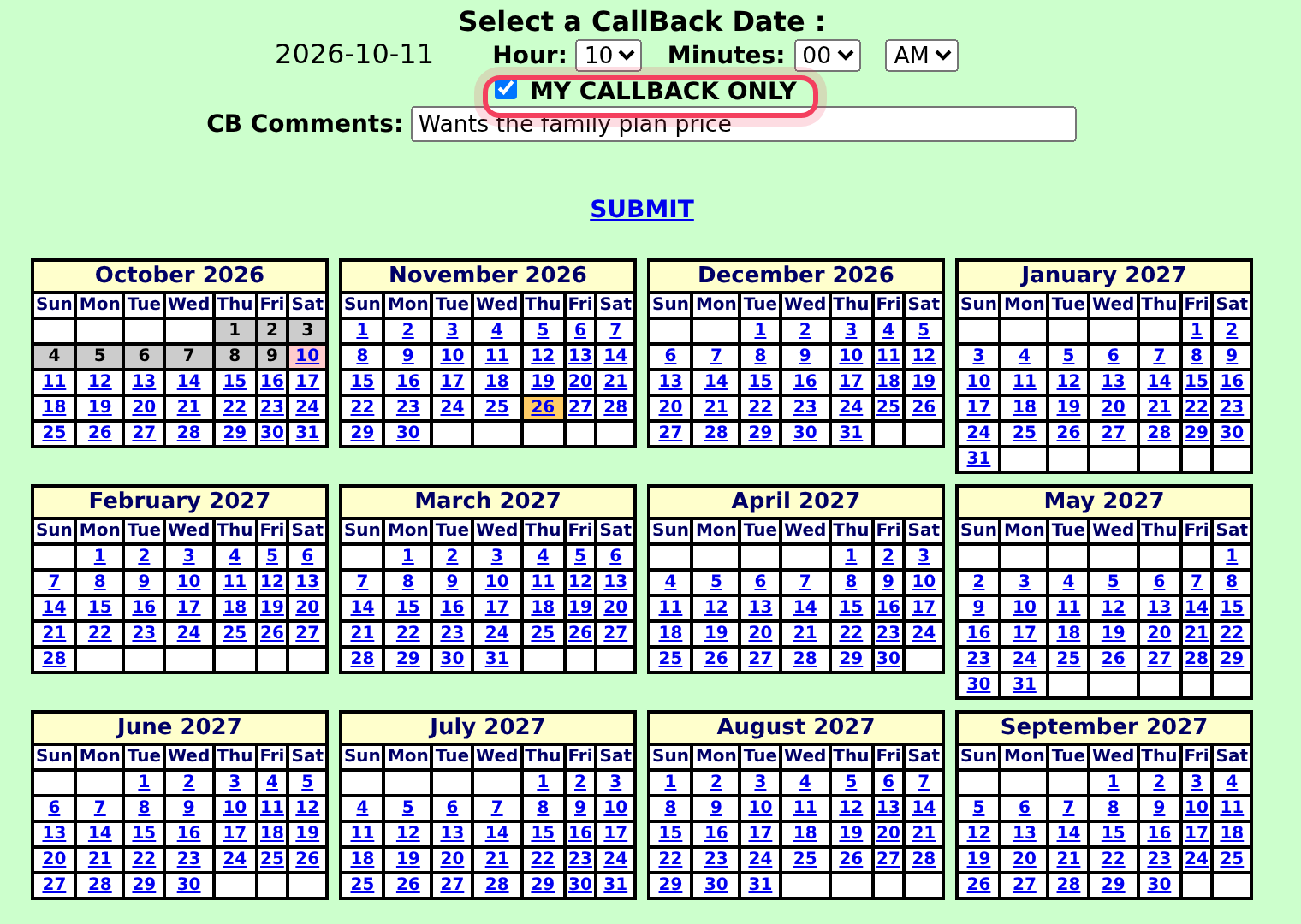
- Click the day in the calendar.
- Pick the Hour, the Minutes and AM or PM.
- Tick MY CALLBACK ONLY if you want to make the call yourself. Leave it empty if anyone on the team can call.
- Type a short note in CB Comments, for example "Wants the family plan price".
- Click SUBMIT.
Step 3: Find your callbacks
At the bottom of your screen, a link counts your own callbacks, for example 2 ACTIVE CALLBACKS. With none, it says NO ACTIVE CALLBACKS. On most campaigns it turns red and blinks when one is due.
- Click the link. If you were ready for calls, you are paused first.
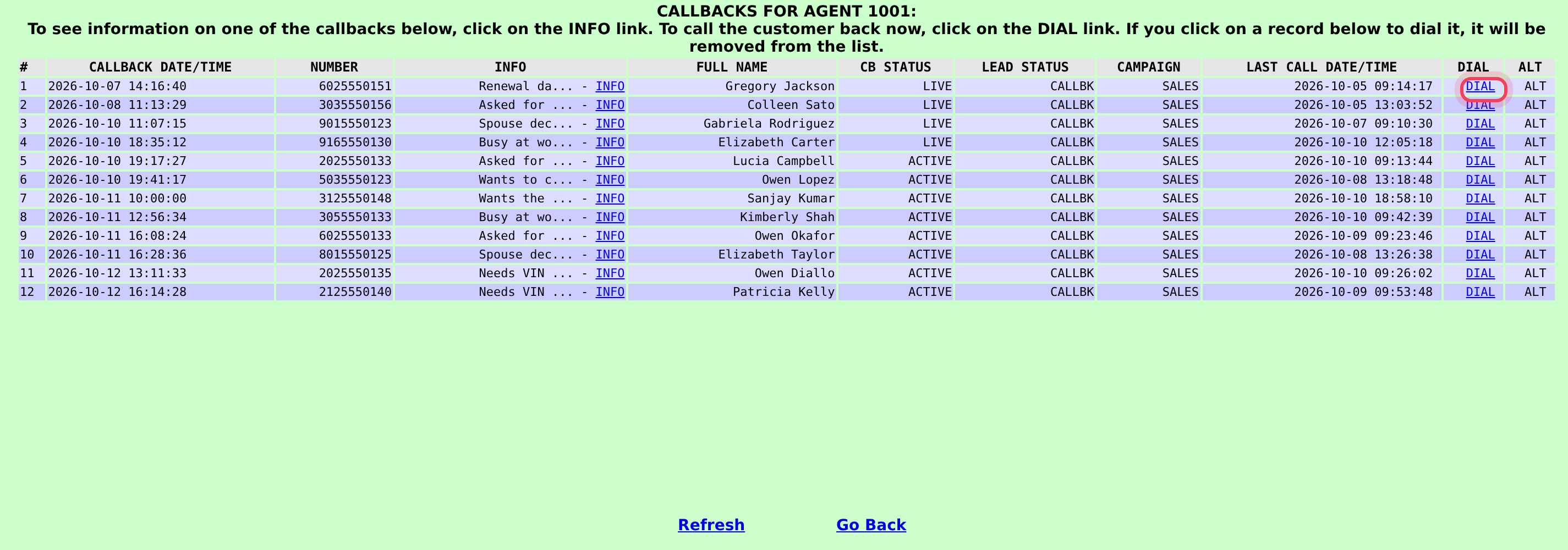
- The list CALLBACKS FOR AGENT opens with your callbacks.
- Click INFO to see the details and your note.
Step 4: Call the customer back
- In the list, click DIAL next to the customer. The callback leaves your list and the call starts.
- Talk as usual, click HANGUP CUSTOMER and save the result.
- Click YOU ARE PAUSED when you are ready for the next call.
Callbacks that anyone can take may come to you, or a teammate, as a normal call when their time comes.
On the phone app
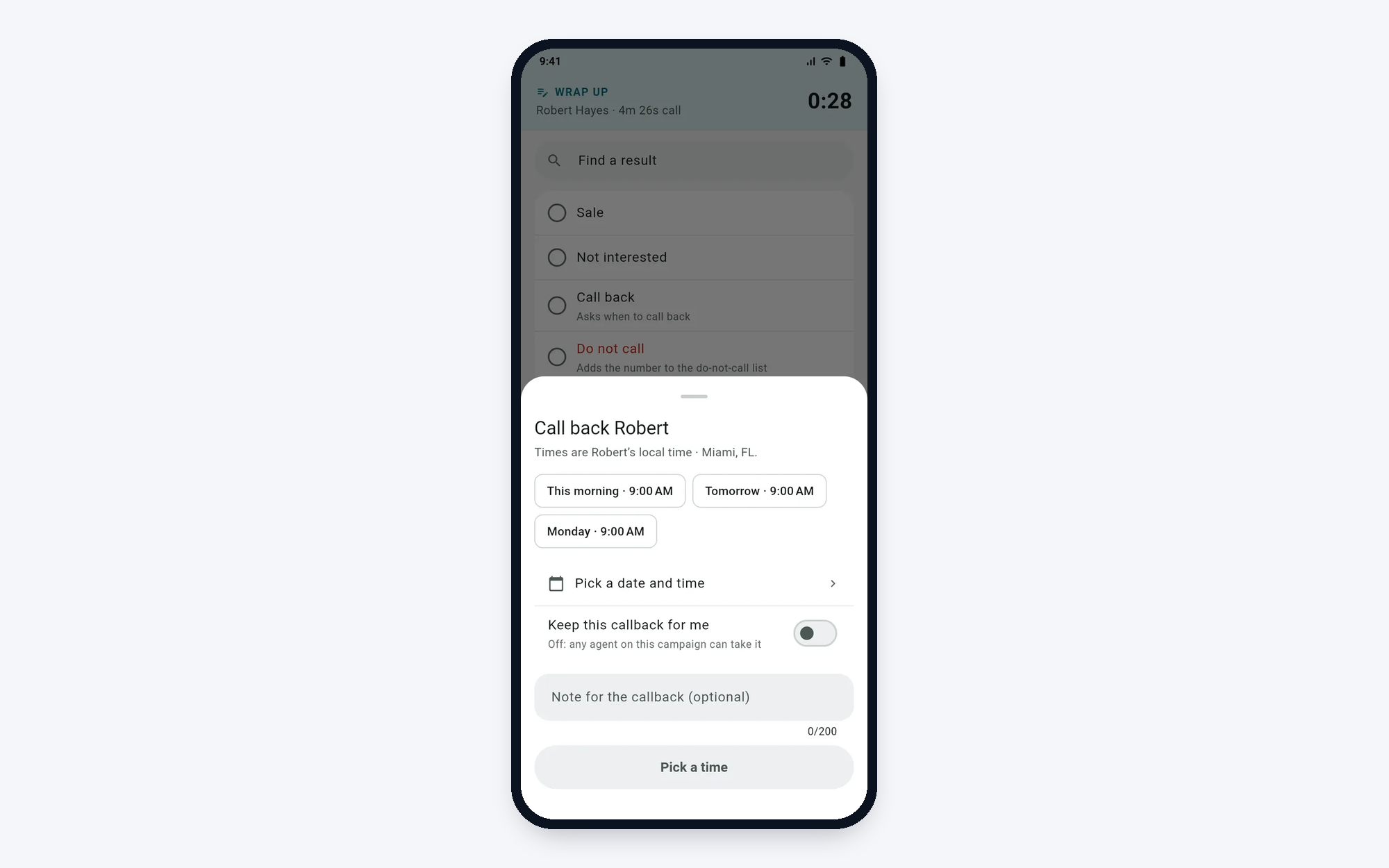
In VICIfast Phone, pick the callback result on the wrap-up screen. It has Asks when to call back under its name. Choose a quick time or Pick a date and time (times are in the customer's local time), switch on Keep this callback for me to keep it, add a note, and tap the button to schedule it.
If something goes wrong
Frequently asked
- That result isn't set up as a callback. Pick the callback result, or ask your manager.
- Personal callbacks are switched off for your login. Ask your manager.
- You must be paused and not on a call. Finish the call, save the result, pause, then click the link.
- Tell your manager the customer's name and number so they can fix it.
- The time you picked is early or late for the customer. Pick another time unless the customer asked for it.