Inbound Seller: how minutes are billed
Inbound Seller charges your wallet per minute for each call it passes on, ring time included and rounded up to the whole minute. Rejected and test calls are free.
Inbound calls · 3 min read
Inbound Seller is paid from your wallet as calls flow. This article explains how each call is counted, what is never charged, and where to check what you paid.
How a call is counted
- You pay for every minute of a call that is passed on to a buyer or a toll-free number.
- The clock starts when the call reaches your server and stops when it hangs up. Ring time counts.
- Each call is rounded up to the next whole minute. A 5-second call is 1 minute. A 61-second call is 2 minutes.
- The cost of each call is rounded to the nearest cent and taken from your wallet shortly after the call ends.
Two rates
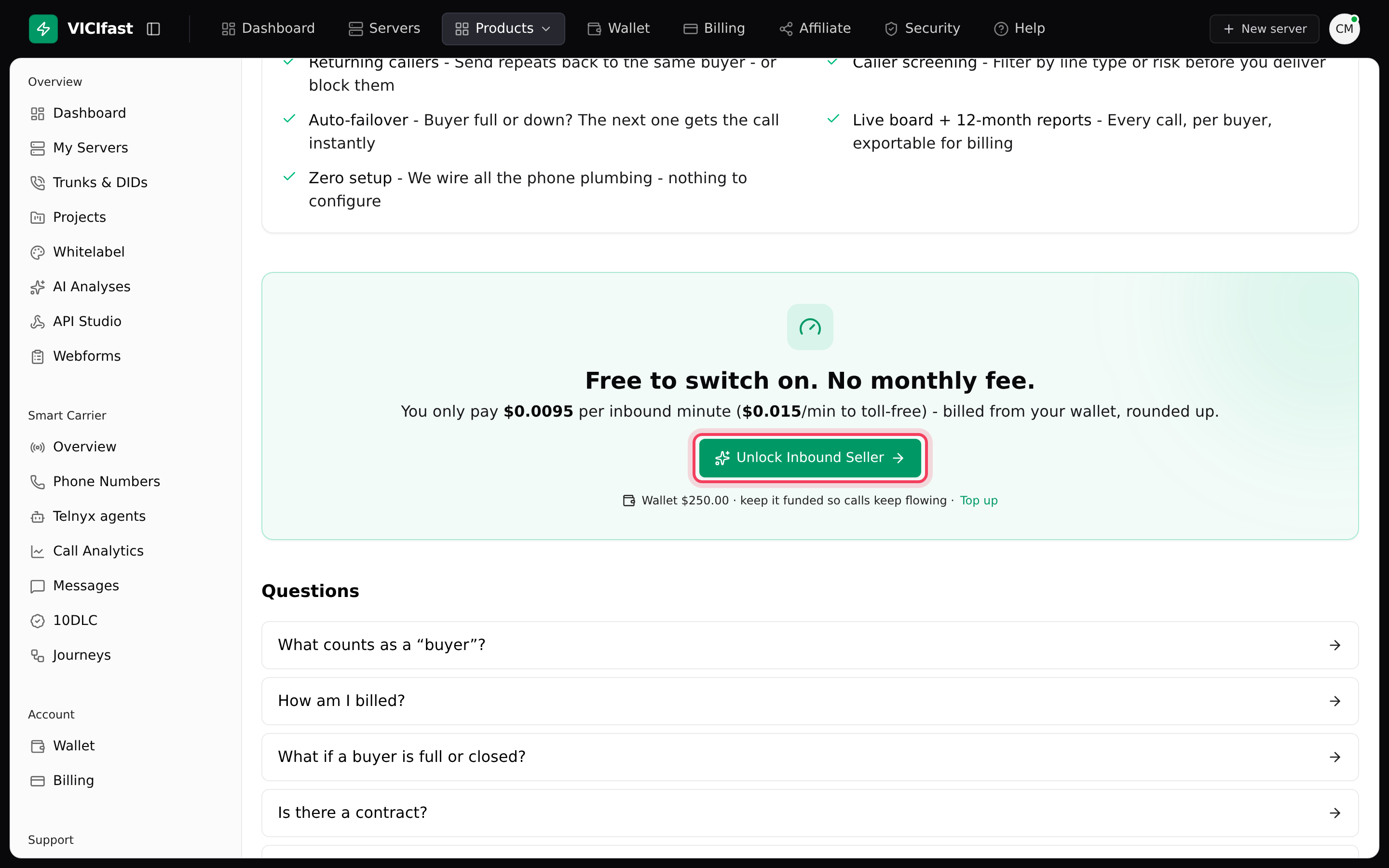
There is one rate for calls sent to your buyer servers and another for calls sent to toll-free numbers. Before you switch Inbound Seller on, both are shown on the Inbound Seller page next to the Unlock Inbound Seller button. After that, you can see the rate used for any call in its Call Log row (see below).
What is never charged
- Calls that were turned away: no buyer was open or free, the repeat-caller rule rejected the caller, or your wallet was too low.
- Test calls you place with the Test call button.
- Runs on the Simulate tab. No real calls are placed.
Keep your wallet funded
Before a call is passed on, your wallet must have enough to cover about three minutes of it at your rate, on top of any calls already in progress. If it doesn't, the call is turned away and shows NO_BALANCE in the Call Log. Calls flow again as soon as you top up.
Monthly fee
Switching on Inbound Seller yourself, with the Unlock button, adds no monthly fee. Some accounts have a monthly fee agreed with us. If yours does, it is taken from your wallet once a month while you have at least one flow that isn't archived. If your wallet is short that day, it is tried again each day until it can be collected.
Check what a call cost
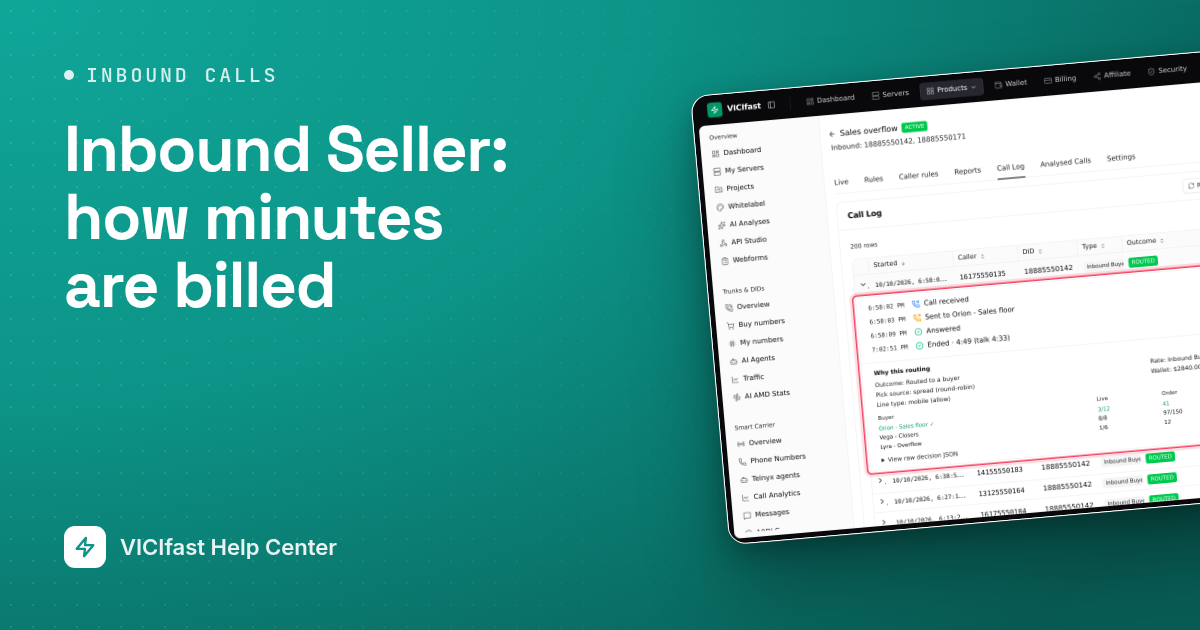
- Open the flow and click the Call Log tab. The Mins and Cost columns show what each call was billed.
- Click the arrow at the start of a row to open it. Under Why this routing, Rate shows the type (Inbound Buyer or Toll-free) and the price per minute used for that call.
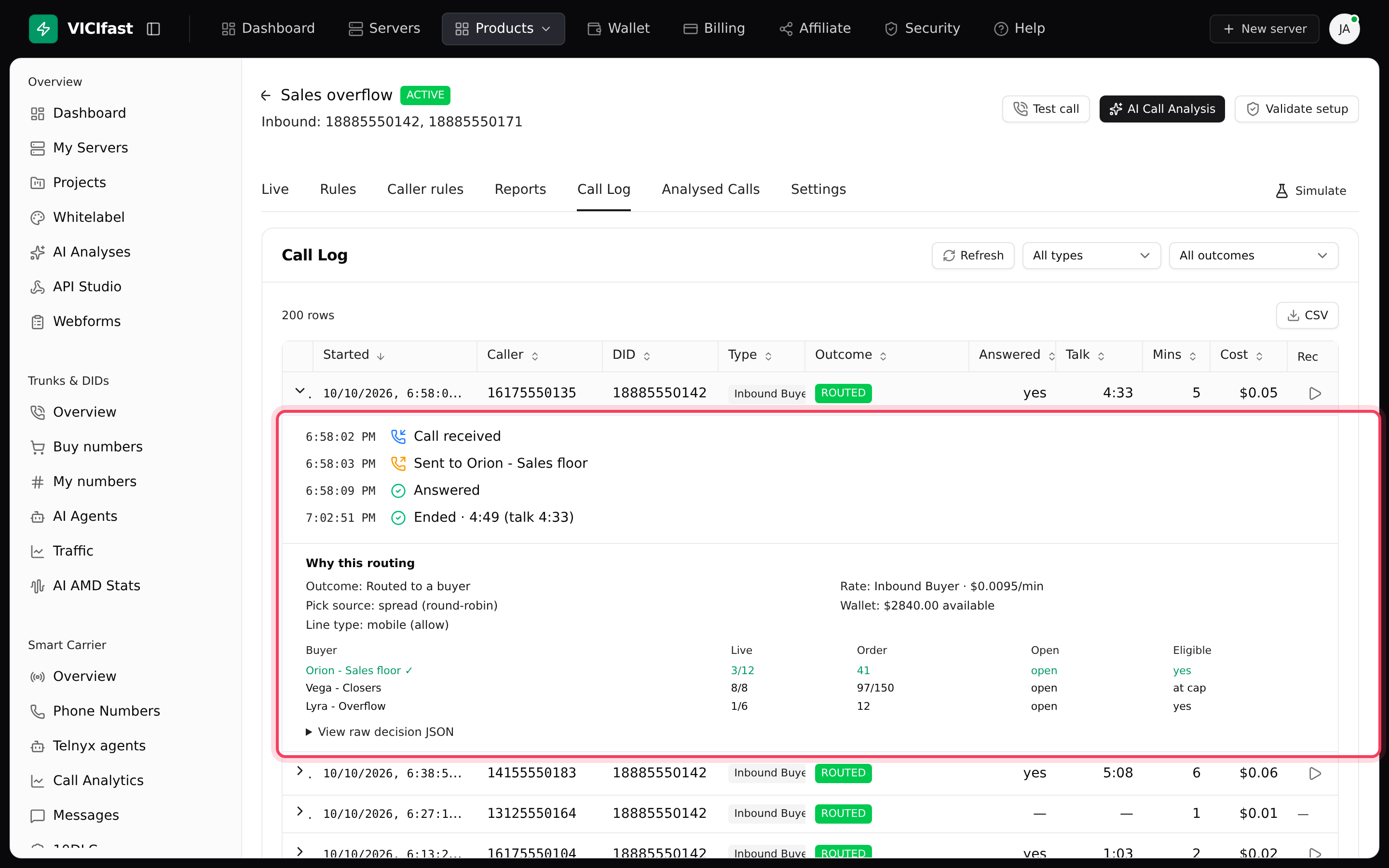
To see the two kinds of calls apart, change the filter that reads All types to Inbound Buyer or Toll-free. The CSV button downloads the list with the minutes and cost of each call.
See your daily totals
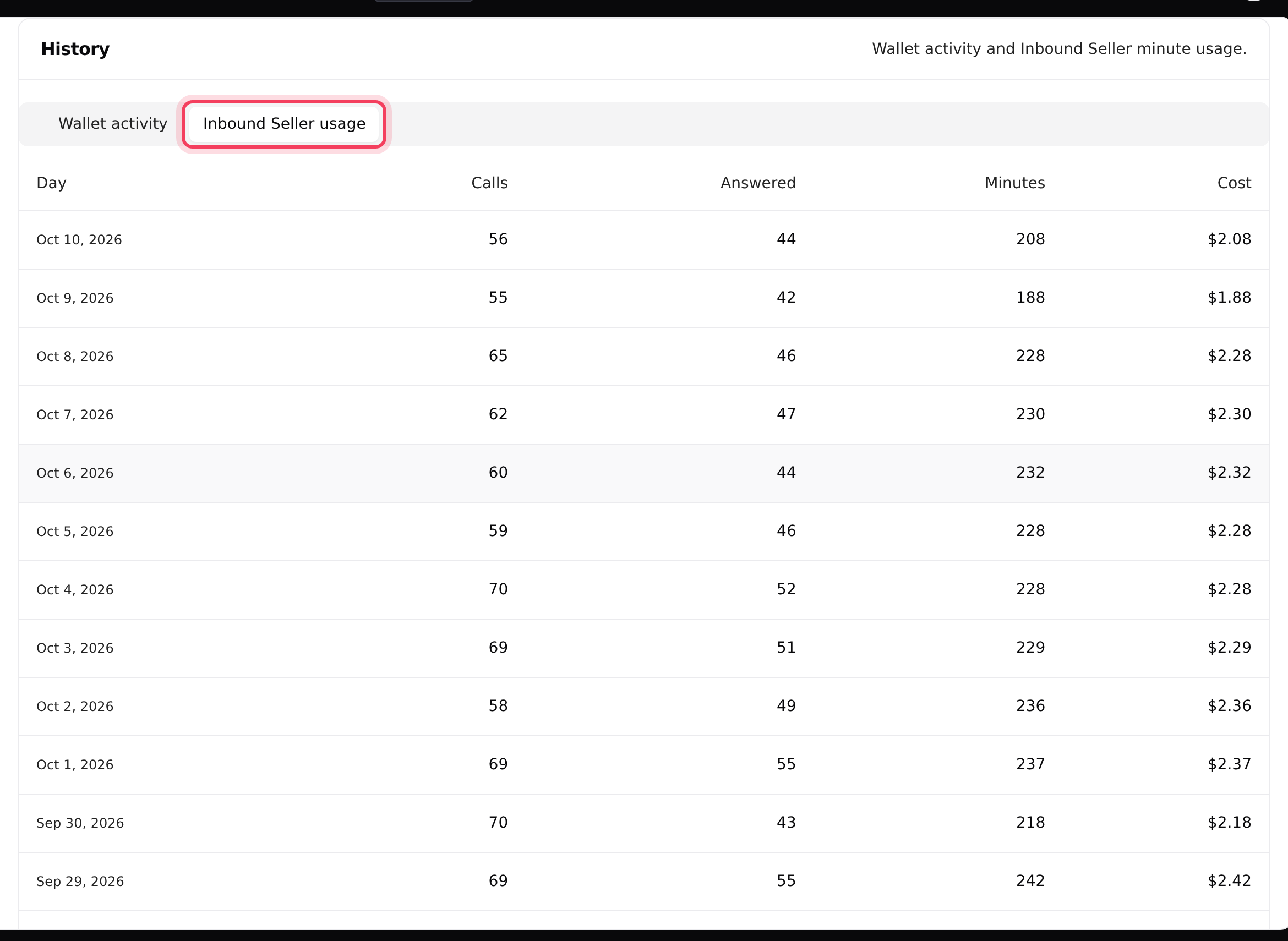
- In the left sidebar, click Wallet.
- Under History, click the Inbound Seller usage tab. Each day shows Calls, Answered, Minutes and Cost.
- The Wallet activity tab lists each charge. Call charges show as Inbound Seller usage and a monthly fee as Inbound Seller add-on (monthly).
If something goes wrong
Frequently asked
- Your wallet can't cover the first few minutes of a new call. Top up on the Wallet page; new calls are accepted again straight away.
- That is expected. Every call is rounded up to the next whole minute, and ring time counts.
- Every call is logged, so you can see why it was turned away. Only calls passed on to a buyer or toll-free number are billed; the Cost column shows the charge.
- The usage tab counts days in UTC, and its Calls column includes test calls (they are never billed); reports leave test calls out. Compare Minutes and Cost for the same days.
- Check Wallet activity for Inbound Seller add-on (monthly). If you don't recognise the fee, chat with support.
› Calls are being turned away with NO_BALANCE.
› A call that lasted 10 seconds cost a full minute.
› Why did a rejected call show up in my Call Log?
› The Wallet usage tab and my report don't match.
› I was charged a monthly fee I didn't expect.
Related articles
Tags: billing, forwarding