Inbound Seller: reports and exports
See how many calls each flow delivered, why calls were missed and what you spent, download the numbers, email them on a schedule, and listen to recorded calls.
Inbound calls · 4 min read
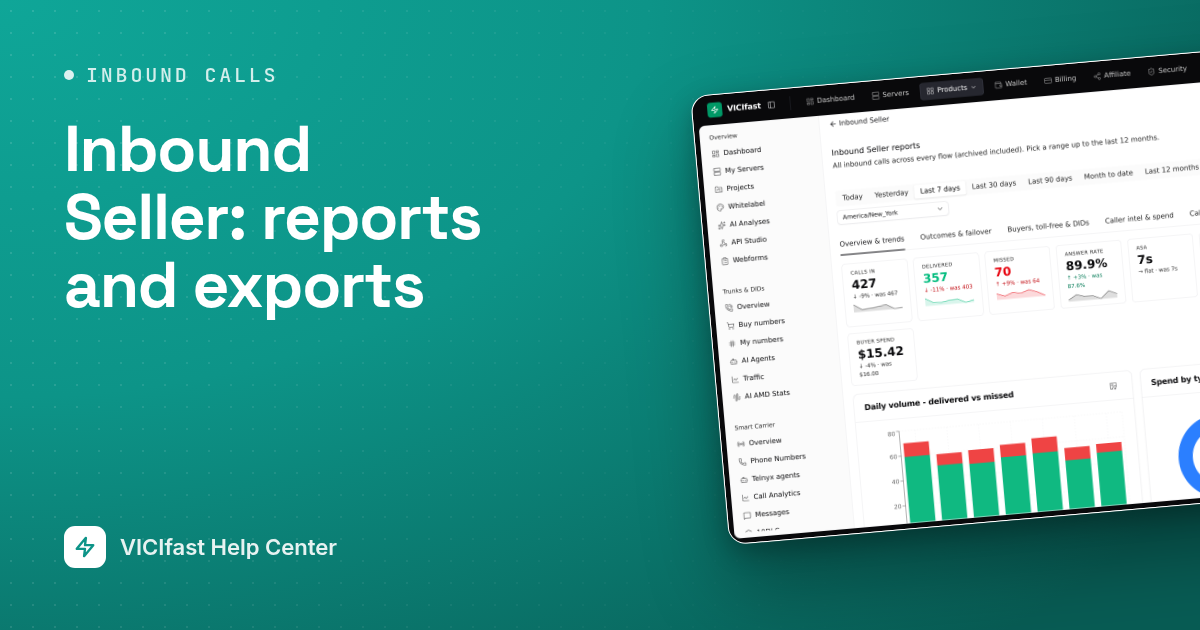
Inbound Seller keeps a record of every call your flows receive. Use the reports to check how many calls each buyer got, why some calls were missed and what you spent, and to send the numbers to your buyers or your team.
What you need
- You are the account owner, and Inbound Seller is switched on.
- At least one flow that has taken calls. Test calls are left out of every report.
Step 1: Open the reports for all flows
- In the top bar, click Products, then Inbound Seller.
- Click Reports at the top right. The page is called Inbound Seller reports.
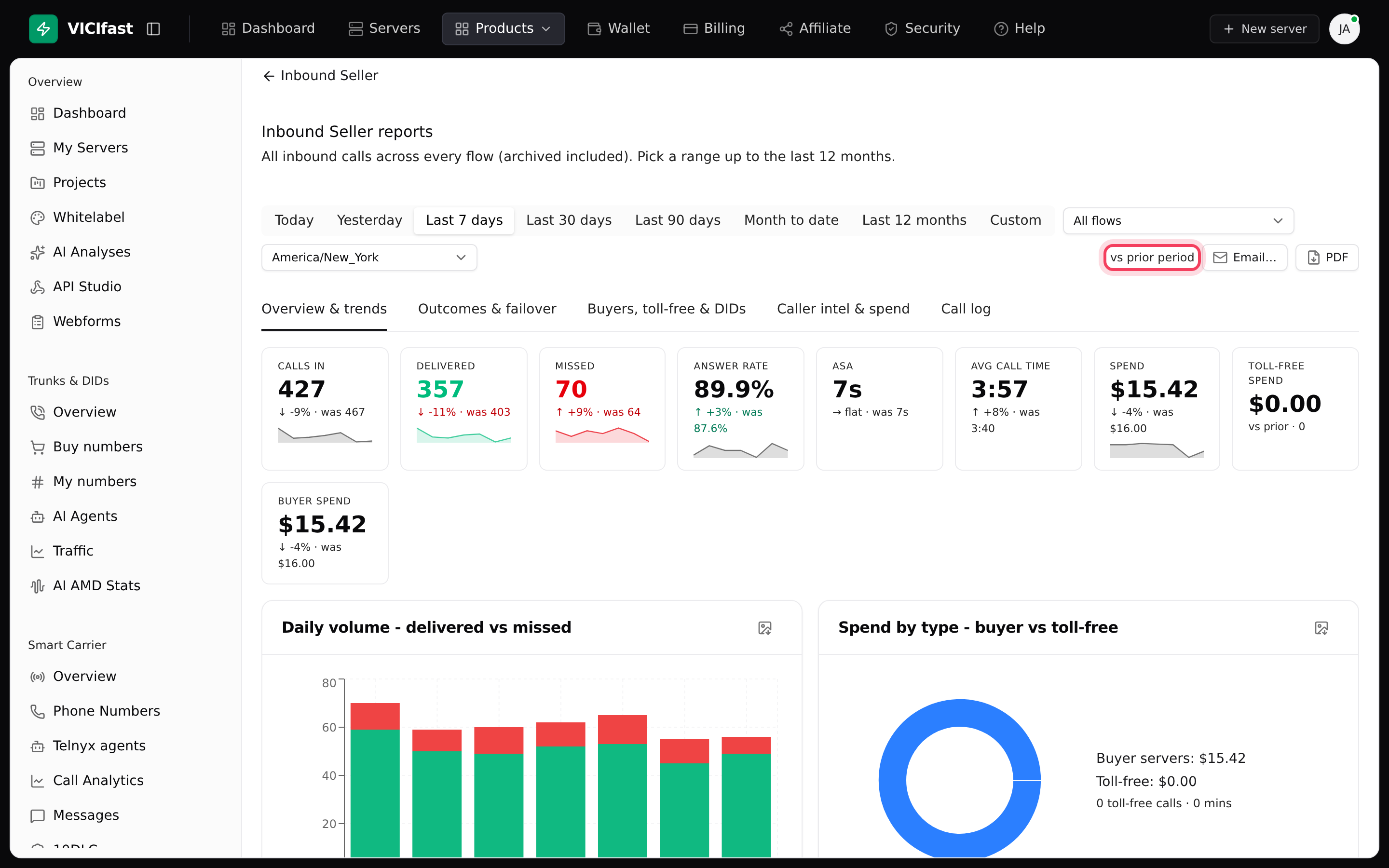
- Pick a period: Today, Yesterday, Last 7 days, Last 30 days, Last 90 days, Month to date, Last 12 months or Custom (then pick the dates). It opens on Today.
- To see one flow only, change All flows to that flow. Archived flows are listed too.
- Check the time zone box next to it. Days and hours are counted in that time zone. It starts on your account's time zone.
Each headline number is compared with the period just before it (for example, the last 7 days against the 7 days before). That is what vs prior period at the top right means.
Step 2: Read the tabs
- Overview & trends: Calls in, Delivered, Missed, Answer rate, ASA (how long answered calls rang before someone picked up), Avg call time, Spend, Toll-free spend and Buyer spend. Charts show delivered against missed calls per day, spend by type, your busiest hours and a weekday-by-hour grid.
- Outcomes & failover: where your calls went, why calls were missed, the Failover rate (calls that had to move on to another destination) and a table By flow.
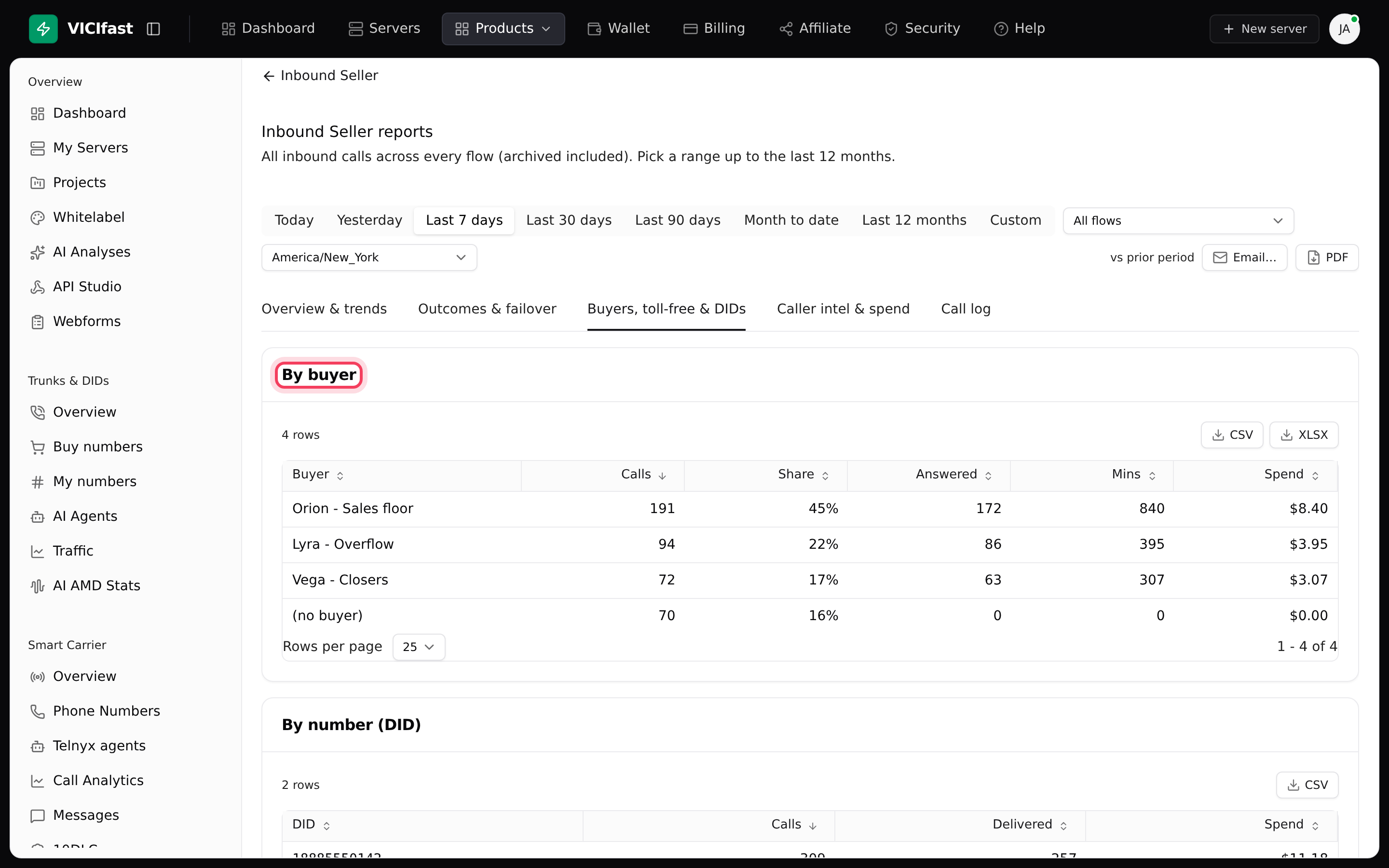
- Buyers, toll-free & DIDs: tables By buyer, By toll-free number and By number (DID). Use these when you settle up with a buyer.
- Caller intel & spend: Repeat rate, Pending spend, caller line types, Top repeat callers and how your spend changed over the period.
- Call log: one row per call with the flow, caller, number, type, result, destination, minutes and cost. Filter by type and result. Click Load more to see older calls.
Step 3: Download what you see
- PDF (top right) saves the tab you are on, charts and tables included.
- Each chart has a small download button that saves it as a picture (PNG).
- Each table has a CSV button, and some also have XLSX for Excel.
Step 4: Email a report now or on a schedule
- Click Email… next to PDF. The Email this report box opens.
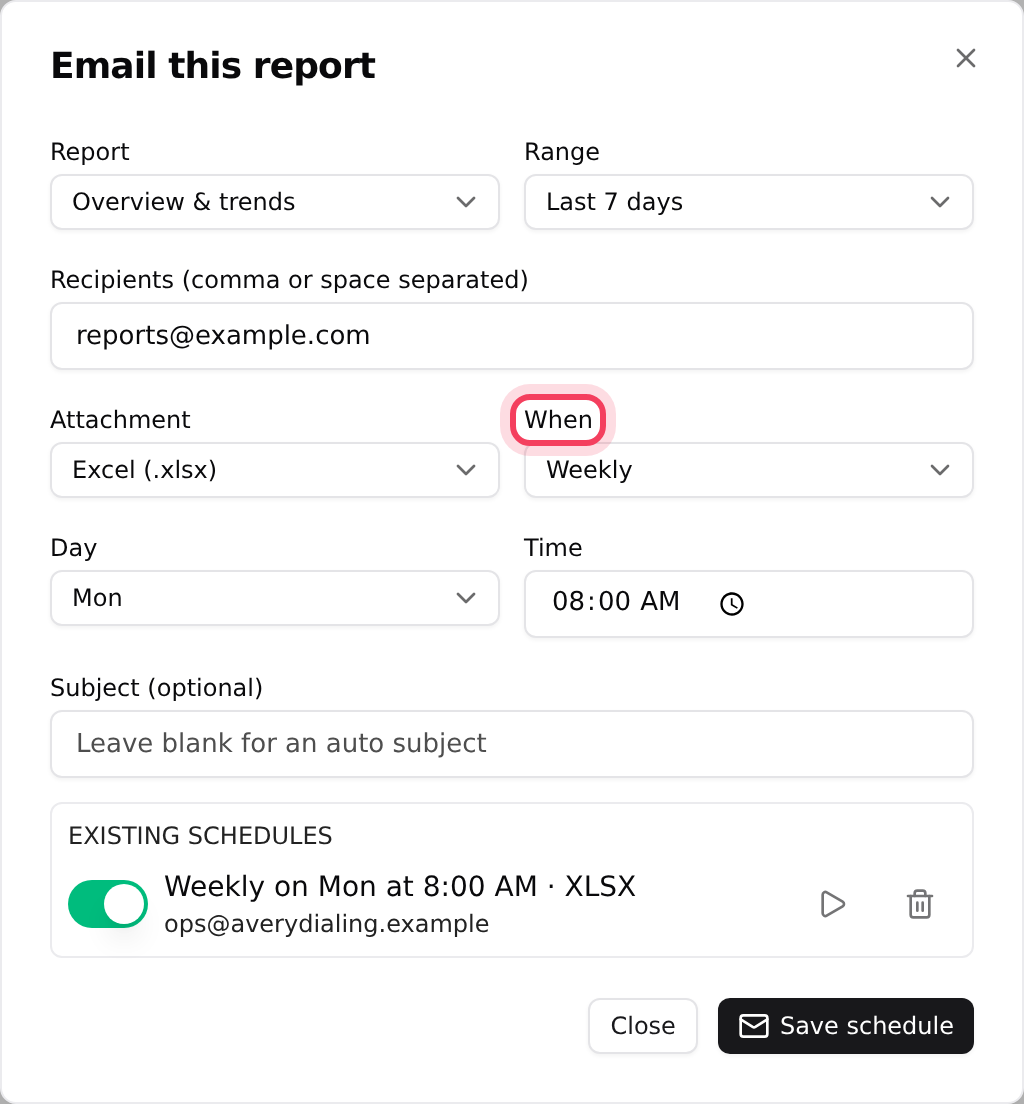
- Choose the Report (one of the first four tabs) and the Range.
- Type the Recipients, separated by commas or spaces. You can add up to 10.
- Choose the Attachment: Excel (.xlsx), CSV or Summary only (no file).
- Under When, choose Send now, Daily or Weekly. For a schedule, set the Time (and the Day for weekly). Times use your account's time zone.
- Click Send now or Save schedule.
Your schedules are listed in the same box under Existing schedules. Use the switch to pause one, the play button to send it now, or the bin to delete it.
Step 5: Check one flow
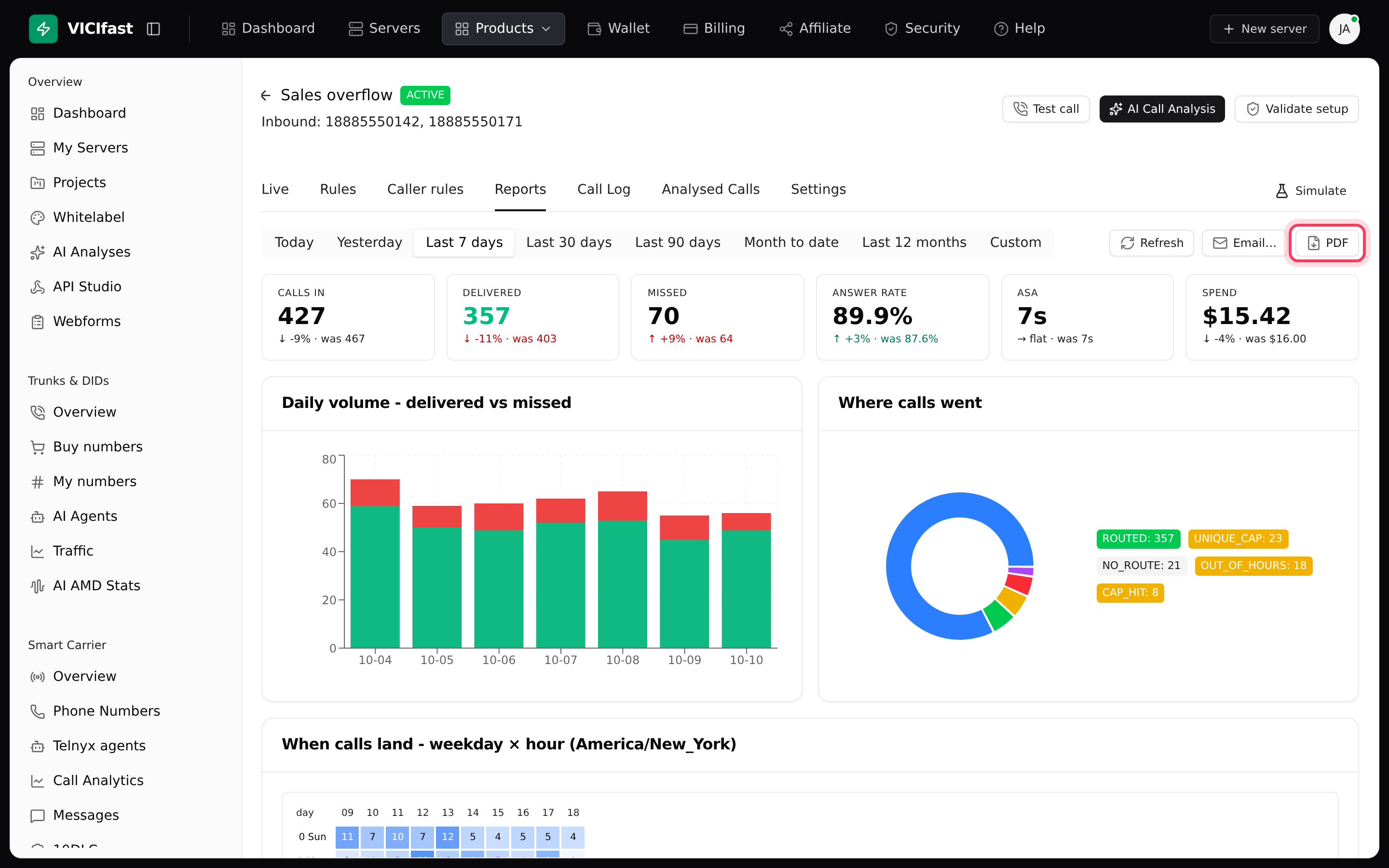
- On the Inbound Seller page, click the flow's name, then the Reports tab.
- Pick a period. It starts on Today, counted in the flow's time zone.
- Use Refresh, Email… and PDF the same way as on the main reports page. A schedule made here covers this flow only.
Step 6: Listen to calls and get an AI review
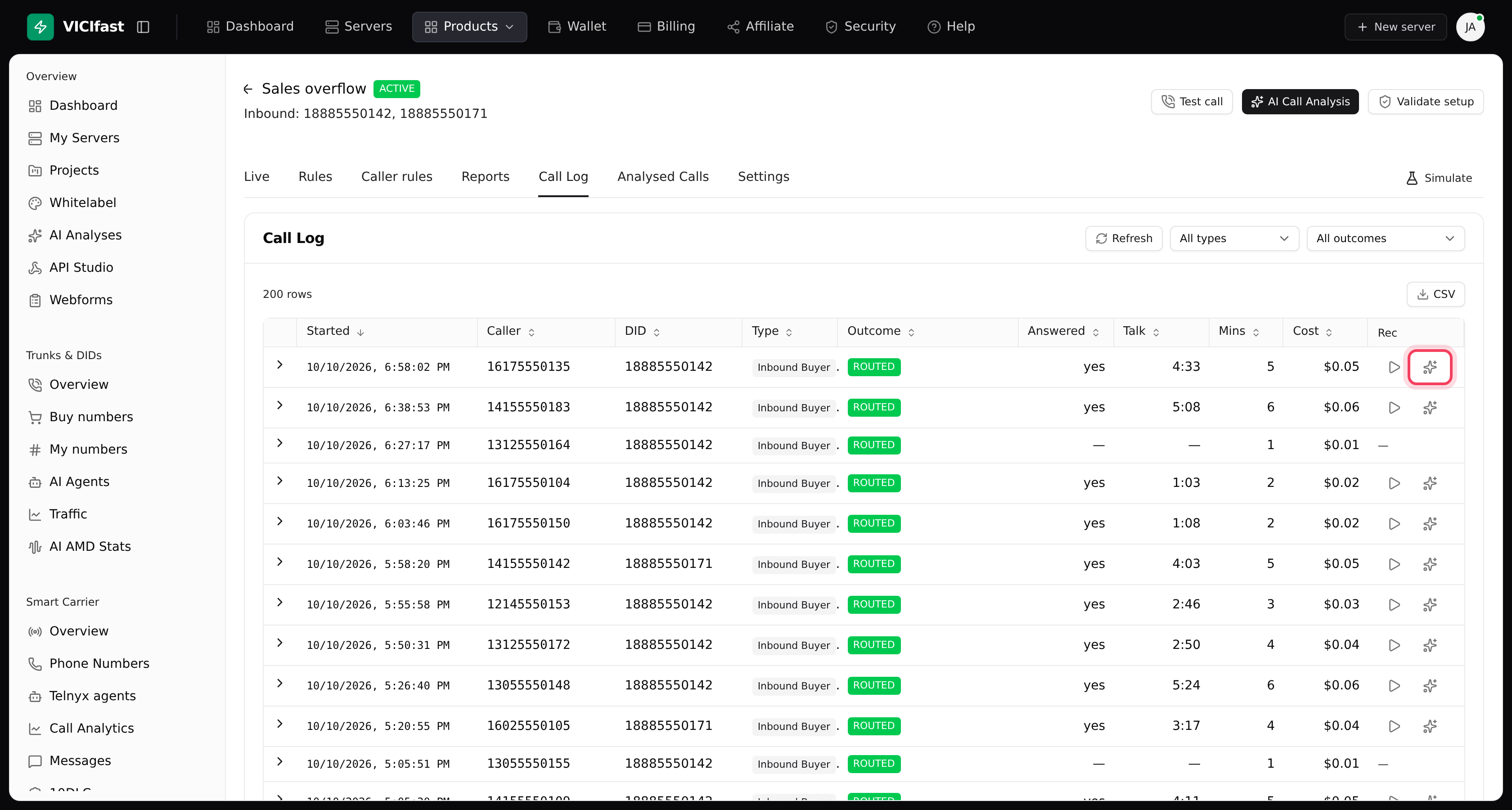
Recordings are on each flow's Call Log tab, not on the reports page.
- Open the flow and click the Call Log tab.
- In the Rec column, click the play button to listen. A dash means the call has no recording.
- Click the sparkle button next to it (AI Analyse) for an AI review of the call: a transcript and a quality score. A box shows the Estimated cost and your wallet balance first. It is charged from your wallet. Click Analyze to start.
- Finished reviews for the flow are on its Analysed Calls tab. Click AI Call Analysis at the top of any flow to see analysed calls from all your flows.
If something goes wrong
Frequently asked
- It opens on Today. Pick a longer period, and check the time zone: a call late in the evening may fall on another day in a different time zone.
- Reports leave out test calls, and the main reports page includes archived flows. Make sure both use the same period and time zone.
- Only answered calls with a saved recording can be played. Calls that were rejected or never answered show a dash.
- One report can go to 10 addresses at most. Split the list across two schedules, or send it to a shared mailbox.
- You can have up to 20 active schedules. Pause or delete ones you no longer need.
- Your wallet doesn't cover the estimated cost. Top up your wallet, then try again.
› The report is empty.
› My numbers don't match the flow's Call Log.
› There is no play button on a call.
› Scheduling fails with 'At most 10 recipients.'
› Scheduling fails with 'Too many active schedules.'
› AI Analyse shows Add funds to wallet.
Related articles
Tags: forwarding, reports, analytics, export