Block callers with filter phone groups
Keep a list of caller numbers you don't want to reach your agents, and hang up on them or send them somewhere else.
Inbound calls · 3 min read
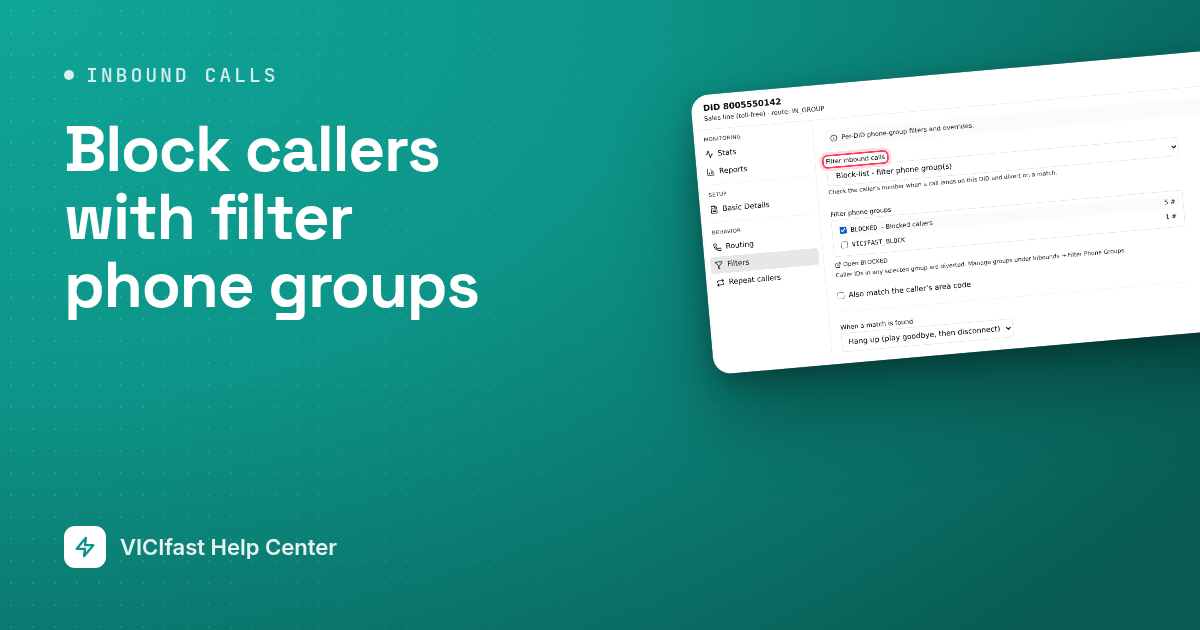
A filter phone group is a named list of caller numbers. Attach it to one of your inbound numbers and anyone calling from a number on the list is hung up on, or sent somewhere else, before they reach your queue. Use it for nuisance callers or numbers you must not take calls from.
What you need
- At least one inbound number on your server. See Set up inbound calls: queues, numbers and menus.
- To delete a whole group you must be the account owner or an Admin.
Step 1: Create a group
- In the sidebar, click My Servers, then click your server.
- Click the Inbounds tab, then Filter Phone Groups.
- Click New group.
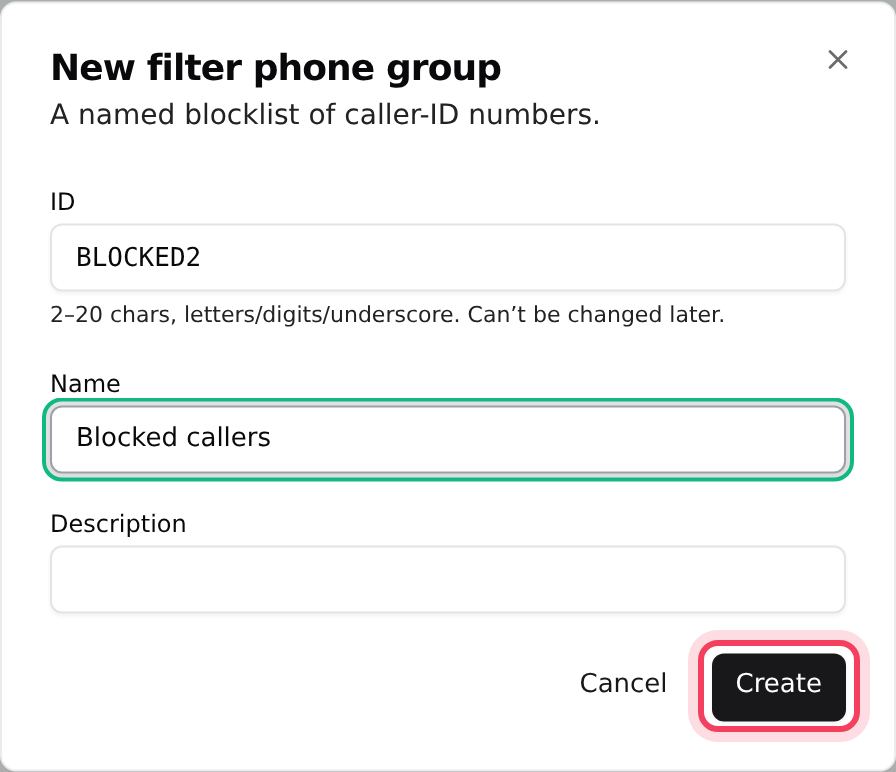
- In ID, type a code such as BLOCKED. Use 2 to 20 letters, numbers or underscores. You cannot change it later.
- Add a Name and Description if you like, then click Create.
Step 2: Add numbers to the group
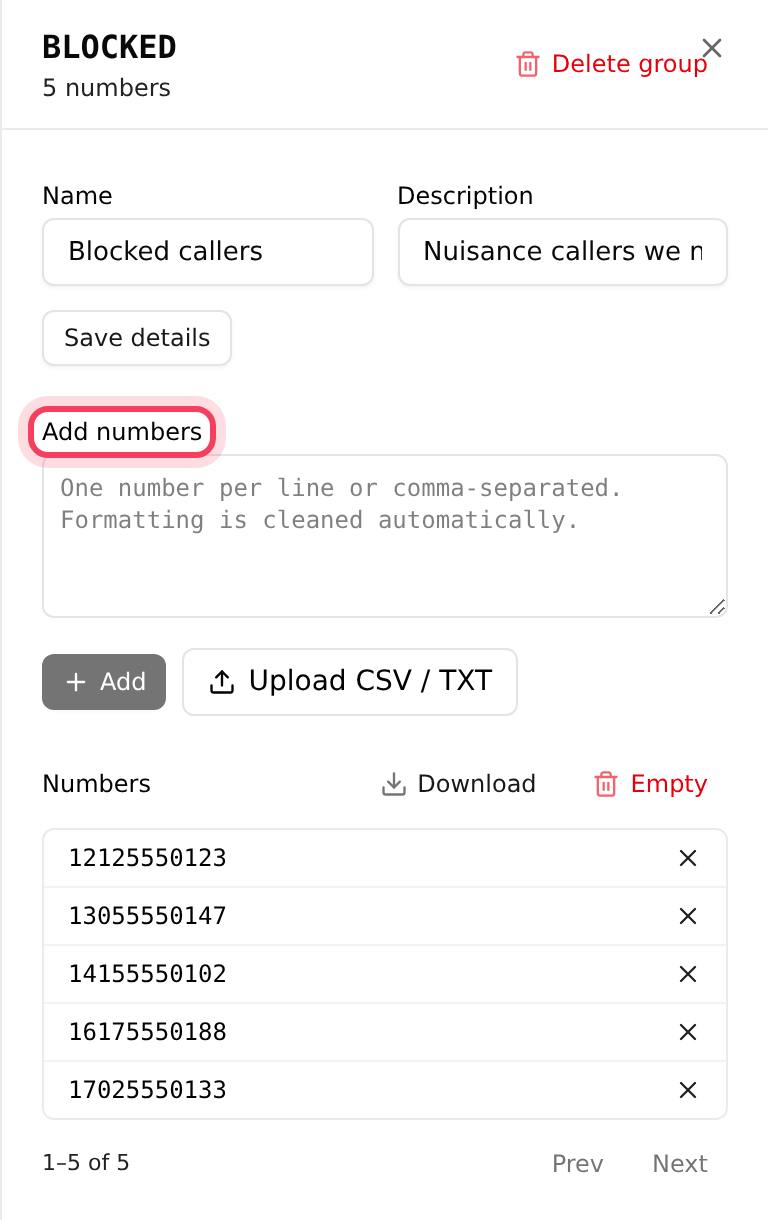
- Click the group's ID, or Manage on its row. The group's panel opens.
- Paste numbers into Add numbers, one per line or separated by commas. Spaces, dashes and brackets are removed for you.
- Click Add. To load a file instead, click Upload CSV / TXT.
- A message tells you how many were added and how many were skipped because they were already in the group.
Save numbers the way your phone line shows callers' numbers. A leading + is kept, so +12125550123 and 12125550123 are two different entries. If you are not sure of the format, open the inbound number's Reports tab and copy a caller's number from its call log.
Step 3: Attach the group to a number
- On the Inbounds tab, click DIDs, then click the number, for example 8005550142.
- Click Filters.
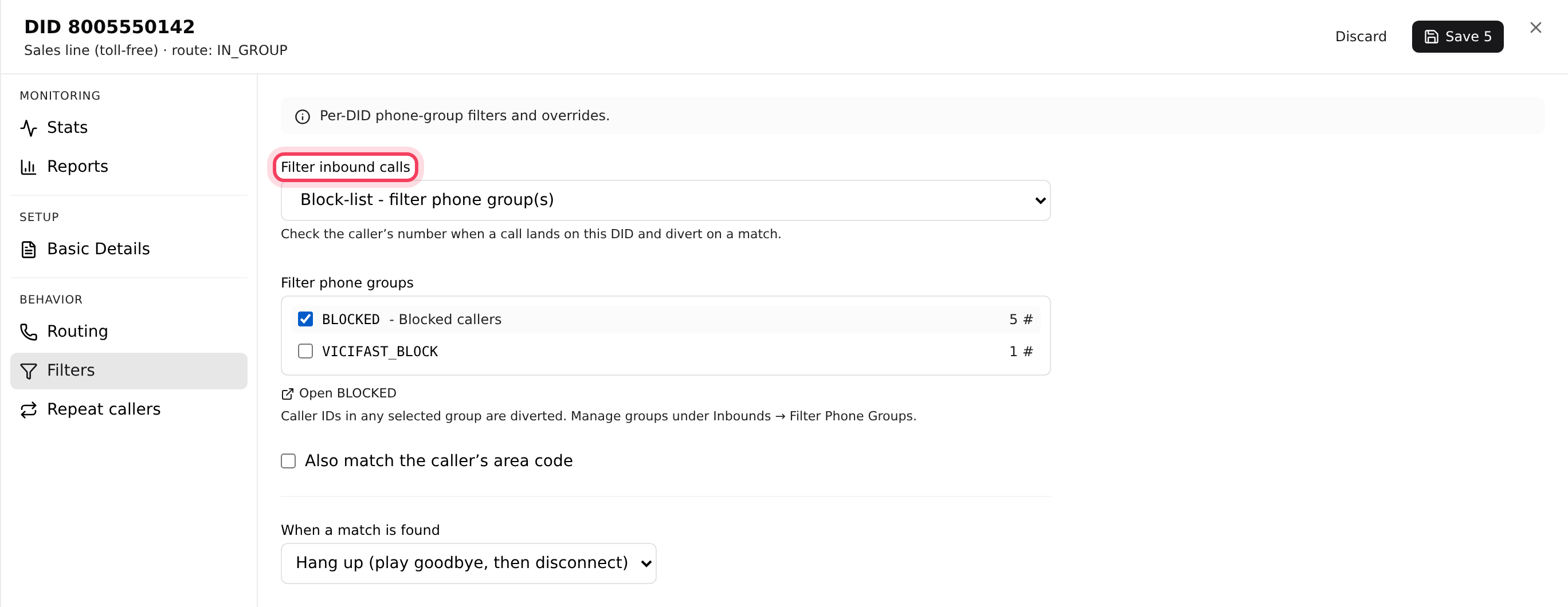
- In Filter inbound calls, choose Block-list - filter phone group(s).
- Under Filter phone groups, tick your group. Each group shows how many numbers it holds. You can tick more than one.
- Set When a match is found to Hang up (play goodbye, then disconnect), or choose another destination such as Voicemail or In-group (queue).
- Click Save at the top of the panel.
Callers who are not on the list follow the number's normal route. The same Filter inbound calls menu can also check callers against your Internal DNC list or a Campaign DNC list instead of a group.
Step 4: Find or remove a number later
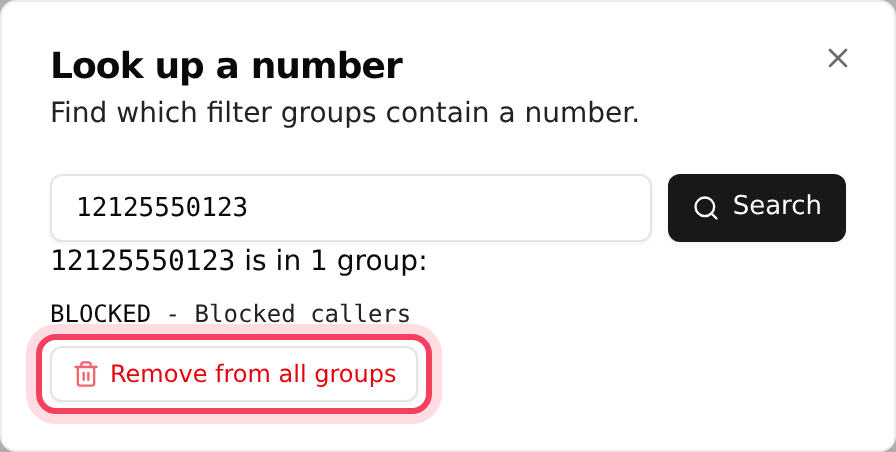
- On Filter Phone Groups, click Look up a number, type the number and click Search. You see every group that contains it.
- Click Remove from all groups to take it off every list at once.
- Inside a group, click the X next to a number to remove just that one. Download saves the group's numbers as a CSV file, and Empty removes all of them.
- Download all on the main list saves the numbers from every group in one file.
Empty and Delete group cannot be undone. Deleting a group does not change the numbers that use it: they simply stop blocking anyone. Untick the group on each number's Filters tab first, so you know what is no longer filtered.
One group can be attached to many numbers. Adding a number to the group blocks it on all of them straight away.
If something goes wrong
Frequently asked
- Check the format first: the number in the group must match the caller's number exactly as your phone line sends it, including any country code or +. Use Look up a number to confirm it is in a group. Then open the inbound number's Filters tab and check that Block-list - filter phone group(s) is chosen, your group is ticked, and you clicked Save.
- The ID has a space or another character that is not allowed. Use only letters, numbers and underscores, for example BLOCKED_CALLERS.
- Create a group first under Inbounds, Filter Phone Groups, then open the number's Filters tab again.
- Only the account owner or an Admin can delete a group. Operators with the Inbounds tab can still add and remove numbers.
- On the number's Filters tab, set When a match is found to Voicemail, pick the voicemail box and click Save.
› A number on my list still gets through.
› Creating a group says "ID must be 2–20 characters: letters, digits, underscore."
› The Filters tab says "No filter phone groups yet."
› I don't see Delete group.
› I want blocked callers to leave a message instead.
Related articles
Tags: blocklist, inbound, dids, filter phone group