Inbound Seller: sell your inbound calls
Inbound Seller takes the calls that arrive on one of your servers and passes each one to a buyer: another of your servers or a toll-free number, by rules you set.
Inbound calls · 3 min read
Inbound Seller passes the calls you generate on to the people who buy them. Calls arrive on one of your servers, and each call is sent straight on to a buyer you choose, by rules you set: who gets calls first, how many at once, and during which hours. Read this before you build your first flow.
What Inbound Seller does
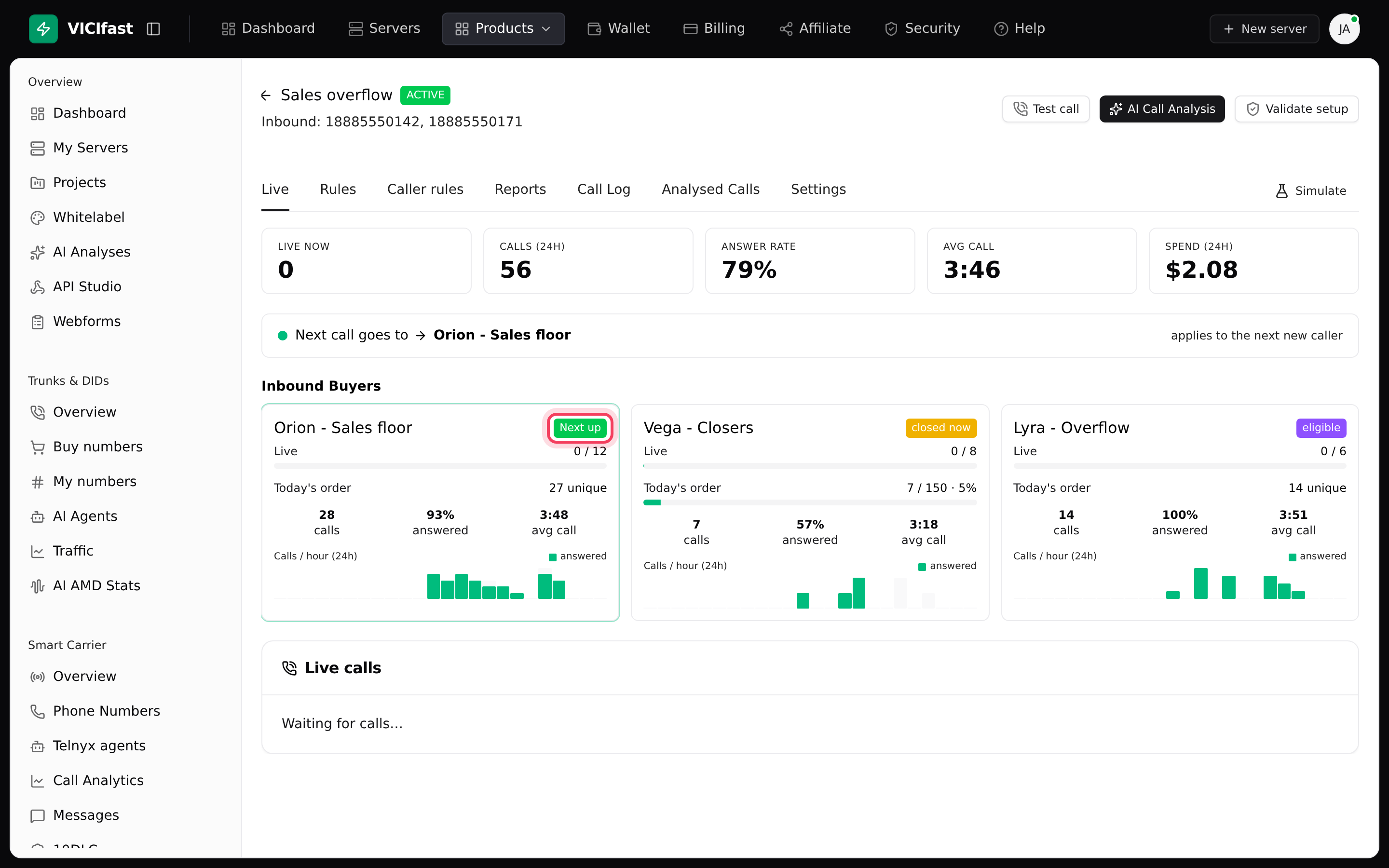
You set up a flow. A flow has three parts:
- Master server: the server your calls arrive on. Your numbers point here.
- Inbound DIDs: the phone numbers that belong to the flow.
- Destinations: where calls go. A destination is either an Inbound Buyer (another of your servers, where the call lands in a queue for that team's agents) or a toll-free number we dial for you.
For each call, Inbound Seller picks the next destination that is open, not full and allowed to take it. If a buyer is full, closed or doesn't answer, the call moves on to the next one. You don't set anything up on the buyers' servers: the phone connections between your servers are built for you.
You control the spread with a few settings on each destination: Priority (lower numbers are tried first), Weight (the share of calls within the same priority), Max live (the most calls at once) and an optional daily limit on different callers. Each destination can also have opening hours.
What you need
- You must be the account owner. Team members who work in your account can't open Inbound Seller.
- At least one active server to receive the calls (the master). To send calls to your own buyers, you need at least one more active server.
- Money in your wallet. Calls are paid per minute from your wallet, so keep it topped up.
Switch it on
- In the top bar, click Products, then Inbound Seller.
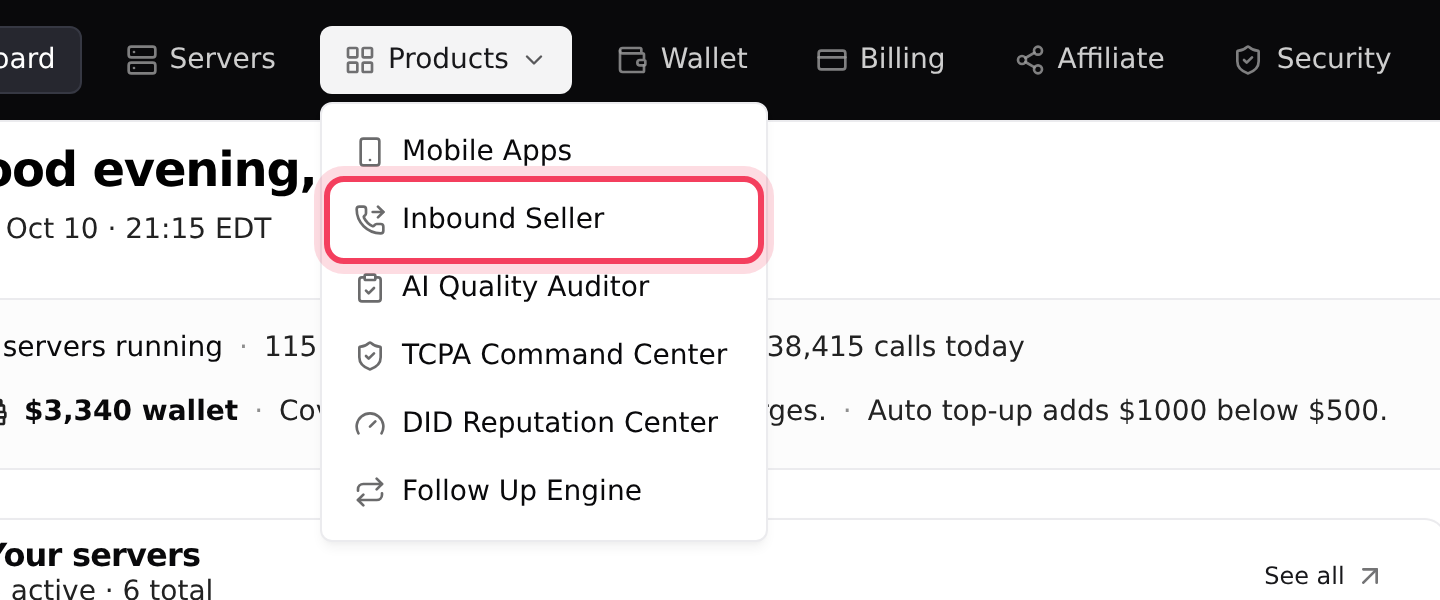
- The first time, you see a page that explains the product and shows your price per inbound minute and your wallet balance.
- Click Unlock Inbound Seller. When there is no monthly fee, the button at the top of the page reads Unlock - free to start instead. Either one switches it on.
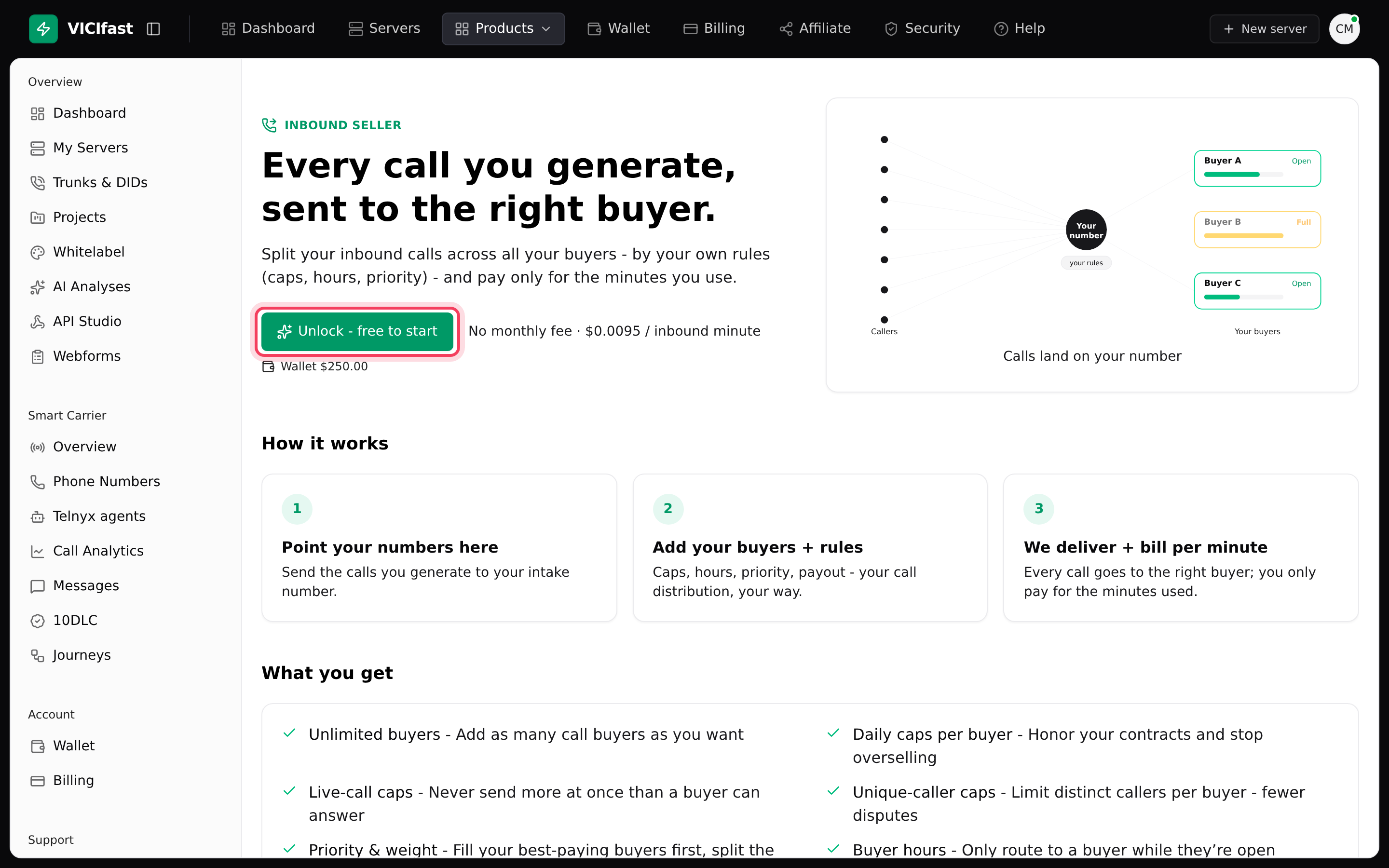
Once it's on, the same menu item opens the Inbound Seller page.
The Inbound Seller page
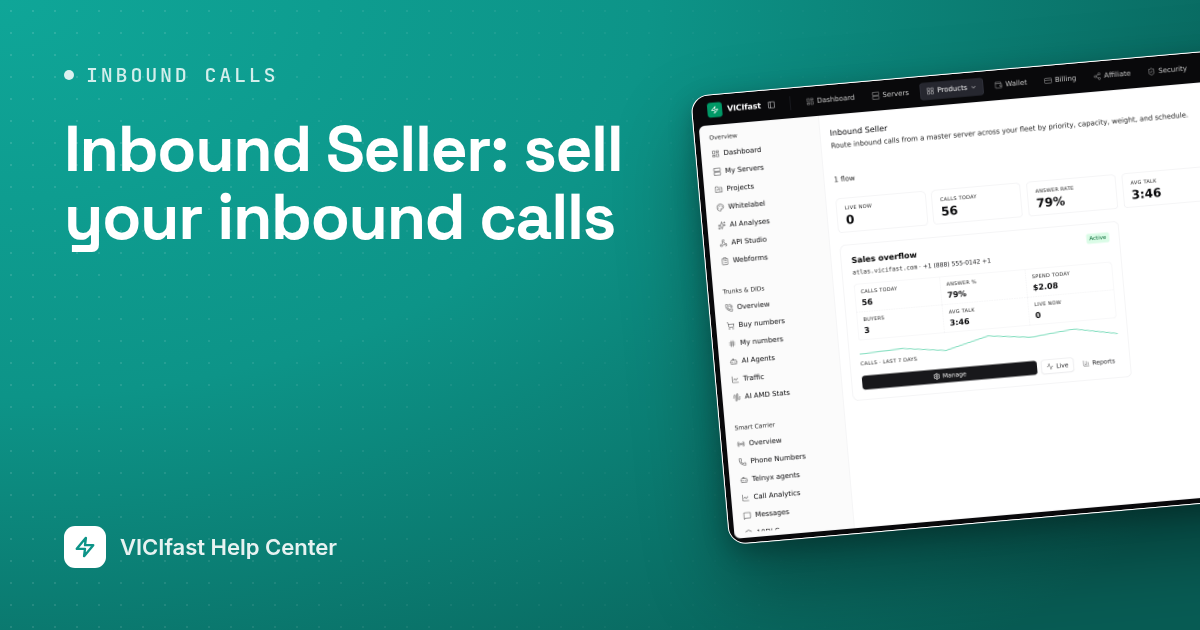
Across the top you see totals for all your flows: Live now, Calls today, Answer rate, Avg talk, Spend today and Wallet. Below them, each flow has a card with its status, its server and numbers, today's numbers and a small chart of the last 7 days. Click a flow's name to open it.
- New flow starts the setup. See set up a flow.
- Reports opens reports for all your flows. See reports and exports.
- Show archived also lists flows you have archived.
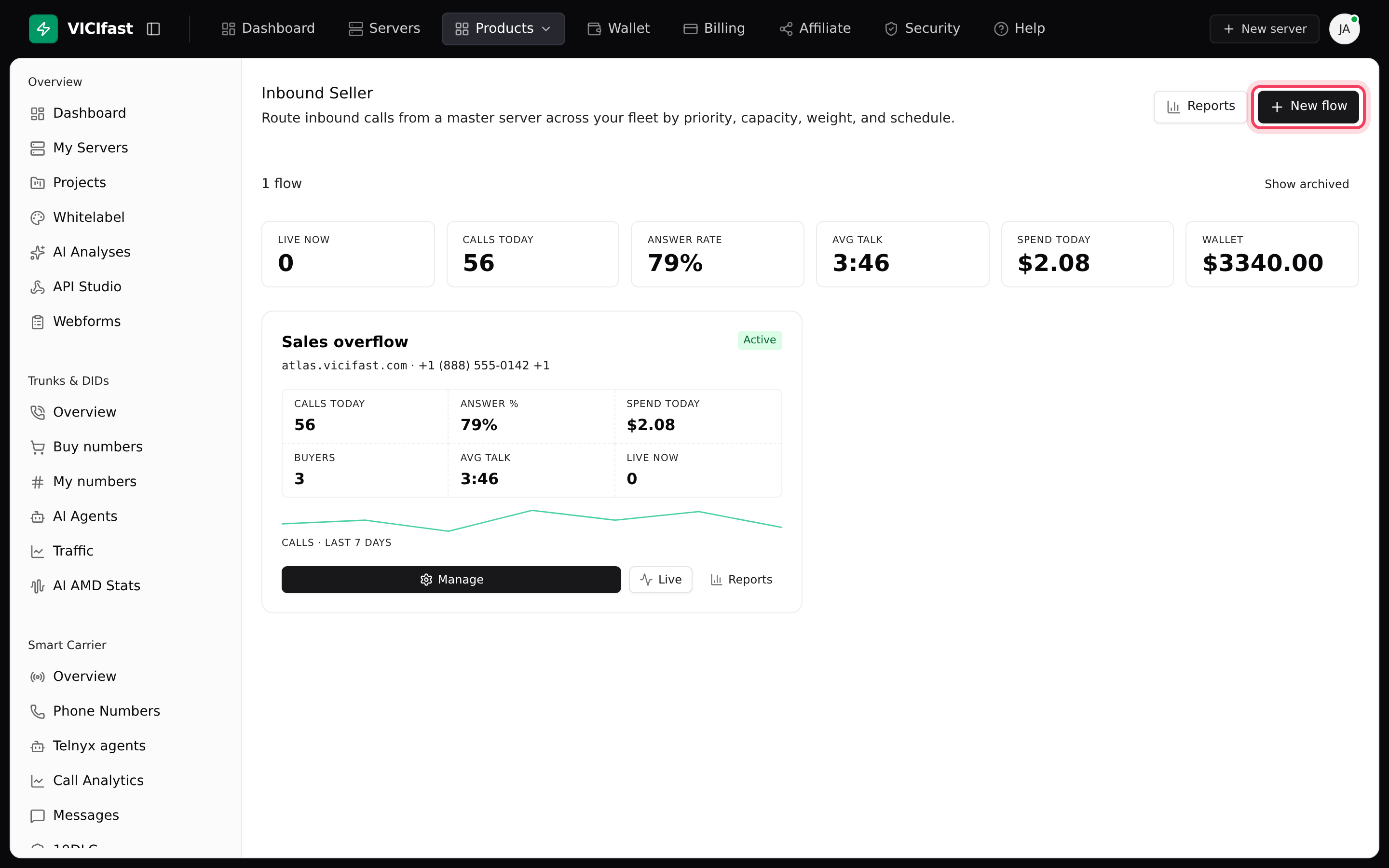
A flow's status tells you where it is: Provisioning while it is being built, Active when it is routing calls, and Error if something failed. An error shows a red note on the card with the reason.
If something goes wrong
Frequently asked
- It is in the top bar under Products, not in the left sidebar. If you are a team member in someone else's account, you can't open it: only the account owner can.
- Inbound Seller is for the account owner only. Ask the owner to set it up, or sign in with the owner's account.
- A flow needs at least one active server to receive the calls. If your server is still being built, stopped or paused, wait until it is running again.
- Check your wallet. When it can't cover a few minutes of a new call, new calls are turned away and show NO_BALANCE in the flow's Call Log. Top up your wallet and calls flow again.
- Read the red note on the card. Open the flow and click Validate setup to check every part of it. If it finds problems, click Re-push fix, then check again. If the error stays, chat with support.
› I can't find Inbound Seller in the menu.
› I clicked Inbound Seller and landed back on the dashboard.
› The setup says I need an active server.
› Calls stopped being passed on.
› A flow card shows Error.
Related articles
Tags: overview, forwarding