Block or divert repeat callers
Stop people who called you, or whom you called, in the last few days from getting back into your queue on the same number.
Inbound calls · 3 min read
Repeat-caller filtering checks each caller on one of your numbers against your recent calls. If they called in, or you called them, within the number of days you choose, they are hung up on or sent elsewhere. Everyone else follows the number's normal route. Use it to keep serial callers from jumping the queue, or to stop people you just dialed from calling straight back into a sales line.
What you need
- An inbound number (DID) on your server. See Set up inbound calls: queues, numbers and menus.
Step 1: Open the number's Repeat callers tab
- In the sidebar, click My Servers, then click your server.
- Click the Inbounds tab, then DIDs.
- Click the number, for example 8005550142.
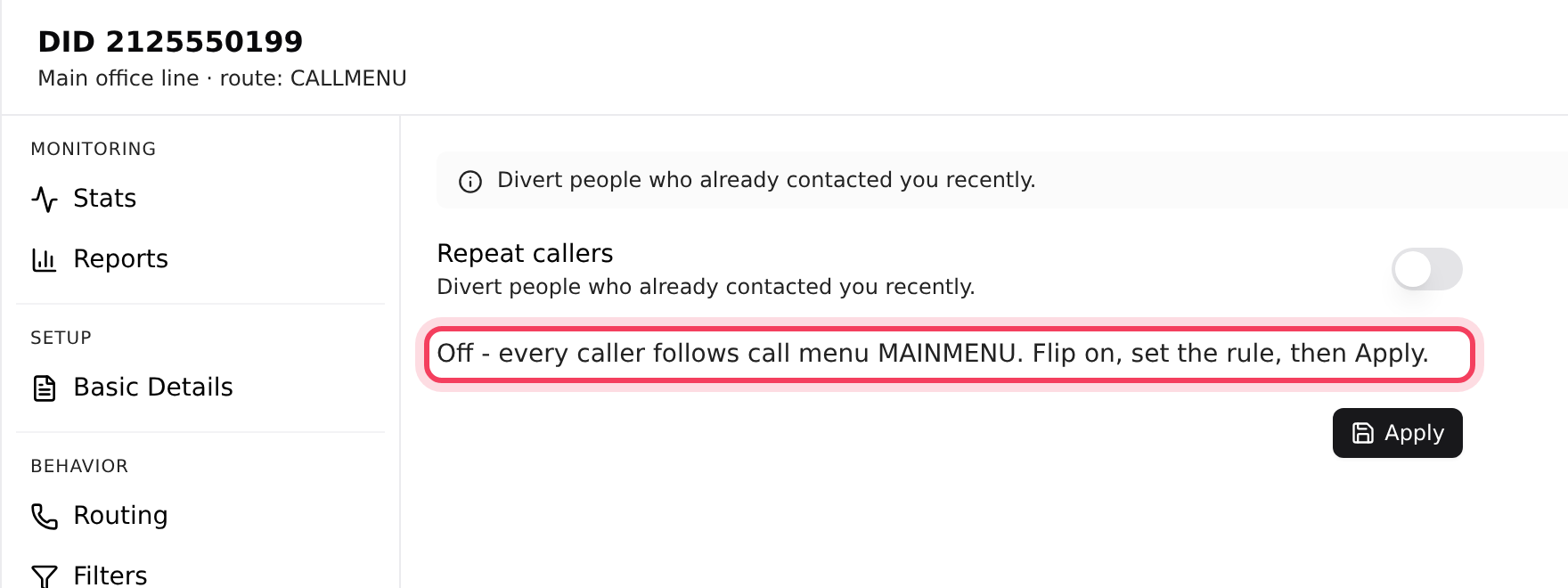
- Click Repeat callers. While it is off, the tab tells you where every caller goes today.
Step 2: Set the rule
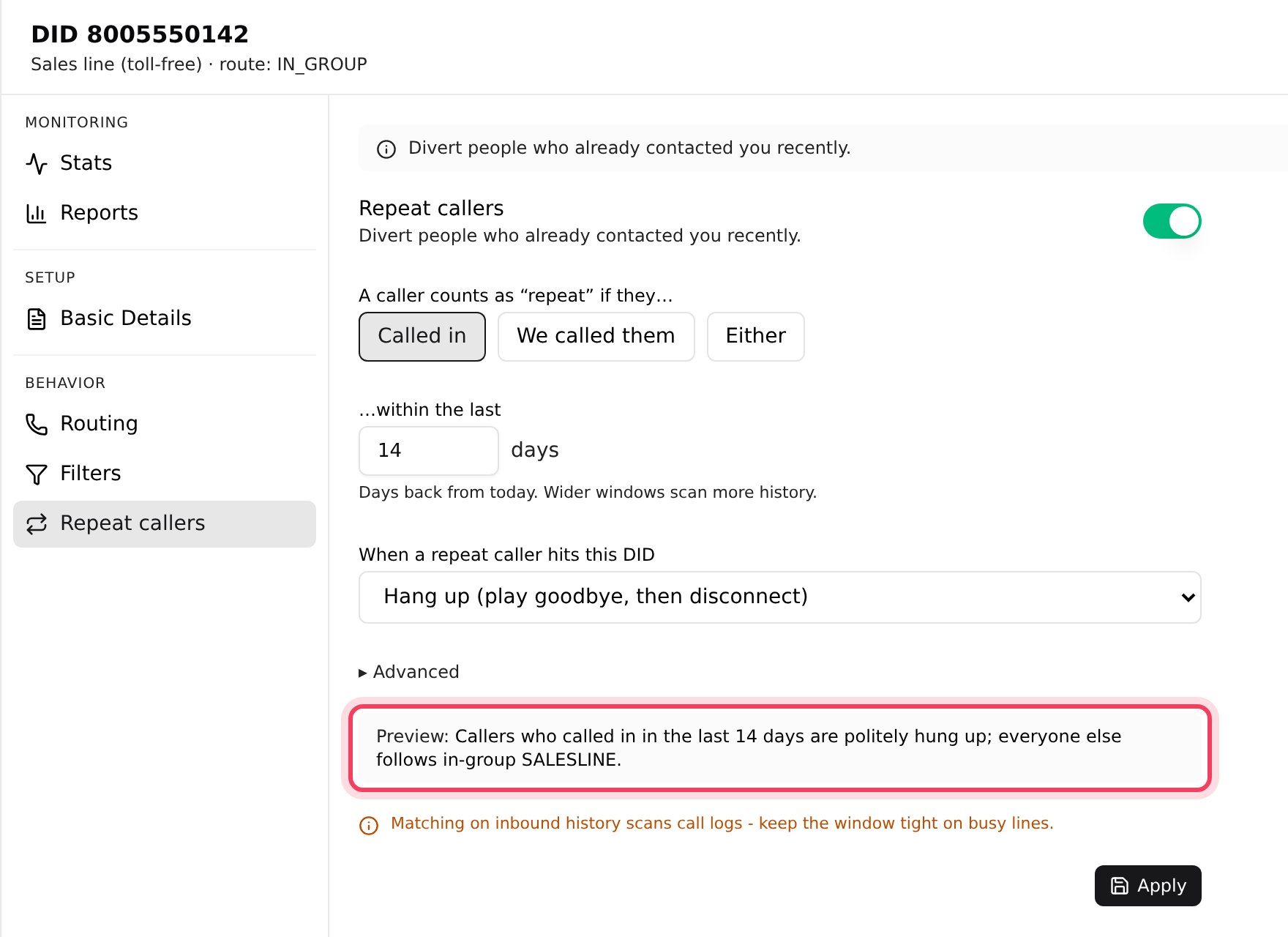
- Turn on the switch next to Repeat callers.
- Under A caller counts as “repeat” if they…, choose Called in, We called them or Either.
- In …within the last, type the number of days to look back. It starts at 14.
- Under When a repeat caller hits this DID, choose Hang up (play goodbye, then disconnect), or Send to extension… and type the extension. Chat with support if you are not sure which extension to use.
- Optional: click Advanced to count only calls from certain queues (Only these in-groups) or with certain call results (Only these dispositions). Leave them empty to count every call.
- Read the Preview line. It says, in plain words, who is diverted and where everyone else goes.
- Click Apply. You see "Repeat-caller filtering on".
Step 3: Apply one rule to many numbers
- On the DIDs list, tick the numbers you want.
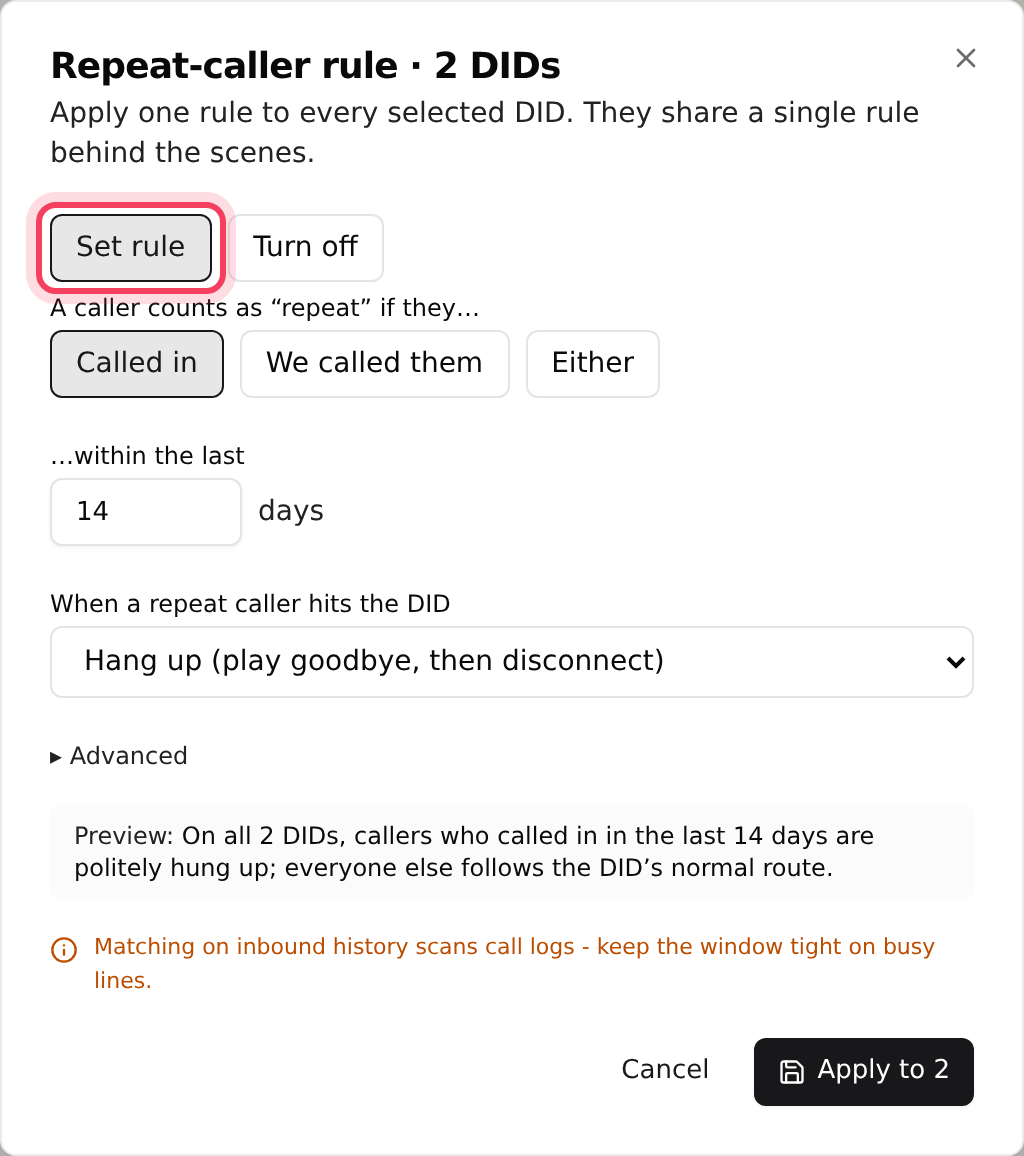
- Click Repeat callers… in the bar that appears above the list.
- Choose Set rule, then fill in the same settings as above. Or choose Turn off to remove filtering from all of them.
- Click Apply to (with the number of selected numbers), or Turn off on if you are turning it off.
Change or turn it off later
Open the number's Repeat callers tab again; it shows the rule that is saved now. Change the settings, or turn the switch off, and click Apply. The change takes effect straight away and applies only to that number, even if you set it up together with others.
If something goes wrong
Frequently asked
- Click Apply. The switch only shows the settings; nothing is saved until you click Apply and see "Repeat-caller filtering on".
- The rule was set up in VICIdial admin, outside the dashboard. If you click Apply, it is replaced with the settings on screen.
- You chose Send to extension… but left the box empty or typed something that is not an extension. Type the extension, or switch back to Hang up.
- That is what We called them or Either does. Shorten the number of days, switch to Called in, or use Advanced to count only certain call results.
- A long Called in window means more history to check on every call. Lower the number of days and click Apply.
› I turned the switch on, but repeat callers still get through.
› A yellow note says the number "points at a repeat-caller rule edited directly in VICIdial".
› Apply shows "Enter a valid extension for matched callers."
› People I just called can't get through on my sales line.
› Calls on a busy line seem slow to connect after I turned this on.
Related articles
Tags: inbound, dids, repeat callers, pre-filter