Download or email your agents' logins
Get one text file with every agent's username and password, plus simple sign-in steps for your team. Download it, or email it to a manager.
Your agents · 2 min read
When a new team starts, or someone asks "what was my password again?", you can get every agent login in one plain text file. The file also tells agents how to get through your firewall and where to sign in, so you can pass it on as it is.
What you need
- You are the account owner, or a team member with the Admin role and SSH access. Nobody else sees the button.
- Your server is running. The file is read live from the server, so it always has the current passwords.
Step 1: Open Access VICIdial Server
- In the sidebar, click My Servers, then click your server.
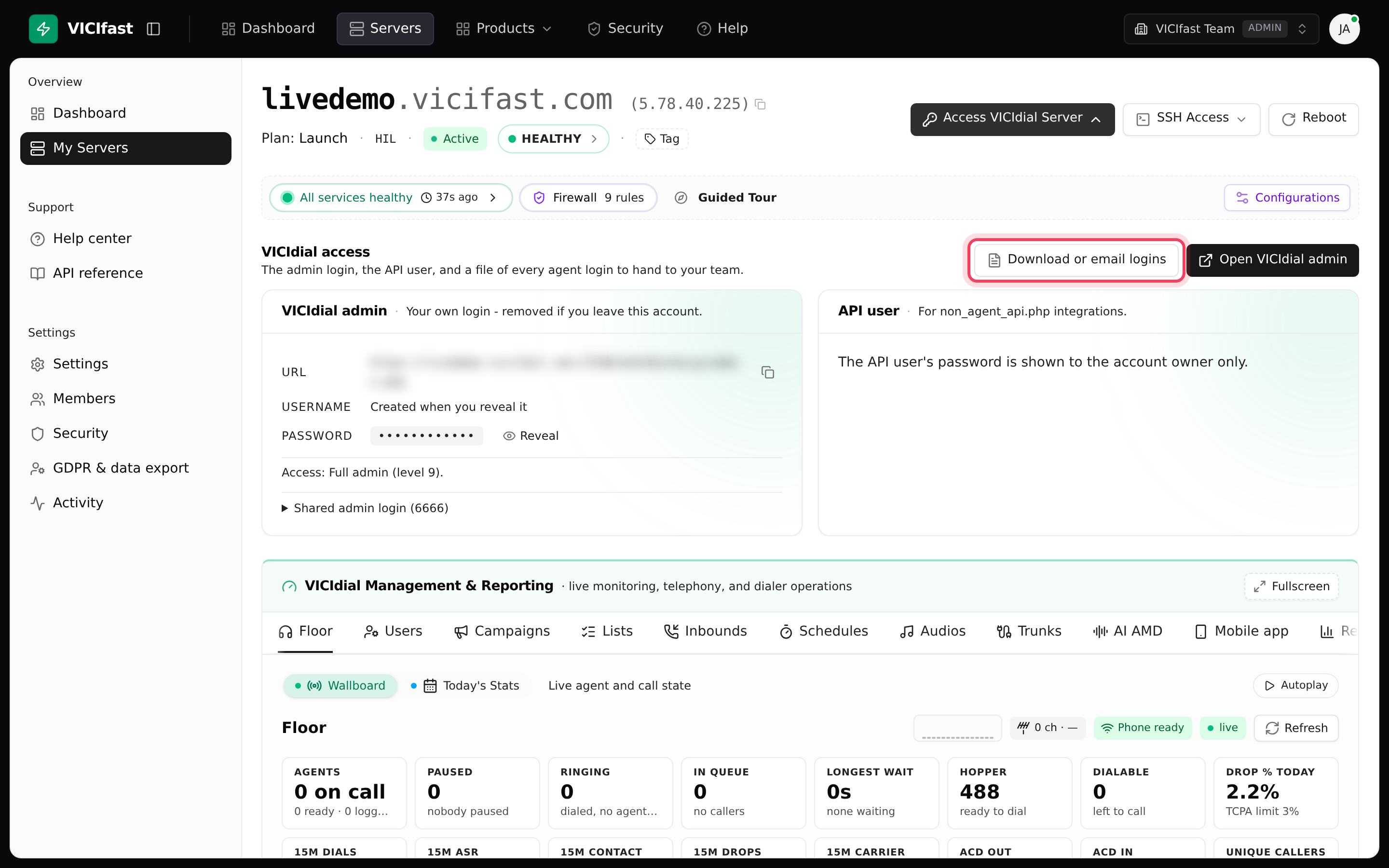
- At the top right, click Access VICIdial Server. A VICIdial access panel opens below.
The panel holds the VICIdial admin login, the API user and the button you need.
Step 2: Open the logins file
- Click Download or email logins.
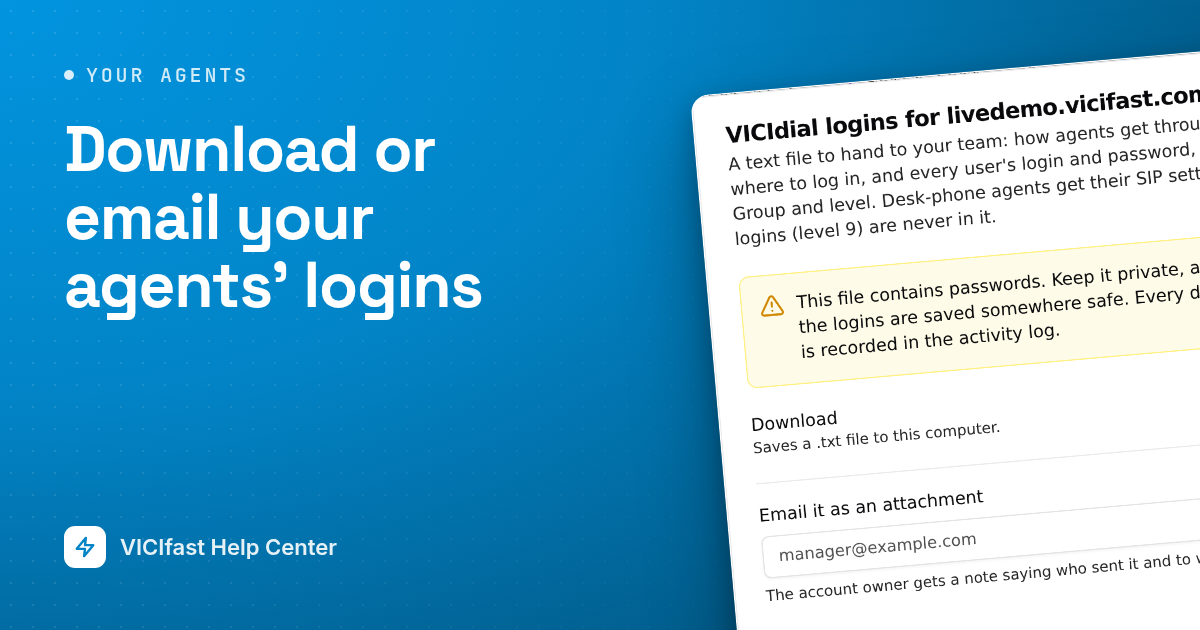
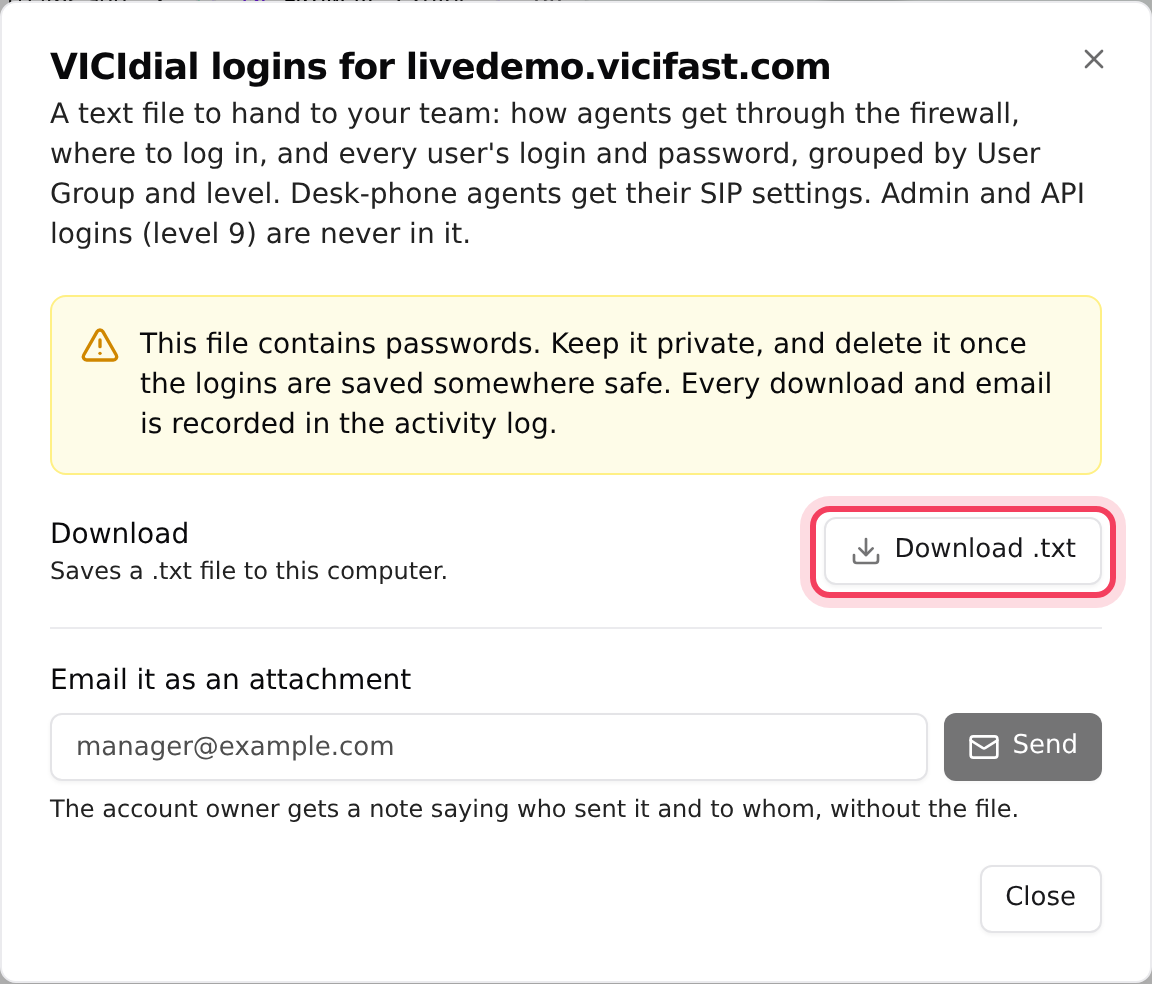
- A window titled VICIdial logins for your server opens. It says what is in the file and warns you that it contains passwords.
Step 3: Download it
- Next to Download, click Download .txt.
- The button shows Reading the server… for a moment, then your browser saves a file named like vicidial-logins-livedemo-2026-10-10.txt.
The file opens in any text editor, including Notepad.
Step 4 (optional): Email it instead
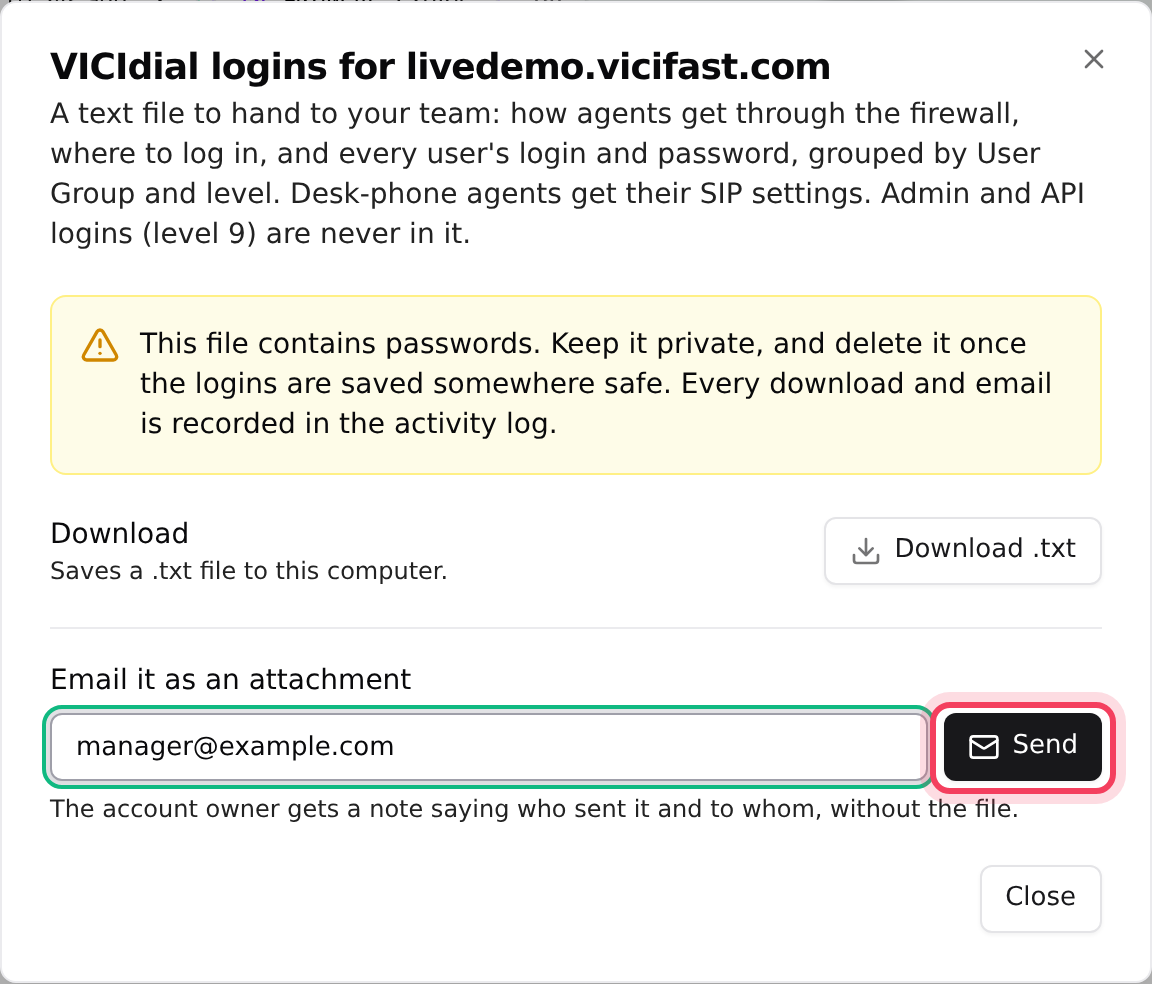
- Under Email it as an attachment, type the address, for example your floor manager's.
- Click Send. The file goes out as an attachment.
- If you sent it to someone else, the account owner gets a short note saying who sent it and to whom. The note does not include the file.
This file contains passwords. Keep it private, and delete it once the logins are saved somewhere safe. Every download and email is recorded in the activity log.
What is in the file
- 1. Before you log in: how each agent lets their computer through your firewall, using your agent link. If your server has no agent link, it tells agents to ask you instead.
- 2. Where to log in: the agent screen address. If you have managers (level 7 or 8), it also lists the admin address. If any agent uses a desk phone or softphone, it adds the phone settings: your server's name, port 5060 and UDP.
- 3. Users: every active login with its password and name, grouped by user group and then by level. Agents on a desk phone or softphone also get their SIP user and SIP password.
- 4. Inactive users: logins that are switched off, listed separately.
The file never includes the server's own admin and API logins (level 9), and it has no VICIfast name in it, so you can hand it to your team as it is.
If something goes wrong
Frequently asked
- Only the account owner, or an Admin with SSH access, can export the logins. The server also has to be running.
- The server didn't answer. Check it is online on your server page and try again in a minute.
- Each person can download or email the file a limited number of times per hour for each server. Wait a while and try again.
- That password is stored in a form that can't be read back, which can happen after moving from another VICIdial server. Reset it on the Users tab and download the file again.
- Try again in a minute. If it keeps failing, download the file and send it yourself.
- The file lists every login on the server except level 9 admin logins and system logins. If the agent was just added, download the file again.