How to set up a blended VICIdial campaign
A blended campaign lets the same agents take inbound calls and dial outbound from one seat. Here is how to turn outbound dialing on for an inbound-enabled campaign without overwhelming your queue.
A blended campaign is one where the same agents handle incoming calls and dial out from the same seat. When the inbound queue is quiet, the dialer keeps them busy with outbound calls. When a customer calls in, that call gets queued and handed to the agent as soon as they wrap up. If you already have an inbound-enabled campaign running, turning on outbound is mostly a matter of flipping a few settings rather than building anything new.
Start with leads and call hours
flowchart TD
    A[Inbound-enabled campaign] --> B[Agents in ingroups for inbound]
    B --> C[Turn on outbound dialing for campaign]
    C --> D[Set a conservative Auto Dial Level]
    D --> E[Agent waiting for a call]
    E --> F{Inbound call in queue?}
    F -->|Yes| G[Route inbound to agent first]
    F -->|No| H[Place outbound call to agent]
    G --> I[One seat handles both directions]
    H --> I
    I --> J{Queue overwhelmed?}
    J -->|Yes| K[Lower outbound dial level]
First, load a new lead list and set it active. Without dialable leads, the outbound side has nothing to do. Then open the campaign modification page for your inbound-enabled campaign and set the local call time to a safe window such as 9am to 9pm, so the dialer never places outbound calls outside acceptable hours. The Call times setting is driven by the lead area code, so it adjusts to where each person actually is. This matters because a Blended dialing campaign reaches out to people across time zones, and you do not want an evening dial landing somewhere it is already past curfew.
Set the dial method and dial level
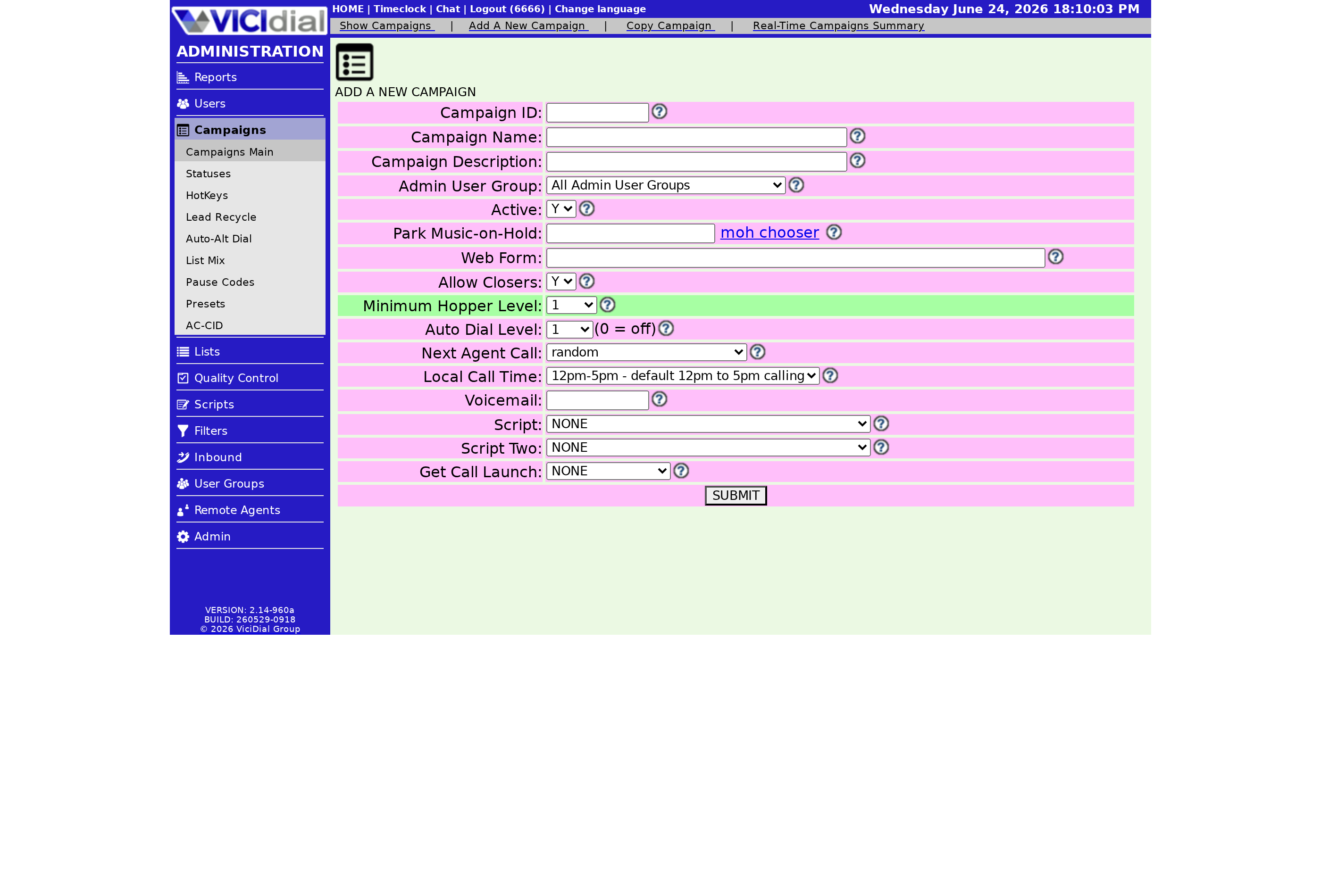
For blended dialing, set the dial level to 1 and the dial method to RATIO or one of the ADAPT options. A [[dial-level]] of 1 means one outbound call per available agent, which keeps the queue from filling up faster than your agents can clear it. Because the same agents are also fielding inbound calls, conservative pacing matters here more than on a pure outbound campaign. If you want a deeper look at the trade-offs between Ratio dialing and Predictive dialing, read ourguide to VICIdial dialing strategies.
Turn the agent into a blended agent
Open the user modification page for the agent and set Closer Default Blended to 1. That makes the blended checkbox pre-selected when the agent logs in, so they do not have to remember to enable it. When they log in, they pick an inbound group to take calls from and submit.
After login the agent clicks RESUME. If no inbound calls are waiting, outbound dialing begins. When an inbound call arrives, it is queued and sent to the agent once they finish the current outbound call. The whole point of blending is that idle time gets filled, but live customers never get dropped on the floor.
Controlling priority and stopping the dialer
By default outbound calls reach agents before inbound calls when both are waiting. If you want inbound to win, raise the in-group queue priority above the campaign value. Most teams leave this alone, because an outbound contact will hang up if it sits in a queue, while an inbound caller is more willing to wait. To stop dialing without disrupting inbound, set the lead list to inactive or de-select the BLENDED checkbox on the next login.
If your team is also dropping too many outbound calls, that is usually a pacing problem, not a blending problem; our notes on lowering your VICIdial drop rate apply directly. And if you would rather not run your own dialer at all, you can see our managed VICIdial plans and have a secured box live in under a minute.
Frequently asked
- Not by default. Outbound calls are sent to agents first unless you raise the in-group queue priority above the campaign value. Most teams leave it alone, since outbound callers will not hold the way an inbound caller will.
- Set the lead list to inactive, or have the agent de-select the BLENDED checkbox the next time they log in. Either one keeps inbound calls flowing while pausing the outbound dialing.
› Do inbound calls get priority over outbound in a blended campaign?
› How do I stop outbound dialing without logging the agent out?
Related from VICIfast
About VICIfast
We run VICIdial servers for call centres, so you don’t have to. You get the dialer set up, secured and kept running — we handle the server, the updates and the backups. Bring your own phone carrier; we never resell minutes. From $49 a month per server.
Questions? Call +1 636 556 0022 and talk to someone who runs dialers.
Citing this article
VICIfast Engineering. “How to set up a blended VICIdial campaign”. VICIfast LLC, June 18, 2026. Retrieved from https://vicifast.com/blog/set-up-vicidial-blended-campaign
Have questions?
Related posts
You might be interested in
VICIfast newsletter
Liked this? Get the next one in your inbox.
We ship the kind of stuff you just read - concrete, numbers-first, no drip. One email when a new post goes live. Unsubscribe in one click.
Comments
No comments yet - be the first.