How to modify a list in VICIdial
A tour of the Modify List screen - the settings you can change after a list is created, and the ones you can't.

Once a list exists, almost everything about it lives on the Modify List screen. You reach it by clicking the modification link next to any list in the LISTS section. This is where you rename a list, point it at a different Campaign, schedule resets, and set dozens of overrides. It can look busy, so let's walk the fields that matter most.
The basics: name, description, campaign
The list name is editable any time and just needs to be 2 to 20 characters. The list description is an optional memo field for your own notes. The Campaign field decides which campaign dials this list - and a list can only be on one campaign at a time.
One thing you cannot touch here is the list ID. It is locked the moment the list is created. The hopper, by the way, is the short staging queue of Lead records waiting to dial - flushing it is harmless, it just refills from the new campaign's rules.
Resets and timing
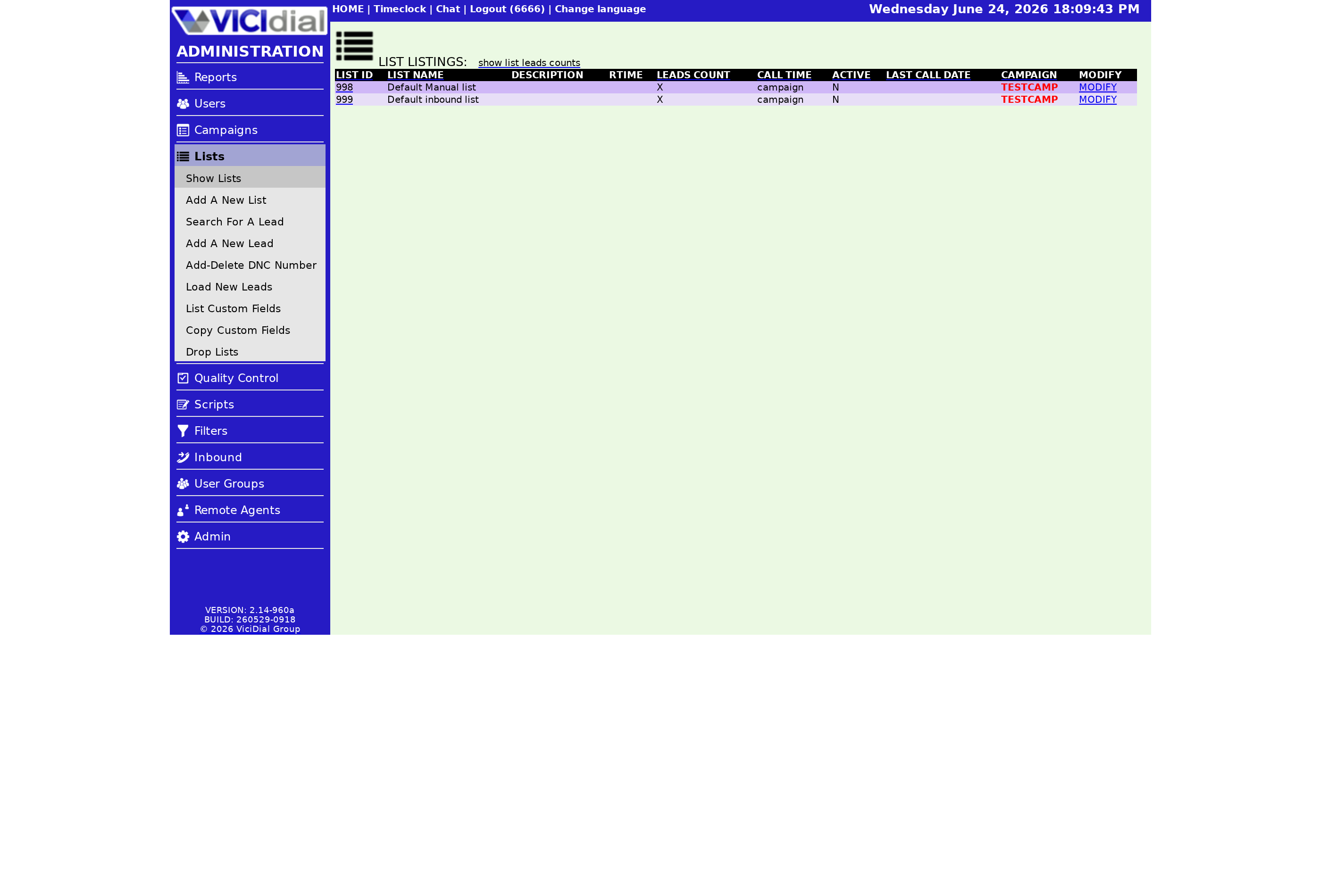
After you call through a list once, those records won't dial again until you reset them. The Reset Lead-Called-Status control flips every record back to "N" for not-called. You can also schedule this with Reset Times, entered in 24-hour format separated by dashes - 0800-1700 resets at 8 AM and 5 PM daily. A Weekday Resets Container lets you vary those times by day of week, which is handy when weekends need a lighter touch.
flowchart TD
  A[Open Modify List] --> B[Edit name / description]
  A --> C[Change campaign]
  C --> D[Hopper flushed]
  A --> E[Set reset times]
  A --> F[Set overrides + expiration]
  B --> G[Submit]
  D --> G
  E --> G
  F --> G
  G --> H[List change date updates]
Overrides and the read-only stats
Scroll down and you'll find a long stack of override fields. These let a single list behave differently from its campaign - its own agent script, its own caller ID, its own Dial prefix, and more. Most default to "not set," meaning the list simply follows the campaign. You only fill them in when this list genuinely needs to break from the pack.
A few fields are display-only and you can't edit them: List Change Date shows the last time the settings were saved, and List Last Call Date shows the last time a record from this list was dialed. They are quick sanity checks when something looks stale.
Two more controls on this page deserve a mention because they quietly shape day-to-day calling. The Local Call Time setting lets you narrow the hours this one list is dialed, layered on top of the campaign's call-time window - it can only tighten the window, never widen it, which is exactly what you want when business numbers should only ring nine to five while consumer numbers can run later. The Expiration Date sets a day after which the list stops dialing on its own. Both are optional, both default to following the campaign, and both are the kind of thing you set once and forget.
If the override fields look unfamiliar, the broader lists and leads guide ties them together, and what a VICIdial list is covers the container itself.
Modify the list, hit submit, and the change is live. If you'd rather spend your time tuning campaigns than babysitting a server, our managed plans hand you a secure dialer in under a minute - see pricing.
Frequently asked
- Yes. The list name is editable any time on the Modify List screen. Only the list ID is locked.
- All of that list's records currently in the hopper are cleared so you don't double-dial anyone, then dialing refills under the new campaign's rules.
- That field only fills in once a record from the list has actually been dialed. A brand-new or never-dialed list shows nothing there.
› Can I rename a list after creating it?
› What happens if I move a list to a new campaign?
› Why is the List Last Call Date blank?
Related from VICIfast
About VICIfast
We run VICIdial servers for call centres, so you don’t have to. You get the dialer set up, secured and kept running — we handle the server, the updates and the backups. Bring your own phone carrier at no markup, or use VICIfast Voice, our own US calling and numbers, from $0.0085 a minute. From $49 a month per server.
Questions? Call +1 636 556 0022 and talk to someone who runs dialers.
Citing this article
VICIfast Engineering. “How to modify a list in VICIdial”. VICIfast LLC, June 22, 2026. Retrieved from https://vicifast.com/blog/modify-vicidial-list
Have questions?
Related posts


You might be interested in




VICIfast newsletter
Liked this? Get the next one in your inbox.
We ship the kind of stuff you just read - concrete, numbers-first, no drip. One email when a new post goes live. Unsubscribe in one click.
Comments
No comments yet - be the first.