Agent scripts and lead filters
Write the script agents read on calls, show it on a campaign, and narrow which leads get dialed with a tested lead filter.
Campaigns & leads · 3 min read
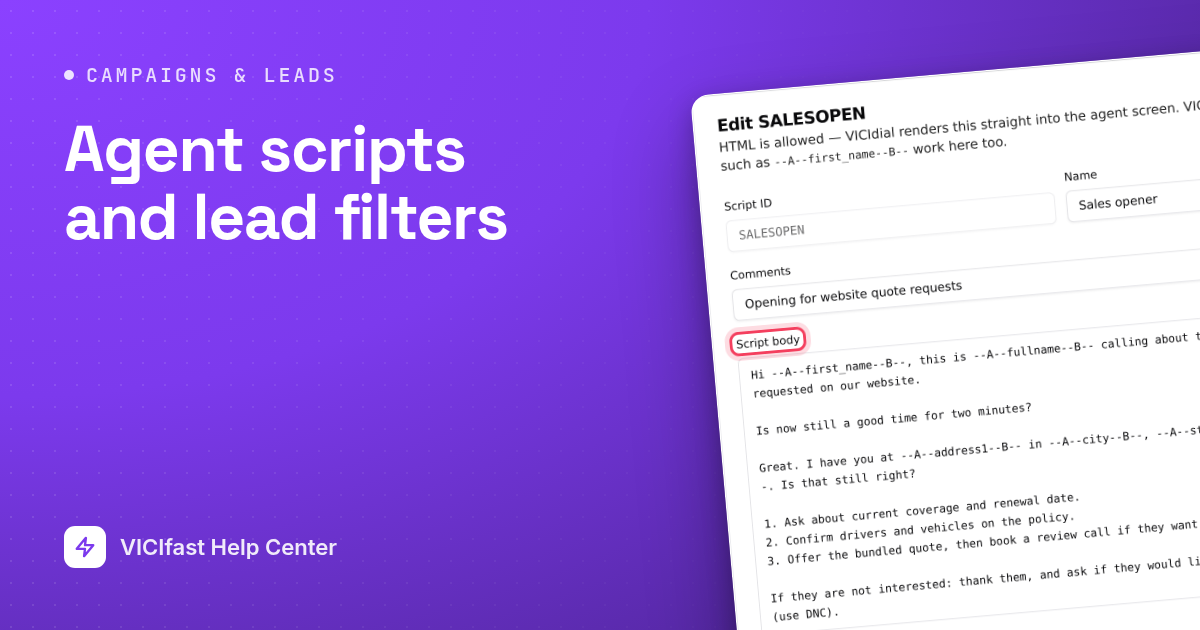
An agent script is the text agents read during a call, with the lead’s name filled in. A lead filter is a rule that narrows which leads a campaign calls, such as "only Texas" or "only leads called fewer than three times". Both live on the Scripts & Filters page.
What you need
- You are the account owner or a team member with the Admin role. The New script and New filter buttons only show for them.
Step 1: Open Scripts & Filters
- Open your server from My Servers and click the Campaigns tab.
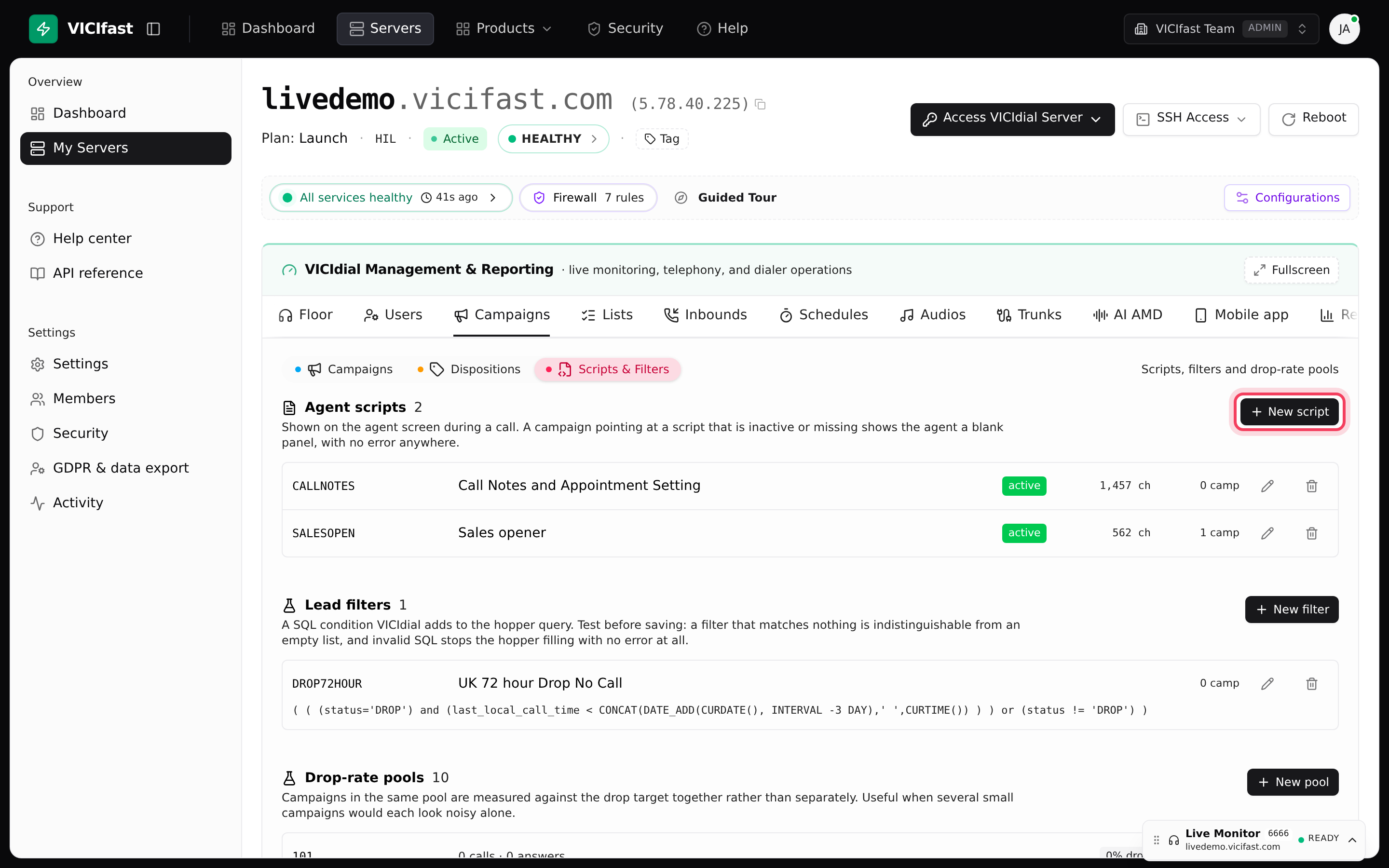
- Click the Scripts & Filters pill.
You see three sections: Agent scripts, Lead filters and Drop-rate pools (pools are covered in Dialing speed and dropped calls). Each row shows how many campaigns use it, for example "1 camp".
Step 2: Write a script
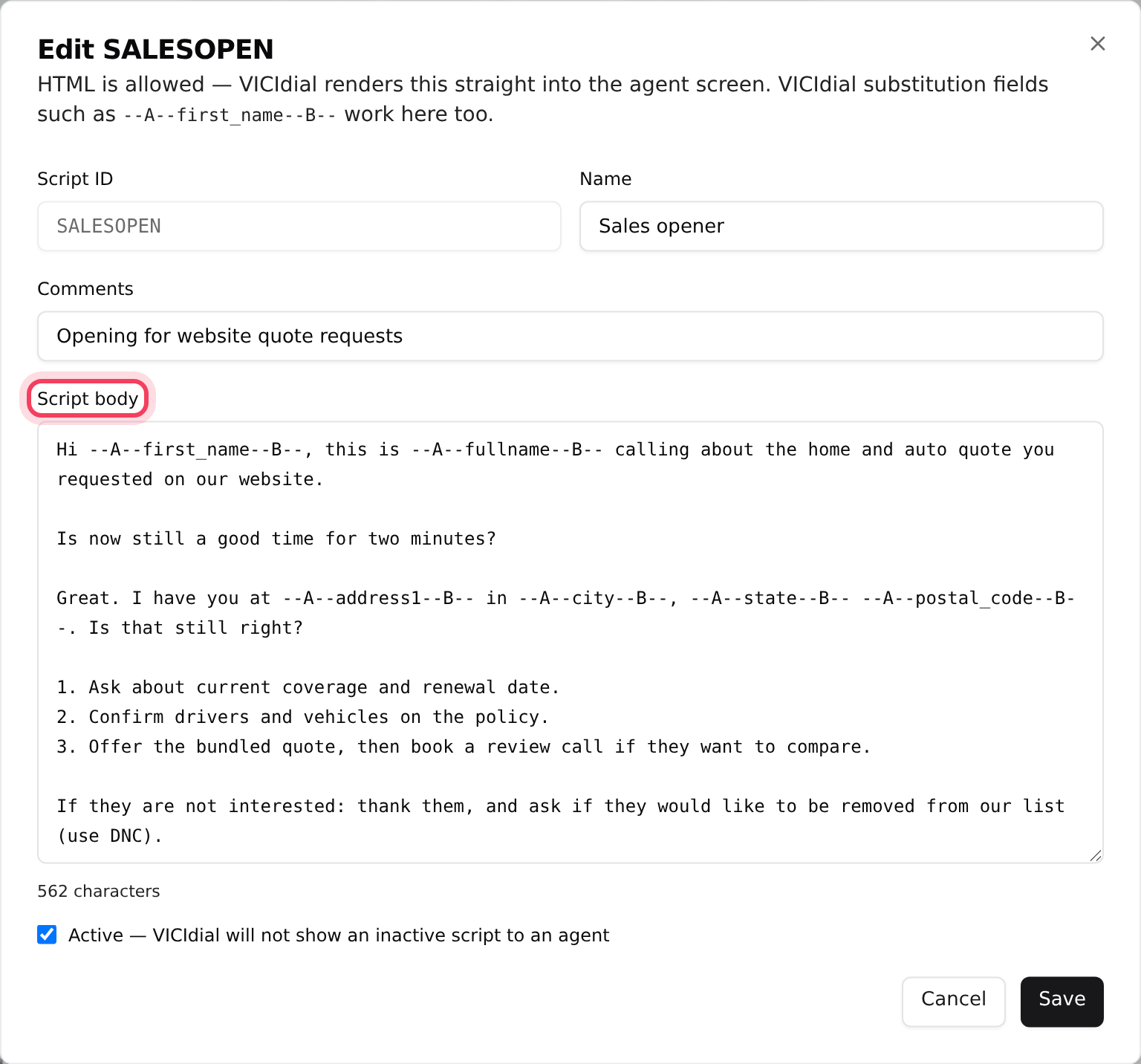
- Click New script.
- Script ID: letters, digits, underscore and hyphen, for example SALES_OPENER. It cannot be changed later.
- Name: what you will see in menus, for example "Sales opener". Comments is an optional note.
- Script body: type what the agent should say. To drop in a lead’s details, wrap the field name like this: --A--first_name--B--. For a lead named John, "Hello --A--first_name--B--" shows the agent "Hello John". Simple formatting such as bold (HTML) also works.
- Keep Active ticked. An inactive script is never shown to agents.
- Click Create.
Step 3: Show the script on a campaign or queue
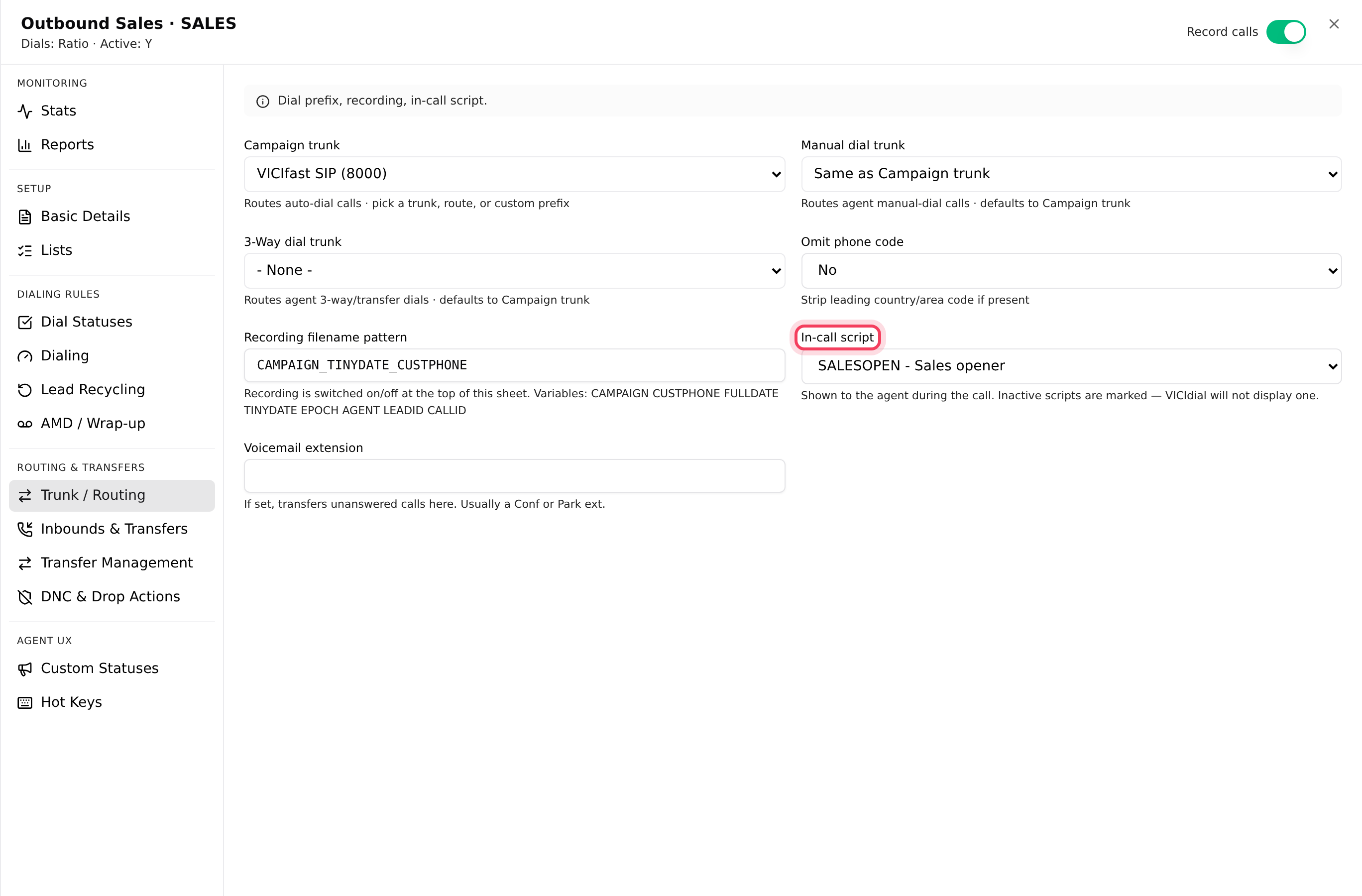
- On the Campaigns pill, click your campaign and open the Trunk / Routing tab.
- Pick your script in In-call script. Inactive scripts are marked "(inactive)".
- Click Save N changes.
Agents now see it in the Script tab of the agent screen. For inbound calls, open the queue (in-group) on the Inbounds tab, In-groups pill, and set the Script on its Agent screen tab.
Step 4: Create a lead filter
A filter is written as a condition in SQL, the language your dialer’s database speaks. It reads like a sentence about lead fields. Two examples:
- state = 'TX' (only leads in Texas)
- ( status IN ('NEW','NA') AND called_count < 3 ) (new or no-answer leads tried fewer than 3 times)
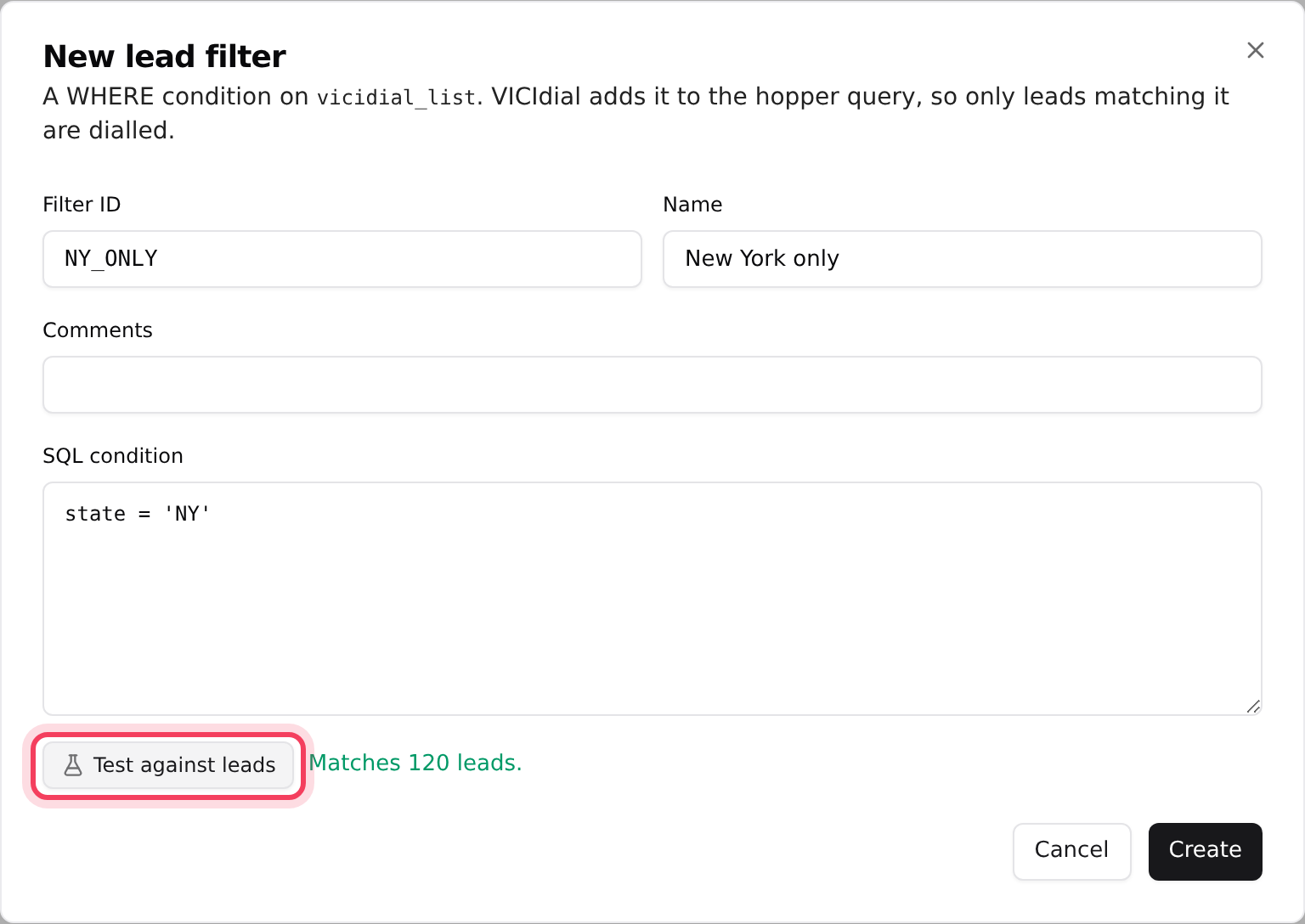
- Click New filter.
- Fill in Filter ID, Name and, if you like, Comments.
- Type the rule in SQL condition.
- Click Test against leads. You see "Matches N leads", a warning that it matches 0 leads, or "Invalid SQL" with the reason.
- When the test looks right, click Create.
Step 5: Apply the filter
- Open the campaign and click the Dialing tab. Pick the filter in Lead filter. The hint under it shows the rule it applies.
- Click Save N changes.
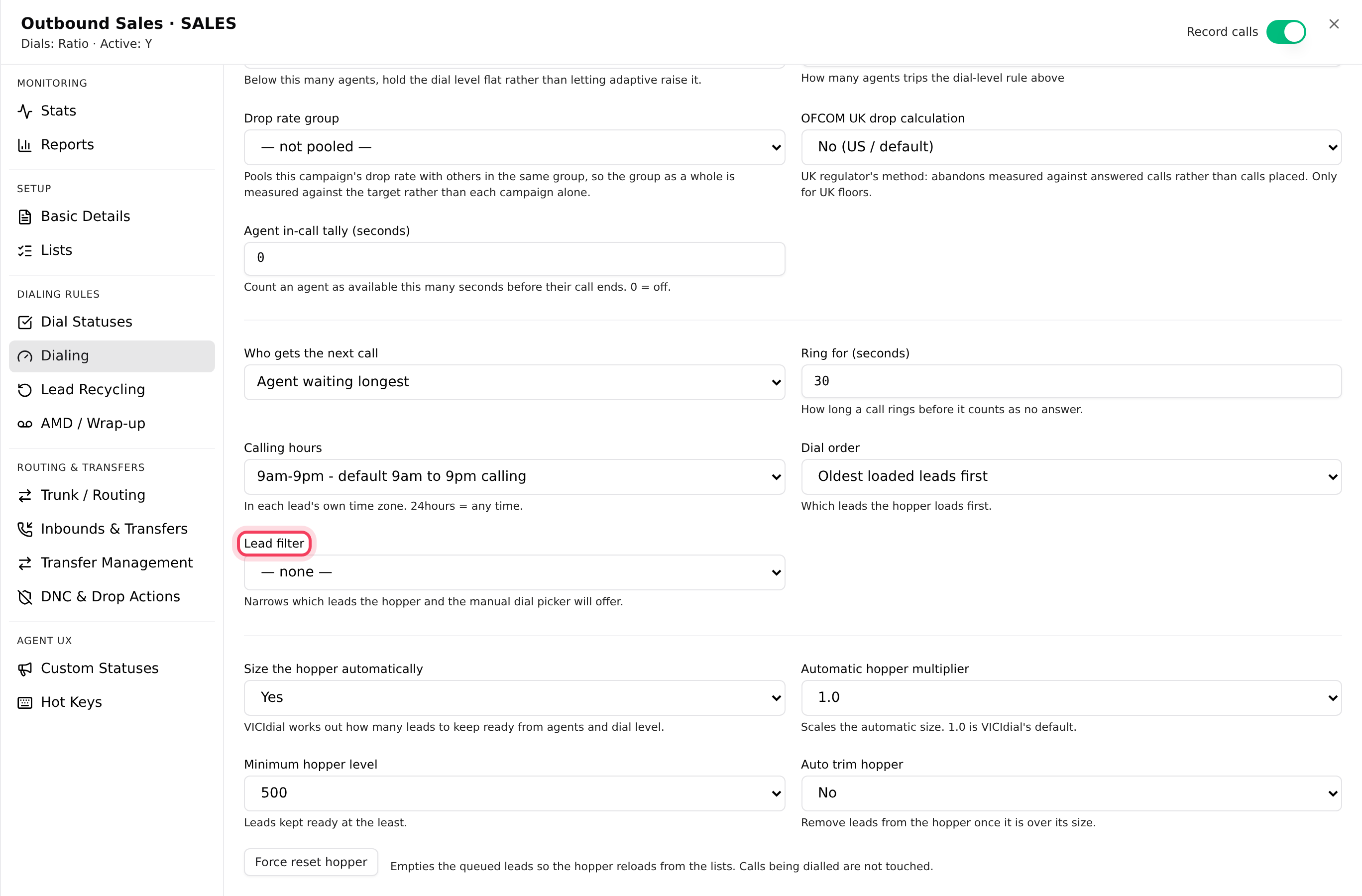
The filter works for every dialing method, manual or automatic: it decides which leads the dialer loads into the hopper. To stop filtering, pick — none —.
Edit or delete
Click the pencil on a row to edit it, or the trash icon to delete it. A script or filter that a campaign still uses cannot be deleted: you are told how many campaigns to change first.
If something goes wrong
Frequently asked
- The script is inactive or no longer exists. Open it on Scripts & Filters, tick Active and save, then check the campaign’s In-call script.
- Check the spelling: --A--first_name--B--, with two dashes on each side and the field name as it appears in your leads (first_name, last_name, city and so on).
- Open the filter and click Test against leads. If it matches 0 leads or shows Invalid SQL, fix it, or set Lead filter back to "— none —".
- Pick a different In-call script on those campaigns first, then delete it.
- Only the account owner and team members with the Admin role can add or change them.