How to use a Lead Filter on a campaign
A Lead Filter narrows which leads a campaign will dial using a small piece of SQL. It is handy for slicing a list by state, zip, or call count, but one stray character can quietly stop your dialer cold.
A Lead Filter is how you tell a VICIdial campaign "only dial leads that look like this." Maybe you want to call just Florida numbers, or skip anyone already called more than twice, or hit a specific zip range. The filter is a small fragment of a database query attached to the campaign, and the dialer applies it every time it goes looking for leads to dial. Powerful, and a little sharp-edged, so let's walk through it carefully.
What a Lead Filter does
flowchart TD
  A["Campaign dial cycle"] --> B["Build hopper SQL"]
  B --> C{"Lead Filter set?"}
  C -->|No| D["Use all eligible leads"]
  C -->|Yes| E["Append filter SQL to WHERE"]
  E --> F{"SQL valid?"}
  F -->|"No (syntax error)"| G["Query fails, hopper empties"]
  F -->|Yes| H["Matching leads only"]
  H --> I["Load into hopper"]
  D --> I
  I --> J["Dialer calls leads"]
  G --> K["Agents sit idle"]
Think of your campaign as already deciding which statuses to dial. The Lead Filter adds one more condition on top, evaluated against each Lead before it goes into the Hopper. If the lead matches the filter, it is eligible; if not, it is skipped. Nothing is deleted, the lead just doesn't get pulled while the filter is on.
The default is NONE, meaning no extra filtering. Once a filter is selected, its name on the campaign screen becomes a link, click it to read the exact condition being applied so you are never guessing.
Attaching one to a campaign
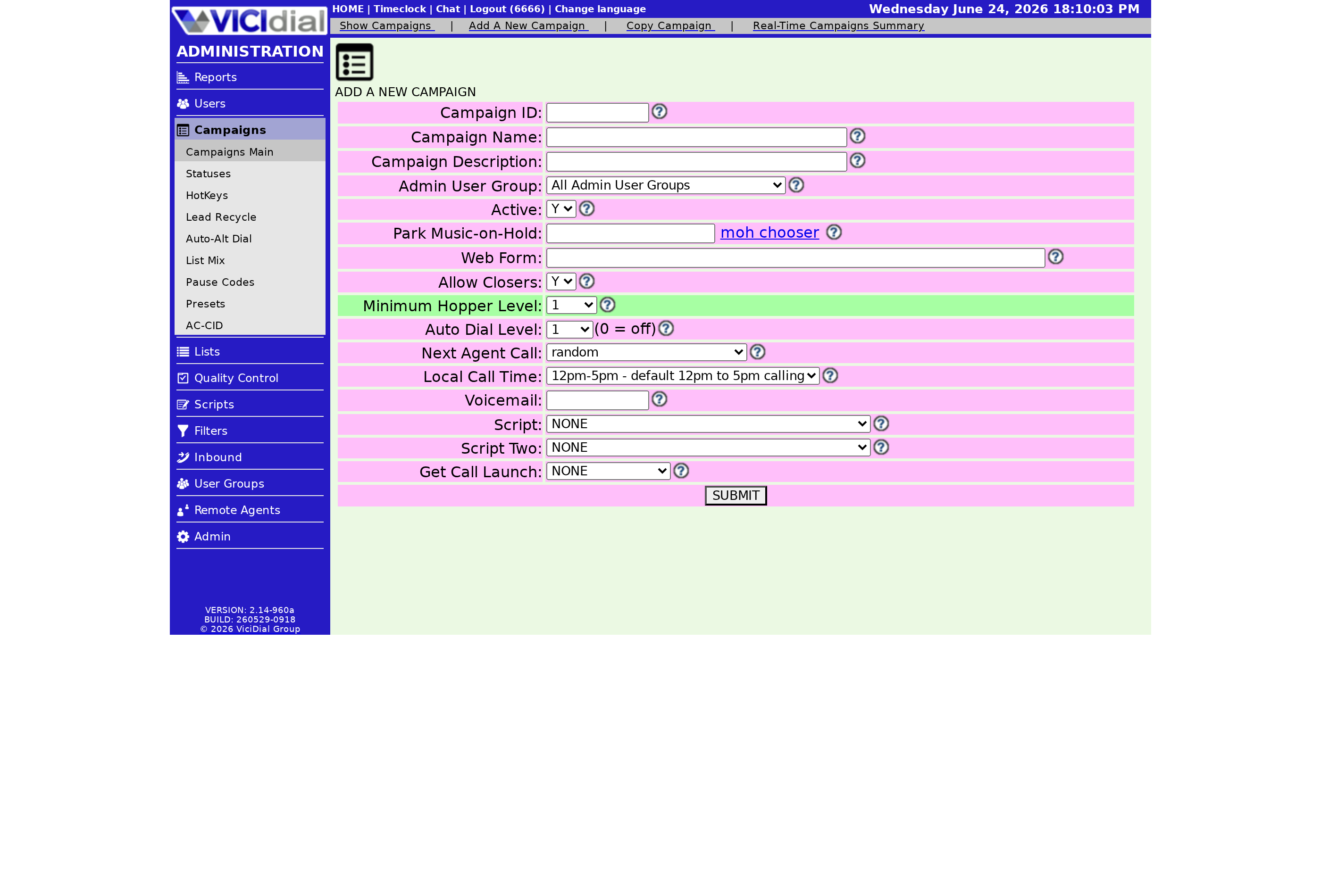
Filters live in their own admin area where you write the condition once and name it. Common building blocks are by state, by phone area code, by zip, or by called count. After you save a filter there, open the campaign, find the Lead Filter setting, and pick your filter from the menu. Submit, and the next time the hopper runs it uses the new rule.
A few filters worth knowing:
- Restrict to one or two states so a daytime crew only calls within legal calling hours for their region.
- Skip leads above a certain called count so you stop hammering numbers that never pick up.
- Carve a single big list into smaller segments different teams can work without copying data around.
A filter is a clean alternative to maintaining a dozen separate lists. Rather than physically splitting your data, you keep one list and let several campaigns each apply a different filter over it. One crew dials the eastern states, another the western, and you never have to shuffle records between Lead list tables to keep them apart.
The mistake that bites people
Use this feature with caution. One stray character can change the condition so it matches no leads at all, and the dialer won't warn you. It just quietly stops loading the hopper while your agents sit there waiting. If your room suddenly goes idle after a filter change, the filter is the first thing to check. Watch the dialable lead count on the campaign screen right after you apply one, and test new filters on a copy of a campaign before trusting them in production.
A filter pairs naturally with sensible dial status choices and the List order you have set, and it sits inside the bigger picture covered in the VICIdial dialing strategies guide. If your goal is just to stop dialing dead numbers, it also helps to keep your Disposition hygiene tight, which feeds straight into which dial statuses get redialed.
If hand-writing query fragments isn't how you want to spend your day, a managed VICIdial setup takes that burden off you. See our pricing to get a box that's ready to dial.
Frequently asked
- It will not crash anything, but a wrong filter can silently match zero leads, so nothing gets loaded into the hopper and agents sit idle. Always test on a copy first and watch the dialable lead count.
- The Lead Filter name on the campaign screen is a link. Click it to see the exact SQL fragment being used before you trust it.
› Will a bad Lead Filter break my campaign?
› Where do I see which filter is applied?
Related from VICIfast
About VICIfast
We run VICIdial servers for call centres, so you don’t have to. You get the dialer set up, secured and kept running — we handle the server, the updates and the backups. Bring your own phone carrier; we never resell minutes. From $49 a month per server.
Questions? Call +1 636 556 0022 and talk to someone who runs dialers.
Citing this article
VICIfast Engineering. “How to use a Lead Filter on a campaign”. VICIfast LLC, June 18, 2026. Retrieved from https://vicifast.com/blog/use-vicidial-lead-filter-on-campaign
Have questions?
Related posts
You might be interested in
VICIfast newsletter
Liked this? Get the next one in your inbox.
We ship the kind of stuff you just read - concrete, numbers-first, no drip. One email when a new post goes live. Unsubscribe in one click.
Comments
No comments yet - be the first.