Resellers: set your customer pricing
Set the retail price your customers pay for each plan, see the wholesale price you pay us, and choose what your landing pages show.
Partners · 3 min read
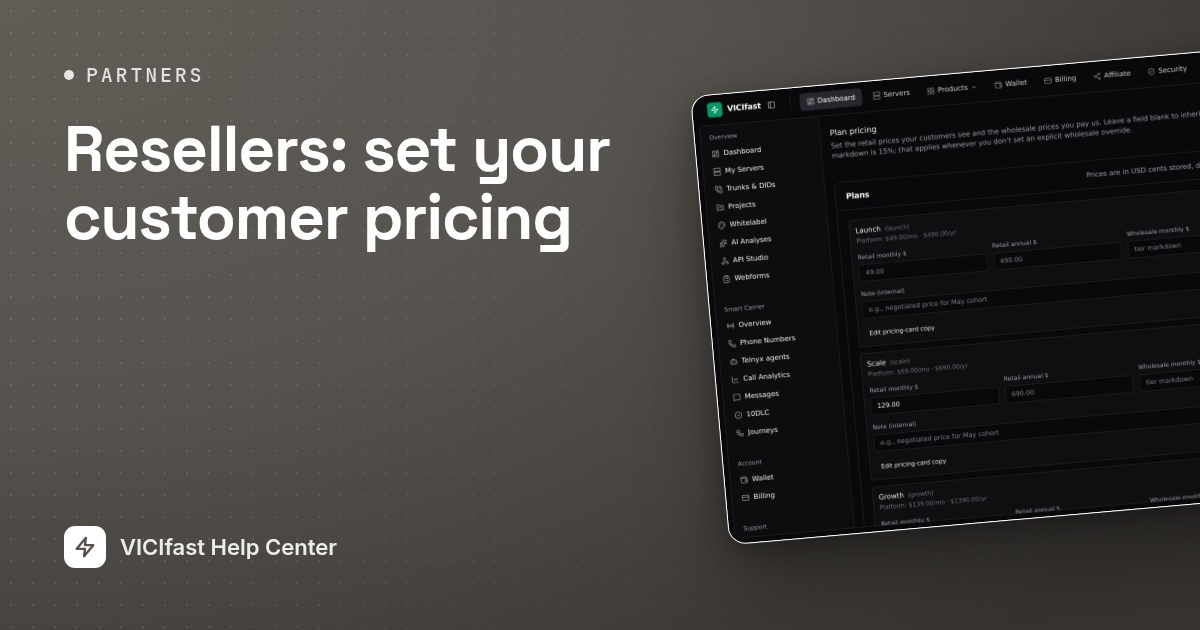
Plan pricing is where you decide what your customers pay for each plan, and where you see what you pay us. You can also choose which plans and add-ons appear on your public landing pages, and how their cards read.
How your prices work
- Retail is what your customer pays. Leave it blank to use our standard price for that plan.
- Wholesale is what you pay us, taken from your reseller wallet. Leave it blank and your tier’s markdown is taken off the retail price. For example, with a 20% markdown and a $100 retail price, you pay $80 and keep $20.
- Your markdown is shown at the top of Plan pricing, and as Plan markdown on your Overview.
- Your prices for a plan apply in every region.
- Wholesale can never be higher than retail.
Step 1: Open Plan pricing
- In the sidebar, under Reseller, click Plan pricing.
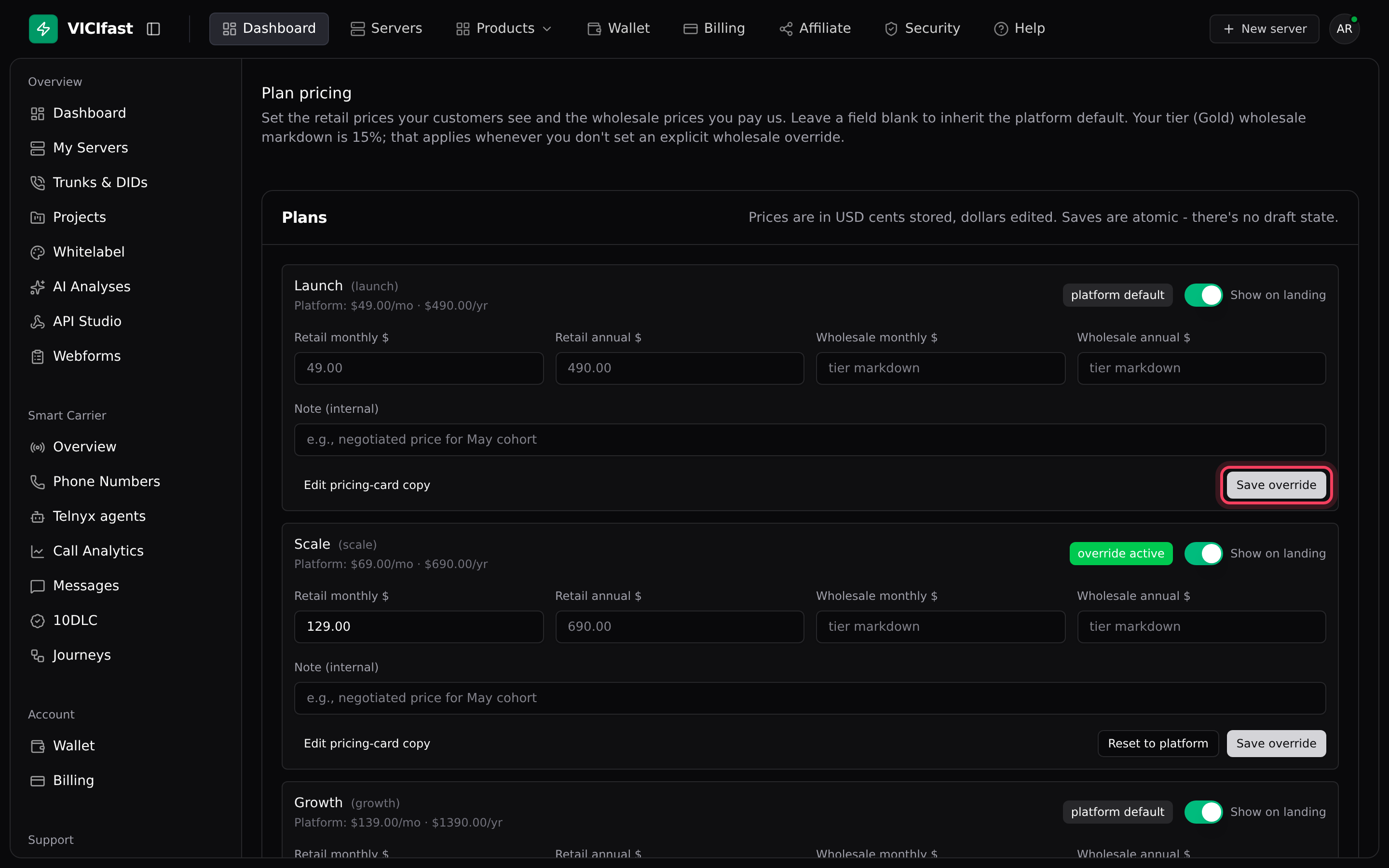
- Each plan has its own row. It shows our standard price ("Platform: $…/mo · $…/yr") and a badge: platform default when you haven’t changed anything, override active when your prices apply.
Step 2: Enter your prices
- Type the prices you want in Retail monthly $ and Retail annual $.
- Leave Wholesale monthly $ and Wholesale annual $ blank to use your tier markdown (the fields say "tier markdown"), or enter a specific wholesale price.
- If you like, add a Note (internal) for yourself, such as why you chose the price.
- Click Save override. It applies straight away; there is no draft. The badge changes to override active.
Step 3: Choose what your landing pages show
- Use the Show on landing switch on a plan row to show or hide that plan on your public pricing.
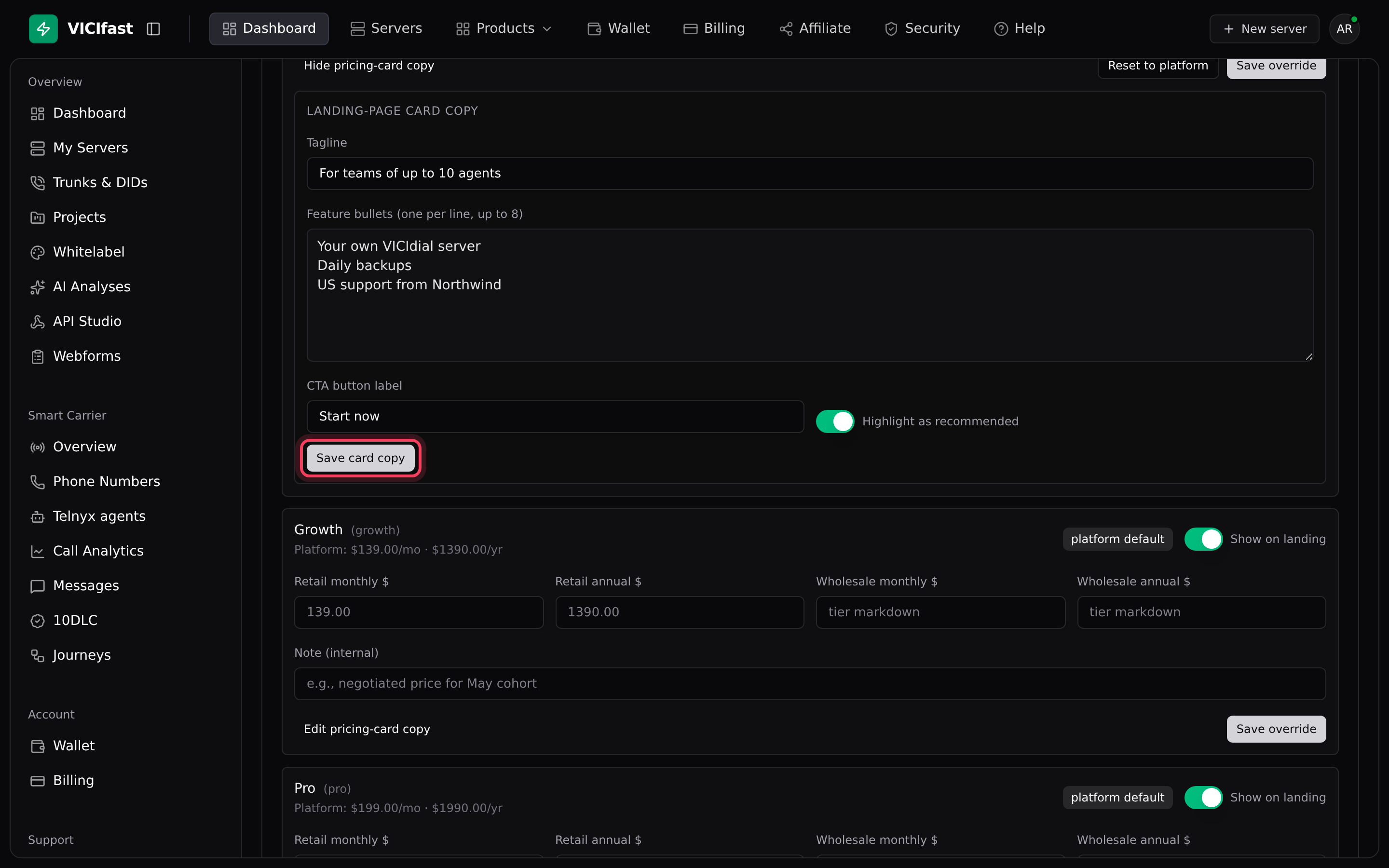
- Click Edit pricing-card copy to change the plan’s card: a Tagline, Feature bullets (one per line, up to 8), the CTA button label and Highlight as recommended.
- Click Save card copy.
Step 4: Go back to standard prices
To remove your prices from a plan, click Reset to platform on its row. The plan goes back to our standard price, and your wholesale goes back to your tier markdown.
Add-ons
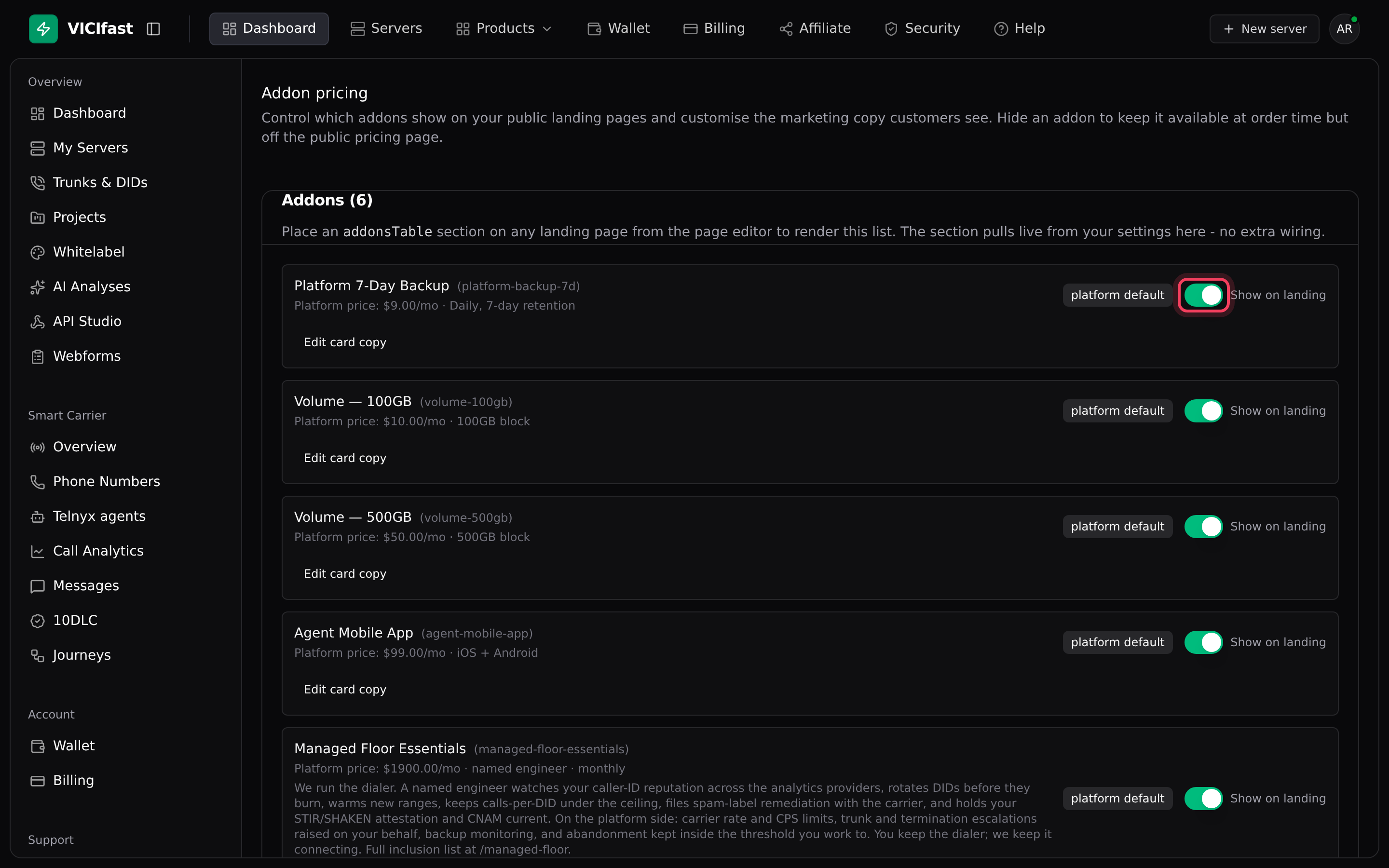
Add-on prices are the same for every reseller and can’t be changed. On Addon pricing you can use Show on landing to hide an add-on from your public pricing (customers can still add it when they order), and Edit card copy to change how its card reads.
If something goes wrong
Frequently asked
- The save was refused because a wholesale price was higher than its retail price. Lower the wholesale price or raise the retail price, then save again.
- Your customer pays our standard price, and you pay that price minus your tier markdown.
- No. Your prices for a plan apply to every region of that plan.
- No. Add-on prices are set by us. You choose whether each add-on shows on your landing pages and how its card reads.
- Your Wallet page shows Lifetime margin captured, and your Overview shows your monthly figures under Business at a glance.
› I saved, but after reloading my old prices are back.
› What do I pay if I leave everything blank?
› Can I charge different prices in different regions?
› Can I change add-on prices?
› Where can I see what I earn?
Related articles
Tags: pricing, reseller