Resellers: free trials for your customers
Give one of your customers a free server for a few days. You pay the wholesale price up front; the customer pays your retail price only if the trial converts.
Partners · 3 min read

A trial gives one of your customers a free server for a few days, so they can try it before paying. You pay us the wholesale price when you issue it. Your customer pays nothing until the trial ends, and is then charged your retail price from their wallet if they have the balance.
What you need
- An active reseller account. Only the account owner can open the Reseller pages.
- A customer who signed up under your brand and has not had a trial before.
- Enough in your reseller Wallet for one month of the plan’s wholesale price.
- A trial left in this month’s budget. Your Trial budget is on the Reseller Overview.
Step 1: Open Trials
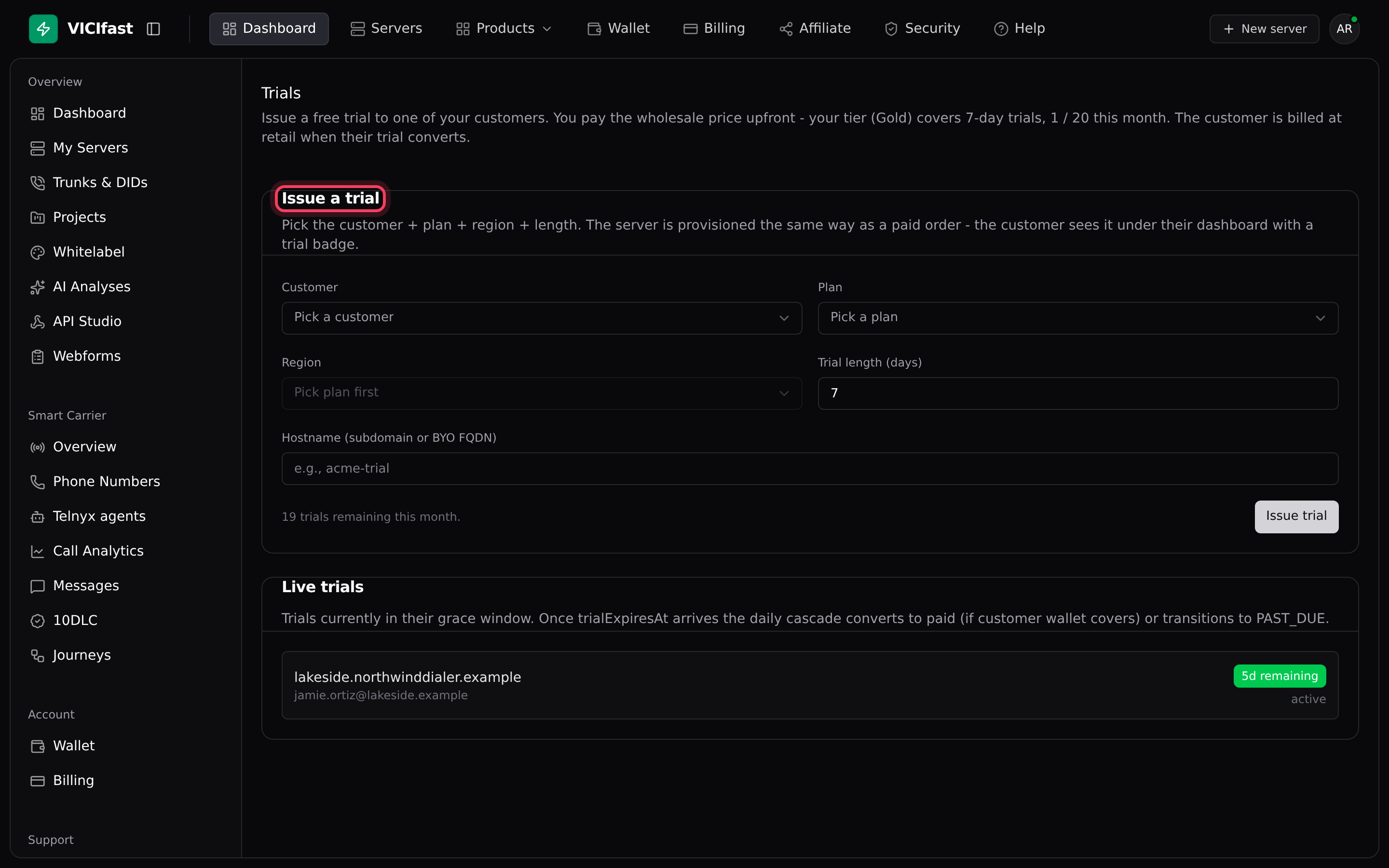
- In the sidebar, under Reseller, click Trials.
- The line under the title shows the longest trial your tier allows and how many trials you have issued this month.
Step 2: Fill in the trial
In the Issue a trial card:
- Customer: pick the customer. Only customers who can still have a trial are listed.
- Plan, then Region. The region list fills in once you pick a plan.
- Trial length (days): from 1 up to your tier’s maximum. It starts at the maximum.
- Hostname (subdomain or BYO FQDN): the server’s address, for example acme-trial.
Step 3: Issue the trial
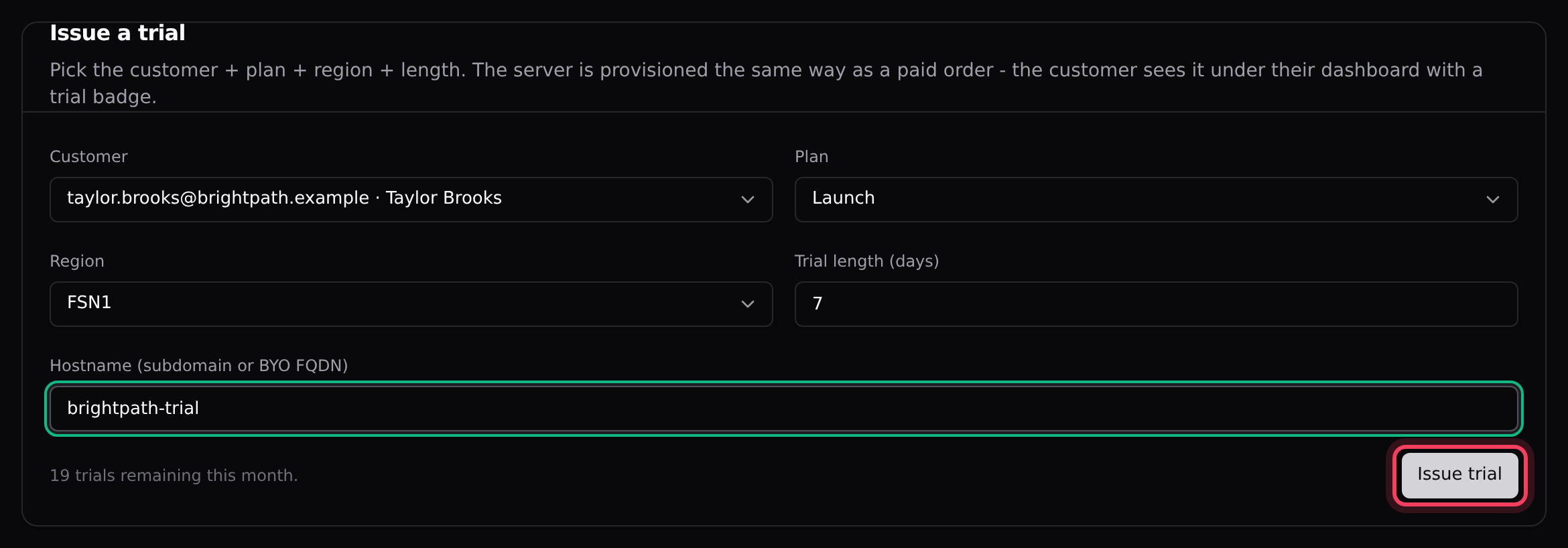
- Click Issue trial.
- A green message confirms the trial server is being set up and says when it expires.
What happens straight away:
- One month of the plan’s wholesale price is taken from your reseller wallet, even for a short trial.
- The server is built like a paid order. Your customer sees it in their dashboard with a trial badge.
- Your customer gets an email from your sender saying their trial has started.
Step 4: Follow your live trials
The Live trials card lists each trial with its server, the customer’s email and a badge such as 3d remaining. Use it to remind customers to add balance before their trial ends.

What happens when a trial ends
Once a day, at 11:00 UTC, we check every trial that has reached its end date.
- The customer’s wallet covers your retail monthly price: it is charged, the server keeps running, the next renewal is set 30 days later, and the customer gets a receipt by email.
- It doesn’t: the customer gets an email saying the trial has ended, with a link to add balance. The server then follows the normal unpaid-renewal steps: it is suspended and, if it stays unpaid, removed. See Pause, resume, cancel or delete a server.
Trial budget and one trial per customer
- Your tier sets how many trials you can issue each calendar month. The count starts again on the 1st. When none are left, the Issue trial button is greyed out.
- Each customer can have one trial. To allow another, open Customers, click the customer and click Clear lifetime-trial flag.
If something goes wrong
Frequently asked
- Customers only appear once they have signed up under your domain and have not used their trial. If a customer already had one, clear their trial flag from their customer page.
- Top up your reseller Wallet with at least one month of the plan’s wholesale price, then issue the trial again.
- You have used this month’s trial budget. It starts again on the 1st of next month.
- Your tier sets the longest trial. Enter a number of days from 1 up to that maximum.
- Their wallet did not have enough for your retail monthly price. They were emailed a link to add balance, and the server will be suspended if it stays unpaid.
› The card says "No eligible customers yet."
› It says "your reseller wallet does not cover the wholesale price - top up first".
› It says "monthly trial allowance exhausted".
› It says "trial length must be between 1 and N days".
› The trial ended but the customer was not charged.
Related articles
Tags: reseller, trials