Resellers: webhooks
Send customer events, such as a new signup or a server going live, to your own CRM or billing system, and check every delivery.
Partners · 4 min read
Webhooks let your own systems hear about what happens to your customers. When something happens, such as a customer signing up or a server going live, we send a short message to a web address you choose, and your CRM, billing tool or team chat can act on it. Setting this up is a job for a developer: share this page with whoever runs your systems.
What you need
- An active reseller account. Only the account owner can open the Reseller pages.
- A web address on your side that accepts POST requests over https.
- A developer who can add a small check that each message really comes from us.
Step 1: Add an endpoint
- In the sidebar, under Reseller, click Webhooks.
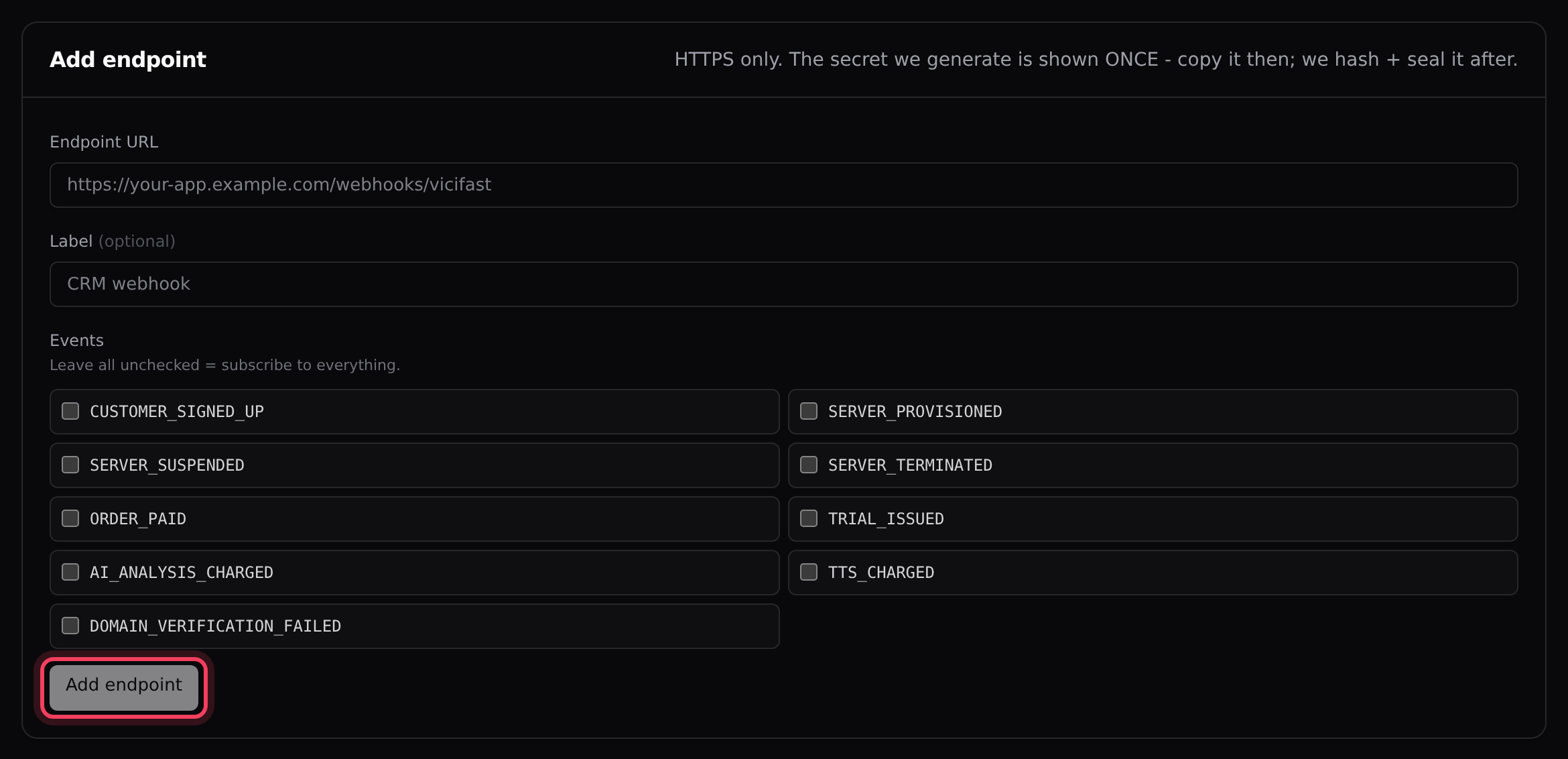
- Under Add endpoint, enter your Endpoint URL. It must start with https://.
- If you like, give it a Label, such as CRM webhook.
- Under Events, tick the events you want. Leave them all unticked to receive every event.
- Click Add endpoint.
Step 2: Copy the signing secret
Straight after you add the endpoint, a green box shows its signing secret. Click Copy, store it somewhere safe, then click Done. It is shown only once and we can’t show it again. If you lose it, add the endpoint again to get a new one.
Step 3: Send a test
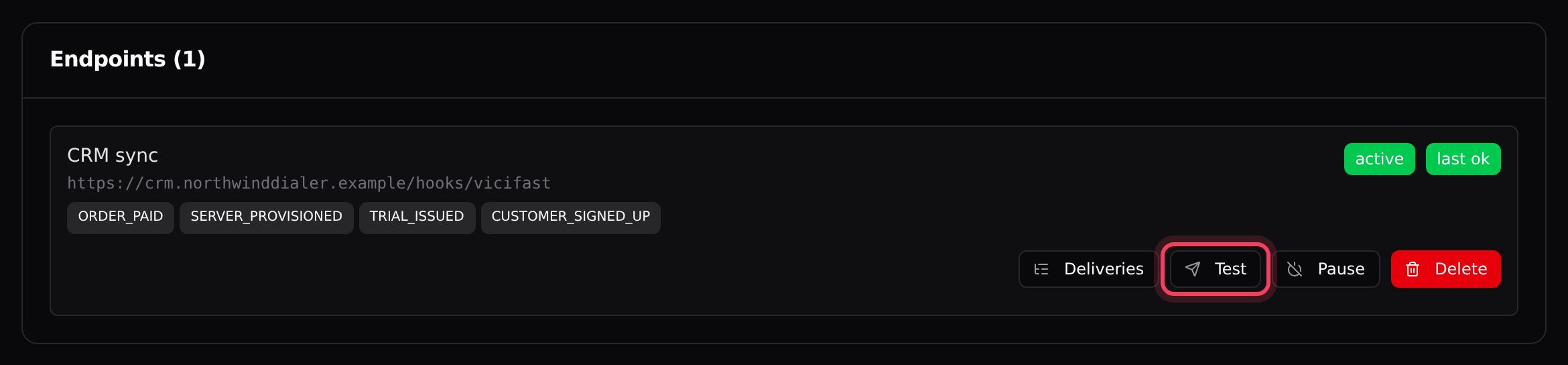
- Under Endpoints, find your endpoint and click Test.
- You see Test event enqueued. A sample CUSTOMER_SIGNED_UP message marked "test": true goes out on the next sending run (see Timing below).
Step 4: Check the deliveries
- The top of the Webhooks page shows Delivered (24h), Retrying (24h) and Exhausted (24h) across your endpoints.
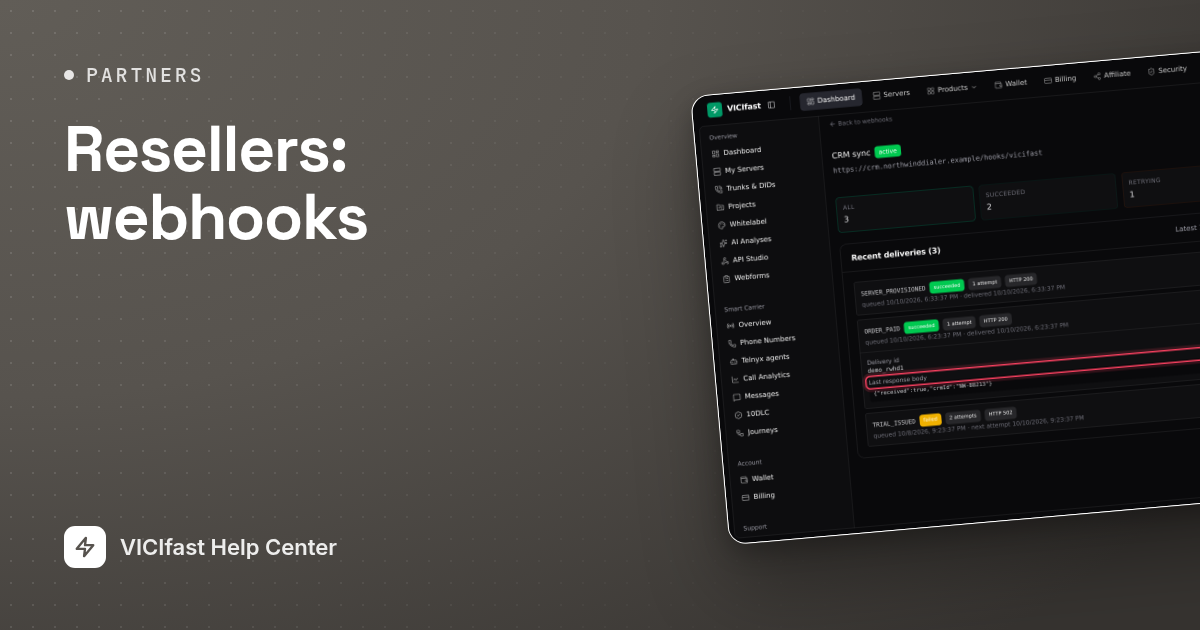
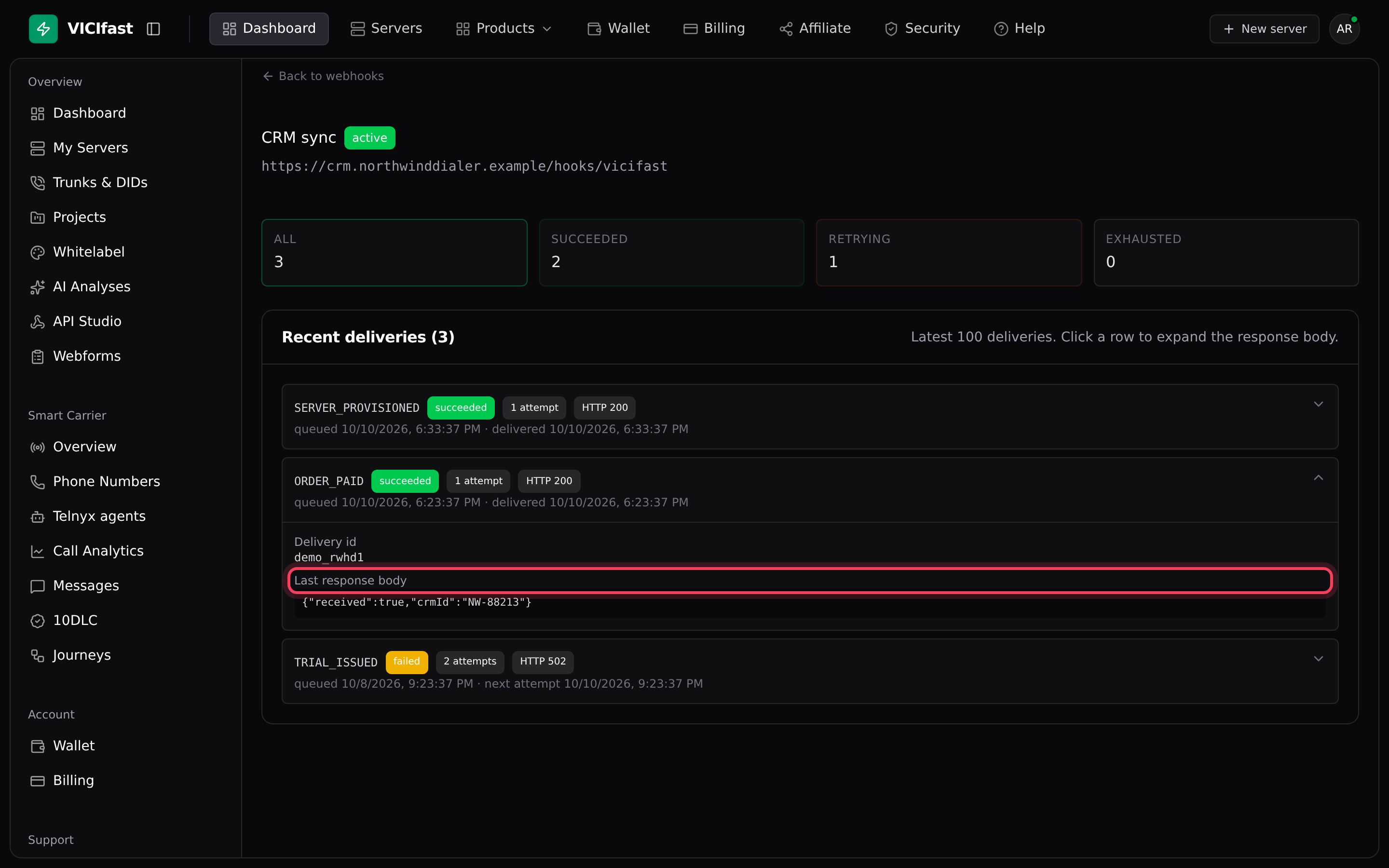
- Click Deliveries on an endpoint. Use the tiles All, Succeeded, Retrying and Exhausted to filter. The log keeps the latest 100 deliveries.
- Click a delivery to open it. You see the Delivery id, the Last error and the Last response body your server sent back (up to 1,000 characters).
- For an exhausted delivery, fix the problem on your side first, then click Retry. It gets a fresh set of attempts and goes out on the next sending run.
For developers: the messages
- Each message is a POST with a JSON body: an id, the event type, a timestamp, and the details of the event.
- Headers: X-Vicifast-Event (the event type), X-Vicifast-Signature (the signature) and X-Vicifast-Delivery (a unique delivery id; use it to skip duplicates).
- The signature is an HMAC-SHA256 of the raw request body, keyed with your signing secret, as hex. Compute it over the body exactly as received: if your framework parses the JSON first, it will not match. In Node: crypto.createHmac('sha256', SECRET).update(rawBody).digest('hex'), then compare it with the X-Vicifast-Signature header.
- Reply with any 2xx status within 10 seconds. Anything else, including a timeout, counts as a failed attempt.
Events you can choose
- CUSTOMER_SIGNED_UP: a new customer signed up under your brand.
- ORDER_PAID: a customer’s order was paid.
- SERVER_PROVISIONED: a customer’s server is ready.
- SERVER_SUSPENDED and SERVER_TERMINATED: a server was suspended or removed.
- TRIAL_ISSUED: you issued a trial.
- AI_ANALYSIS_CHARGED and TTS_CHARGED: AI call analysis or text-to-speech was billed to a customer.
- DOMAIN_VERIFICATION_FAILED: the daily re-check of one of your domains failed.
ORDER_CANCELED is also sent when you reject a manual-payment order; only endpoints that receive all events get it.
Timing and retries
- Messages are sent once an hour, at 7 minutes past the hour. An event can arrive up to about an hour after it happens, so treat webhooks as a sync, not an instant alert.
- A failed message is retried, waiting longer each time (from minutes up to 3 days), for 8 attempts in total over about a week. After that it is marked exhausted and stops until you click Retry.
- Pause stops sending without deleting the endpoint. Messages that come due while it is paused are marked exhausted with the error "endpoint disabled". Click Resume before then if you still want them.
- You can’t edit an endpoint’s address. To change it, or to get a new secret, add a new endpoint and then Delete the old one. Deleting also removes its delivery history and drops anything still waiting.
If something goes wrong
Frequently asked
- Your signature check is rejecting the message. The usual cause is hashing a parsed and re-encoded copy of the body instead of the raw bytes. Fix the check, then click Retry on an exhausted delivery to confirm.
- We could not reach your server at all: the address does not resolve, the certificate is invalid, or the connection was refused. The Last error field says which. Fix it, then retry.
- The endpoint is paused. Click Resume, then Test again.
- Go back to Webhooks, click Resume on the endpoint, then retry the delivery.
- Messages are sent once an hour, so a delay of up to about an hour is normal.
- It can’t be shown again. Add a new endpoint with the same address, update your code with the new secret, then delete the old endpoint.
› Every delivery fails with HTTP 401 or 403.
› A delivery shows no HTTP code, only an error.
› Test says "Failed: endpoint not found or inactive".
› Retry says "endpoint is paused - resume it from the webhooks list first".
› Events arrive late.
› I lost the signing secret.
Related articles
Tags: reseller, webhooks, integrations