The VICIdial Android app your agents take queue calls on.
Version 1.0.8 · 77.8 MB · Android 8.0 or newer · Free on every VICIfast server

For your team
Agents on Android take your queue calls, with no computer.
Agents work without a computer
Queue calls ring the agent’s phone, at home, on the floor or on the move. No laptop, no desk phone, no softphone to configure.
Free on every server
Included with every VICIfast server, trials too. No add-on and no per-agent fee.
Everything lands in VICIdial
Results, callbacks and transfers go through VICIdial, so your call logs, recordings and reports see a phone agent like any other.
You stay in control
The server’s Mobile app tab shows who is on a phone, signs a phone out, and sets what agents see. A phone gets through your server’s firewall only while it is signed in.
Screens
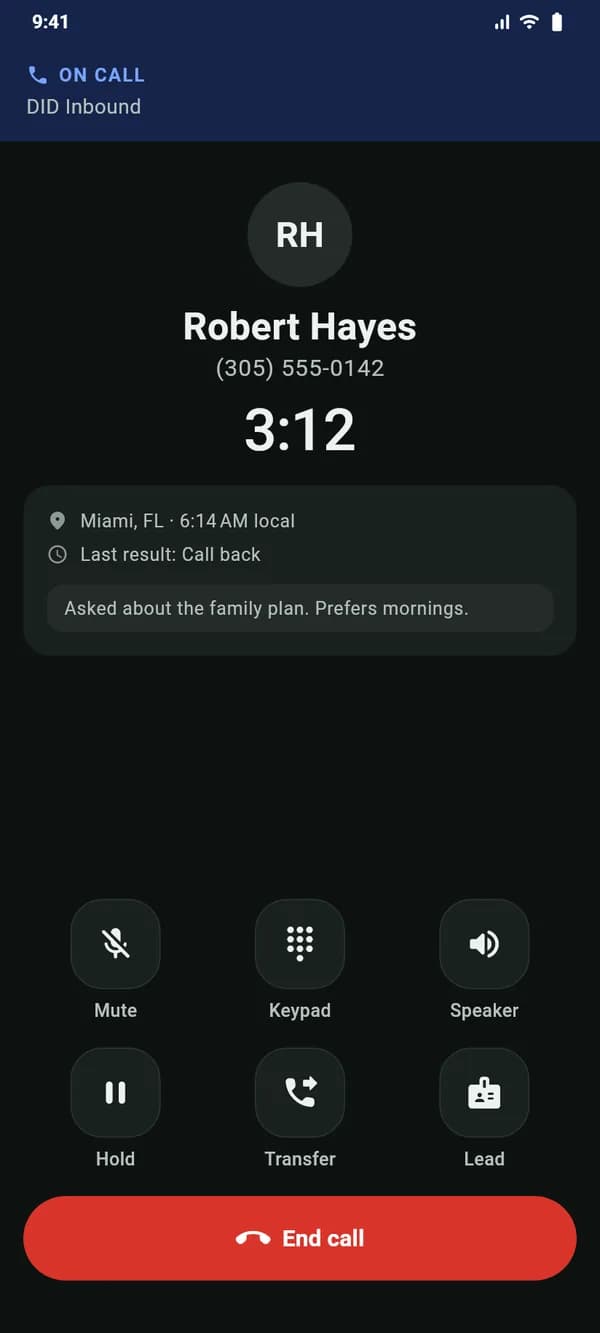
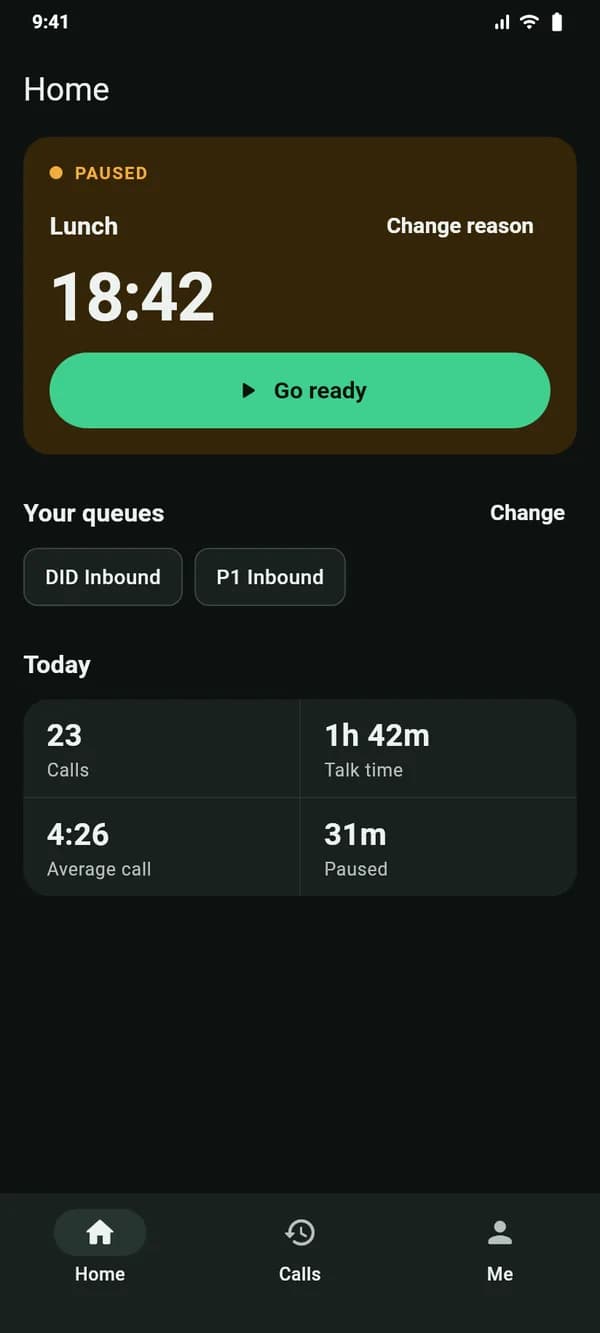
Every screen of the Android app.
Straight from the app, with sample data.
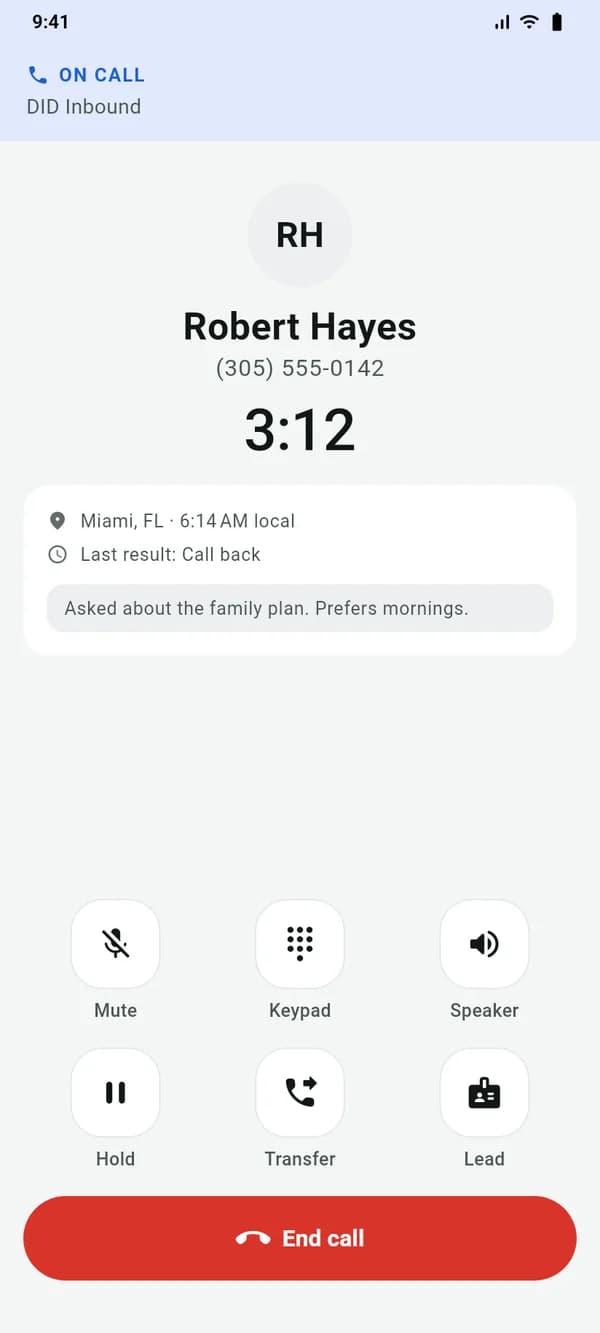

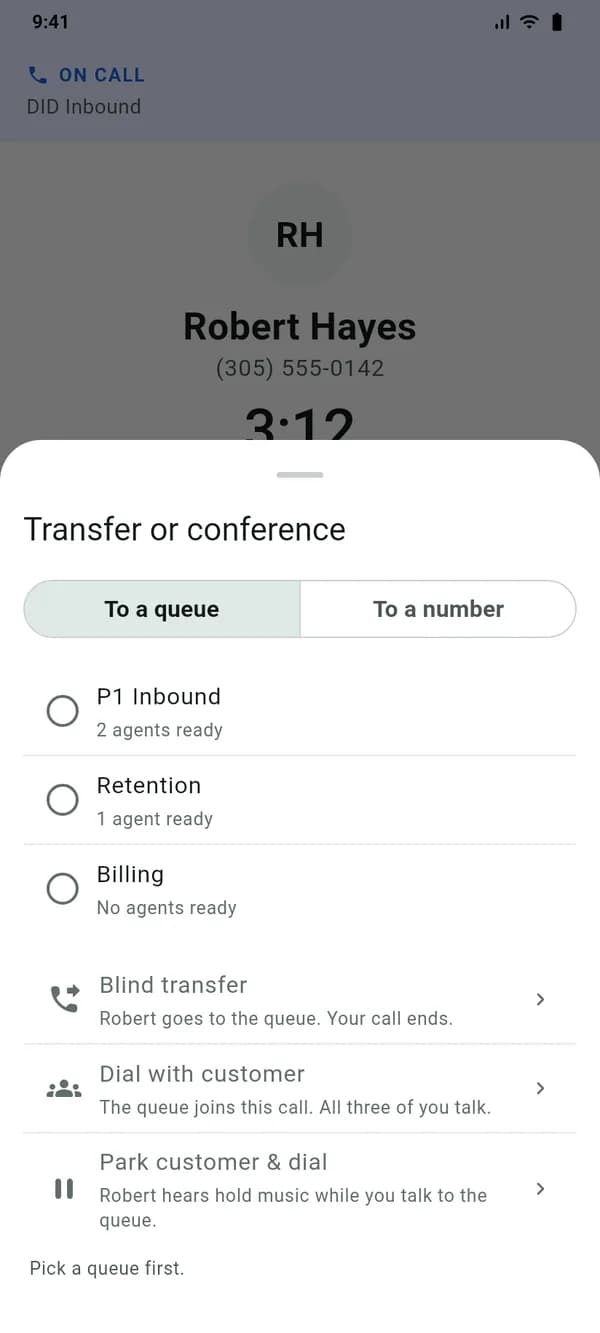
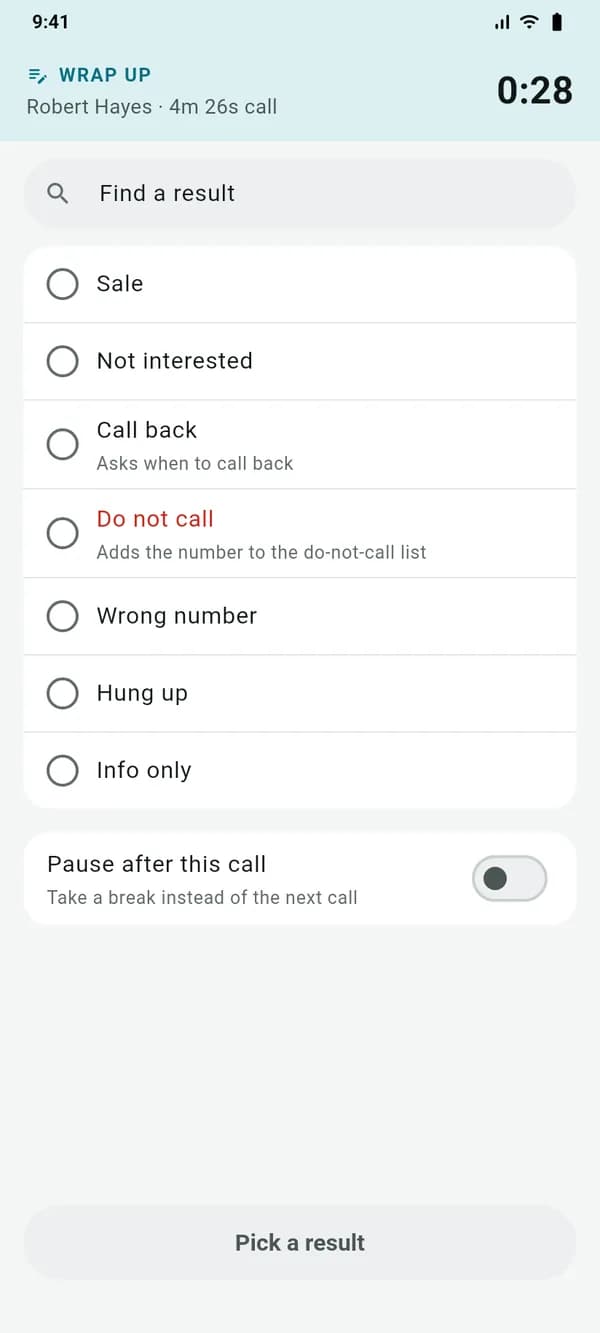
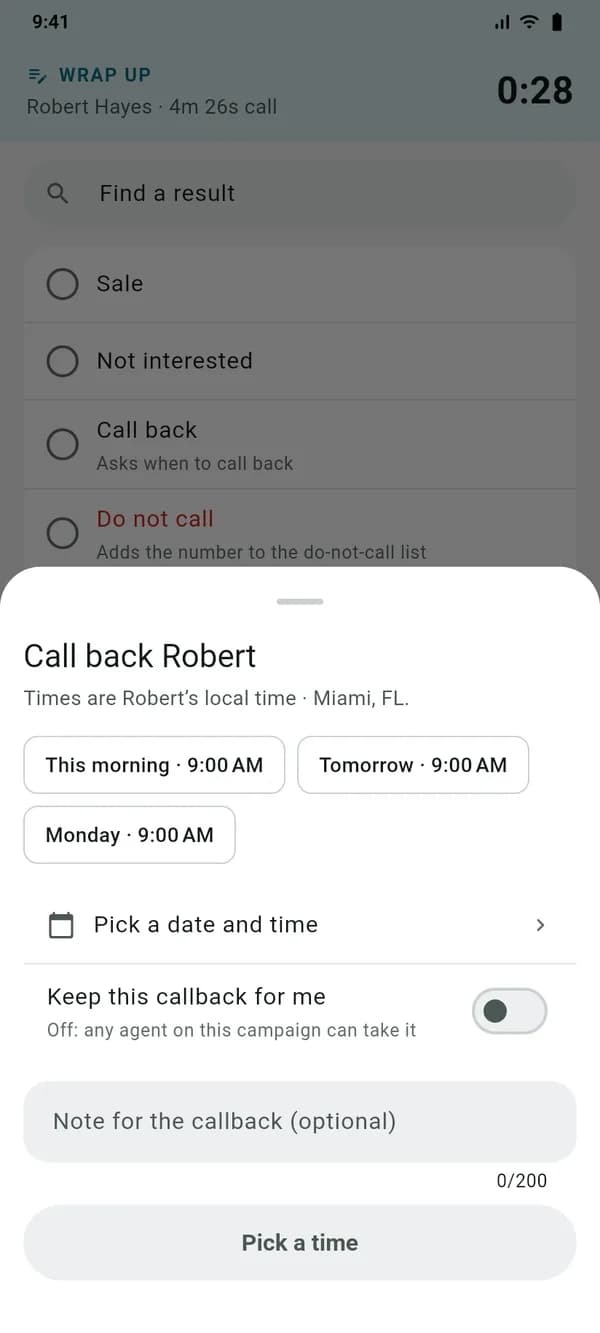
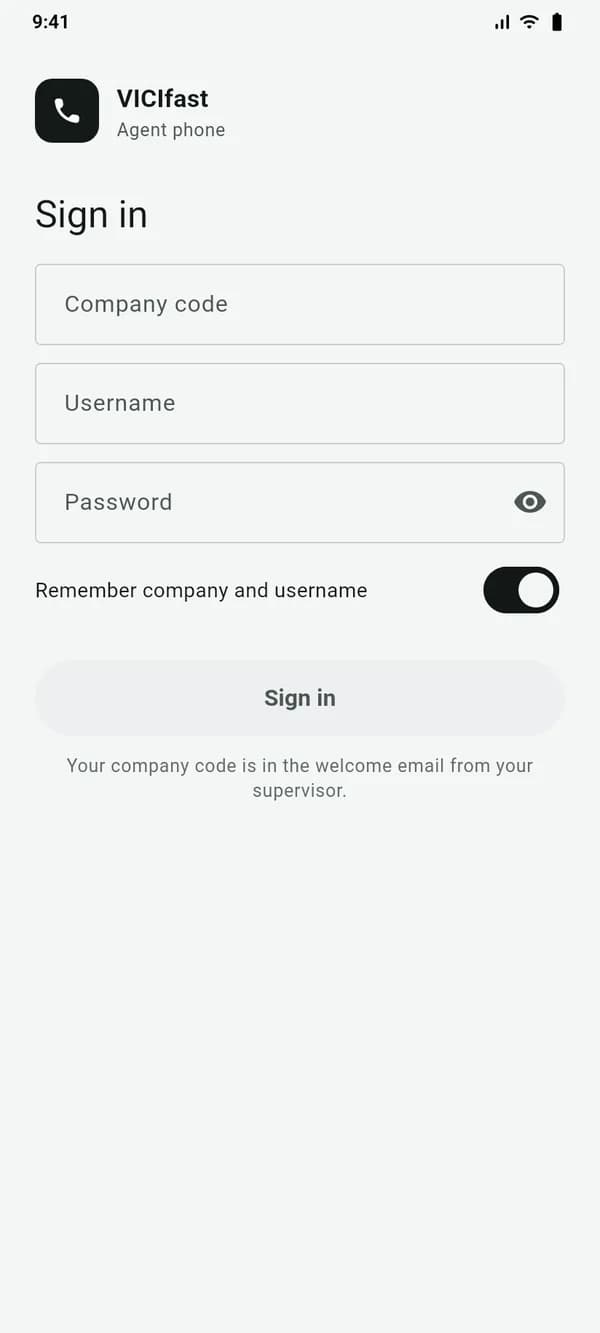
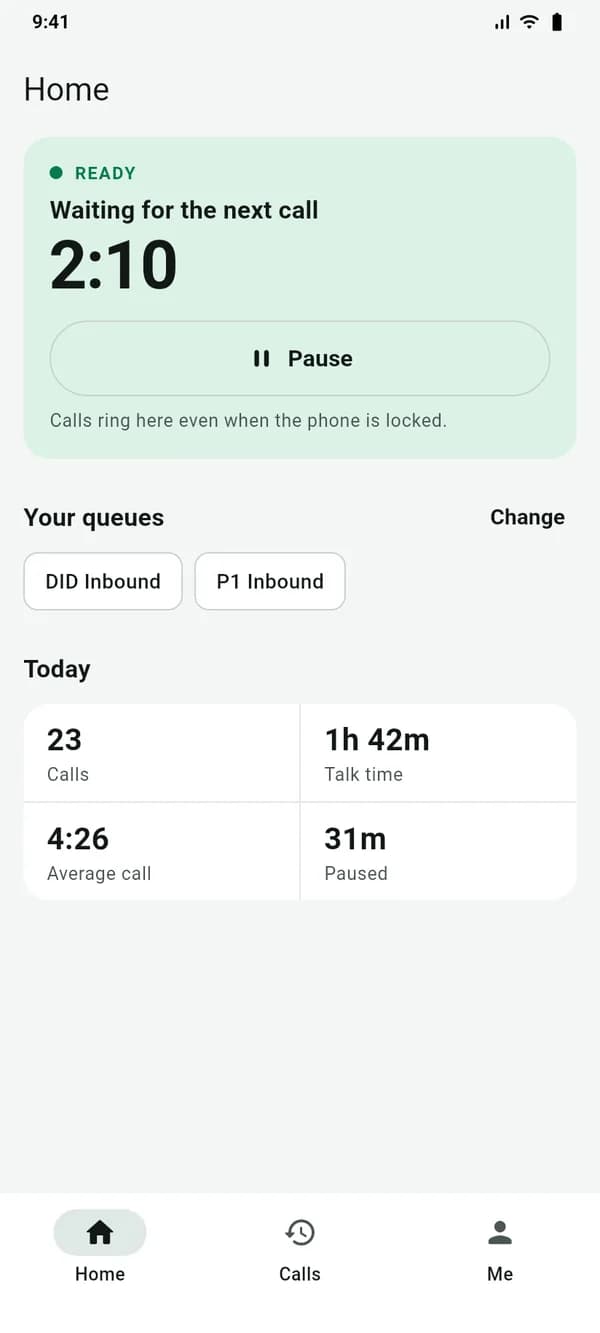
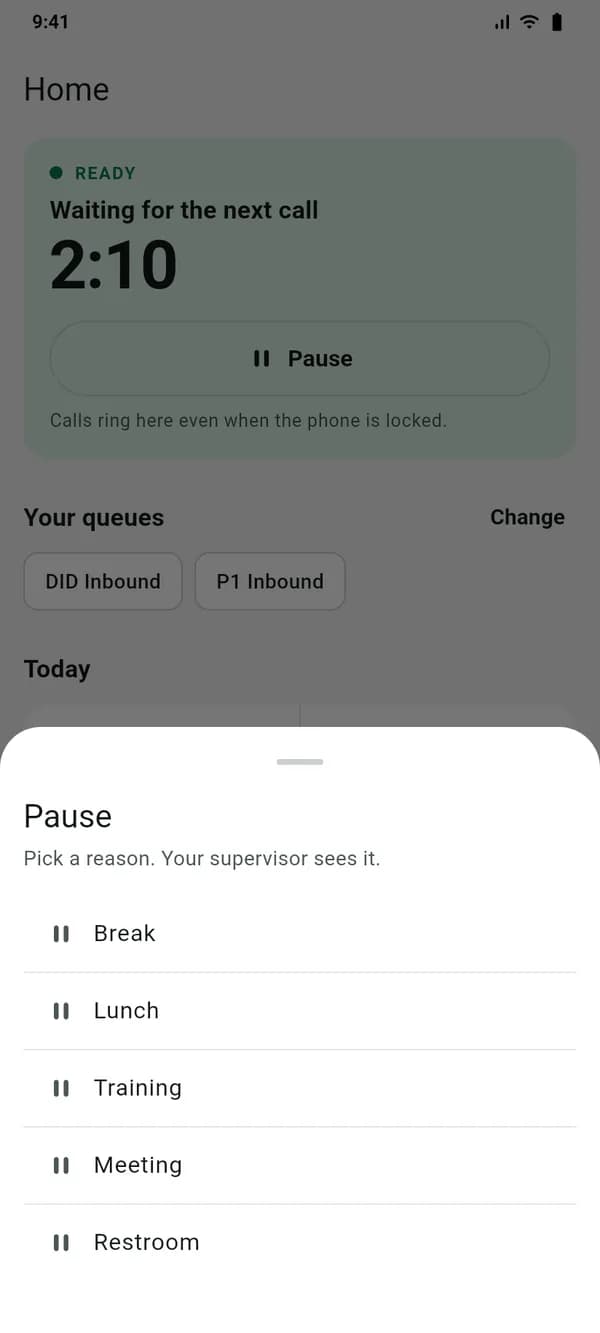
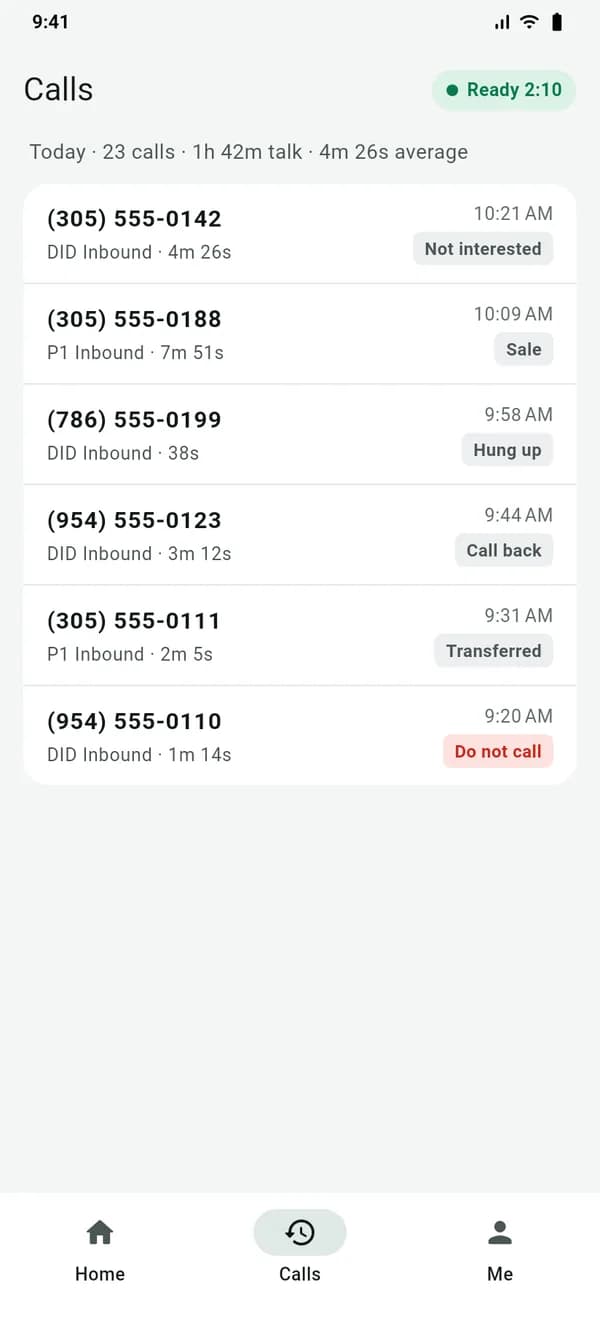
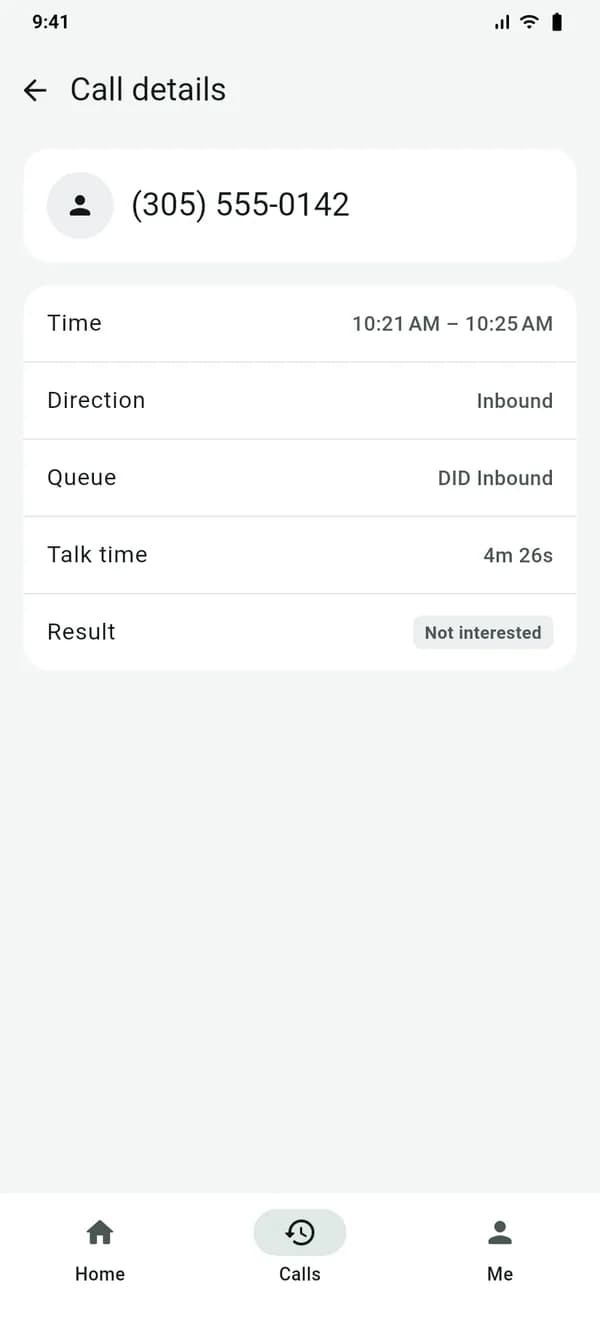
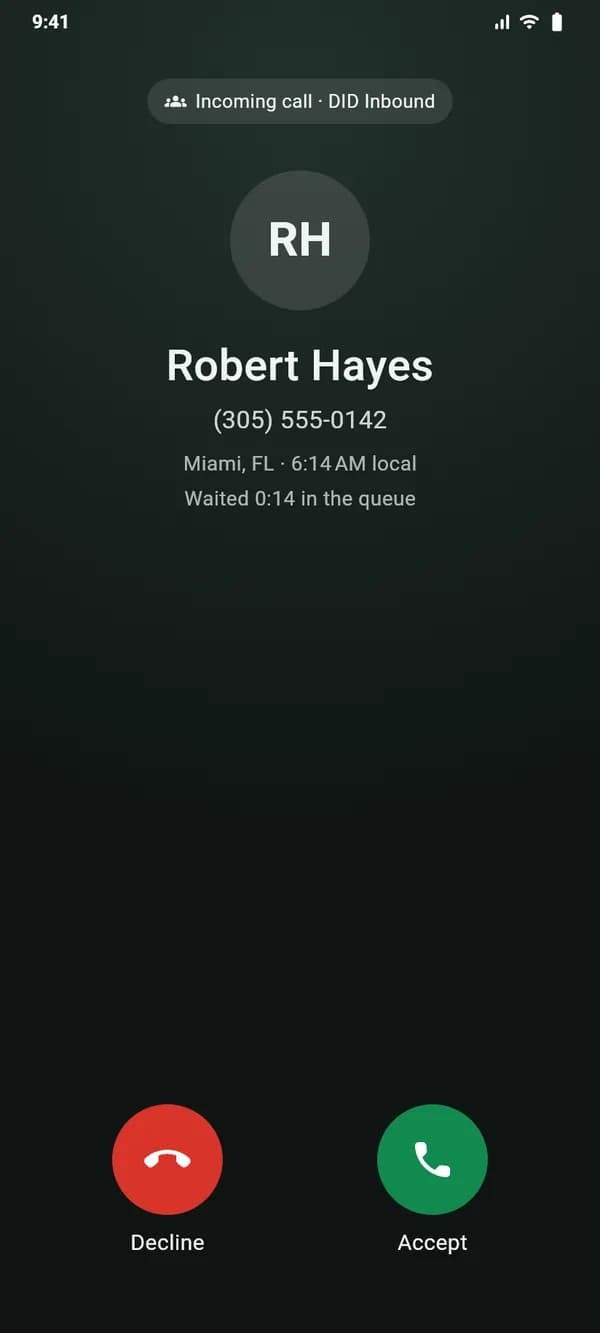
Light or dark, like the phone.
The app follows Android’s dark theme, so a night shift isn’t a white screen.
Install
On an agent’s phone in two minutes.
- 01
Download it on the phone
Open this page on the agent’s Android phone and tap Download. The file comes straight from vicifast.com.
- 02
Allow the install
Android asks once whether your browser may install apps. Allow it, then tap Install.
- 03
Sign in
Enter the company code from your server’s Mobile app tab, then the agent’s usual VICIdial login. Pick a campaign and queues.
- 04
Allow calls and go ready
Allow the microphone, notifications and calls, and let it run in the background so calls reach the phone. Then tap Ready.
For your agents
What a call needs, on an Android phone.
On the call
- Rings on the lock screen like a normal call, with the caller’s name, number, city, local time and wait in the queue
- Mute, hold, speaker and keypad
- The lead’s details and notes, one tap away
- Blind transfer to a queue or a number
- Dial with customer, park customer and dial, grab the parked call
- Leave 3-way call or hang up the xfer line, as on the VICIdial agent screen
After the call
- Pick a result in two taps from the campaign’s own statuses
- “Do not call” always asks before it saves
- Schedule callbacks in the customer’s time zone, within calling hours
- Pause after the call instead of taking the next one
The shift
- Sign in with a company code and the agent’s usual VICIdial login
- Pick the campaign and the queues to take
- Go ready, or pause with the campaign’s pause codes; supervisors see the reason
- Today’s calls, talk time and results at a glance
- Light and dark mode, following the phone
What you need
Requirements
- An agent account on a VICIdial server on VICIfast. Accounts are set up by the company; agents can’t create one in the app.
- Android 8.0 or newer, a microphone, and Wi-Fi or mobile data.
Permissions
Why the app asks for them
- Microphone:
- so the customer can hear the agent.
- Calls:
- incoming calls show on the lock screen and work with headsets and the car.
- Notifications:
- the incoming call, and the agent’s status while on shift.
- Running in the background:
- keeps the line connected for the whole shift so calls reach the phone. It stops when the shift ends.
Compared
VICIfast Phone vs a SIP softphone on Android
Zoiper, Linphone and other Android softphones register a SIP extension and carry the audio. With VICIdial, the agent still needs the agent screen on a computer to log in and save results.
| With VICIdial | A plain SIP softphone | VICIfast Phone |
|---|---|---|
| A computer on the VICIdial agent screen | Needed: the softphone only carries the audio | Not needed: the app is the agent screen |
| When it rings | A caller ID number | The caller’s name, city, local time and queue |
| Lead details and notes on the call | No | Yes |
| Results, callbacks and pause codes | On the computer | In the app |
| Transfers and 3-way calls | A SIP transfer happens outside VICIdial, so its reports miss it | Through VICIdial, logged like the agent screen |
| Setting up each agent | SIP extension, password and server typed into every phone | A company code and the agent’s usual login |
| Price | Free to paid, per device | Free on every VICIfast server |
Open source
Read every line of the app your agents install.
VICIfast Phone is free software under the GNU General Public License, version 3, built on the Linphone SIP engine. The source code of every release is on GitHub, so your IT team can check what runs on your agents’ phones.
FAQ
VICIdial Android app questions
Your queue, on your agents’ Android phones.
Free on every VICIfast server. Start a trial, add an agent, and take a test call on your own phone.