Activating and deactivating an in-group
The Active flag decides whether agents can even see an in-group when they log in. Here is what flipping it does, what it does not do, and why your group might still show NA after you set it active.
The Active flag is one of the simplest settings on an in-group and also one of the most misunderstood. It is a single switch, but people often expect it to do more than it does, then get confused when a freshly activated group still will not take calls. Let us clear that up.
What the Active flag actually controls
stateDiagram-v2
    [*] --> Inactive
    Inactive --> Active: Set Active Y
    Active --> Inactive: Set Active N
    Active --> AgentVisible: Agent logs in
    AgentVisible --> AgentSelected: Agent selects group
    Inactive --> Hidden: Not shown to agents
    AgentSelected --> NA: No DID feeding group
    NA --> AgentSelected: DID routed in
Active decides one thing: whether this Ingroup shows up in the selection box when an Agent logs into VICIdial. Set it to Y and agents can pick it from the list of groups they take calls from. Set it to N and it disappears from that list. That is the whole job.
It does not feed calls in, it does not route anything, and it does not control whether a DID (direct inward dialing) points at the group. It simply governs visibility to agents at login.
How to flip it
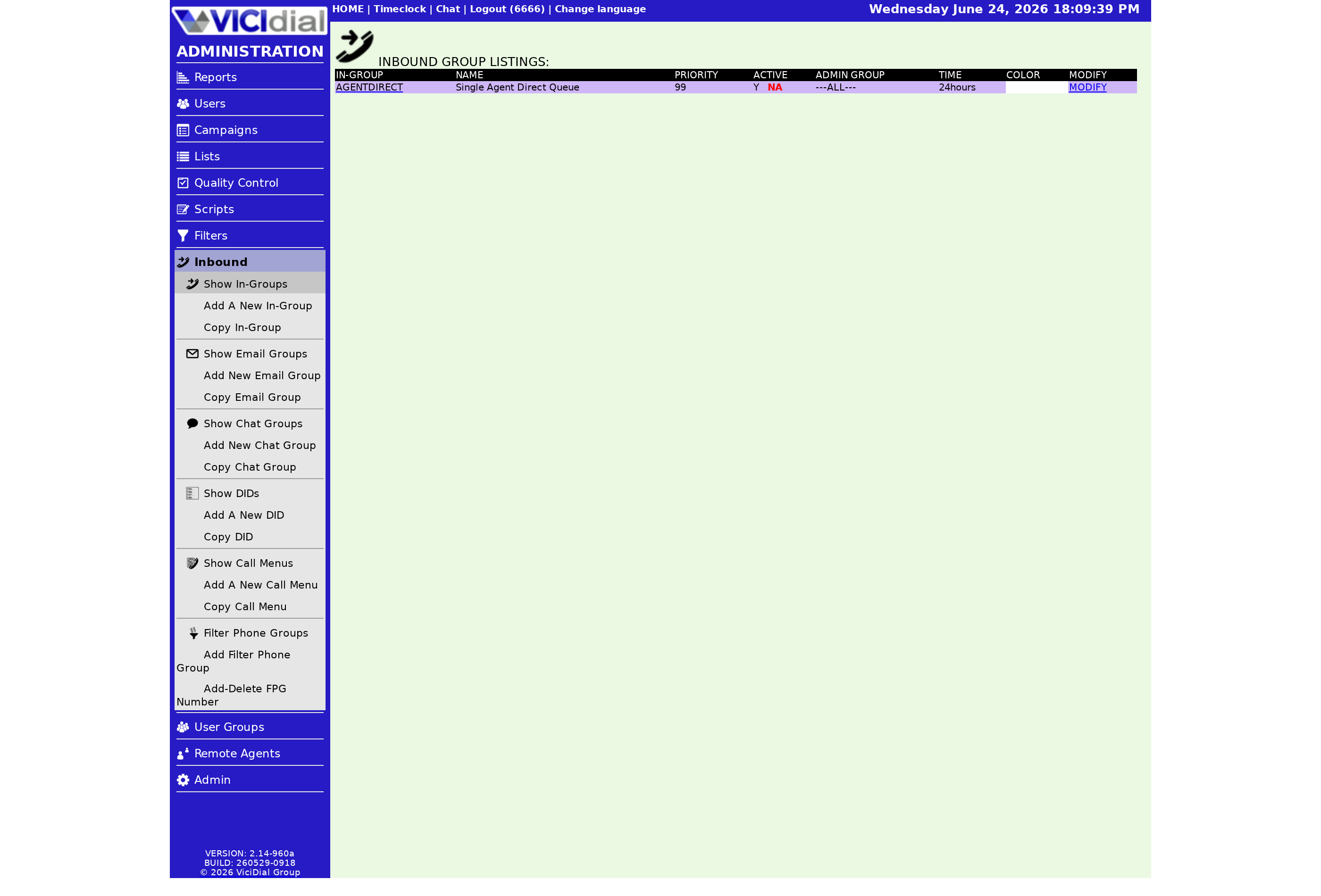
Open the in-group in the admin screen, find the Active field on the modify page, and set it to Y to turn the group on or N to turn it off. Save. Agents who are already logged in will not see the change mid-session; the new state takes effect the next time they log in and choose their groups.
Because of that, treat deactivating as a scheduling tool rather than a panic button. It stops new agents from selecting the group, but it is not designed to yank live calls off the floor.
The NA trap
Here is the part that trips people up. In the in-groups list, you may see a red NA in the Active column even after you set Active to Y. That NA is not about the Active flag at all. It means the in-group is not allowed in any campaign. Agents log into campaigns, and a campaign has its own list of permitted in-groups. If none of them include yours, it cannot be taken regardless of the Active setting.
So the working combination is two switches in two places: Active set to Y on the in-group, and the in-group enabled inside at least one campaign. Miss either one and calls will not reach your floor. The same campaign-level allow list is what lets a Closer group receive transfers from a fronting campaign.
A quick sanity check
If a group will not take calls, walk the list in order: Active is Y, the in-group is allowed in the agent's campaign, and a number or transfer is actually feeding it. If all three are true and the agent's Status (lead status) still never shows a call, look next at your routing. For the full chain, see the inbound call handling guide, and if calls are arriving but never reaching anyone, this troubleshooting walkthrough covers the usual culprits.
Want a box where these toggles just work out of the box? Our managed VICIdial hosting gives you a configured install in under a minute so you can focus on routing, not setup.
Frequently asked
- The red NA means the in-group is not allowed in any campaign. Active controls whether agents see it in the selection box; the campaign controls whether it is offered at all. You need both: Active set to Y and the in-group enabled inside at least one campaign.
- Deactivating hides it from the agent login selection so no new agents can pick it up. It is a configuration switch, not an emergency stop for live calls. Plan changes during a quiet window if you can.
› I set Active to Y but it still shows NA. Why?
› Does deactivating an in-group drop calls in progress?
Related from VICIfast
About VICIfast
We run VICIdial servers for call centres, so you don’t have to. You get the dialer set up, secured and kept running — we handle the server, the updates and the backups. Bring your own phone carrier; we never resell minutes. From $49 a month per server.
Questions? Call +1 636 556 0022 and talk to someone who runs dialers.
Citing this article
VICIfast Engineering. “Activating and deactivating an in-group”. VICIfast LLC, June 19, 2026. Retrieved from https://vicifast.com/blog/vicidial-ingroup-active-toggle
Have questions?
Related posts
You might be interested in
VICIfast newsletter
Liked this? Get the next one in your inbox.
We ship the kind of stuff you just read - concrete, numbers-first, no drip. One email when a new post goes live. Unsubscribe in one click.
Comments
No comments yet - be the first.