Active: turning a campaign on and off
The Active setting is the master switch for a VICIdial campaign. Set it to Y and agents can log in; set it to N and the campaign goes dark. Here is exactly what flips when you toggle it, and when you actually want to.
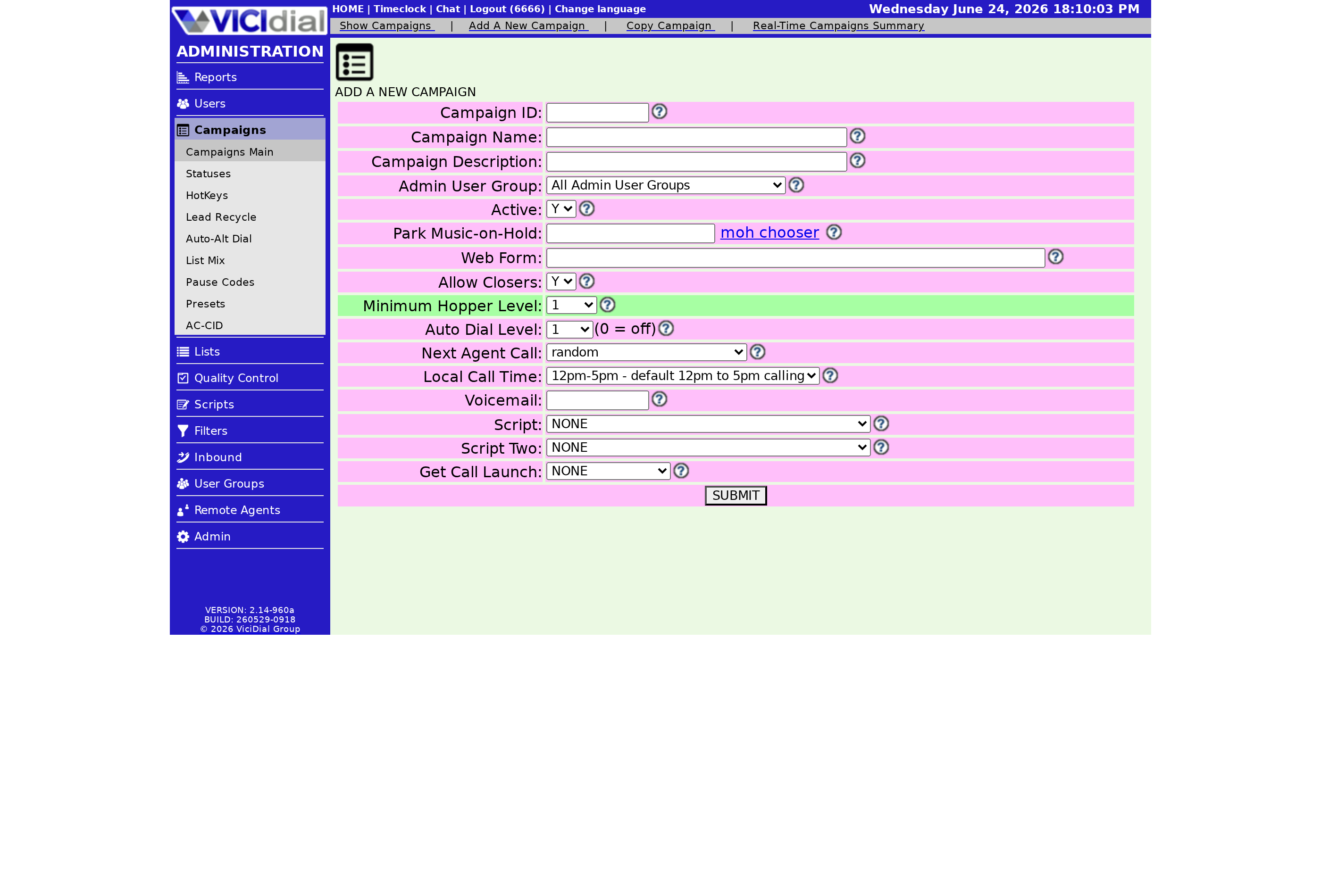
Near the very top of every campaign's settings sits one small field that controls everything below it: Active. It is a plain Y/N switch, but it is the master power button for the whole campaign. When you are figuring out why nobody can log in, or why a campaign you thought was running is sitting silent, this is the first field to look at.
What the switch actually controls
stateDiagram-v2
  [*] --> Inactive
  Inactive --> Active: Set Active = Y
  Active --> Inactive: Set Active = N
  state Active {
    [*] --> AgentsCanLogIn
    AgentsCanLogIn --> HopperLoads
    HopperLoads --> DialerRuns
  }
  state Inactive {
    [*] --> AgentsBlocked
    AgentsBlocked --> HopperStops
    HopperStops --> CampaignDark
  }
When Active is set to Y, agents can log into the campaign and the dialer will work through your lists according to whatever dialing rules you have set. When it is set to N, agents simply cannot log in. The campaign name will not appear in their login list, and nothing dials. Everything else stays untouched: your leads, your statuses, your callerID, your call times. Inactive is a pause, not a delete.
This is different from pausing an individual agent. An agent on break is still logged in and counts toward your dialing math. Setting the whole campaign Inactive shuts the door for everyone at once.
When you actually want Inactive
There are a few honest reasons to flip a campaign off:
- The campaign is done for the day or the season and you do not want anyone logging in by accident.
- You are loading a fresh list or rebuilding the campaign and want it parked while you work.
- You are out of compliant calling hours and want a hard guarantee nothing dials, on top of your call-time rules.
For temporary slowdowns, you usually do not want the master switch. If you just need fewer calls going out, lowering your dialing instead is friendlier. See how to bring your drop rate down for the gentler levers before you reach for the big red button.
The safe way to flip it off mid-shift
Setting Active to N does not yank a live call out of an agent's hands, but it does stop the flow of new calls. If you flip it off while a Predictive dialing burst is in flight, you can leave a few customers connected with no Agent free to take them, which shows up as a Drop rate spike. The clean sequence is: pause your agents, let any Live answer calls in progress finish and disposition, then set the campaign Inactive.
When you turn it back on, agents log in as normal and the Hopper refills within a minute or two. Nothing was lost, just paused.
Where it fits in the bigger picture
The Active toggle is step zero of running a campaign, but it does not decide how fast or how aggressively you dial. That comes from the dialing rules underneath it. If you want to understand how those pieces fit together, the VICIdial dialing strategies guide walks through the full chain from leads to live calls.
On a managed box you never have to think about whether the dialer service is even up; the platform keeps it running, so the Active switch is the only on/off you touch. If you would rather not babysit servers at all, see what a fully managed VICIdial plan includes.
Frequently asked
- Setting Active to N stops new agents from logging in, but it does not forcibly kick agents who are already in a call. The cleaner approach is to pause dialing first, let agents finish, then flip the toggle.
- No. Inactive only blocks login and dialing. Every list, lead, status, and campaign setting stays exactly as it was. Flipping back to Active picks up where you left off.
› What happens to logged-in agents if I set a campaign to Inactive mid-shift?
› Does Inactive delete my leads or settings?
Related from VICIfast
About VICIfast
We run VICIdial servers for call centres, so you don’t have to. You get the dialer set up, secured and kept running — we handle the server, the updates and the backups. Bring your own phone carrier; we never resell minutes. From $49 a month per server.
Questions? Call +1 636 556 0022 and talk to someone who runs dialers.
Citing this article
VICIfast Engineering. “Active: turning a campaign on and off”. VICIfast LLC, June 19, 2026. Retrieved from https://vicifast.com/blog/vicidial-campaign-active-toggle
Have questions?
Related posts
You might be interested in
VICIfast newsletter
Liked this? Get the next one in your inbox.
We ship the kind of stuff you just read - concrete, numbers-first, no drip. One email when a new post goes live. Unsubscribe in one click.
Comments
No comments yet - be the first.