How to add a new inbound in-group
Creating your first in-group takes about a minute, but two fields lock you in for good. Here is exactly what to type, what the rules are, and the one shortcut that copies an existing setup.
Adding an in-group is one of the friendlier tasks in VICIdial. You fill in two required fields, save, and you have a working bucket for inbound calls. The catch is that one of those fields can never be changed once you save it, so it pays to slow down for the thirty seconds it takes to pick a good name.
Where to start
flowchart TD
  A[Admin: Inbound Groups] --> B[Add a new group]
  B --> C[Set Group ID - locked]
  C --> D[Set Group Name]
  D --> E[Set Group Color]
  E --> F{Copy existing group?}
  F -->|Yes| G[Clone settings as shortcut]
  F -->|No| H[Configure manually]
  G --> I[Save in-group]
  H --> I
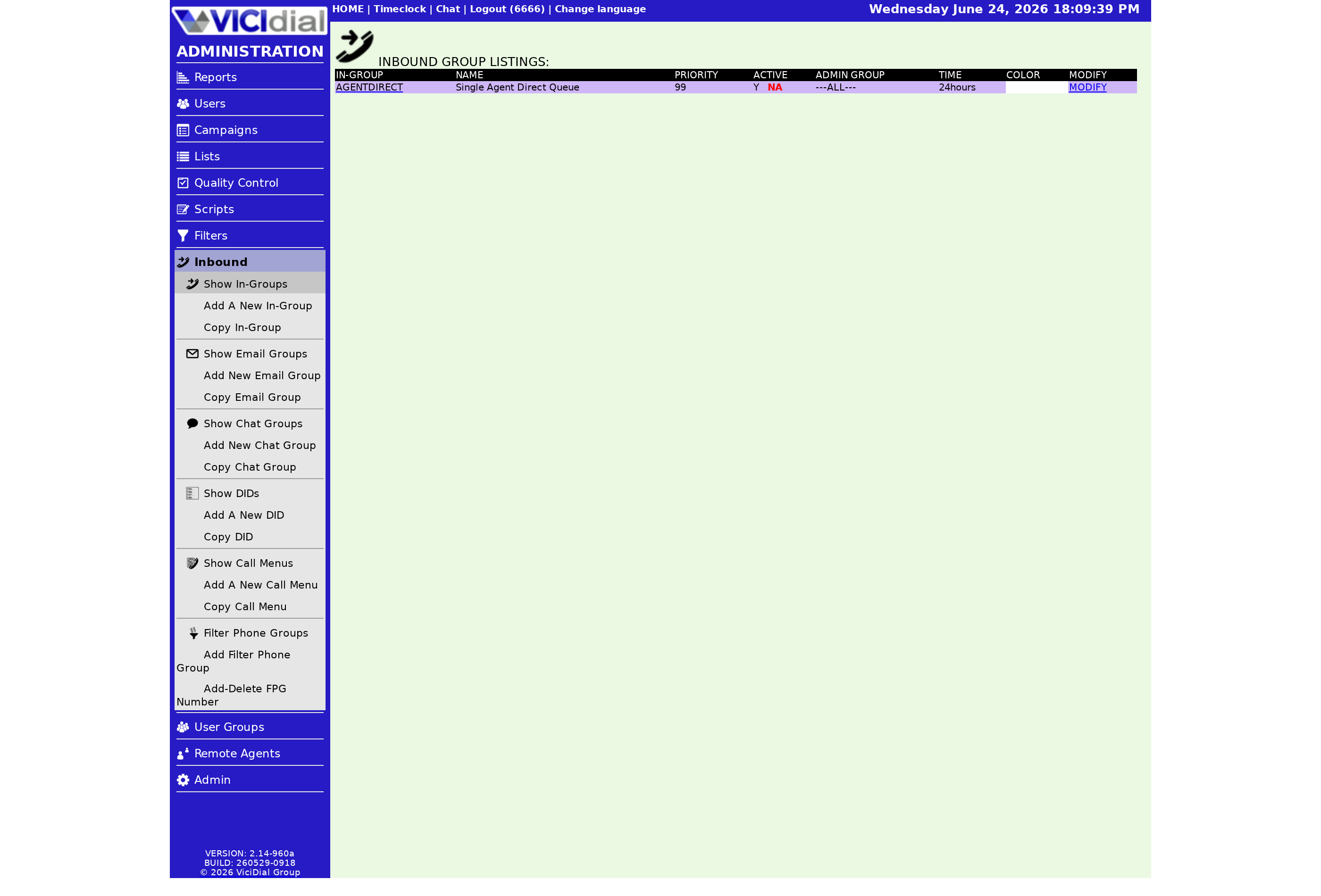
From the admin screen, open the IN-GROUPS section using the link on the left, then click the link at the top to add a new one. You land on a short form. If you are fuzzy on what an Ingroup actually is before you fill this in, it is the bucket that connects a phone number to your Agent pool.
The two fields you must get right
Two values are required, and the submission will be rejected without them:
- Group ID: a short code from 2 to 20 characters, letters, numbers, and underscores only. No spaces or punctuation. It must be unique across every in-group and every campaign, and it is locked for life once saved.
- Group Name: a description from 2 to 30 characters. No dashes, plus signs, or spaces. This one you can edit later, so it is the safer place to be descriptive.
Because the ID is permanent, pick something you will still understand in a year, like SALES_IN or SUPPORT_TIER1. If you ever need to change it, your only option is to delete the in-group and rebuild it under a new ID.
The copy shortcut
If you already have an in-group tuned the way you like, there is a copy option. Enter a new Group ID and name, point it at the source in-group, and every other setting carries over. This is the fastest way to spin up a second queue that behaves like the first, then change only the one or two fields that differ.
After you save
Saving the form creates the bucket but does not send it any calls yet. Two more things have to happen: a campaign must allow the in-group so agents can pull from it, and a DID (direct inward dialing) or transfer must feed calls into it. Until a campaign allows it, the list will show a red NA in the Active column.
Next you will likely want to flip the Ingroup on and confirm agents can see it, which is covered in activating and deactivating an in-group. For the bigger picture of how calls travel from a number to a person, the inbound call handling guide ties it together.
If you would rather skip the server setup entirely and start clicking through this form on a live box, our managed hosting hands you a ready VICIdial install in under a minute.
Frequently asked
- You can change the Group Name freely, but the Group ID is permanent. To change the ID you must delete the in-group and create a new one, which is why it is worth getting the ID right the first time.
- Only letters, numbers, and underscores. No spaces, dashes, or punctuation. The ID must be between 2 and 20 characters and unique across both in-groups and campaigns.
› Can I rename an in-group later?
› What characters are allowed in the ID?
Related from VICIfast
About VICIfast
We run VICIdial servers for call centres, so you don’t have to. You get the dialer set up, secured and kept running — we handle the server, the updates and the backups. Bring your own phone carrier; we never resell minutes. From $49 a month per server.
Questions? Call +1 636 556 0022 and talk to someone who runs dialers.
Citing this article
VICIfast Engineering. “How to add a new inbound in-group”. VICIfast LLC, June 19, 2026. Retrieved from https://vicifast.com/blog/add-vicidial-inbound-group
Have questions?
Related posts
You might be interested in
VICIfast newsletter
Liked this? Get the next one in your inbox.
We ship the kind of stuff you just read - concrete, numbers-first, no drip. One email when a new post goes live. Unsubscribe in one click.
Comments
No comments yet - be the first.