Why your VICIdial cloud box needs a public IP
A cloud VICIdial server without a routable public IP will fail to exchange SIP and RTP traffic with carriers, leaving agents with no audio.
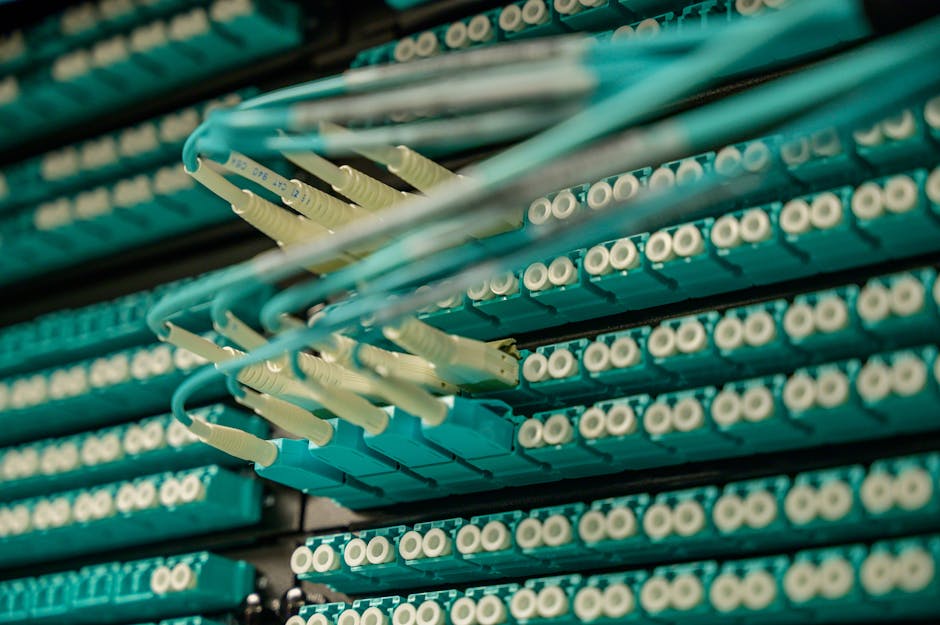
When you spin up a VICIdial server on a cloud provider, the first networking question is almost always: does it need a public IP? The short answer is yes, and the reason goes deeper than just being reachable from the internet. Your carrier needs to deliver inbound call legs to the box, Asterisk needs to hand RTP audio packets back to agents, and your admin panel needs to be reachable from a browser. All of that falls apart the moment the server sits behind an opaque private address.
How SIP signaling and carrier registration work
SIP (Session Initiation Protocol) SIP (Session Initiation Protocol) is the call-control layer that carries INVITE, BYE, and OPTIONS messages between your server and the carrier. SIP signaling travels over UDP or TCP on port 5060 by default (TLS on 5061). When Asterisk registers a SIP trunk with the carrier - telling the carrier where to send calls - it sends the registration from whatever IP the kernel sees on the outbound interface. If that is a private RFC-1918 address, the carrier either rejects the REGISTER outright or accepts it but tries to deliver calls to a private address it cannot reach.
Some carriers authenticate by IP rather than by SIP credentials - called IP authentication IP authentication. They whitelist your server's source address and reject traffic from anything else. If your cloud instance only shows a private IP to its own kernel (common on hypervisors that apply NAT at the host level), the source address of your SIP packets will be wrong and the carrier will drop them.
RTP: the media layer needs the same reachability
SIP only sets up the call. Actual voice travels on RTP (Real-time Transport Protocol) RTP, a stream of UDP packets flowing on a dynamically negotiated port. Asterisk and the carrier negotiate these ports in the SDP (Session Description Protocol) body of the SIP INVITE. The address Asterisk advertises in the SDP must be routable from the carrier's side. If Asterisk sees only the private IP (say 10.0.0.5) and advertises that in the SDP, the carrier sends audio to an unreachable address and the agent hears silence.
sequenceDiagram
  participant Carrier
  participant PublicIP as Cloud Public IP
  participant Asterisk
  participant Agent
  Carrier->>PublicIP: SIP INVITE dst=public IP port 5060
  PublicIP->>Asterisk: forward to local Asterisk
  Asterisk-->>Carrier: 200 OK SDP media=public IP port 12000
  Carrier->>PublicIP: RTP audio UDP port 12000
  PublicIP->>Asterisk: forward RTP
  Asterisk->>Agent: RTP audio to agent softphone
What happens on providers that hide the IP
Some cloud providers assign a private IP to the VM's interface and NAT it to a public IP at the hypervisor level. The OS on the VM never sees the public address. Asterisk will pick up the private interface address and put it into Contact headers and SDP bodies. This is the most common cause of one-way audio in the cloud One-way audio - Asterisk tells the carrier to send RTP to 10.0.0.5, which is not reachable from outside. You get a connected call but silence in one or both directions.
The fix in sip.conf or pjsip.conf is to set externip to the public address and localnet to your private subnet so Asterisk rewrites the contact address before it goes out. But this only works reliably when the public IP is static. A static, dedicated public IP is the clean solution.
[general]
externip=203.0.113.42
localnet=10.0.0.0/8
Static vs. ephemeral IPs
Cloud providers will often hand your instance a public IP that changes when the VM is stopped and restarted. That is fine for a web server behind a load balancer, but it breaks a VoIP box in two ways. First, your carrier's IP whitelist for IP authentication is wrong the moment the IP changes. Second, Asterisk's hardcoded externip goes stale and you are back to one-way audio. Allocate a reserved (elastic) static IP on your cloud provider and attach it to the instance. Most providers charge a small monthly fee for a static allocation - it is worth it.
The bigger picture: cloud networking for VICIdial
Public IP is one piece of a broader cloud networking puzzle. You still need the right firewall rules open for SIP and RTP ports, a VoIP-capable VoIP hosting environment, and correct DNS if you are using a subdomain. For a full walkthrough of everything that goes into running VICIdial on a cloud server, see our VICIdial in the cloud guide. Once you have the IP situation sorted, the next step is making sure the firewall passes the right ports - covered in cloud security groups for a VICIdial server.
Sorting out public IPs, NAT rewrites, and carrier whitelists on your own takes time and is easy to get wrong. If you would rather skip straight to a working dialer, VICIfast plans provision a correctly configured VICIdial box with a static IP in under 40 seconds.
Related from VICIfast
- All VICIdial migration pathsStep-by-step moves from the platforms people leave most often.
- Migrating a self-hosted VICIdial boxKeep the database and the dial history; drop the maintenance.
- Trunk management and BYO SIPTemplated configs for Twilio, Bandwidth, Telnyx, Skyetel, and generic IP auth.
- Our long-form VICIdial handbookArchitecture, sizing, storage and cost. No email wall on the contents.
About VICIfast
We run VICIdial servers for call centres, so you don’t have to. You get the dialer set up, secured and kept running — we handle the server, the updates and the backups. Bring your own phone carrier at no markup, or use VICIfast Voice, our own US calling and numbers, from $0.0085 a minute. From $49 a month per server.
Questions? Call +1 636 556 0022 and talk to someone who runs dialers.
Citing this article
VICIfast Engineering. “Why your VICIdial cloud box needs a public IP”. VICIfast LLC, June 29, 2026. Retrieved from https://vicifast.com/blog/vicidial-cloud-public-ip-requirement
Have questions?
Related posts



You might be interested in




VICIfast newsletter
Liked this? Get the next one in your inbox.
We ship the kind of stuff you just read - concrete, numbers-first, no drip. One email when a new post goes live. Unsubscribe in one click.
Comments
No comments yet - be the first.