Call Time: setting an in-group's business hours
Every in-group answers calls on a schedule. The Call Time setting is where you tell VICIdial which hours count as open and which count as after hours. Here is how it works and why server time matters.
An inbound line should behave differently at 2pm on a Tuesday than at 2am on a Sunday. The Call Time setting on an Ingroup is how you draw that line. It tells VICIdial which hours count as open so that calls during those hours flow to agents, and calls outside them get handled some other way.
What a call time scheme is
flowchart TD
    A[Inbound call] --> B[Read in-group Call Time]
    B --> C[Compare against server time]
    C --> D{Within open hours?}
    D -->|Yes| E[Route to agents]
    D -->|No| F[After Hours Action]
    C --> G[Check holiday overrides]
    G --> D
A call time is a named schedule you build once in the admin and then reuse. It defines a start and end time for each day of the week, so you can say open 9 to 5 Monday through Friday, closed weekends. Once it exists, you select it in the in-group's Call Time field, and that in-group follows that schedule from then on.
Because schemes are reusable, you can apply one Call Time to several in-groups. If your sales line and support line keep the same hours, they share one scheme, and changing the hours in one place updates both. Different lines with different hours just get different schemes.
The server time gotcha
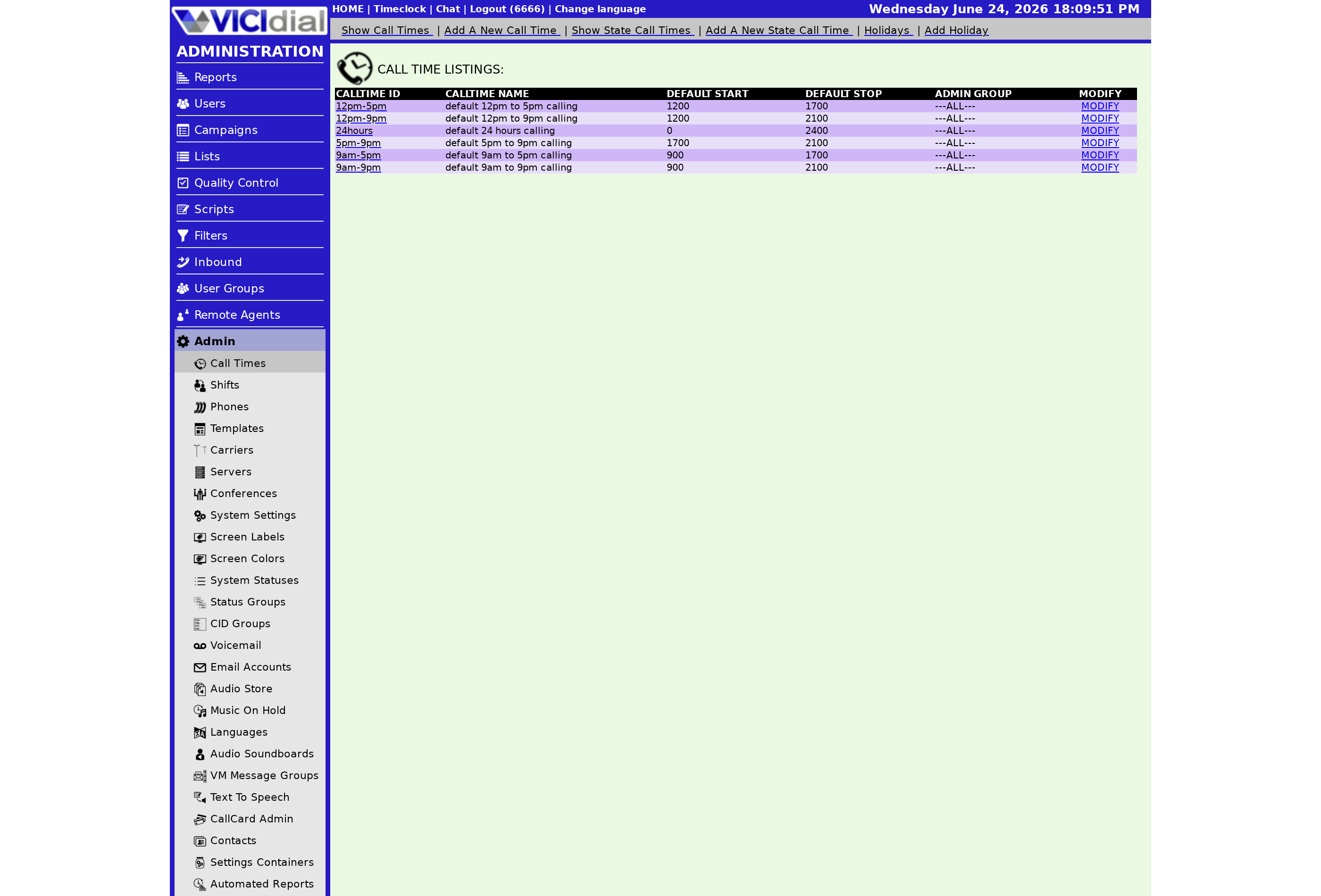
This trips people up, so it is worth saying plainly: Call Time runs on the server's clock, not the caller's. If your server is set to one timezone and your team works in another, your 9-to-5 might really mean something else. Before you go live, confirm what timezone the box is set to and build your schedule against that. When you adjust for a GMT offset (lead), you are doing it in your head, not relying on the caller's location.
The default Call Time is 24hours, meaning the in-group is treated as always open. That is fine for a line you genuinely staff around the clock, but if you have set hours, assign a real scheme or no call will ever be treated as After hours.
Holidays count too
A call time scheme can carry holiday entries: specific dates that override the normal weekly hours, so the line is treated as closed on, say, a public holiday even though it is a Wednesday. Right under the Call Time selector on the in-group, VICIdial shows a count of how many holidays the chosen scheme has, which is a quick way to confirm you picked the right one. If that count reads zero when you expected your bank holidays to be in there, you have probably selected the wrong scheme.
Keep holiday dates current. A scheme set up last year with last year's dates will treat this year's holidays as ordinary working days, and your line will happily ring through to agents who are not there. It is a five-minute job at the start of each year that saves an awkward call.
What happens outside the hours
Call Time only defines when you are open. It does not by itself decide what happens to a call that arrives after closing. That is handled by the After Hours Action, which sits right beside Call Time on the in-group. The companion piece on the After Hours Action covers your routing choices once the line is closed, and the inbound call handling guide ties it into the whole flow.
Getting your business hours right is one of the first things to do on a new inbound line. A managed VICIdial box, set up correctly from the start, is on our pricing page.
Frequently asked
- 24hours, which means the in-group is treated as open around the clock. Until you assign a real schedule, no calls will ever be treated as after hours.
- The server's clock. The hours you define are evaluated against the server time, not the caller's local time, so be careful if your agents or callers are in a different timezone.
› What is the default Call Time?
› Whose clock does Call Time use?
Related from VICIfast
About VICIfast
We run VICIdial servers for call centres, so you don’t have to. You get the dialer set up, secured and kept running — we handle the server, the updates and the backups. Bring your own phone carrier; we never resell minutes. From $49 a month per server.
Questions? Call +1 636 556 0022 and talk to someone who runs dialers.
Citing this article
VICIfast Engineering. “Call Time: setting an in-group's business hours”. VICIfast LLC, June 20, 2026. Retrieved from https://vicifast.com/blog/vicidial-ingroup-call-time
Have questions?
Related posts
You might be interested in
VICIfast newsletter
Liked this? Get the next one in your inbox.
We ship the kind of stuff you just read - concrete, numbers-first, no drip. One email when a new post goes live. Unsubscribe in one click.
Comments
No comments yet - be the first.