Manage Firewall — every tab explained
Default-deny means nothing reaches your dialer unless you allow it. All seven tabs of Manage Firewall, click by click: rules, activities, country blocking, agent TOTP, settings, audit log, and insights.
Every VICIfast server runs default-deny: nothing reaches your dialer unless a rule allows it. The Manage Firewall modal is where you control that — who gets in, who is blocked, and how agents let themselves in without calling you. This guide walks through all seven tabs, click by click.
Open the firewall
- Click Servers in the left sidebar, then click your server.
- In the tools strip near the top of the page, click Manage Firewall.
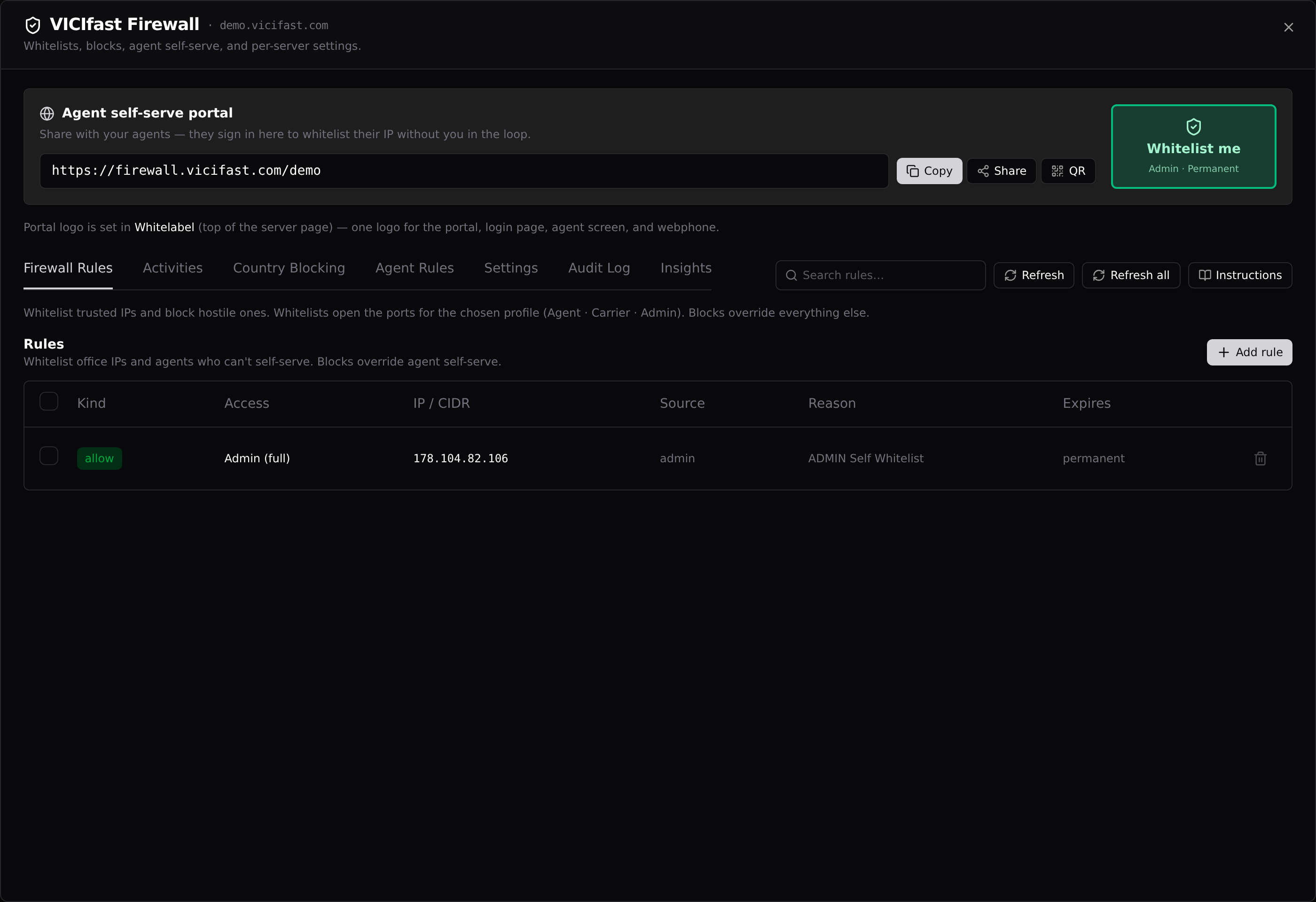
The modal opens on the Firewall Rules tab. Along the top you always see the Agent self-serve portal banner — the link your agents use to whitelist themselves — with Copy, Share, and QR buttons, and a Whitelist me button that instantly whitelists your own current IP with full admin access (handy if your office IP just changed and you are locked out of VICIdial admin).
How the firewall decides (read this once)
Every packet is checked against these tiers, in order. First match wins:
- Platform management IPs — always allowed (we can never lock you, or ourselves, out).
- Always-open ports — call audio (RTP) and the self-serve portal port. Call audio is never torn down, even for blocked IPs.
- Your whitelist rules — allowed, each with its own port profile. A whitelist beats every block below it for that exact IP.
- Your manual block rules — dropped on all ports.
- The managed blocklist (Spamhaus + FireHOL + VoIP-BL) — dropped on telephony ports only; the web port stays open so a false positive can still reach the portal.
- Country blocks — dropped on all ports.
- Default deny — everything else is dropped.
Two consequences worth remembering: a whitelist always wins over a block for the same IP, and blocking a country does not stop an agent there from using the self-serve portal (see Country Blocking).
Tab 1 — Firewall Rules
Your manual allow and block rules. The table shows each rule’s kind (green allows, red blocks), port profile, IP/CIDR, source, and expiry. Rules pushed by the platform itself — carrier auto-whitelists, geo blocks, management entries — also appear but can’t be deleted here.
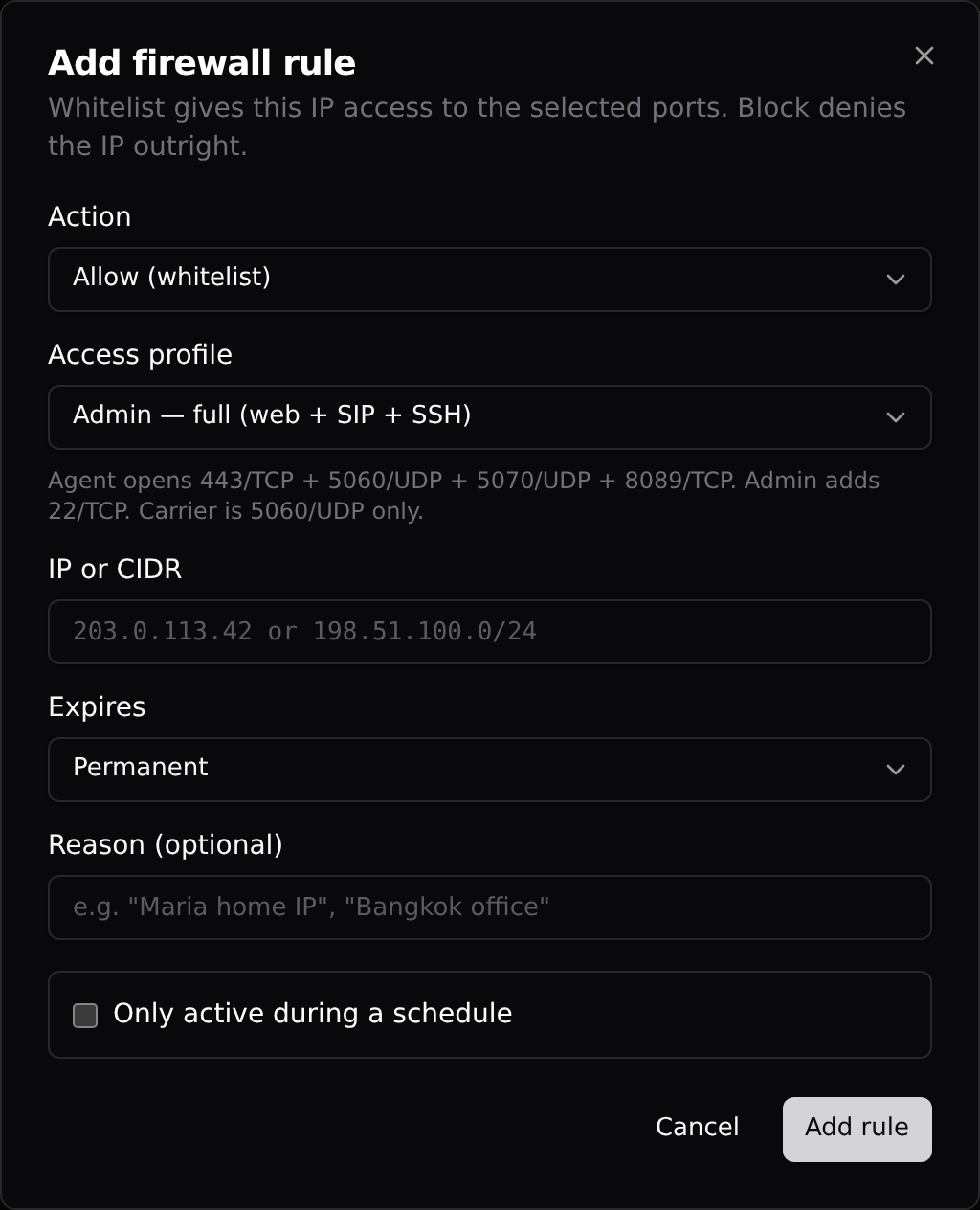
Add a rule
- Click + Add rule, top-right of the table.
- Action: Allow (whitelist) or Block (blacklist).
- Access profile (allow only): Agent — web + SIP signaling (443, 5060, 5070, 8089); Carrier — SIP only (5060); Admin — everything plus SSH and the hidden admin-URL port. Pick Admin for yourself, Agent for agents, Carrier for trunk IPs.
- IP or CIDR — a single address like 203.0.113.42 or a range like 198.51.100.0/24. IPv4 only — IPv6 entries save but never take effect on the box.
- Expires — Permanent, or 24/48/72 hours or 7 days. Honest note: expiry is enforced for agent self-serve rules; a manual allow with an expiry currently stays active until you delete it, so prefer Permanent and clean up yourself.
- Reason — free text so future-you knows what this was ("Maria home IP").
- Optionally tick Only active during a schedule to limit the rule to hours and days in a timezone (end hour earlier than start wraps midnight). Outside the window the rule simply pauses.
- Click Add rule. It reaches the box within seconds.
Delete rules with the trash icon on each row, or tick checkboxes and use Delete N for a bulk clean-up. Platform-managed rows (carrier auto, geo) are skipped automatically.
Tab 2 — Activities
Every agent self-serve sign-in attempt on this server, newest first: who tried, from which IP and country, and what happened (whitelisted, wrong password, wrong code, rate limited, captcha shown…). Filter by agent, country, outcome, traffic quality, or period.
The one action here: Revoke on a successful row kills that agent’s whitelist immediately instead of waiting for it to expire — use it when a laptop is lost or an agent leaves. The IP drops off the box within seconds.
History is kept for 7 days and capped at the 500 most recent attempts, so use the filters rather than scrolling.
Tab 3 — Country Blocking
Drop all traffic from entire countries. Click countries in the picker (or Select all per continent), then Save in the unsaved-changes banner. The footer shows how many networks that covers.
What actually happens: the block is fetched and pushed to the box within seconds for newly added countries; the country lists themselves are re-synced monthly from public zone files. And per the tier order above, a whitelisted IP inside a blocked country still gets through — and so can any agent who signs in at the self-serve portal, since the portal port stays open by design. Country blocking is for killing bulk noise, not for locking out your own people.
Tab 4 — Agent Rules
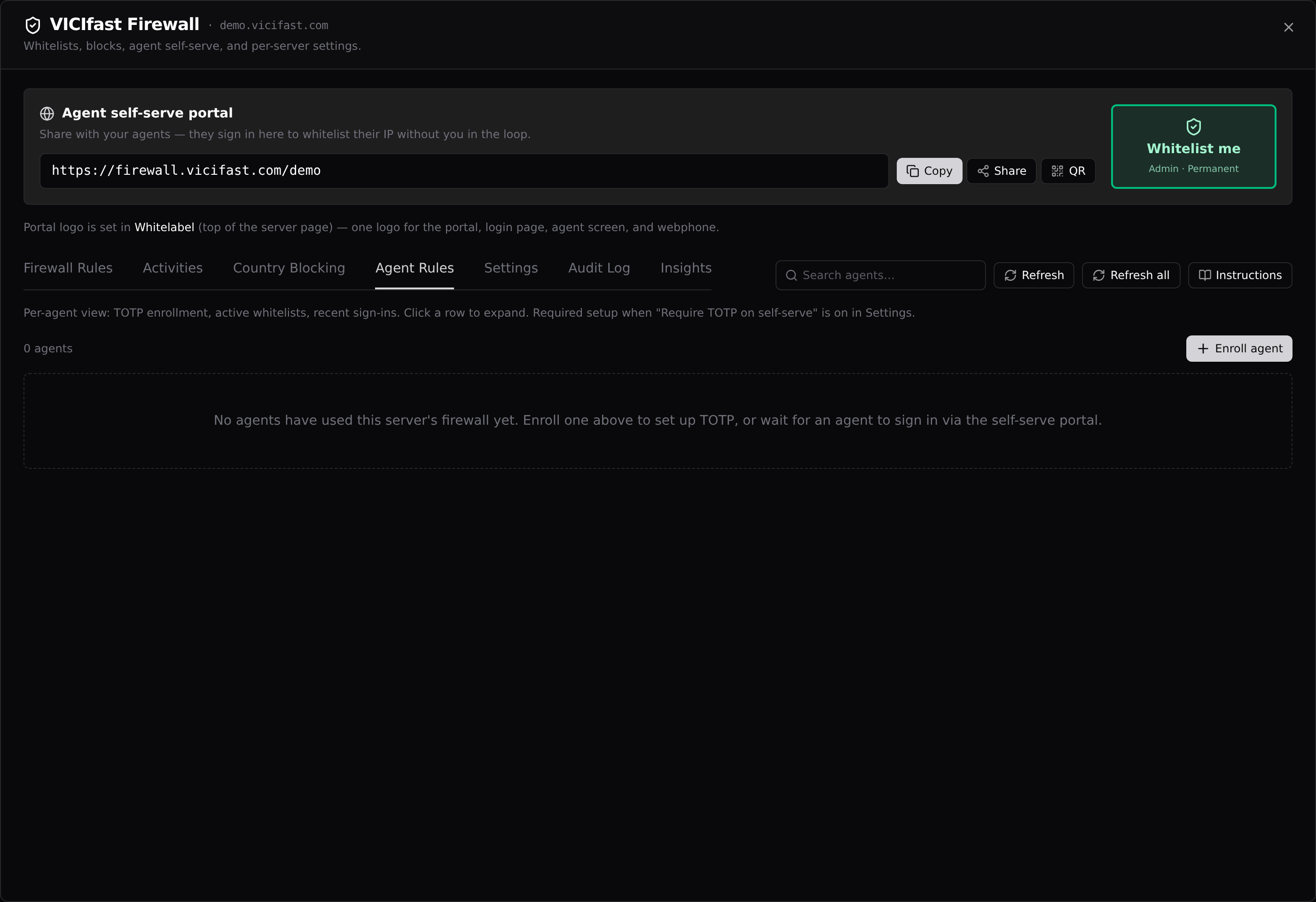
One row per agent who has touched the firewall: TOTP enrollment state, how many whitelists are active, and their last sign-in attempt. Click a row to expand it — you get their TOTP details, every active whitelist with a per-entry Revoke, and their five most recent attempts.
TOTP for the self-serve portal
If you turn on Require TOTP on self-serve (Settings tab), agents need an authenticator code to whitelist themselves. Two ways to enroll them:
- Admin-led: click + Enroll agent, type their VICIdial username, click Generate secret. Hand them the secret, the otpauth:// link, and the 10 backup codes — they are shown once and never again.
- Agent-led: they click "First time? Set up authenticator" on the portal itself and enroll with their normal VICIdial login.
The lock icon freezes a stolen-phone enrollment (the agent is locked out until you unenroll and re-enroll). The trash icon removes the enrollment entirely. There is no "reset" button — reset is unenroll, then enroll again.
Tab 5 — Settings
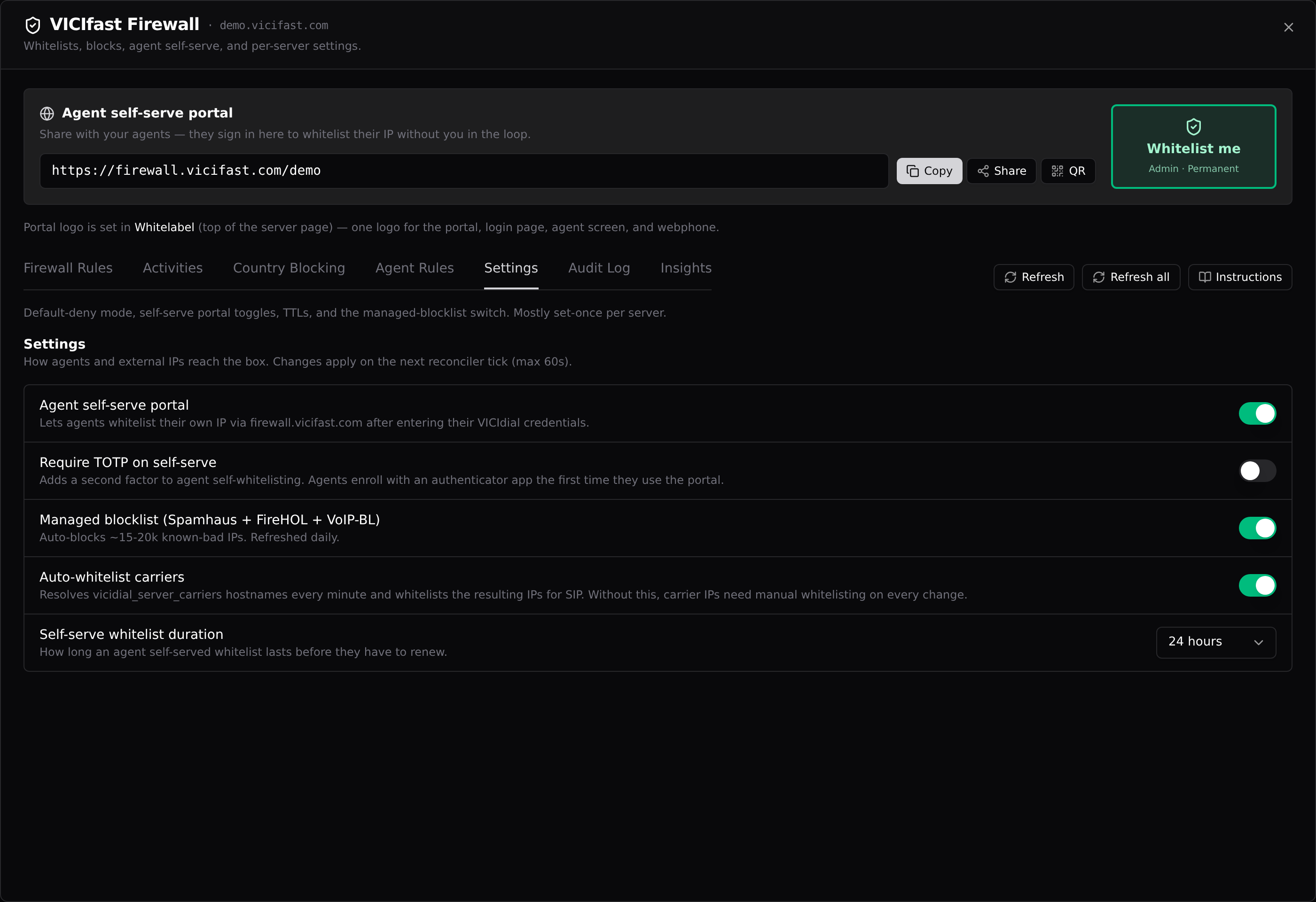
Five switches, each saved the moment you flip it and live on the box within a minute:
- Agent self-serve portal (default on) — lets agents whitelist their own IP after entering their VICIdial credentials. Turn off and the portal refuses everyone.
- Require TOTP on self-serve (default off) — adds an authenticator-code step to the portal. Turn it on once your agents are enrolled (Tab 4).
- Managed blocklist (default on) — auto-blocks ~15–20k known-bad IPs from Spamhaus, FireHOL, and VoIP-BL, refreshed daily. Leave this on.
- Auto-whitelist carriers (default on) — resolves your trunk hostnames every minute and whitelists the IPs for SIP. Turn this off and you re-whitelist by hand every time a carrier IP changes.
- Self-serve whitelist duration (default 24 hours) — how long an agent’s self-served whitelist lasts before they must renew.
One thing that is not a switch: default-deny itself. It is baked in at provisioning and cannot be turned off — that is the point of the product.
Tab 6 — Audit Log
Every firewall change on the server — rule added or removed, settings flipped, TOTP enrolled or locked — with who did it (a person, or System for the platform’s own jobs) and when. Filter by actor or period, and click any row for the full detail, including a raw-JSON view. This is where you answer "who opened port 22 to the world last Tuesday?"
Tab 7 — Insights
Live health of the firewall itself: whether the on-box daemon is responding, when it last synced, whether your latest rules are applied, and any drift alert. Below that: a 7-day sign-in attempt trend, the IPs failing most in the last 24 hours, and blocklist freshness for the managed and country lists.
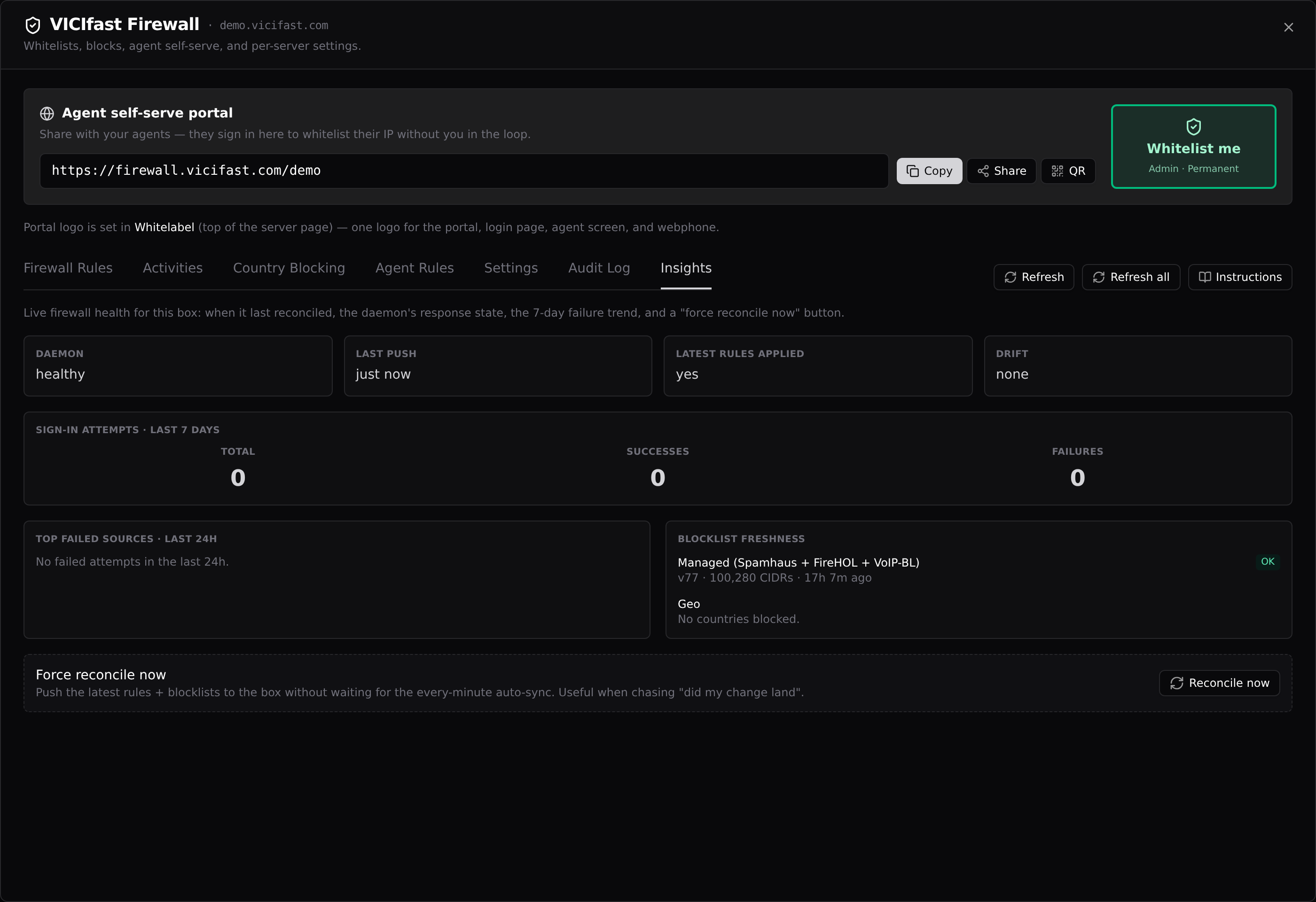
The Reconcile now button at the bottom re-pushes all rules and blocklists to the box immediately instead of waiting for the every-minute auto-sync — use it when you are chasing "did my change land?" (owner accounts only).
What your agents see
Send agents the portal link from the banner (or the QR code for phone onboarding). They enter their normal VICIdial username and password — no separate sign-up — and their current IP is whitelisted for the duration you set in Settings. Managers (VICIdial user level 7–9) get full admin access including SSH and the hidden admin port; regular agents get web + SIP only. If their IP changes, they repeat the process; if they are already whitelisted, the portal offers to extend after re-entering credentials. After 5 failed attempts they get a captcha; 100 failures in an hour rate-limits the IP for an hour.
Running your server on your own domain? The portal link can live on firewall.yourcompany.com instead of firewall.vicifast.com — the "Branded firewall portal" card directly under the banner walks you through the DNS records, and the link at the top switches over automatically once it goes Live. The Using your own domain guide covers it step by step.
Good to know
- Every change — rules, settings, countries, revokes — reaches the box within seconds, with the every-minute auto-sync as a safety net.
- The firewall is IPv4-only. If an agent is on IPv6-only internet, the portal tells them to disable IPv6 and retry.
- Agents behind carrier-grade NAT (common on mobile data in India and Southeast Asia) may need to self-serve again after reconnecting — their public IP changes.
- Locked out of VICIdial admin because your IP rotated? Open Manage Firewall and click Whitelist me — you are back in seconds.
You might also like
Onboarding & white-glove setup — what each tier includes
One-time, human-delivered setup for your VICIdial server: the $99 call, the $249 Plus, and the $499 white-glove migration. What each covers, how to buy, and what happens after you pay.
Read article →Your first outbound call — end to end
The whole chain from a fresh server to a finished call: trunk, list, campaign, agent, agent login, go live, first call, disposition. Click by click, no technical knowledge needed.
Read article →Logging into VICIdial admin and the agent screen
Your dialer has three logins — the admin panel, the agent screen, and the API user. Where each credential lives in your dashboard and how to sign in, click by click.
Read article →